
# Calculator App That Hides Messages (What to Look For)
You found a second calculator app on your partner's phone. It looks normal. It does basic math. But something feels off — and you are probably right to be suspicious.
A calculator app that hides messages is exactly what it sounds like: a fully working calculator on the surface that unlocks a secret vault when you enter a specific PIN or code. These apps store hidden text conversations, photos, videos, and even cloned dating apps behind what looks like an innocent math tool. According to Google Play data, the most popular calculator vault app — HideX — has been downloaded over 100 million times. That is not a niche tool. That is a mainstream hiding method.
A 2025 report from the Lazo App research team found that 42% of cheaters say their affair started as "harmless messaging." Calculator vault apps are built specifically to keep those messages invisible. They are among the most common apps cheaters use to cover their tracks.
This article breaks down the 7 most common calculator vault apps by name, explains exactly how each one works, and gives you step-by-step detection methods for both iPhone and Android. You will know what to look for, where to look, and what the red flags mean.
If your partner's phone behavior has changed and you want to check whether they are hiding conversations in other ways, CheatScanX scans 15+ dating apps in minutes to find hidden profiles.
What Is a Calculator App That Hides Messages?
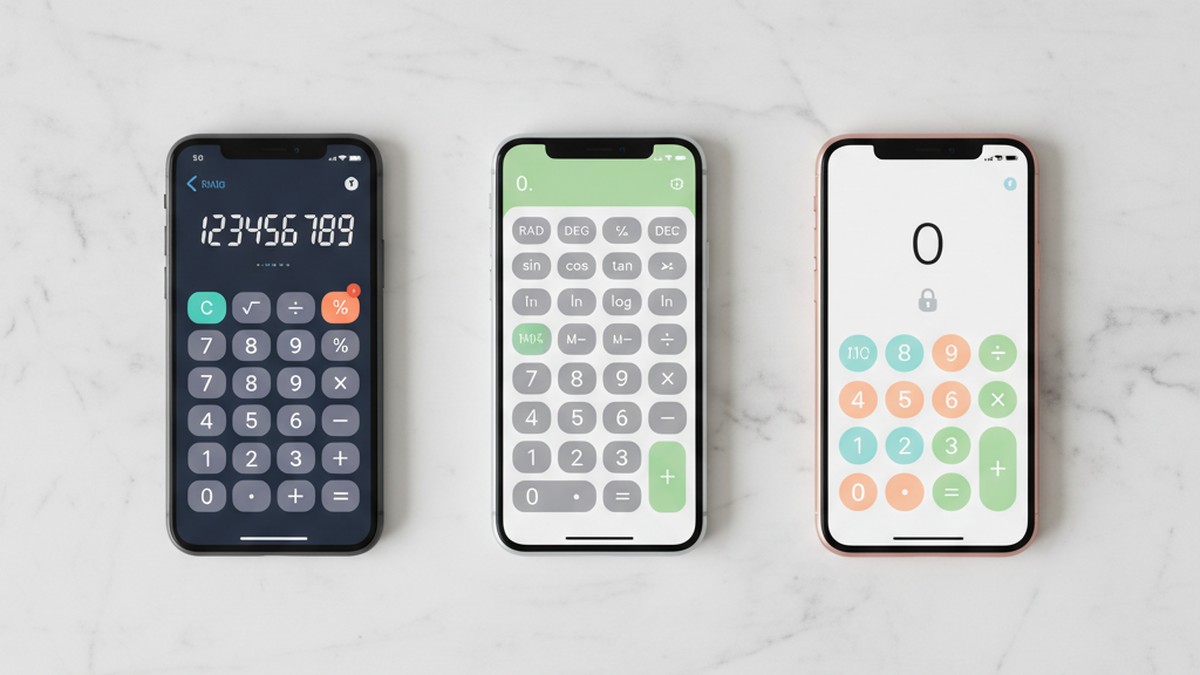
A calculator vault app is a mobile application that disguises itself as a standard calculator. The home screen icon looks identical to the default calculator on your phone. Open it, and you see a number pad. You can type in "24 x 7" and get "168." It works.
But enter a secret PIN — say, "5678=" or a custom code — and the calculator interface disappears. A hidden vault opens. Inside that vault, depending on the app, you will find:
- Hidden text messages intercepted from specific contacts
- A private photo and video gallery with encrypted storage
- Cloned apps (a second WhatsApp, Telegram, or Snapchat instance)
- A private web browser with no history saved
- Hidden contacts and call logs
- Encrypted notes and documents
The key difference between a calculator vault app and a regular hidden folder is the disguise. Your phone's native "hidden photos" folder shows up in settings. A calculator vault does not. It appears in your app list as "Calculator" or "Calculator+" — nothing more.
This makes it one of the most effective tools for hiding digital communication. Unlike secret messaging apps used for cheating that can be identified by their app icon, a calculator vault is designed to be invisible in plain sight.
Who Uses Calculator Vault Apps?
The marketing for these apps targets three groups: teens hiding content from parents, privacy-conscious users protecting sensitive files, and people concealing conversations from their partners. A 2025 survey by FamiSafe found that 42% of vault app users cited "privacy protection" as their reason, while 31% specifically cited "avoiding monitoring" (FamiSafe/Wondershare, 2025).
That 31% figure is telling. Nearly a third of users download these apps specifically because someone in their life might check their phone. If you are already noticing signs of emotional cheating through texting, a calculator vault app is one way those conversations get hidden.
If the data here has you concerned, CheatScanX can give you a direct answer. It searches 15+ dating apps for hidden profiles.
Search dating profiles now →7 Calculator Vault Apps You Need to Know By Name
Not all calculator vault apps are the same. Some hide photos. Some hide messages. Some do both and add cloned apps on top. Here are the seven most common ones, what they do, and what they look like on a home screen.
1. HideX (Calculator Lock)
- Platform: Android and iOS
- Downloads: 100+ million (Google Play, 2026)
- App icon: Black calculator icon with colored number keys
- What it hides: Photos, videos, apps, private browser history
- Standout feature: Break-in alert — if someone enters the wrong password, the app silently photographs them using the front camera
HideX is the most popular calculator vault app worldwide. It functions as a real calculator, but entering your PIN unlocks a hidden gallery for photos and videos. It also lets you clone and hide other apps — so a second Snapchat or WhatsApp runs entirely inside HideX, invisible to anyone who does not know the PIN.
The break-in alert feature is worth noting. If you try to access the vault and enter the wrong code, the app takes your photo without any visible flash or shutter sound. This means the person using HideX will know you tried to look.
2. Calculator Pro+ (Private SMS)
- Platform: Android only
- Downloads: 5+ million (Google Play, 2026)
- App icon: Blue calculator icon
- What it hides: SMS and MMS messages from specific contacts
- Standout feature: Automatic message interception — incoming texts from flagged contacts are rerouted to the vault before they appear in the default messaging app
Calculator Pro+ is the most common calculator app specifically designed to hide text messages. You add contacts as "Private Contacts," and the app automatically moves their incoming messages into its encrypted vault. The messages never appear in the phone's default SMS app. You can also customize the notification icon so incoming hidden messages show a fake alert instead.
Benson Varghese, a criminal defense and family law attorney at Varghese Summersett in Texas, identifies Calculator Pro+ as one of the most concerning apps cheaters use because of its automatic interception feature: "No one needs multiple calculator apps. If you see one, check the permissions — if a calculator is requesting access to contacts, camera, and storage, that's a vault app" (Versus Texas, 2025).
3. Calculator Vault - App Hider
- Platform: Android
- Downloads: 35+ million (AppBrain, 2025)
- App icon: White calculator icon on teal/green background
- What it hides: Apps, photos, videos, files
- Standout feature: App cloning — creates separate copies of messaging and social media apps that run only inside the vault
This app specializes in hiding other apps. You can clone WhatsApp, create a second Instagram account, or run a dating app entirely within the vault. The cloned apps do not appear in your phone's app drawer, recent apps, or settings. Files stored inside are encrypted with AES-256 encryption, which means even connecting the phone to a computer will not reveal them.
One notable feature: flipping the phone face-down instantly closes the vault and returns to the calculator screen. That is a specific anti-discovery design.
4. Calculator# (Hide Photos Videos)
- Platform: iOS and Android
- Downloads: 1+ million
- App icon: Orange or purple calculator icon
- What it hides: Photos, videos, notes, contacts
- Standout feature: Multiple lock types including Face ID, Touch ID, PIN, and pattern
Calculator# is one of the more common vault apps on iPhone. It supports Face ID and Touch ID for quick vault access, which means the user does not even need to type a PIN — they just touch the calculator icon and authenticate with their face or fingerprint. The vault opens so fast that it can be accessed and closed in under two seconds.
5. Secret Calculator My Vault
- Platform: iOS
- Downloads: 500K+
- App icon: Gray calculator icon
- What it hides: Photos, videos, notes, contacts
- Standout feature: Decoy password — entering a different PIN opens a fake vault with harmless content, while the real vault remains hidden
The decoy password feature is specifically designed to defeat someone who demands to see what is inside. If you confront your partner and they open the "vault" to show you, they may be entering the decoy PIN. The real PIN opens the actual hidden content. You would see an empty or innocent-looking vault and believe there is nothing to find.
6. Calculator Lock - Secure Vault
- Platform: iOS
- Downloads: 500K+
- App icon: Standard calculator with lock icon
- What it hides: Photos, videos, private browsing
- Standout feature: Disguise Mode — lets users change the app icon to look like a different app entirely (weather, notes, compass)
Disguise Mode takes the concealment a step further. The app does not just look like a calculator — the user can change it to look like a weather app, a compass, or a notes app. This means you might not even be looking for a calculator. The vault could be hiding behind any icon on the home screen.
7. Messenger Calculator (Hide My Messages)
- Platform: Android
- Downloads: 1+ million
- App icon: Calculator icon with "Calculator" text
- What it hides: Text messages, voice messages, photos, videos
- Standout feature: Self-destructing messages — you can set a timer so messages automatically delete from both devices after a set period
Messenger Calculator is a full messaging platform disguised as a calculator. It does not just hide existing SMS — it has its own encrypted messaging system. Users can send texts, voice messages, photos, and videos that disappear after a timer expires. Both the sender's and recipient's copies are deleted, leaving no trace.
Quick Comparison Table
| App | Platform | Hides Messages | Hides Photos/Video | Clones Apps | Decoy Password | Break-In Alert |
|---|---|---|---|---|---|---|
| HideX | Android/iOS | No (hides apps that do) | Yes | Yes | No | Yes |
| Calculator Pro+ | Android | Yes (SMS interception) | Yes | No | No | No |
| Calculator Vault - App Hider | Android | No (hides apps that do) | Yes | Yes | No | Yes |
| Calculator# | iOS/Android | No | Yes | No | No | No |
| Secret Calculator My Vault | iOS | No | Yes | No | Yes | No |
| Calculator Lock - Secure Vault | iOS | No | Yes | No | No | No |
| Messenger Calculator | Android | Yes (built-in messaging) | Yes | No | No | No |
How Calculator Vault Apps Actually Work
Understanding the technical mechanics helps you detect these apps. Here is what happens behind the scenes when someone uses a calculator vault.
The Calculator Layer
The app runs a fully functional calculator as its visible interface. Mathematical operations work correctly. If someone opens the app and does a quick calculation, it behaves exactly like the phone's default calculator. Some vault apps even mimic the visual design of the specific phone's native calculator (iOS-style for iPhones, Material Design for Android).
The Authentication Trigger
The vault unlocks through a specific action on the calculator interface. Common triggers include:
- Entering a PIN followed by "=" (e.g., typing "1234=" opens the vault)
- Long-pressing a specific button (e.g., holding the "%" key for 3 seconds)
- A specific calculation (e.g., typing "0+0=" only opens the vault if the answer should be zero)
- Swiping a hidden area (e.g., swiping down from the top of the calculator screen)
The Encrypted Vault
Once authenticated, the vault opens. Files inside are typically encrypted with AES-256 encryption — the same standard used by banks and government agencies. This means:
- Connecting the phone to a computer does not reveal vault contents
- File manager apps cannot see the hidden files
- Backup tools like iCloud or Google Drive may or may not include vault data (varies by app)
- Factory reset will delete the vault contents permanently
The Notification System
For apps that hide messages (Calculator Pro+, Messenger Calculator), the notification system is critical. When a hidden message arrives, the app can:
- Show a fake notification (e.g., "Calculator update available" instead of showing the message)
- Show no notification at all
- Show a custom notification that looks like something else (a news alert, a weather update)
- Vibrate without any visible notification
This is what makes these apps different from simply deleting messages. The messages arrive, get stored secretly, and the person can read them at their leisure — all without a single visible trace in the phone's normal messaging app.
Advanced Security Features That Make Detection Harder
Calculator vault apps have evolved significantly. The features below are specifically designed to defeat someone who is actively looking for hidden content.
Break-In Alerts and Intruder Selfies
Apps like HideX and Calculator Vault photograph anyone who enters an incorrect PIN. The photo is taken silently using the front camera — no flash, no shutter sound, no notification. Some versions email the photo to the vault owner along with the time and GPS location of the attempt.
This means if you pick up your partner's phone and try random PINs on a suspicious calculator app, they will know. They will see your face, the time you tried, and possibly where you were standing.
Decoy Passwords (Fake Vaults)
Secret Calculator My Vault and several other apps support decoy passwords. The user sets two PINs:
- Real PIN: Opens the actual vault with all hidden content
- Decoy PIN: Opens a fake vault that looks real but contains nothing incriminating (or staged innocent content)
If you confront someone and demand they show you the vault, they enter the decoy PIN. You see an empty vault or a few harmless photos. The real content remains invisible behind the real PIN. You walk away thinking there was nothing to find.
Panic Button and Quick-Close Features
Several vault apps include rapid close features:
- Flip to close: Turning the phone face-down instantly closes the vault and returns to the calculator screen
- Shake to close: Physically shaking the phone triggers the same close action
- Home button override: Pressing the home button closes the vault and opens the calculator instead of minimizing the app
These features give users a two-second window to hide everything if someone walks into the room. By the time you see the phone screen, it shows a calculator with "168" displayed from a calculation done earlier.
Stealth Mode and Icon Disguise
Calculator Lock - Secure Vault and similar apps let users change the app's icon. The calculator icon can become:
- A weather app icon
- A notes app icon
- A compass icon
- A file manager icon
- A stock ticker icon
This defeats the most basic detection method — looking for a second calculator. If the vault app is disguised as "Weather," you would never think to check it.
How to Spot a Calculator Vault App on iPhone
iPhones have specific characteristics that make detection possible if you know where to look. Here is a systematic approach.
Step 1: Check for Duplicate Calculators
Swipe down on the home screen to open Spotlight Search. Type "Calculator." The default iOS Calculator app should appear. If you see a second result — especially one with a slightly different icon, a plus sign, a hashtag symbol, or different coloring — that is likely a vault app.
Step 2: Check App Storage Size
Go to Settings > General > iPhone Storage. Scroll through the list or search for any app with "Calculator," "Calc," or "Vault" in the name. A real calculator uses 5-15 MB. If a calculator app shows 100 MB, 500 MB, or several gigabytes, it is storing hidden content. The storage size is the sum of the app itself plus everything hidden inside it.
Key number: Any calculator app larger than 30 MB on iPhone is a red flag. At 100 MB+, it almost certainly contains hidden files (FamiSafe/Wondershare, 2025).
Step 3: Check Screen Time Data
Go to Settings > Screen Time > See All App & Website Activity. Look for any calculator app that shows significant daily usage. The default iPhone calculator averages a few seconds per session. If a "calculator" shows 10 minutes, 30 minutes, or hours of usage, someone is spending that time inside a vault.
Step 4: Review App Store Purchase History
Open the App Store, tap your profile icon, then tap Purchased. Search for "calculator," "vault," "lock," or "hide." This shows every calculator-related app that has ever been downloaded to the account — including apps that were later deleted or hidden from the home screen.
Step 5: Check the App Library
On iOS 14 and later, swipe left past all home screens to reach the App Library. Apps are auto-organized into categories. Check the Utilities category. Vault apps often end up here, sorted alongside the real calculator, where the duplicate becomes visible.
If you want a more thorough check for hidden content on an iPhone, our guide on how to find hidden dating apps on iPhone covers additional methods beyond calculator vaults.

How to Spot a Calculator Vault App on Android
Android's open architecture makes vault apps more common but also provides more detection tools.
Step 1: Check All Installed Apps
Go to Settings > Apps > See All Apps. Android lists every installed app, including those hidden from the home screen. Scroll through and look for:
- Any app with "Calculator" in the name that is not your phone's default
- Apps with generic names like "Calculator+," "Calc Lock," "Smart Calculator"
- Apps with suspiciously large file sizes under the calculator name
Step 2: Check Storage Usage
In Settings > Apps, tap on any suspicious calculator app and check Storage. The same 30 MB rule applies. A calculator does not need 200 MB of storage. If you see large storage usage under "Data," that is hidden content.
Step 3: Review Google Play Install History
Open Google Play, tap your profile icon, then Manage Apps & Devices > Manage. Switch the filter to Installed and search for calculator-related apps. You can also check the Not Installed tab to see apps that were previously downloaded and removed.
Step 4: Check Digital Wellbeing
Go to Settings > Digital Wellbeing & Parental Controls. The dashboard shows screen time per app. Look for any calculator app with more than a few seconds of daily usage. If "Calculator Lock" shows 45 minutes of usage on a Tuesday night, that is vault time.
Step 5: Look for Hidden Apps in the App Drawer
Some Android phones (especially Samsung) support hiding apps from the app drawer. On Samsung, open the app drawer, tap the three dots, and select Settings > Hide Apps. This shows which apps have been manually hidden. On other Android phones, check if a third-party launcher like Nova Launcher is installed — these launchers have built-in app-hiding features. Our guide on signs your boyfriend is on dating apps covers additional behavioral indicators that complement these technical checks.
Step 6: Check for Secure Folder (Samsung)
Samsung phones have a built-in feature called Secure Folder that creates an encrypted, password-protected space. It is found in Settings > Biometrics and Security > Secure Folder. A calculator vault app installed inside Secure Folder is doubly hidden — the app itself is disguised, and the folder containing it is locked.
For a complete walkthrough of Android-specific hiding methods, see our guide on how to find hidden dating apps on Android.
9 Warning Signs a Calculator App Is Actually a Vault
You do not always need to open the app to know something is wrong. These behavioral and technical signs point to a calculator vault in use.
1. There Are Two Calculator Apps on the Phone
Most phones come with one default calculator. A second one — especially one downloaded from the App Store or Google Play — is the single biggest red flag. No one needs two calculators.
2. The Calculator App Has an Unusual Storage Size
Check the app's storage in phone settings. Under 15 MB is normal. Over 30 MB is suspicious. Over 100 MB is almost certainly a vault with hidden content inside.
3. The Calculator App Requests Unusual Permissions
A real calculator needs zero permissions. It does not need access to your camera, contacts, microphone, storage, or location. If a calculator app has been granted any of these permissions, it is doing something beyond math.
4. The Calculator Shows Significant Screen Time
Screen Time (iPhone) or Digital Wellbeing (Android) reveals daily usage per app. A real calculator shows seconds of daily use. A vault app shows minutes or hours — the time spent reading hidden messages, browsing hidden photos, or using the private browser.
5. Your Partner Is Protective of That Specific App
Watch for behavioral signs. Does your partner angle the phone away when opening the calculator? Do they seem nervous if you pick up their phone near that app? Do they close it quickly when you walk into the room? Defensiveness around a "calculator" is a significant behavioral red flag.
These behavioral patterns align with the broader phone habits of a cheating husband or the signs your wife is cheating on her phone that our research has documented.
6. Battery Drain Is Higher Than Expected
Vault apps that run break-in alerts, encrypted messaging, and background syncing consume more battery than a standard calculator. If the phone's battery settings show a "calculator" using 2-5% of daily battery, that app is doing more than arithmetic.
7. Data Usage From a Calculator App
Go to Settings > Cellular (iPhone) or Settings > Network > Data Usage (Android). A real calculator uses zero mobile data. If a calculator app shows any data usage at all, it is sending or receiving content — messages, photos, or synced vault data.
8. The App Was Downloaded From an Unusual Source
On Android, check if the app was installed from Google Play or sideloaded from an APK file. Sideloaded calculator apps (not from the official store) are more likely to be vault apps with advanced hiding features that Google's review process would flag.
9. Notifications That Do Not Match
If you see a notification that says "Calculator update available" or a brief notification that disappears from a calculator app, that may be a hidden message alert. Real calculators do not send notifications.
What to Do If You Find a Calculator Vault App
Finding a vault app does not automatically mean someone is cheating. But it does mean they are actively hiding something. Here is how to approach the situation thoughtfully.
Do Not Immediately Confront
If you alert your partner before gathering evidence, they can delete the vault contents in seconds. Most vault apps have a "panic wipe" feature that erases all hidden content with a single tap. Once deleted, encrypted vault data is unrecoverable.
Document What You Find
Before anything else, take note of:
- The app's name and icon
- Its storage size (screenshot the storage settings)
- Its screen time usage
- Its permissions
- Its data usage
- When it was installed (if visible in purchase history)
You do not need to open the vault itself. The metadata above is already telling.
Understand the Decoy Password Problem
If you do get access to the app and enter a PIN, remember that what you see may be a decoy vault. Secret Calculator My Vault and similar apps show fake content when a decoy PIN is entered. Unless you know the real PIN, you cannot be certain you are seeing the actual hidden content.
Check for Other Hidden Activity
A calculator vault app often exists alongside other concealment methods. If someone is hiding messages in a calculator, they may also have hidden dating apps on a phone or be using cheating apps that look like games. Check for the full picture.
If you suspect hidden dating profiles specifically, a tool like CheatScanX can scan 15+ dating apps using just a name, email, or phone number — without needing access to their phone at all.
Consider the Legal Context
Evidence from vault apps can be relevant in legal proceedings. Benson Varghese, a family law attorney at Varghese Summersett, notes that content hidden in apps like Calculator Pro+ can influence divorce outcomes: "Under Texas Family Code Section 6.003, evidence of an affair — including digital evidence from hidden apps — can affect property division, spousal support, and custody decisions" (Versus Texas, 2025).
If you are considering legal action, document what you find and consult a family law attorney in your state before attempting to access the vault itself. Unauthorized access to someone's encrypted data may have its own legal implications depending on your jurisdiction.
Common Mistakes People Make When Checking for Vault Apps
Knowing what NOT to do is as important as knowing what to look for. These mistakes can tip off your partner or lead to false conclusions.
Mistake 1: Trying Random PINs on the Calculator
If the calculator is actually HideX or a similar app with a break-in alert, entering wrong PINs triggers a silent photo of your face. Your partner will know you were snooping, when you did it, and possibly where. Do not guess PINs.
Mistake 2: Only Looking for Calculator Icons
Apps like Calculator Lock - Secure Vault allow users to change the icon to a weather app, notes app, or compass. If you only scan for calculator icons, you will miss vault apps disguised as other utilities. Check storage sizes and permissions for ALL apps, not just ones that look like calculators.
Mistake 3: Believing a "Clean" Vault Means Nothing Is Hidden
If your partner shows you the inside of a vault and it looks empty or harmless, they may have used a decoy PIN. The real content sits behind a different code. An empty vault is not necessarily proof of innocence.
Mistake 4: Deleting the App Yourself
If you delete the vault app, you destroy potential evidence. You also alert your partner that you found it. They will simply download it again or switch to a different concealment method. Document first. Act second.
Mistake 5: Ignoring the Behavioral Signs
Technical detection is useful, but behavioral changes often tell you more than any app scan. If your partner has become secretive about their phone, changed their passcode recently, or starts leaving the room to "use the calculator," those patterns matter. They align with the signs your husband is cheating on his phone and broader patterns of digital concealment.
Daniel Dashnaw, a couples therapist, frames the core issue clearly: "Digital infidelity is the act of emotionally or sexually engaging with someone online in ways that violate a relationship's agreed-upon boundaries" (Dashnaw Couples Therapy, 2025). The tool — whether it is a calculator vault or a burner phone — is secondary. The violation of boundaries is the real issue.
The Difference Between Vault Apps, Secret Messaging Apps, and Hidden Dating Apps
Calculator vault apps are just one piece of the digital concealment puzzle. Understanding how they differ from other tools helps you know where to focus your attention.
Calculator Vault Apps
Purpose: Hide existing content (photos, messages, apps) behind a disguised interface.
What they do: Store and encrypt files. Some intercept SMS. Some clone other apps. All use a fake calculator (or other utility) as a cover.
Detection difficulty: Medium-High. The disguise is effective, but storage size and permissions give them away.
Secret Messaging Apps
Purpose: Send encrypted, self-destructing messages that leave no trace.
What they do: Provide end-to-end encrypted communication. Messages can auto-delete. Some use anonymous accounts.
Examples: Signal, Telegram (secret chats), Wickr, Confide
Detection difficulty: Medium. The app icons are visible unless hidden inside a vault app.
Our full breakdown of secret messaging apps used for cheating covers 12+ apps in detail.
Hidden Dating Apps
Purpose: Maintain active dating profiles while appearing single or committed.
What they do: Provide access to dating platforms (Tinder, Bumble, Hinge) that may be hidden from the home screen, installed inside vault apps, or accessed through mobile browsers.
Detection difficulty: Low-Medium for installed apps (they show in app lists). High for web-based dating (no app installed, just browser history to clear).
Our guide on how to find out if your partner is on dating apps covers multiple detection methods that do not require phone access.
How They Work Together
The most thorough concealment combines all three. A person might:
- Use a calculator vault app (HideX) to hide a cloned Telegram instance
- Use that Telegram clone to send disappearing messages to a contact
- Access Tinder through the vault's private browser so no dating app is installed
- Store any incriminating photos in the vault's encrypted gallery
Each layer adds protection. The calculator hides the messaging app. The messaging app encrypts the conversations. The private browser hides the dating activity. Breaking through one layer does not reveal everything — you need to understand the full system.
How Common Is This Problem?
The data suggests calculator vault apps are not a fringe phenomenon. Consider the numbers:
- HideX alone has over 100 million downloads on Google Play (Google Play Store, 2026)
- Calculator Vault - App Hider has been downloaded 35 million times (AppBrain, 2025)
- Calculator Pro+ has 5+ million downloads and specializes in hiding text messages (Google Play Store, 2026)
Combined, the top calculator vault apps have been downloaded over 150 million times. That does not count iOS downloads (Apple does not publish download numbers) or the dozens of smaller vault apps with hundreds of thousands of installs each.
A 2023 study from the Survey Center on American Life found that 46% of people under 35 say digital secrecy — including hidden apps and private accounts — increases temptation to cross relationship boundaries. When the tools to hide an entire digital life are free, mainstream, and disguised as a calculator, the barrier to deception is effectively zero.
The 2025 Lazo App cheating statistics report adds context: 38% of affairs now begin through social media platforms, and 11% of married people under 40 remain active on dating apps. Our breakdown of what percentage of people cheat puts these numbers in further perspective. Calculator vault apps are the infrastructure that keeps this activity invisible.
For a deeper look at the numbers behind digital infidelity, see our full dating app cheating statistics breakdown.
What These Apps Cannot Hide
Despite their sophisticated concealment features, calculator vault apps have limitations that work in your favor.
They Cannot Hide From App Store History
Every app downloaded from the App Store or Google Play is logged in purchase/install history. Even if the app is deleted from the phone, the download record persists. This is often the most reliable detection method.
They Cannot Hide Storage Usage
Encrypted files still occupy disk space. A vault app storing 2 GB of hidden photos and videos will show 2+ GB in the phone's storage settings. Encryption hides the content but not the space it occupies.
They Cannot Hide Battery and Data Consumption
Apps that run background processes (break-in alerts, message interception, notification management) consume battery and data. These consumption patterns are visible in the phone's settings and cannot be faked by the vault app.
They Cannot Fake Screen Time Data
On both iPhone and Android, screen time tracking is handled by the operating system, not the app itself. A vault app cannot report its own usage as zero. If someone spends 20 minutes in a "calculator" daily, Screen Time will show it.
They Cannot Prevent Physical Device Inspection
If you know what to look for — and after reading this article, you do — no calculator vault can survive a systematic check of storage sizes, permissions, screen time data, and app store history. The disguise works against casual observation. It does not work against informed investigation.
Frequently Asked Questions
Yes. Apps like Calculator Pro+ and Messenger Calculator function as real calculators on the surface but unlock a hidden messaging system when you enter a secret PIN. These apps intercept incoming SMS from flagged contacts, move them into an encrypted vault, and delete the original notification. The messages never appear in the phone's default texting app.
Check the app's storage size in your phone settings. A real calculator uses 5-15 MB. A vault app often exceeds 100 MB because it stores hidden photos, videos, and messages. Also look for duplicate calculator apps, excessive permission requests (camera, contacts, storage), and poor reviews mentioning hidden features.
HideX is the most downloaded calculator vault app with over 100 million installs on Google Play alone. It disguises itself as a calculator, hides photos and videos, includes a private browser, and features a break-in alert that photographs anyone who enters the wrong password. Calculator Pro+ is the most common for hiding text messages specifically.
Yes, but they appear under their disguised name. On iPhone, check Settings > Screen Time > See All Activity and look for any calculator app with significant usage time. A real calculator rarely shows more than a few seconds of daily use. On Android, check Settings > Digital Wellbeing for the same pattern.
The apps themselves are legal and available on both the Apple App Store and Google Play. Using them is not a crime. But evidence from vault apps can matter in divorce proceedings. Family law attorney Benson Varghese notes that under Texas Family Code Section 6.003, hidden app content can affect property division and custody.
Your Next Steps
You now know the 7 most common calculator vault apps by name, how they work, and how to detect them on both iPhone and Android. The detection checklist is straightforward:
- Search for duplicate calculator apps (Spotlight Search on iPhone, Settings > Apps on Android)
- Check storage sizes for any calculator over 30 MB
- Review permissions — real calculators need none
- Check Screen Time / Digital Wellbeing for unusual usage
- Review app store download history for vault-related apps
- Check data usage — real calculators use zero data
- Watch behavioral patterns around the phone
If you are dealing with broader suspicions — not just hidden messages but potential dating app profiles — a direct search is more reliable than phone inspection. You can find out if your partner is on dating apps through dedicated scanning tools that do not require phone access.
If your gut feeling is telling you something is wrong, trust that instinct enough to investigate. You can start with a complete how to catch a cheater walkthrough that covers both digital and behavioral detection. The tools exist to find the truth. Whether you find a calculator vault or an active dating profile, knowing is always better than wondering.
And if the time comes to have that conversation, our guide on how to confront a cheater covers how to approach it without losing your evidence or your composure.