
You found something odd on your partner's phone — a game you have never seen them play, a second calculator, or a puzzle app that seems out of character. Now you are wondering if cheating apps that look like games are real, and whether one is sitting on the home screen right now.
They are real. And they are far more common than most people think.
A single app called Calculator Vault has been downloaded more than 35 million times on Android alone (AppBrain, 2026). That is not 35 million people who needed a second calculator. Many of these downloads are from people hiding photos, messages, and entire conversations behind an icon that looks completely ordinary.
This guide exposes the specific apps that disguise themselves as games and utilities, explains exactly how each one works, and walks you through step-by-step methods to detect them on both iPhone and Android. You will also learn the behavioral red flags that signal a disguised app is in use, the legal boundaries you need to respect, and what to do if you find one.
If you suspect a partner may be active on dating platforms, CheatScanX can run a discreet search across multiple dating sites using just a name, email, or phone number — no access to their phone required.
How Cheating Apps Disguise Themselves as Games
The concept is straightforward. A developer builds an app that performs one visible function — a calculator, a puzzle game, a notes tool — while hiding a second, password-protected function underneath. That hidden layer typically stores private messages, photos, videos, contacts, or even an entire encrypted messaging platform.
The disguise works because no one questions a calculator on a phone. No one wonders why someone downloaded a simple puzzle game. The app icon blends into the home screen alongside dozens of other apps, and the surface-level function actually works if someone opens it.
The Three Types of Disguised Apps
Not all cheating apps disguised as games use the same approach. They fall into three categories:
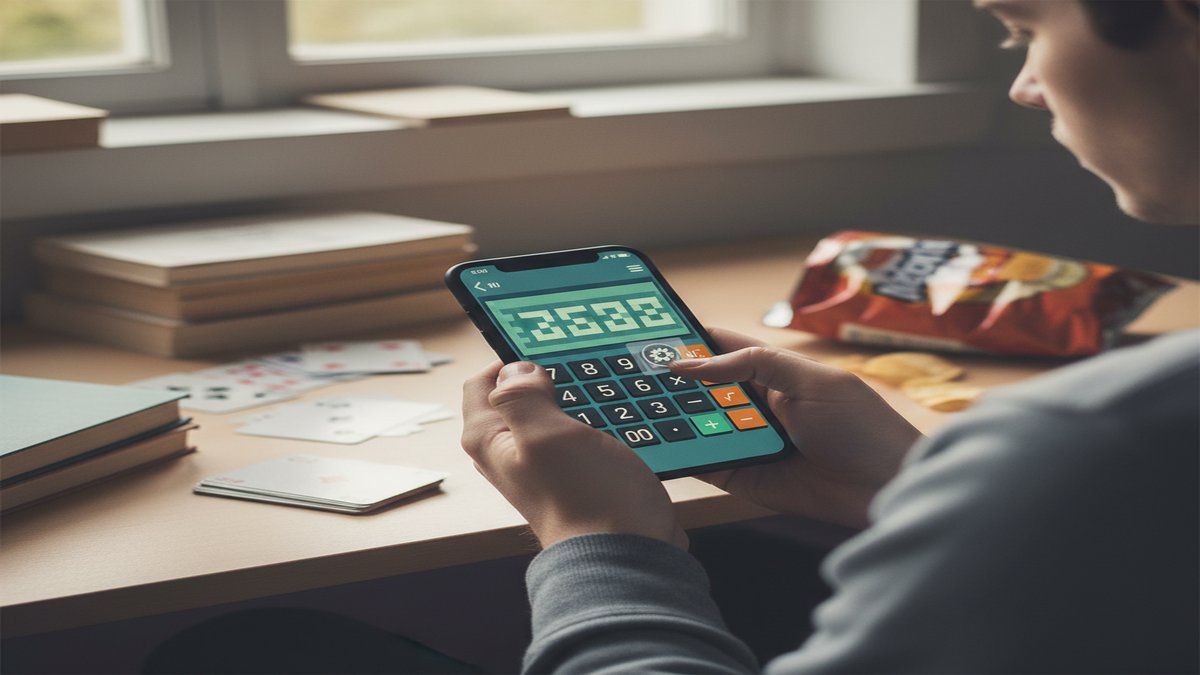
1. Vault apps with a decoy interface. These look like calculators, file managers, or note-taking apps. Enter a specific PIN or gesture and the real interface appears. Calculator Pro+, Vault-Hide, and KYMS are well-known examples.
2. Social gaming apps with built-in messaging. These are real games — Plato, Hago, PlayJoy — that happen to include private chat features. A partner can claim they are "just playing a game" while carrying on entire conversations inside the app.
3. Encrypted messengers with disguised icons. Apps like CoverMe and Wickr allow users to change the app icon to look like a game, music player, or utility app. The app itself is a full messaging platform, but the icon on the home screen says otherwise.
Each type requires a different detection approach, which we cover section by section below.
CheatScanX scans all of these platforms — and more — in a single search. Enter a name, email, or phone number and get results in minutes.
Try a multi-platform search ->12 Cheating Apps That Look Like Games or Utilities
Here is a detailed breakdown of the most common apps people use to hide conversations. For each app, we list what it looks like on the surface, what it actually does, and the specific red flags to watch for.
Calculator Pro+ (Vault App)
What it looks like: A standard calculator with a blue icon. It functions as a real calculator if someone opens it casually.
What it actually does: Enter a secret PIN instead of a normal calculation and the app unlocks a hidden vault. Inside, users can store private text messages, photos, videos, and contact lists. Some versions include a built-in web browser that leaves no history on the device's default browser.
Red flags: Two calculator apps on the same phone. A calculator app that uses 150MB or more of storage. A calculator requesting access to the camera, contacts, or microphone in the device permission settings.
Hide My Text (Game Disguise)
What it looks like: A basic puzzle game with a generic game icon.
What it actually does: Completing a specific sequence of moves — or entering a particular pattern — replaces the game interface with a hidden chat system. Messages can be stored, sent, and received through this hidden layer.
Red flags: A puzzle game that uses unusually high mobile data. A game that sends or receives push notifications at odd hours. The app appearing in battery usage reports despite the person rarely "playing" it.
CoverMe (Disguised Messenger)
What it looks like: The icon can be changed to resemble a calculator, music player, or game — the user chooses the disguise during setup.
What it actually does: CoverMe is a full encrypted messaging platform. It supports text, voice calls, video messages, and file sharing. Messages can self-destruct on a timer. The app also offers a private vault for photos and videos and can generate a burner phone number for calls and texts that never appear on a phone bill.
Red flags: An unfamiliar app icon that the person cannot clearly explain. An app that consumes significant background data but appears to be a simple utility. The app appearing in notification logs under a generic name.
Vault-Hide (Photo and Chat Vault)
What it looks like: A plain file manager icon or a clock/weather widget.
What it actually does: Stores hidden photos, videos, and messages behind a password. Some versions include a "break-in alert" that photographs anyone who enters the wrong PIN, which tells you just how seriously users take secrecy with this app.
Red flags: A file manager app the person never seems to use for file management. Excessive storage usage for what claims to be a basic utility. The app requesting camera permissions despite being labeled as a clock or widget.
KYMS (Keep Your Media Safe)
What it looks like: A calculator icon on iPhone. The name "KYMS" appears only in the App Store purchase history, not on the home screen.
What it actually does: A photo and video vault with a working calculator as its cover. Supports importing media from the phone's camera roll, and the original files can be deleted from the main library after import — leaving no visible trace.
Red flags: Two calculator icons on an iPhone. The name "KYMS" appearing in App Store purchase history or Screen Time data. A calculator app that shows up in the Photos permission list.
Plato (Social Gaming App)
What it looks like: A legitimate multiplayer gaming app with over 45 games including chess, pool, and trivia.
What it actually does: Plato includes private one-on-one messaging and group chat features. Users can connect with strangers, build contact lists, and hold private conversations — all inside what looks like a casual gaming app. Because Plato is a real game, it provides easy cover for extended phone use.
Red flags: Frequent use of a multiplayer game app, especially late at night. Notifications from the app that the person dismisses quickly. The person becoming defensive when asked about their gaming activity.
Hago (Social + Games)
What it looks like: A social entertainment app featuring mini-games like Ludo, chess, and puzzle games.
What it actually does: Hago combines casual games with voice chat rooms, private messaging, and the ability to connect with strangers nearby. It is marketed as a way to "meet friends and chat" — which makes it easy for someone to claim they are just playing a game.
Red flags: Heavy data usage for a simple-looking game app. Voice chat activity at unusual hours. The person wearing earbuds while "playing" a casual mobile game.
Wickr Me (Encrypted Messenger)
What it looks like: Wickr's standard icon is recognizable, but the app allows users to customize its appearance or bury it inside a folder labeled something innocent like "Utilities" or "Kids Games."
What it actually does: Military-grade encrypted messaging with self-destructing messages, voice calls, video calls, and file sharing. Messages can be set to automatically delete after a timer ranging from one second to six days. Wickr collects almost no metadata, making it one of the hardest messaging apps to trace.
Red flags: An unfamiliar messaging app buried in a folder with unrelated apps. The person receiving notifications they immediately swipe away. The app appearing in battery or data reports under an unfamiliar name.
Private Photo Vault
What it looks like: Varies by version, but often appears as a generic utility icon such as a notes app or basic photo editor.
What it actually does: Stores photos and videos in an encrypted, password-protected space. Features include a "decoy password" that shows a fake, innocent set of photos if a secondary password is entered — so even if confronted, the person can open the app and show "nothing suspicious."
Red flags: A photo-related app the person never seems to use for editing or sharing. An app with a decoy password feature visible in the App Store description. Unusually high storage consumption for a basic photo tool.
Signal (With a Disguised Setup)
What it looks like: Signal itself has a recognizable blue icon. But on Android, users can change the icon and app name using third-party launchers or the built-in "app icon" customization feature available on Samsung and other devices.
What it actually does: End-to-end encrypted messaging, voice calls, and video calls. Signal stores almost no user data and messages can disappear automatically after a set time period.
Red flags: A new app icon you do not recognize that is actually Signal renamed. The app "Signal" appearing in Settings > Apps but not visible on the home screen. Disappearing message notifications that vanish before you can read them.
Telegram (Secret Chats Feature)
What it looks like: Telegram's standard icon is widely recognized. However, like Signal, it can be hidden through folder tricks or icon customization on Android devices.
What it actually does: Telegram offers a "Secret Chats" mode with end-to-end encryption and self-destructing messages on a timer. Unlike regular Telegram chats, Secret Chats do not sync across devices and cannot be forwarded — they exist only on the two phones in the conversation.
Red flags: Telegram installed but the person claims they "don't really use it." A separate passcode lock set within the app itself (Telegram allows an in-app PIN separate from the phone lock). The person switching between regular and secret chats, which appear with a small lock icon.
Snapchat (The Original Disappearing Messenger)
What it looks like: Snapchat's ghost icon is not disguised. But many people dismiss it as "just a social media app" and underestimate its messaging capabilities.
What it actually does: Messages and photos disappear by default after they are viewed. The app notifies a sender if the recipient takes a screenshot, which trains users to avoid saving evidence. "My Eyes Only" is a password-protected folder within Snapchat that stores saved photos invisibly.
Red flags: A partner who claims they "only use Snapchat for filters" but has the app open constantly. High Snapchat data usage that exceeds what casual filter use would produce. The person becoming uncomfortable when you pick up their phone while Snapchat is open.
Behavioral Red Flags That Signal a Disguised App
The apps themselves are designed to avoid detection. So instead of just looking at the phone, pay attention to the behavior surrounding phone use. Based on analysis of the patterns that relationship counselors and private investigators report most frequently, here are the warning signs that go beyond the device itself.
Sudden Changes in Phone Habits
A partner who never cared about phone privacy and now angles their screen away from you, sleeps with their phone under a pillow, or takes it into every room — including the bathroom — is displaying a pattern shift. The change matters more than the individual action.
Dr. Peter Kanaris, a licensed psychologist specializing in couples therapy and sexual functioning, notes that relationship secrecy extends beyond physical acts. The concealment of digital communication itself erodes the foundation of trust, regardless of whether the hidden content is sexual.
Defensive Reactions to Casual Questions
Asking "what game is that?" should not trigger an argument. If a simple question about an app produces irritation, deflection, or a quick screen lock, the reaction itself is data. People with nothing to hide do not treat casual curiosity as an accusation.
Unexplained Data Usage and Battery Drain
Hidden messaging apps that run in the background consume data and battery even when they appear to be closed. If a "calculator" or "puzzle game" consistently appears in the battery usage or mobile data reports, something is running beneath the surface.
You can check this yourself:
- iPhone: Go to Settings > Battery and review the list of apps and their usage percentages.
- Android: Go to Settings > Battery > Battery Usage and look for apps consuming power disproportionate to their supposed function.
Screen Time Discrepancies
Both iPhone and Android track how much time is spent in each app. If Screen Time or Digital Wellbeing reports show 45 minutes daily in a "calculator" app, that is not math homework.
- iPhone: Settings > Screen Time > See All Activity
- Android: Settings > Digital Wellbeing > Dashboard
This is one of the most reliable detection methods because the person often forgets that the operating system tracks usage even for disguised apps.
Late-Night Phone Activity
A pattern of phone use between 11 PM and 2 AM — after a partner thinks you are asleep — is one of the most commonly reported red flags in infidelity cases. If you notice the glow of a screen in bed, combined with any of the other signs on this list, the combination is significant.
For more behavioral indicators, see our full guide on signs your husband is cheating on his phone or the companion piece on signs your wife is cheating on her phone.
How to Find Hidden Apps on iPhone (Step-by-Step)
Apple's iOS has tightened its privacy features over the years, but that also means cheaters have more tools to hide apps. Here is exactly how to look.
Method 1: Check the App Library Hidden Folder
Starting with iOS 18, Apple introduced a dedicated Hidden folder in the App Library.
- 1. Swipe left past all home screen pages until you reach the App Library.
- 2. Scroll to the bottom.
- 3. Look for a folder labeled Hidden.
- 4. Opening this folder requires Face ID, Touch ID, or the device passcode.
If you see a Hidden folder with apps inside, those apps were intentionally concealed. This is the first place to check (Apple Support, 2025).
Method 2: Use Spotlight Search
Swipe down from the middle of the home screen to open Spotlight Search. Type the names of known vault apps: Calculator Pro+, KYMS, CoverMe, Vault-Hide, Hide My Text. If any of these are installed, they will appear in the search results even if they are hidden from the home screen.
Method 3: Check App Store Purchase History
- 1. Open the App Store.
- 2. Tap your profile icon in the top right.
- 3. Tap Purchased (or on Family Sharing, tap your name).
- 4. Switch to Not on This iPhone to see deleted apps.
Even if an app has been removed, it leaves a record here. Look for any vault, hidden messaging, or unfamiliar app names.
Method 4: Review Screen Time Data
- 1. Go to Settings > Screen Time > See All Activity.
- 2. Review the full list of apps and time spent in each one.
A calculator app with 30+ minutes of daily use is not a calculator. This method catches disguised apps because Screen Time tracks them by their real function, not their icon.
Method 5: Check Storage Usage
- 1. Go to Settings > General > iPhone Storage.
- 2. Sort by size and look for utility apps with unusually large storage footprints.
A real calculator takes 5-10MB. A vault app disguised as a calculator often takes 100MB or more because it stores hidden photos, videos, and message databases.
How to Find Hidden Apps on Android (Step-by-Step)
Android is more open than iOS, which means both more ways to hide apps and more ways to find them.
Method 1: Check the App Drawer for Hidden Apps
- 1. Open the app drawer by swiping up from the home screen.
- 2. Tap the three-dot menu icon in the upper right corner.
- 3. Select Home Screen Settings (or just Settings depending on your device).
- 4. Look for Hide Apps or Hide Apps on Home and Apps Screens.
- 5. Any hidden apps will appear in this list.
The exact wording varies between Samsung, Pixel, OnePlus, and other manufacturers, but every major Android brand has this feature (Avast, 2025).
Method 2: Check Settings > Apps
- 1. Go to Settings > Apps (or Applications).
- 2. This shows every installed app, including those hidden from the home screen.
- 3. Sort by size. Look for generic-named apps with unusually large file sizes.
- 4. Tap any suspicious app to see its permissions. A calculator requesting camera, microphone, and contacts access is not a calculator.
Method 3: Look for Duplicate Apps
This is the fastest visual check. Most Android phones ship with one built-in calculator. If you see two calculator icons — or two of any utility app — one of them is likely a vault.
The same applies to duplicate clock apps, weather widgets, or file managers. One is the factory-installed version. The other is a disguise.
Method 4: Check Google Play Purchase History
- 1. Open the Google Play Store.
- 2. Tap your profile icon.
- 3. Select Manage Apps & Device.
- 4. Tap the Manage tab, then filter by Not Installed.
This reveals previously downloaded apps, including those that have been deleted. Search for vault, hidden, or secret in this list.
Method 5: Use Safe Mode
- 1. Press and hold the Power button.
- 2. Long-press the Power Off option until you see Reboot to Safe Mode.
- 3. Confirm.
Safe Mode disables all third-party apps. Compare what is visible in Safe Mode against what normally appears on the home screen. Any app that is present in normal mode but absent in Safe Mode is a third-party addition — and if it has a suspicious disguise, it is worth investigating.

Not sure if it is real suspicion or just anxiety?
Our 2-minute quiz scores 12 behavioral and digital red flags to tell you whether your concerns are justified.
Take the Free Cheating QuizWhy These Apps Are Hard to Detect (And What Makes Them Effective)
Understanding why disguised apps work so well helps you look in the right places. There are specific technical features that make them resilient to casual discovery.
Decoy Passwords
Several vault apps — including Private Photo Vault and some versions of Calculator Pro+ — offer a decoy password feature. The user sets two passwords: one that opens the real hidden content and a second that opens a fake, innocent-looking set of files.
This means even if you confront someone and they "show you" the app, you might be seeing the decoy layer. The real content is behind a different password.
Break-In Alerts
Apps like Vault-Hide can silently photograph anyone who enters the wrong PIN. If you try to open a vault app and get the password wrong, the person may receive a photo of you along with a timestamp. This discourages snooping and tips off the user that someone tried to access their hidden content.
No Trace in Default Apps
Vault apps with built-in browsers do not leave any history in Safari or Chrome. Messages sent through these apps do not appear in the default Messages app. Photos stored in the vault do not show in the Camera Roll. This creates a clean separation between the person's visible phone activity and their hidden activity.
Icon Customization on Android
Android allows far more icon customization than iPhone. Using third-party launchers like Nova Launcher, a user can rename any app and replace its icon with literally anything — a game icon, a calculator icon, or even a blank transparent icon that is nearly invisible on the home screen.
This means the app name you see on Android may have nothing to do with what the app actually does.
Cloud Sync and Cross-Device Access
Many vault and encrypted messaging apps sync content through private cloud servers rather than through iCloud or Google Drive. This means hidden conversations and photos exist in a space you cannot access through shared cloud accounts. CoverMe, for example, stores its vault contents on its own encrypted servers. Even if you have full access to your partner's iCloud account, you would see nothing from CoverMe in the backup.
Some apps take this further by excluding themselves from standard device backups entirely. When an iPhone backs up to iCloud, certain vault apps instruct the operating system to skip their data. The app and its contents simply do not exist in the backup file.
Notification Suppression
Sophisticated disguised apps give users granular control over notifications. A user can set the app to deliver no lock screen notifications, no banner alerts, and no badge counts. The only way they know a message arrived is by opening the app — which they will do when no one is watching.
Some apps go a step further with "silent notification" modes that vibrate in a specific pattern only the user would recognize. To anyone else, the phone buzzed for no apparent reason. To the user, it means a new message is waiting.
The Difference Between Privacy and Deception
This is a distinction worth making honestly, because not every hidden app indicates cheating.
Some people use vault apps to store sensitive personal documents, work files, or private journal entries. Parents sometimes hide apps from children. Individuals in abusive relationships may use hidden communication tools for safety reasons.
The presence of a vault app alone is not proof of infidelity. What matters is context: the combination of a disguised app with behavioral changes, secrecy about phone use, and a pattern of deception.
A 2017 study published in the Archives of Sexual Behavior found that people who cheated in one relationship were three times more likely to cheat in subsequent relationships (Knopp et al., 2017). Patterns of behavior — not individual data points — are what indicate dishonesty.
According to a Sunday Times Magazine investigation cited by LieDetectorTest.org, the percentage of British adults admitting to infidelity rose from 20% in 2015 to 36% by 2024. Researchers directly correlated this increase with the spread of smartphones and apps designed to conceal digital communication.
If you are seeing multiple warning signs from this article — a disguised app combined with behavioral red flags — the context points in a specific direction. But one piece of evidence in isolation is not enough to draw conclusions.
What to Do If You Find a Disguised App
Finding a suspected cheating app on your partner's phone puts you at a crossroads. How you respond matters — both for your relationship and potentially for legal proceedings.
Step 1: Do Not Confront Immediately
The instinct is to confront right away. Resist it. If you accuse your partner based on finding an app, they can delete it, wipe the vault, and claim it was "nothing." Decoy password features mean they can even open the app in front of you and show you an empty vault.
Step 2: Document What You See (Without Accessing the Phone)
Write down the app name, its icon, and where it appears on the phone. Note the date and time. If you can see Screen Time or storage data from a shared family account, screenshot it from your own device.
Do not install spyware, do not guess passwords, and do not attempt to break into the app. In California, unauthorized access to a phone can result in fines up to $5,000 and up to one year in jail (Vista Criminal Law, 2024). Federal wiretapping laws apply in every state.
Step 3: Gather Evidence Through Other Channels
You do not need to access their phone to find evidence of cheating. There are methods that carry zero legal risk:
- Search dating platforms directly. Tools like CheatScanX can scan major dating sites and apps using a name, email, or phone number. This tells you whether your partner has active profiles without ever touching their device.
- Check shared accounts. Cloud storage, shared photo libraries, and family Screen Time data are accessible from your own device if you share accounts.
- Monitor visible behavior changes. Track the patterns outlined earlier in this article — phone habits, defensive reactions, late-night usage, data consumption.
For a complete walkthrough, see our guide on how to catch a cheater.
Step 4: Consult a Professional
If you believe infidelity is occurring and it may affect a divorce, custody, or legal proceeding, consult a family law attorney before taking any investigative action. A licensed private investigator can also gather evidence through legal means that hold up in court.
Phone forensics performed by a certified professional can recover deleted messages, hidden vault contents, and app usage history — all done within legal boundaries.
Step 5: Decide Your Next Move
Finding a hidden app does not automatically mean the relationship is over. Some couples work through infidelity with professional help. Others decide the breach of trust is too severe.
What matters is that you make this decision with clear facts — not with suspicion alone, and not in the heat of an emotional reaction.

Common Mistakes People Make When Searching for Hidden Apps
Based on what private investigators and family law attorneys report, these are the errors that cause the most damage.
Mistake 1: Installing Spyware on a Partner's Phone
Spyware apps like mSpy, FlexiSpy, and similar monitoring tools are illegal to install on an adult's phone without their consent in most jurisdictions. Even if you find evidence of cheating through spyware, it may be inadmissible in court and could result in criminal charges against you.
The Electronic Communications Privacy Act makes unauthorized interception of electronic communications a federal offense. State laws add additional penalties.
Mistake 2: Confronting With Incomplete Evidence
Showing your partner one suspicious app and demanding an explanation gives them the chance to prepare a cover story, delete additional evidence, and become more careful about hiding their activity. If the app has a decoy password, they can open it right in front of you and show you "nothing."
Mistake 3: Assuming Every Hidden App Means Cheating
A vault app on a phone is a data point, not a verdict. Some people genuinely use these tools for legitimate privacy. Jumping to conclusions based on a single finding — without behavioral context — can damage trust in a relationship that was never actually threatened.
Mistake 4: Ignoring the Legal Consequences
People underestimate the legal risk of phone snooping. Unauthorized access to someone else's device is a crime in most states. Evidence obtained illegally cannot be used in court proceedings. In the worst cases, the person searching the phone ends up facing charges while the cheater faces none.
Mistake 5: Waiting Too Long to Act
The opposite mistake. Some people notice red flags for months — new apps, changed passwords, secretive behavior — and keep telling themselves it is nothing. Denial is understandable, but it prolongs the uncertainty and gives a cheating partner more time to cover their tracks.
How to Protect Yourself Going Forward
Whether you find evidence of cheating or not, there are practical steps you can take to protect your emotional and legal position.
Have a Direct Conversation About Phone Transparency
Many couples never discuss phone boundaries until there is a crisis. Research on relationships and digital trust shows that couples who establish mutual phone transparency early — not surveillance, but willingness to be open — report higher relationship satisfaction.
This does not mean demanding passwords. It means creating an environment where neither partner feels they need to hide things.
Run a Periodic Dating Profile Check
If a nagging suspicion persists but you cannot find concrete evidence on the phone, consider searching from the outside in. You can find out if your partner is on dating apps through public profile search tools that do not require any access to their device.
Trust Behavioral Patterns Over Individual Clues
A single clue — one unfamiliar app, one late-night phone session, one defensive reaction — can mean nothing. But when multiple indicators stack up over weeks or months, the pattern becomes meaningful.
In our analysis, we consistently see that people who reach the point of searching for "cheating apps that look like games" have usually noticed more than one red flag. That instinct has statistical backing: research from multiple infidelity studies consistently shows that strong suspicions of cheating are accurate far more often than not.
Understand the Technology You Are Looking For
One of the biggest disadvantages people face when searching for hidden apps is not understanding how they work. Reading this article puts you ahead of most people. But stay current — new disguise techniques and new apps appear regularly.
The apps themselves evolve quickly. Calculator Vault, for example, has released multiple versions with different icon options. An app that looked like a blue calculator last month might appear as a weather widget this month after an update. Knowing the general categories — vault apps, social gaming apps, and disguised messengers — matters more than memorizing specific app names.
Know Your Legal Rights
Before you take any investigative step — accessing a phone, hiring a private investigator, installing monitoring software — understand what is and is not legal in your state. A 30-minute consultation with a family law attorney can save you from criminal liability and protect any evidence you may need later.
The federal Electronic Communications Privacy Act applies everywhere in the United States. State laws add additional layers. Some states are "one-party consent" states for recording conversations, while others require all parties to consent. The rules for accessing stored electronic communications — what is inside a vault app — are separate from the rules for intercepting live communications. A lawyer can explain the specific laws that apply in your jurisdiction.
For a broader overview of digital investigation tools available to you, see our roundup of the best cheater finder apps that operate within legal boundaries.
Frequently Asked Questions
The most common cheating apps disguised as games include Calculator Pro+, Hide My Text, CoverMe, Vault-Hide, and KYMS. These apps display ordinary icons — calculators, puzzle games, or file managers — but unlock hidden messaging, photo storage, or encrypted chat features when a secret PIN or gesture is entered.
Check for duplicate utility apps like two calculators. Look at storage size — a real calculator uses a few megabytes while a vault app often exceeds 100MB. Review app permissions in Settings. A calculator requesting camera, microphone, or contacts access is a clear red flag. Check App Store or Google Play purchase history for deleted apps.
Partially. Watch for unusual notification previews, apps that appear briefly during updates, or screen time reports showing heavy usage of a basic utility. A multi-platform search tool like CheatScanX can also check dating profiles linked to a name, email, or phone number without touching the device.
In most US states, accessing someone's phone without permission can violate the federal Electronic Communications Privacy Act and state computer fraud laws. Even spouses can face misdemeanor or felony charges. California imposes fines up to $5,000 and up to one year in jail for unauthorized access. Consult a local attorney before taking action.
Cheating apps that look like games rarely appear on phone bills because they use internet data rather than SMS or calls. They may show in data usage reports under their disguised names, making them hard to identify. Unusually high background data for a simple utility app is a red flag worth investigating.