
# Reverse Image Search Dating Profile: How to Do It
You matched with someone on a dating app, and something feels off. Maybe their photos look too polished. Maybe they dodged your video call request. A reverse image search on their dating profile photo can tell you within two minutes whether those pictures are stolen from someone else, used on other platforms, or linked to known scam accounts.
The stakes are real. Romance scams cost Americans $1.16 billion in just the first nine months of 2025, according to FTC data. And 56% of dating app users report encountering at least one fake profile (Gitnux, 2024). A single image search is the fastest free defense you have.
This guide walks you through 7 tools that search dating profile photos — with exact steps for each, what the results mean, and what to do when the search comes up empty. If you are trying to find out if your partner is on dating apps, a reverse image search is one of the first methods worth trying.
CheatScanX scans 15+ dating apps by name, email, or phone number — no photo needed. If the image search does not give you answers, start a scan here.
What a Reverse Image Search Actually Does
A reverse image search flips the normal search process. Instead of typing words and getting images, you upload an image and get words — specifically, URLs where that image (or visually similar images) appears online.
The technology works in three layers:
- Perceptual hashing. The search engine converts your image into a digital fingerprint based on color patterns, edges, and shapes. It compares that fingerprint against billions of indexed images. This catches exact copies and lightly edited versions — resized, cropped, or color-shifted photos.
- Content-based image retrieval (CBIR). More advanced engines analyze the actual content of the image: what objects are present, their spatial relationships, and visual patterns. This finds photos that look similar but are not identical copies.
- Facial recognition (select tools only). Some engines — notably Yandex, PimEyes, and FaceCheck — map the facial geometry in your uploaded photo and match it against faces in their index. This can find completely different photos of the same person, even years apart.
For dating profiles, these three layers serve different purposes. Perceptual hashing catches catfishers who stole photos directly from social media. CBIR catches those who ran stolen photos through filters. And facial recognition can find the real person behind a photo — or confirm that no other trace of that face exists online.
Not every search engine offers all three. Google and TinEye stick to layers one and two. Yandex adds a limited version of layer three. Dedicated tools like PimEyes focus almost entirely on facial recognition. Knowing which tool does what prevents wasted effort and false confidence. For a complete overview of all the ways to find hidden dating profiles, image searching is just one of several proven methods.
Key fact: Google intentionally blocks face-based search results and shows a "Results for people are limited" message when you upload a face photo. This is a privacy decision, not a technical limitation — and it means Google alone is not enough for verifying dating profiles (FaceCheck.id, 2025).
CheatScanX scans all of these platforms — and more — in a single search. Enter a name, email, or phone number and get results in minutes.
Try a multi-platform search →How to Reverse Image Search a Dating Profile (Step-by-Step)
Before picking a specific tool, you need to prepare the image correctly. Bad preparation is the number one reason reverse image searches return useless results. These steps apply regardless of which tool you use.
Step 1: Get the Photo
Open the dating app (Tinder, Bumble, Hinge, or whatever platform you are investigating) and take a screenshot of the person's profile photo. On iPhone, press the side button and volume up simultaneously. On Android, press power and volume down.
Do not right-click and save — most dating apps block image downloads. Screenshots are your only option.
Take screenshots of every photo on their profile, not just the first one. Catfishers sometimes mix stolen photos with real ones — a pattern that cheating statistics show has grown sharply since 2023. Running all photos through a search gives you the fullest picture.
Step 2: Crop the Image
This step matters more than most people realize. Open the screenshot in your phone's photo editor or any image editing tool and crop it to show only the person's face and upper body.
Remove the dating app interface elements — the name overlay, age, distance indicator, and any icons. These extra elements confuse search engines and produce irrelevant results. The search engine might match on the app interface rather than the face.
If the photo includes other people, crop to isolate only the person you are investigating. Multiple faces in one image split the search engine's attention.
Step 3: Run the Search on Multiple Tools
No single tool catches everything. Based on analysis of how these tools perform, the most effective approach is a three-tool sequence:
- Yandex first — best facial recognition among free tools
- Google Images second — largest web index for finding exact copies
- TinEye third — catches modified versions and tracks image history
This three-tool approach takes under five minutes and covers the widest possible ground. The sections below provide exact steps for each tool.
Step 4: Interpret and Cross-Reference
Compare results across all three tools. If the same photo appears on someone else's social media account, that is strong evidence of a stolen image. If the photo appears on a stock photo site, it is almost certainly a fake profile.
If none of the tools return matches, that is not proof the profile is real — it means the photo has not been indexed. The person may be new to the internet, or using AI-generated photos. More on that later in this guide.

Google Images Reverse Search — The Starting Point
Google indexes more of the web than any other search engine, which makes it the best tool for finding exact copies of stolen photos across millions of websites. If a catfisher grabbed someone's Instagram photo and reused it, Google will likely find the original.
How to Use Google Images on Desktop
- Go to images.google.com
- Click the camera icon in the search bar (Google Lens)
- Click "Upload a file" or drag your cropped screenshot into the window
- Google displays visually similar images and pages where that image appears
How to Use Google Images on Mobile
- Open Chrome browser and go to images.google.com
- Tap the camera icon (Google Lens)
- Select "Upload" and choose your cropped screenshot from your photo library
- Review the results
Alternatively, if you have the Google app installed, open it, tap the Google Lens icon, and select the photo from your gallery. If you want to go beyond photos entirely, you can also search Tinder without an account using third-party tools.
What Google Is Good At
- Finding exact and near-exact copies. If the photo was posted on any major website — Instagram, Facebook, Twitter/X, a blog, a news article — Google has probably indexed it.
- Broad web coverage. Google indexes more pages than any competitor.
- Identifying stock photos. If the dating profile uses a commercial stock image, Google typically identifies the source.
Where Google Falls Short
Google intentionally limits face-matching capabilities. When you upload a photo containing a face, it returns a "Results for people are limited" message and shows only exact or near-exact copies. It will not find different photos of the same person taken at different times or angles.
This means Google misses a huge category of fake profiles: those using unpublished photos obtained privately, screenshots from video calls, or images from smaller platforms that Google has not indexed. For catching these, you need Yandex or a dedicated facial recognition tool.
Google is also weak on dating platform content specifically. Tinder, Bumble, and Hinge profiles are not publicly indexed by Google. If someone's photo only exists on dating apps and nowhere else on the web, Google will return nothing — even if the person has profiles on ten different apps.
If you want to go beyond photos and search dating profiles by name, other methods may be more effective.
TinEye — Best for Finding Exact Copies
TinEye takes a different approach from Google. While Google searches the entire web in real time, TinEye maintains its own curated index of over 72 billion images. Its strength is precision: it finds exact and modified copies of your uploaded image with fewer false positives than Google.
How to Use TinEye
- Go to tineye.com
- Click the upload button (arrow icon) or drag your cropped image into the search bar
- You can also paste an image URL if the photo exists online
- Results appear sorted by relevance, showing every indexed page where that image appears
Unique Strengths for Dating Verification
Modification detection. TinEye excels at finding images that have been altered — cropped, color-adjusted, flipped, overlaid with text, or compressed. Catfishers often modify stolen photos to avoid simple detection. TinEye catches these modifications that Google might miss.
Image history tracking. TinEye shows when an image was first indexed, which tells you how long a photo has been circulating online. If a "recent photo" has been indexed by TinEye since 2019, the person claiming it is current is lying.
Sort and filter options. You can sort results by "Oldest" to find the original source of an image, "Newest" to see recent usage, "Best Match" for precision, and "Most Changed" to find heavily modified versions.
Privacy focus. TinEye does not store the images you upload. Once your search completes, the uploaded image is deleted from their servers. This matters if you are searching sensitive photos.
Limitations
TinEye does not use facial recognition at all. It only finds copies or modifications of the exact image you upload. It cannot find different photos of the same person. Its index, while large at 72 billion images, is smaller than Google's. And it does not index most social media platforms — if the original photo exists only on Instagram or Facebook, TinEye may not find it.
TinEye works best as a complement to Google, not a replacement. If you are trying to find out if someone is cheating for free, combining TinEye with Google and Yandex gives you solid coverage without spending a dollar.
Yandex — The Facial Recognition Option Google Blocks
Yandex is Russia's dominant search engine, and its reverse image search is the tool most people skip — which is a mistake. For dating profile verification specifically, Yandex outperforms Google in one critical way: it actually uses facial recognition.
When you upload a face photo to Yandex, it does not just search for copies of that image. It maps the facial geometry — eye spacing, nose bridge width, jawline contour — and finds other photos of what it calculates is the same person. This means Yandex can find someone's LinkedIn headshot from their Tinder selfie, even if the photos were taken years apart in different locations.
How to Use Yandex
- Go to yandex.com/images
- Click the camera icon in the search bar
- Upload your cropped photo or paste an image URL
- Review the "Similar images" section — this is where facial matches appear
- Click on any match to see the source page
Why Yandex Outperforms Google for Dating Profiles
A side-by-side comparison published by FaceCheck.id found that Google blocks face-based search results entirely, while Yandex does not impose this restriction. In practice, this means:
- Yandex finds different photos of the same person. Upload a Tinder selfie and Yandex may return that person's VK profile, their LinkedIn photo, or their appearance in a tagged Facebook album — all using completely different images.
- Yandex catches catfishers who use multiple stolen photos. Because it matches faces rather than image fingerprints, it can connect photos from different sources that a catfisher assembled into one fake profile.
Geographic Bias to Account For
Yandex indexes Russian and Eastern European websites far more thoroughly than Western ones. It has strong coverage of VK (Russia's largest social network), Odnoklassniki, and Russian-language sites. Its coverage of American and Western European platforms is solid but not as deep as Google's.
This geographic weighting actually helps in one scenario: if you suspect the dating profile belongs to someone using photos stolen from Eastern European social media — a common catfishing pattern — Yandex will find matches that Google never would.
For maximum coverage, run Yandex first for facial recognition, then Google for broader web results. This two-tool approach catches fakes from both directions. If you suspect your partner might be on Tinder specifically, you can also check if your husband is on Tinder using name-based search methods.
Bing Visual Search — The Overlooked Alternative
Microsoft's Bing Visual Search does not get the attention that Google or Yandex receives, but it indexes a different slice of the web — which means it sometimes catches images the other two miss. Its interface is also simpler to use on mobile devices.
How to Use Bing Visual Search
- Go to bing.com/visualsearch
- Click the camera icon or drag your image into the search area
- Choose "Upload an image" from your device or paste a URL
- Bing displays similar images and web pages containing the image
On mobile, you can download the Bing app and tap the camera icon directly from the search bar.
When Bing Adds Value
Bing indexes some pages and images that Google does not, particularly from Microsoft-ecosystem sites, LinkedIn profiles, and certain forums. Its image matching algorithm also handles heavily compressed images — the kind you get from screenshotting dating apps — somewhat better than Google.
Bing also offers visual similarity matching that groups results by appearance. This makes it easier to scan large result sets quickly and spot where a dating profile photo originated.
Limitations
Bing's web index is significantly smaller than Google's. Like Google, it limits face-based matching for privacy reasons. It should be used as a third or fourth option, not a primary tool. Think of Bing as a safety net — most searches will not produce results that Google missed, but when it does, that result could be the one that matters.
Specialized Tools for Dating Profile Verification
The free search engines above cover general-purpose reverse image searching. But if a standard search returns nothing — or if you need deeper investigation — specialized tools offer capabilities that Google, TinEye, Yandex, and Bing cannot match.
Social Catfish
Social Catfish is built specifically for dating verification. It searches social media platforms (Facebook, Instagram, TikTok, Snapchat), dating sites (Tinder, Bumble, Hinge, Match, Zoosk), and public records databases using facial recognition.
- Pricing: Paid service. Image searches start around $6 for a basic search, with subscription plans available.
- Strengths: Accesses databases that free tools cannot. Cross-references images with name, email, and phone records.
- Limitations: Paid. Results are not always instant. Accuracy varies by geographic region.
FaceCheck.id
FaceCheck.id is a facial recognition search engine that scans social media profiles, blogs, video thumbnails, and news sites. It maps facial geometry to find matches across platforms.
- Pricing: Limited free searches per day. Paid plans for more searches.
- Strengths: Strong facial matching. Finds social media profiles even when the photos are different from what you uploaded.
- Limitations: Smaller index than Google or Yandex. Free tier is restricted. Cannot search dating apps directly.
PimEyes
PimEyes is the most aggressive facial recognition search tool available to the public. It crawls the web continuously and indexes faces at scale.
- Pricing: Paid. Plans start at around $30/month.
- Strengths: Extremely thorough facial matching across the open web. Can find photos you did not know existed.
- Limitations: Significant privacy concerns — it has been criticized by NPR and privacy advocates for enabling potential stalking. Does not search dating platforms specifically. Expensive for one-time use. Blocked in some countries.
Lenso.ai
Lenso.ai is a newer AI-powered reverse image search that uses facial recognition and visual similarity.
- Pricing: Free tier with limitations. Paid plans for expanded searches.
- Strengths: Modern AI-driven matching. Clean interface. Handles low-quality images well.
- Limitations: Smaller index than established tools. Results can be inconsistent.
Tool Comparison Table
| Tool | Price | Facial Recognition | Best For | Dating App Coverage |
|---|---|---|---|---|
| Google Images | Free | No (blocked) | Finding exact copies on the open web | None (apps not indexed) |
| TinEye | Free | No | Finding modified copies, tracking image history | None |
| Yandex | Free | Yes (limited) | Finding different photos of the same face | VK, Russian platforms |
| Bing Visual | Free | No (limited) | Secondary verification, LinkedIn matches | None |
| Social Catfish | ~$6+ | Yes | Dating-specific verification with records | Tinder, Bumble, Hinge, Match |
| FaceCheck.id | Free/Paid | Yes | Social media facial matching | None directly |
| PimEyes | ~$30/mo | Yes (advanced) | Deep web-wide facial recognition | None directly |
If you want a broader toolkit beyond image searching, our cheater finder apps comparison ranks the most effective options available right now.

How to Read Your Reverse Image Search Results
Running the search is the easy part. Interpreting what comes back requires more nuance than most guides admit. Here is what different result patterns actually mean.
Pattern 1: The Photo Appears on Someone Else's Social Media
This is the clearest red flag. If the dating profile photo appears on a Facebook, Instagram, or Twitter/X account belonging to a different person — with a different name, in a different location — the profile is almost certainly using stolen photos. The real person is whoever owns the social media account, not the dating profile.
Before confronting anyone, verify the social media account is legitimate and not itself a fake. Check for years of consistent posting, tagged photos from friends, and natural engagement patterns.
Pattern 2: The Photo Appears on a Stock Photo Site
Some catfishers and scam profiles use stock photography. If your search returns results from Shutterstock, Getty Images, iStock, or a free stock site like Unsplash or Pexels, the dating profile is fake. No real person uses stock photos as their dating profile picture.
Pattern 3: The Photo Appears on Multiple Dating Sites
If the same photo appears across several dating platforms — Tinder, Bumble, Hinge, POF, and Match simultaneously — that does not automatically mean the profile is fake. Many people maintain profiles on multiple apps. But if the name, age, or location differs across platforms, that is a concern. Cross-reference the details.
This is relevant if you are trying to check if your partner is on dating sites — finding their photo on platforms they denied using is significant.
Pattern 4: Zero Results
No matches does not mean the profile is real. It means the photo has not been indexed by the tools you searched. The person might be:
- New to the internet with minimal online presence
- Using freshly taken photos never posted elsewhere
- Using AI-generated photos (no original exists to match)
- Using privacy settings that prevent indexing
Zero results should prompt additional verification steps, not reassurance. Move to alternative methods described in the next section.
Pattern 5: Results Show the Same Person, Same Name
If the search returns other profiles and pages showing the same person with consistent name and details, that is a positive sign. The dating profile likely belongs to a real person. Cross-reference the details — location, age, occupation — against what they told you on the app.
Avoiding False Positives
Many people share similar features. A photo search may return photos of strangers who look similar but are not the same person. Before accusing anyone, confirm the match by checking for identical details — same mole, same tattoo, identical background — not just similar facial features. Our analysis of common mistakes in catching a cheater online shows that false positive misinterpretation is one of the most frequent errors people make.
When Reverse Image Search Fails — And What to Do Instead
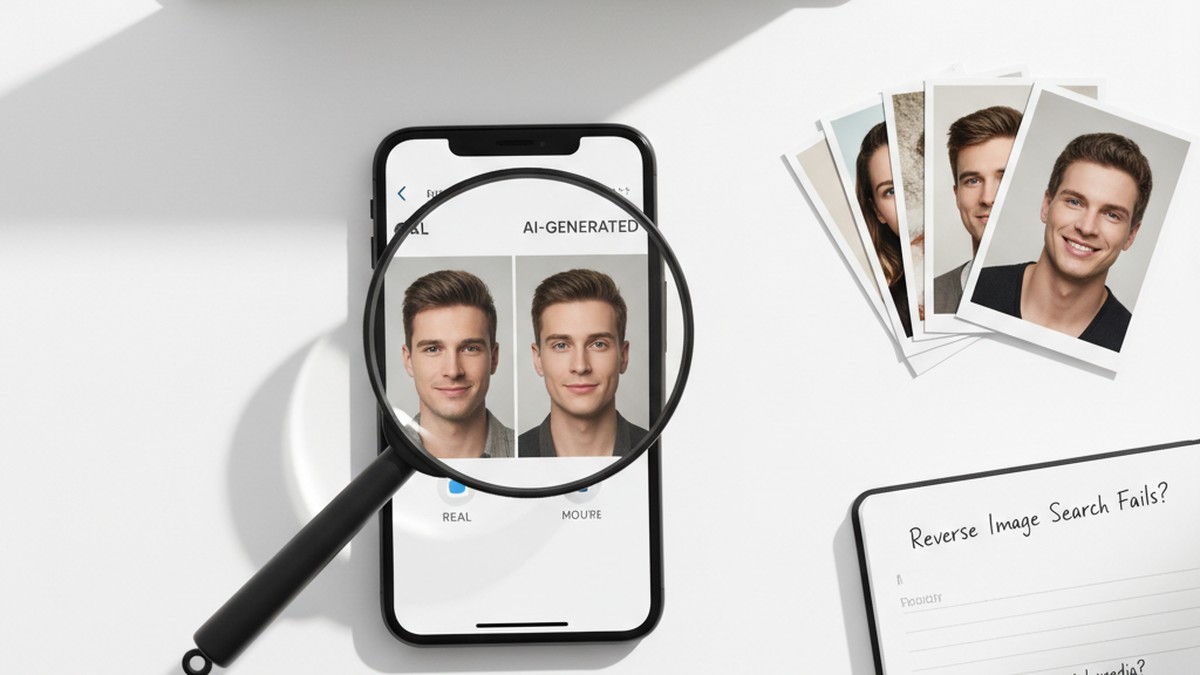
Reverse image search has a critical blind spot that is growing larger every month: AI-generated photos.
A 2025 study by Facia.ai found that 62% of people failed to accurately identify AI-generated dating profiles, even when they were told some profiles were fake. Three-quarters of UK dating app users reported suspecting they had seen deepfake profiles on dating platforms.
Standard image search tools cannot detect AI-generated photos. These images are original creations — no copy exists online to match against. You could run an AI-generated photo through Google, Yandex, TinEye, and every tool listed above and get zero results every time.
AI Detection Tools
When your image search returns nothing, dedicated AI detection tools can determine whether a photo was generated by artificial intelligence:
- Hive Moderation (thehivemoderation.com) — Free online tool. Upload a photo and it returns a probability score indicating whether the image was AI-generated.
- Illuminarty (illuminarty.ai) — Analyzes images for signs of AI generation, including GAN artifacts and diffusion model signatures.
- AI or Not (aiornot.com) — Simple yes/no detector for AI-generated images. Free tier available.
These tools analyze pixel-level patterns that human eyes cannot see — compression artifacts specific to generative models, statistical regularities in lighting, and noise patterns that differ from camera-captured photos.
Visual Tells of AI-Generated Dating Photos
While AI image quality has improved dramatically, generated photos still produce artifacts that trained eyes can catch:
- Hands and fingers. AI frequently generates hands with too many fingers, fused fingers, or unnatural bending. Check closely if hands appear in the photo.
- Ears. Asymmetrical or structurally unusual ears — with loops that do not connect or cartilage that bends incorrectly — are a common AI tell.
- Backgrounds. Look for text in the background that appears garbled or partially formed. AI struggles with coherent text generation.
- Symmetry. AI-generated faces tend to be more symmetrical than real faces. Slight natural asymmetry in eyebrow height, nostril size, or ear position is a sign of authenticity.
- Hair edges. Where hair meets the background, AI often produces unnatural smoothing or artifacts. Real photos show individual hairs and natural roughness at edges.
- Teeth. Look for blurred or merged teeth, unnatural uniformity, or inconsistent reflections.
Alternative Verification Methods When Images Fail
If both the image search and AI detection are inconclusive, these methods provide alternative verification paths:
- Request a video call. A live video call is the single most effective catfish detector. If the person repeatedly refuses or cancels, weigh that heavily.
- Ask for a specific photo. Request that they send a photo doing something specific — holding up three fingers, writing your name on paper, or standing next to a recognizable local landmark. AI cannot generate these on demand during a conversation.
- Search by name, email, or phone. Photo searching is just one approach. Searching by name or by contact information often reveals profiles that image searches miss. CheatScanX scans 15+ dating apps using these identifiers without needing a photo at all.
- Check social media consistency. Ask for their Instagram, Facebook, or LinkedIn. A real person typically has years of posts, tagged photos from friends, and a natural posting pattern. Fake accounts often have sparse, recent activity.
- Run a people search. Services like BeenVerified, Spokeo, or TruePeopleSearch can confirm whether a person exists at the location and with the details they claim.
For a broader set of techniques beyond image searching, our guide on how to catch a cheater covers digital investigation methods from start to finish.
Common Mistakes That Sabotage Your Search
After analyzing how people use reverse image search for dating verification, these are the errors that produce the worst results — and how to avoid each one.
Mistake 1: Uploading an Uncropped Screenshot
This is the most common mistake. You screenshot a Tinder profile and upload the full image — complete with the app's name bar, the person's age overlay, the distance indicator, and the like/pass buttons. The search engine matches on the Tinder interface elements instead of the face, returning millions of irrelevant results.
Fix: Always crop to show only the person. Remove all app UI elements, text overlays, and other people from the frame.
Mistake 2: Using Only One Tool
Google's face-matching restriction means it misses a huge category of results. TinEye's smaller index means it misses many websites. Yandex's geographic bias means it under-indexes Western platforms. Using any single tool gives you partial coverage at best.
Fix: Run at minimum two tools — Yandex for facial recognition and Google for broad web coverage. Three tools (adding TinEye) is better. Five minutes of extra work can prevent months of deception.
Mistake 3: Treating Zero Results as an All-Clear
This is the most dangerous mistake. Zero results does not mean the profile is real. It means the photo was not found in the searched indexes. The photo might be AI-generated, freshly taken, or from a platform these tools cannot access. Many people feel false reassurance from an empty search result and drop their guard entirely.
Fix: Treat zero results as "inconclusive" — not as a clean bill of health. Proceed with video call verification and other methods.
Mistake 4: Misidentifying Lookalikes as Matches
Facial similarity is common. Reverse image search — especially Yandex — sometimes returns photos of people who look similar but are not the same person. Jumping to conclusions based on a facial resemblance has destroyed relationships that did not need destroying.
Fix: Confirm matches by checking for identical specific details: the same distinct mole, the same tattoo, the same background location. Facial similarity alone is not proof.
Mistake 5: Ignoring Photo Metadata and Context
When a search returns a match, people often stop at "I found the photo." They do not check when the match was first posted, who posted it, or what context surrounds it. A person might legitimately have the same photo on their social media and their dating profile.
Fix: Check the timeline. If the match was posted two years ago by someone with an established account and the dating profile was created last week, that is significant. If the dating profile person also owns the social media account where the match appeared, there is no problem.
If you want to investigate beyond photos, learning how to catch a cheater online covers additional digital techniques that complement image searching.
Legal and Ethical Boundaries You Should Know
Running a reverse image search on publicly available dating profile photos is legal in the United States and in most countries worldwide. You are searching publicly indexed content on the open web. No hacking, unauthorized access, or data theft is involved.
That said, legal boundaries exist:
What Is Legal
- Screenshotting a public dating profile and searching the image through any search engine
- Using the search results to verify someone's identity before meeting them
- Sharing results with a partner if you have a legitimate relationship concern
- Reporting fake profiles or scam accounts to the dating platform using evidence from your search
What Crosses the Line
- Harassment. Using search results to contact, threaten, or stalk someone is illegal regardless of what the search revealed.
- Impersonation. Using someone else's photos (found through image searching) to create your own fake profile is illegal in many jurisdictions.
- Doxxing. Publishing someone's personal information obtained through image searching — home address, workplace, phone number — with intent to harm is illegal in multiple states and countries.
- Unauthorized access. If you obtained the photo by hacking into a private account rather than screenshotting a public profile, that is a separate legal violation (Computer Fraud and Abuse Act in the US).
Platform Terms of Service
Most dating apps prohibit screenshotting and sharing profile content in their terms of service. In practice, this restriction is nearly impossible to enforce and violations result in account suspension at most — not legal action. But be aware it exists.
Ethical Considerations
Even when something is legal, it is not always right. If you are running image searches on every person you match with out of generalized anxiety rather than specific red flags, consider whether the behavior is healthy. Our article on the signs your boyfriend is on dating apps can help you identify whether there is genuine cause for concern before turning to investigation tools.
Theresa Payton, CEO of cybersecurity firm Fortalice Solutions, recommends reverse image search as a standard safety practice for online dating — but emphasizes it should be part of a broader verification approach, not an obsessive surveillance habit.
Mobile-Specific Tips for Reverse Image Search
Most dating app usage happens on phones, which means your source photos will come from mobile screenshots. Running a reverse image search on mobile has a few extra steps and quirks compared to desktop.
Saving Dating App Screenshots on Mobile
iPhone: Press the side button + volume up simultaneously. The screenshot saves to your Photos app. Open Photos, tap Edit, and crop to isolate just the person's face and upper body.
Android: Press the power button + volume down simultaneously (may vary by manufacturer). Open Gallery, select the screenshot, tap Edit, and crop tightly around the face.
Important: Some dating apps (notably Hinge and certain Bumble modes) notify the other person when you screenshot. If you want to avoid triggering a notification, use a screen recording instead of a screenshot, then take a still frame from the recording.
Running Searches on Mobile
Google Images on mobile: Open Chrome and go to images.google.com. Tap the Google Lens (camera) icon. Select "Upload" and choose your cropped image.
Yandex on mobile: Open your browser and go to yandex.com/images. Tap the camera icon. Upload your cropped photo. The interface is identical to desktop.
TinEye on mobile: Go to tineye.com in your mobile browser. Tap the upload button and select your cropped image. TinEye's mobile interface works identically to desktop.
Dedicated apps: Photo Sherlock (iOS and Android) combines multiple reverse image search engines into one app. You upload once and it searches Google, Yandex, and Bing simultaneously. This saves time compared to running three separate mobile searches.
Mobile Image Quality Considerations
Dating app screenshots on mobile are often lower resolution than desktop screenshots. Low resolution reduces search accuracy, especially for facial recognition tools like Yandex. To improve results:
- Use the highest resolution screenshot your phone supports
- Do not screenshot a screenshot — this compounds quality loss
- If the dating profile photo is small on screen, try expanding it before screenshotting
- Avoid screenshots taken in low-brightness mode, which can add color distortion
If mobile searching is not giving you results, you can always email the cropped photo to yourself and run the search on a desktop computer for better quality. You might also consider using a free Tinder search tool that searches by name rather than image.
What Dating App Catfish Profiles Actually Look Like
Understanding what fake profiles have in common helps you decide which photos are worth searching in the first place. You do not need to search every single match — focus your effort on profiles that show these patterns.
The Too-Perfect Photo Set
Real dating profiles contain a mix of photo qualities — a good headshot, a casual group photo, a slightly blurry concert picture. Fake profiles often use a set of photos that are all equally high quality, professionally lit, and shot from flattering angles. If every photo looks like it belongs in a magazine, that is a flag.
The dating app cheating statistics show that 40% of dating app users were targeted by scams in 2025 — nearly double the rate from just three years earlier. Knowing what to look for protects you from becoming part of that statistic.
Model-Quality Photos with Empty Profiles
A profile with stunning photos but minimal bio text, no specific interests, and generic conversation starters suggests a fake. Recognizing the signs your partner is cheating goes beyond just photo verification — behavioral patterns matter too. Real people with model-quality photos typically write detailed profiles because they know they will be swiped right on regardless — they use the bio to filter their matches. Scam profiles do the opposite: maximum visual appeal, minimum personal detail.
Photos That Do Not Match the Conversation
Pay attention to whether the person's communication style matches their apparent demographics. A dating profile claiming to be a 28-year-old from Chicago whose messages contain British spellings, unusual grammar patterns, or time-stamped replies that suggest a different time zone deserves scrutiny. Screenshot their profile photos and run a reverse search before investing more time.
Only One Clear Face Photo
If a profile has five photos but only one shows the face clearly — with the rest being distant shots, group photos where you cannot identify which person they are, or scenic landscape photos — that is a pattern consistent with catfishing. The scammer found one good face photo to steal and padded the rest with generic filler.
If you notice any of these patterns and want to go beyond image searching, catching a cheating husband and similar guides cover comprehensive investigation approaches that combine multiple methods.
Frequently Asked Questions
Yes. Screenshot the profile photo, crop it to show only the image, and upload it to Google Images, TinEye, or Yandex. Google and TinEye find exact copies across the web. Yandex uses facial recognition to find different photos of the same person, which Google intentionally blocks.
Yandex produces the strongest results for dating profile verification because it uses facial recognition that Google restricts. Start with Yandex for face matching, then cross-reference with Google Images for broader web coverage and TinEye for exact-copy detection. Using all three takes under five minutes.
Traditional reverse image search cannot detect AI-generated photos because these images are original creations with no copies online. You need dedicated AI detection tools like Hive Moderation, Illuminarty, or AI or Not. Look for visual tells: symmetrical backgrounds, distorted hands, and unusual ear shapes.
Running a reverse image search on publicly available photos is legal in the United States and most countries. You are searching publicly indexed images, not hacking or accessing private data. However, using results to harass, stalk, or impersonate someone is illegal regardless of how you found the information.
Google intentionally restricts face-based search results to protect privacy. When your uploaded photo contains a face, Google limits matching to exact or near-exact copies rather than finding other photos of the same person. Yandex and PimEyes do not have this restriction, making them better for facial matching.
Your Next Steps
You now have every tool and technique needed to verify a dating profile photo. The three-tool method — Yandex, Google, TinEye — covers the widest ground and costs nothing. For AI-generated photos, add a detection tool like Hive Moderation to your workflow.
If reverse image search does not give you answers, or if you want to search by name, email, or phone number instead, CheatScanX scans 15+ dating apps and returns results in minutes — no photo needed. Start your scan here.
The two minutes it takes to run a reverse image search could save you months of wasted emotional investment. Run the search. Trust the results. Act accordingly.