
# Secret Messaging Apps Used for Cheating (Full List)
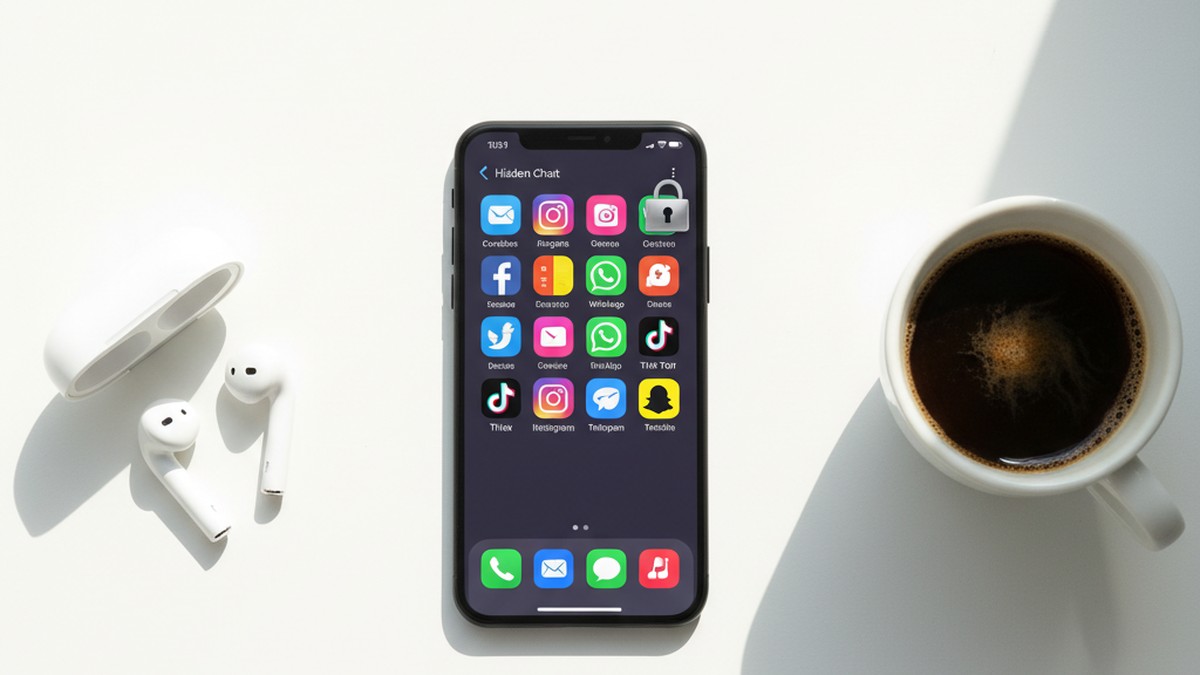
The most common secret messaging apps used for cheating are Telegram (Secret Chats), Signal, Wickr, WhatsApp (Locked Chats), Snapchat, and vault apps disguised as calculators or games. These apps offer end-to-end encryption, self-destructing messages, hidden chat folders, and disguised icons that make conversations invisible on a home screen.
A 2025 analysis of infidelity patterns found that 42% of people who cheated said the affair started as "harmless messaging" on an app (DoULike, 2025). UK infidelity rates rose from 20% to 36% between 2015 and 2024, a jump researchers directly correlate with the spread of encrypted messaging apps (LieDetectorTest.org, 2024). Your partner's phone likely has at least three of the apps listed below already installed.
This article breaks down 17 specific messaging apps that cheaters use to hide conversations — organized by category, with the exact privacy features that make each one dangerous and the detection methods that expose them.
If you suspect your partner is active on dating platforms, CheatScanX can scan 15+ dating apps using just a name, email, or phone number — no access to their device needed.
Why Do Cheaters Choose Messaging Apps Over Dating Apps?
Cheaters migrate from dating apps to messaging apps because messaging apps leave almost no evidence. Dating profiles can be searched and discovered using tools like CheatScanX, but encrypted messages on Signal or Telegram cannot be intercepted, do not appear on phone bills, and self-destruct on a timer. The typical pattern is matching on a dating app, exchanging a few messages, then moving to an encrypted platform where the conversation becomes untraceable.
Most people picture a Tinder or Bumble profile when they think about digital cheating. But the real risk sits in messaging apps. A dating app is how an affair starts. A messaging app is how it continues — and stays hidden.
The distinction matters. Dating app profiles can be searched, discovered, and flagged. A profile on Hinge or Tinder leaves a footprint: photos, bio text, location data, even linked social media. Services like CheatScanX and other best cheater finder apps can detect those profiles across multiple platforms.
Messaging apps leave almost nothing. End-to-end encryption means no one — not the app company, not your phone carrier, not even law enforcement without a warrant — can read the messages. Self-destruct timers erase conversations within seconds. And some apps do not even require a phone number to sign up.
The Shift From Dating Apps to Private Messaging
Here is the typical pattern: two people match on a dating app, exchange a few messages, then one says some variation of "let's move to Telegram" or "add me on Signal." From that point forward, the dating app profile might get deleted — but the affair continues in an encrypted channel that is far harder to detect.
Psychotherapist Esther Perel, who has spent decades studying infidelity, noted in her TED Talk that secrecy — not sex — is the defining element of an affair. She observed that 99% of the affairs she encounters in her practice are discovered through a phone or email (Esther Perel, TED, 2015). The phone is both the weapon and the evidence.
Dr. Debra Castaldo, a couples and family therapist based in New Jersey, told Newsweek that secretive phone behaviors "scream lack of commitment, lack of integrity, and intimacy avoidance" (Newsweek, 2024). If your partner exhibits phone habits of a cheating husband or signs your wife is cheating on her phone, messaging apps are the first place to look.
What Makes a Messaging App "Secret"
Not every messaging app is built for secrecy. A standard text message through iMessage or Android Messages is stored by your carrier, appears on phone bills, and can be recovered from backups. A true secret messaging app offers some combination of:
- End-to-end encryption — Only the sender and receiver can read messages
- Self-destructing messages — Conversations auto-delete after a set timer
- No phone number required — The app does not link to a traceable identity
- Hidden or disguised interface — The app looks like something else on the home screen
- Screenshot blocking — The app prevents or alerts when someone tries to capture a screen
- No server storage — Messages are never saved on the company's servers
The more of these features an app has, the harder it is to detect. The 17 apps below are ranked by how many of these features they include.
If the data here has you concerned, CheatScanX can give you a direct answer. It searches 15+ dating apps for hidden profiles.
Search dating profiles now →Encrypted Messaging Apps With Disappearing Messages
These are standalone messaging platforms built around privacy. They are the most common tools for sustaining an ongoing affair because every message can be set to vanish.
1. Telegram (Secret Chats)
Telegram is the single most common messaging app used for cheating — and most people do not realize why. Standard Telegram chats are NOT end-to-end encrypted. They are stored on Telegram's servers and sync across all devices. But Telegram's "Secret Chats" feature is an entirely different system.
How cheaters use it: Secret Chats use end-to-end encryption, do not sync across devices (they exist only on the phone where they were started), and can self-destruct on a timer ranging from one second to one week. Messages cannot be forwarded. Telegram also notifies users if a screenshot is taken — though this detection has limitations on some devices.
Why it is dangerous: A cheater can maintain a normal-looking Telegram account with group chats and news channels while running Secret Chats with an affair partner that leave zero evidence. Even if you open Telegram on their phone, Secret Chats look like regular conversations until you examine them closely.
How to detect it:
- Look for the lock icon next to chat names — that indicates a Secret Chat
- Check if the same contact appears twice: once in regular chat and once in Secret Chat
- Telegram's "Active Sessions" setting shows which devices are logged in
- Unusually high data usage for Telegram compared to visible chat activity
2. Signal
Signal is the gold standard of encrypted messaging. It was built by the Signal Foundation specifically to protect privacy. Every message, call, and video chat is end-to-end encrypted by default — no special mode required.
How cheaters use it: Signal stores messages only on the local device, not on any server. Messages can be set to disappear after a timer. The app allows users to disable notifications, hide message previews on the lock screen, and block screenshots. Signal requires a phone number to register but does not display it to other users by default — a username system lets people connect without sharing their number.
Why it is dangerous: Signal collects almost no metadata. The company has publicly stated that even if served with a government subpoena, the only data it can provide is the phone number associated with an account and the date of last connection. There is nothing else to hand over because nothing else is stored.
How to detect it:
- The Signal app icon (a white speech bubble on blue background) on the phone
- Signal does not appear on phone bills because it uses data, not SMS
- Check Screen Time (iPhone) or Digital Wellbeing (Android) for Signal usage patterns
- Look for the app in the "Recently Deleted" section of the App Store — frequent reinstalls suggest someone is hiding it
3. Wickr Me
Wickr gained a reputation for "military-grade encryption" and anonymous accounts. Users do not need a phone number, email address, or any identifying information to create an account.
How cheaters use it: Every message on Wickr can be set to expire — from one second to six days. The app automatically strips metadata from files and photos before sending. Wickr also offers a "Shredder" feature that overwrites deleted messages, making forensic recovery extremely difficult.
Why it is dangerous: The complete anonymity is the issue. A cheater can create a Wickr account with no traceable information, communicate with an affair partner, and delete everything without any data existing on a server or being recoverable from the phone.
How to detect it:
- Look for the Wickr icon (an orange "W" on dark background) in app folders
- Check app installation history in the App Store or Google Play
- Wickr does show in battery usage and data consumption reports
- An unfamiliar messaging app buried in a folder named something generic like "Utilities" is a red flag
4. Dust (formerly Cyber Dust)
Dust was created by Mark Cuban after the Sony Pictures hack in 2014. It was designed so that no message ever exists permanently — not on your phone, not on a server, not anywhere.
How cheaters use it: Messages on Dust auto-erase within 24 hours or immediately after being read, depending on settings. The app also detects screenshots and notifies the sender. Group messaging and media sharing are supported, but everything vanishes.
Why it is dangerous: Dust does not store messages on its servers even temporarily during transmission. Messages are encrypted in transit and deleted from both devices. There is genuinely nothing to recover.
How to detect it:
- The Dust icon (a yellow starburst) on the home screen or in folders
- Dust appears in Screen Time and data usage reports
- Check for the app in purchase history even if it has been deleted
- The app name "Dust" in notification logs
5. Confide
Confide was originally built for business professionals who needed to share confidential information. It became popular among people hiding personal conversations for the same reasons.
How cheaters use it: Messages on Confide are displayed one line at a time — you must slide your finger across the screen to reveal each line, and the text disappears as your finger moves away. This makes screenshots nearly impossible. Even if someone manages to capture the screen, only a small fragment of the message is visible. Messages are end-to-end encrypted and auto-delete after being read.
Why it is dangerous: The line-by-line reveal system is specifically designed to defeat screenshots. Combined with auto-deletion, there is almost no way to capture evidence of a conversation.
How to detect it:
- Look for the Confide icon (a dark speech bubble with a "C")
- Check app purchase or download history
- Confide requires a phone number or email to register — check for unfamiliar account confirmations
- The app appears in data usage and battery reports

Mainstream Apps With Hidden Chat Features
These are apps that millions of people use daily for legitimate purposes. But each one contains a specific hidden feature that cheaters exploit — and most partners never know these features exist.
6. WhatsApp (Locked Chats and Secret Code)
WhatsApp is the most popular messaging app on the planet with over two billion users. Most people think of it as a straightforward texting alternative. But WhatsApp now includes a Chat Lock feature that most users do not know about.
How cheaters use it: The Chat Lock feature moves specific conversations into a hidden "Locked Chats" folder that requires biometric authentication or a PIN to access. The folder does not appear in the main chat list. WhatsApp also offers a "Secret Code" option that hides the Locked Chats folder entirely — it only appears when you type the secret code into the search bar (WhatsApp Help Center, 2025).
Messages in locked chats do not display previews in notifications. The contact name shows, but the message content is hidden. A cheater can lock a single conversation with an affair partner while leaving every other chat visible and normal-looking.
How to detect it:
- Open the Chats tab and swipe down slowly from the middle of the screen — if a "Locked Chats" folder appears at the top, at least one conversation is hidden
- If the folder does not appear, a Secret Code may be active — you would need to type the code in the search bar to reveal it
- Check WhatsApp storage usage: a contact with high media exchange but no visible conversation history suggests locked or deleted chats
- Look for WhatsApp notifications that show a contact name but say "Message" instead of previewing the text
7. Facebook Messenger (Secret Conversations)
Facebook Messenger handles billions of messages daily. Most are standard chats stored on Meta's servers. But Messenger has a "Secret Conversations" feature that works entirely differently.
How cheaters use it: Secret Conversations in Messenger use device-to-device encryption. Messages only exist on the two phones involved — not on Meta's servers, not in a browser, not on any other device logged into the same account. Users can set a self-destruct timer ranging from five seconds to 24 hours. Secret Conversations appear in the same inbox but with a lock icon and a slightly different interface.
How to detect it:
- Look for conversations with a lock icon next to the contact name in Messenger
- Secret Conversations do not appear on Messenger for desktop or the web version — only on the phone where they were started
- If you notice someone using Messenger exclusively on their phone and never on a computer, Secret Conversations may be the reason
- Check notification logs for Messenger messages from contacts that do not appear in the visible chat history
8. Instagram (Vanish Mode)
Instagram added Vanish Mode to its direct messaging system. Activating it turns the chat background dark, and all messages sent in Vanish Mode disappear once the recipient closes the chat.
How cheaters use it: A cheater can carry on a normal Instagram DM conversation with someone — liking posts, sharing reels, leaving casual comments — then switch to Vanish Mode for private messages that leave no trace. Vanish Mode is activated by swiping up in a DM thread. If either person screenshots a Vanish Mode message, the other is notified.
How to detect it:
- Instagram sends a notification if someone activates Vanish Mode in your conversation, but there is no global log of Vanish Mode usage
- Look for Instagram DM threads that seem unusually active (frequent notifications) but contain very little visible message history
- Check Screen Time for Instagram usage that does not match visible posting or browsing activity
- Instagram's "Close Friends" list and notification settings can also be used to communicate selectively
9. Snapchat
Snapchat pioneered the concept of disappearing messages and remains one of the most used apps for secret conversations. Every photo, video, and text message vanishes after being viewed — or after 24 hours if posted to a Story.
How cheaters use it: Messages auto-delete after viewing. Photos self-destruct. Snapchat also offers "My Eyes Only" — a password-locked vault inside the app for saving private content. If someone screenshots a Snap, the sender receives a notification, which creates an additional barrier to capturing evidence. The Snap Map can be hidden using Ghost Mode.
How to detect it:
- A high Snap Score that keeps climbing indicates heavy messaging activity
- Check the "Best Friends" list on their profile — unfamiliar names with flame or heart emojis indicate frequent, ongoing conversations
- "My Eyes Only" appears in the Memories tab — the presence of this locked section is a sign that private content is being stored
- Late-night Snapchat activity, especially if your partner claims they do not use it much
10. Viber (Hidden Chats)
Viber serves over one billion users globally and is especially popular in Eastern Europe, the Middle East, and parts of Asia. It includes a specific Hidden Chats feature that many partners never discover.
How cheaters use it: Viber's Hidden Chats feature lets users move specific conversations behind a PIN code. The hidden chat disappears completely from the main chat list. To access it, you must enter the PIN in the search bar — similar to WhatsApp's Secret Code. Viber also supports self-destructing messages with timers from one second to one week.
How to detect it:
- Open Viber's search bar and type random four-digit PIN combinations — if a hidden chat folder appears, conversations are being concealed
- Check Viber's data usage relative to visible chat activity
- Look for Viber in Screen Time reports with usage that seems high for someone who claims not to use the app
- Viber calls do not appear on phone bills, so monitor data usage rather than call logs
Apps That Disguise Themselves as Other Tools
These apps go further than encryption — they hide in plain sight by looking like something completely different. For a deeper look at this category, see our full guide on cheating apps that look like games.
11. DailyNewsTalk (Disguised as a News App)
DailyNewsTalk is one of the newer entries in the secret messaging space and represents the latest evolution in disguised communication apps. It looks and functions like a standard news aggregator.
How cheaters use it: The app displays real news articles as its surface interface. Behind that interface sits a full encrypted messaging platform. New messages arrive as "breaking news" notifications — meaning anyone glancing at the phone sees what looks like a CNN or BBC alert. The app uses end-to-end encryption, PIN-locked chats, self-destruct timers, and does not require a phone number to register.
Why it is dangerous: This is arguably the hardest messaging app to detect on this list. The notifications look like news. The app icon looks like news. Opening the app shows news. Unless you know the PIN to access the hidden messaging layer, there is no visible indication that private conversations exist inside.
How to detect it:
- Search for "DailyNewsTalk" or "NewsTalk" in the App Store or Google Play purchase history
- Check the app's storage size — a real news app uses minimal storage, while a messaging app with media exchange will use significantly more
- Look for the app in data usage reports — a news app that consumes heavy background data is suspicious
- The app requires a subscription, so check for unfamiliar recurring charges on credit card or App Store billing statements
12. CoverMe (Disguised Icon + Burner Number)
CoverMe is a full encrypted messaging platform that also generates burner phone numbers. The app lets users change its icon to look like a calculator, music player, or other utility.
How cheaters use it: CoverMe combines several features in one app: encrypted messaging, self-destructing messages, a private vault for photos and videos, and a burner phone number for calls and texts that never appear on a regular phone bill. The "Shake to Hide" feature allows a user to shake the phone to instantly switch the screen to an innocent-looking photo gallery. The user chooses what icon the app displays on the home screen.
How to detect it:
- Look for an unfamiliar utility app that the person cannot explain
- Check app storage sizes — a calculator that uses 200MB or more is not a calculator
- CoverMe charges for burner numbers, so look for unfamiliar app purchase charges
- The app appears in Settings under "Apps" with its real name even when the icon is disguised
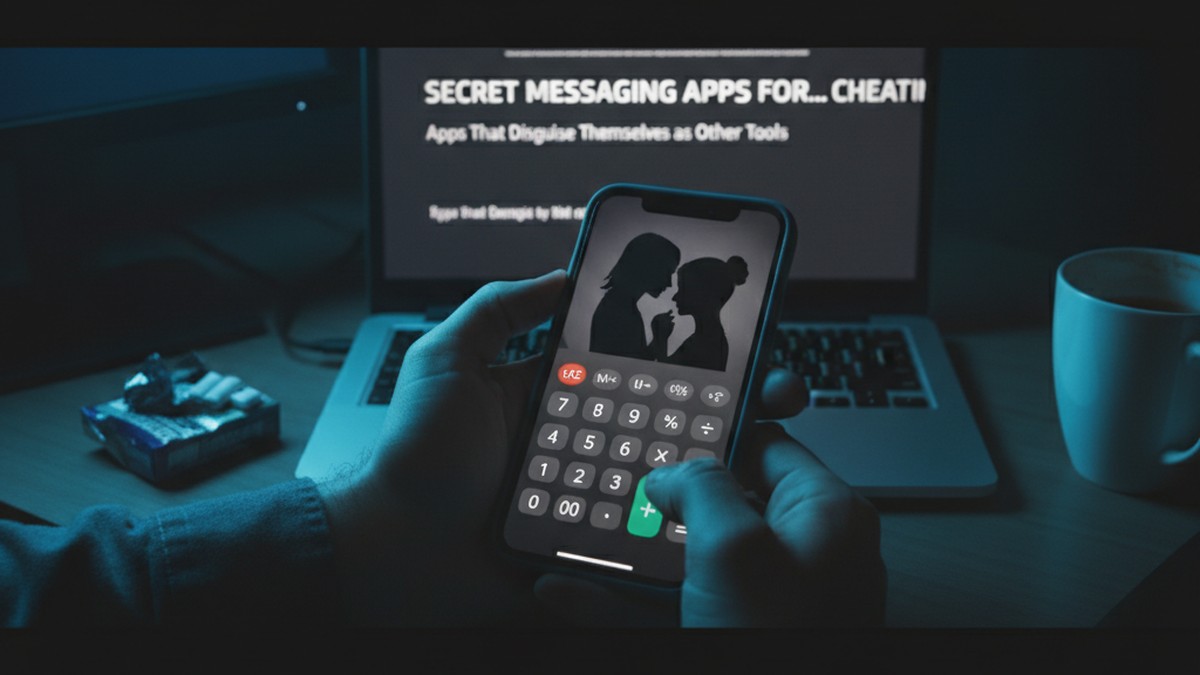
13. Calculator Pro+ (Vault With Messaging)
Calculator Pro+ appears and functions as a standard calculator. Enter a secret PIN as a "calculation" and the app reveals a hidden vault that includes messaging, photo storage, and a private web browser.
How cheaters use it: The app works as a real calculator for anyone who opens it casually. Only the correct PIN reveals the hidden messaging and storage features. Photos and messages stored inside do not appear in the phone's camera roll, gallery, or standard message apps. Some versions include a hidden browser that leaves no history on the device's default browser.
How to detect it:
- Two calculator apps on the same phone is the most obvious red flag
- Check the storage size of every calculator app — a real calculator uses a few megabytes, while Calculator Pro+ with stored media can exceed 100-500MB
- In device Settings, look at app permissions — a calculator that requests access to the camera, contacts, or microphone is not a legitimate calculator
- Check Screen Time or Digital Wellbeing for unusual time spent on a "calculator"
Niche and Emerging Secret Messaging Apps
These apps are less well-known but increasingly used because their obscurity makes them harder to recognize on a partner's phone.
14. Session
Session is a privacy-focused messenger built on a decentralized network. It does not require a phone number, email address, or any personal information to create an account. Each user gets a randomly generated Session ID.
How cheaters use it: Session routes messages through an onion routing network (similar to Tor), which masks both the sender's and receiver's IP address. Messages are end-to-end encrypted. There are no servers storing message content or metadata. The app is open-source, which means its encryption claims are independently verifiable.
How to detect it: The Session icon (a green speech bubble) may appear on the phone. Check app installation history and data usage reports. Session is less common than Signal or Telegram, so its presence on a phone is itself noteworthy — ask why they need it.
15. Briar
Briar is an extreme-privacy messenger that can function without internet access. It connects directly between devices using Bluetooth or Wi-Fi, and can also route messages through the Tor network.
How cheaters use it: Briar is designed for activists and journalists in hostile environments, but its features appeal to anyone who wants untraceable communication. Messages are stored only on the device and never touch any server. The app does not require a phone number or email.
How to detect it: Briar's icon (a green thorny branch) is distinctive. The app is niche — finding it on a partner's phone should prompt a conversation about why they need a messenger built for political dissidents. Check app install history for Briar or related privacy tools.
16. Kik
Kik gained popularity because it only requires an email address to register — no phone number. This means it does not appear on phone bills and cannot be traced through a mobile carrier.
How cheaters use it: Kik lets users communicate with a username rather than a phone number. It supports group chats, photo and video sharing, and one-on-one conversations. The app has been associated with anonymous and adult-oriented communities, which makes it a common starting point for affairs. Messages are not end-to-end encrypted, but the anonymity of not needing a phone number is the primary draw.
How to detect it:
- The Kik icon (a green "K" speech bubble) on the phone
- Kik accounts can be searched by username — if you know a username, you can verify if someone has an active account
- Check for the app in Screen Time reports
- Kik does not link to a phone number, so there will be no trace on phone bills
17. Threema
Threema is a Swiss-based messaging app that prioritizes anonymity. Users get a randomly generated Threema ID and are never required to provide a phone number or email address.
How cheaters use it: Threema encrypts everything end-to-end: messages, group chats, media files, and even status messages. The app stores as little data as possible on its servers and deletes messages immediately after delivery. Threema also offers a "Private Chats" feature that hides specific conversations behind a PIN.
How to detect it: Look for the Threema icon (a white speech bubble on a green background with three dots). The app costs a one-time fee (no subscription), so check for a single purchase in the App Store or Google Play. Threema is uncommon in the United States — its presence on a phone warrants questions.
Quick-Reference: Secret Messaging Apps Comparison
| App | Encryption | Disappearing Messages | Phone Number Required | Disguised Icon | Screenshot Protection | Threat Level |
|---|---|---|---|---|---|---|
| Telegram (Secret Chat) | End-to-end (Secret only) | Yes (1 sec–1 week) | Yes | No | Notification | High |
| Signal | End-to-end (all chats) | Yes (custom timer) | Yes (username alternative) | No | Can block | High |
| Wickr Me | End-to-end | Yes (1 sec–6 days) | No | No | No | Very High |
| Dust | End-to-end | Yes (auto) | Yes | No | Notification | High |
| Confide | End-to-end | Yes (after reading) | Yes | No | Line-by-line reveal | High |
| WhatsApp (Locked) | End-to-end | Yes (custom timer) | Yes | No | No | Medium |
| Messenger (Secret) | End-to-end (Secret only) | Yes (5 sec–24 hr) | Yes | No | No | Medium |
| Instagram (Vanish) | End-to-end | Yes (on close) | Yes | No | Notification | Medium |
| Snapchat | End-to-end | Yes (after viewing) | Yes | No | Notification | Medium |
| Viber (Hidden) | End-to-end | Yes (1 sec–1 week) | Yes | No | No | Medium |
| DailyNewsTalk | End-to-end | Yes (timer) | No | Yes (news app) | No | Very High |
| CoverMe | End-to-end | Yes (timer) | No (burner available) | Yes (user choice) | No | Very High |
| Calculator Pro+ | Limited | No | No | Yes (calculator) | No | High |
| Session | End-to-end + onion routing | Yes | No | No | No | Very High |
| Briar | End-to-end + Tor | No | No | No | No | High |
| Kik | No E2E | No | No (email only) | No | No | Medium |
| Threema | End-to-end | Yes | No | No | No | High |
How Can You Detect Secret Messaging Apps on a Phone?
The most reliable detection methods are checking App Store or Google Play purchase history for deleted apps, reviewing Screen Time or Digital Wellbeing data for messaging apps with suspiciously high usage, looking for duplicate utility apps like two calculators, monitoring data usage for apps consuming more bandwidth than their supposed function warrants, and searching for known vault app names using Spotlight Search on iPhone or the Settings Apps menu on Android.
Knowing which apps exist is only half the equation. Detecting them on a partner's phone requires specific methods that differ between iPhone and Android. For platform-specific guides, see how to find hidden dating apps on Android and find hidden dating apps on iPhone.
Check App Installation History
Both iPhone and Android track every app that has ever been downloaded — including apps that have been deleted.
On iPhone:
- Open the App Store
- Tap your profile icon in the top right
- Tap "Purchased" (or "My Purchases" on newer versions)
- Switch to "Not on this iPhone" to see deleted apps
- Search for names like Signal, Telegram, Dust, Confide, Wickr, CoverMe, or any app from this list
On Android:
- Open Google Play Store
- Tap your profile icon
- Tap "Manage apps & device"
- Switch to the "Manage" tab
- Filter by "Not installed" to see deleted apps
Monitor Screen Time and Data Usage
Every app leaves a footprint in usage reports, even if the app itself destroys message content.
What to look for:
- A messaging app with high screen time that your partner claims to "barely use"
- High background data usage for a simple utility app (a calculator using 500MB of data is not a calculator)
- Screen time patterns that spike late at night or during times you are apart
- Apps categorized as "Social" or "Communication" that you do not recognize
Look for Duplicate Utility Apps
This is one of the simplest and most reliable detection methods. Most phones come with one calculator, one clock, one notes app, and one file manager. If you see two of any of these, one may be a disguised messaging vault.
Check the storage size of any duplicate. A real calculator uses 5-10MB. A vault app disguised as a calculator often uses 100MB or more, and if media has been stored inside, it can reach several hundred megabytes.
Search Notification Logs
Both iPhone and Android maintain logs of past notifications — even for notifications that were swiped away before you could read them.
On Android: Settings > Notifications > Notification History. This shows a feed of recent notifications from all apps, including ones that were dismissed. Look for message previews from unfamiliar apps.
On iPhone: Notification history is more limited, but Siri Suggestions in the Search screen sometimes surfaces apps with recent activity that the user might not have opened visibly.
Review App Permissions
In your phone's Settings, check which apps have been granted access to the camera, microphone, contacts, and location. A calculator with camera access or a news app with microphone permissions is a strong indicator that the app is not what it appears to be.
Common Mistakes When Looking for Secret Messaging Apps
Mistake 1: Only Checking the Home Screen
Cheaters rarely leave secret apps on the home screen. They bury them in folders, move them to secondary screens, or use app library features to hide them from the main view entirely. On iPhone, apps can be removed from the home screen while remaining installed and accessible through the App Library.
Mistake 2: Assuming Standard Apps Are Innocent
WhatsApp, Instagram, Snapchat, Facebook Messenger, and Viber are all mainstream apps with legitimate uses. But each one contains hidden chat features that most partners never check. A cheater does not need to download a suspicious-looking app — they can hide an entire affair inside an app you already know about.
Mistake 3: Overlooking App Purchase History
Deleting an app from a phone does not delete it from the purchase or download history. Many people who suspect a partner is cheating check the visible apps but never look at what has been downloaded and then removed. The "Not on this device" section of the App Store or Google Play is one of the most revealing places to look.
Mistake 4: Forgetting About Desktop and Web Versions
Some messaging apps sync across devices. If your partner uses Telegram, WhatsApp, or Messenger on a computer, those sessions may still be active. Telegram's "Active Sessions" and WhatsApp's "Linked Devices" settings show every device currently connected to the account. A device you do not recognize could indicate a secondary phone or computer being used for secret conversations.
Mistake 5: Ignoring Legal Boundaries
Accessing someone's phone without permission can carry serious legal consequences. The federal Electronic Communications Privacy Act protects electronic communications, and many states have additional statutes. In California alone, unauthorized access to a phone can result in fines up to $5,000 and up to one year in jail. Before searching a partner's phone, consult an attorney to understand your state's laws. There are legal methods to gather evidence — such as running a dating profile search through a service like CheatScanX that does not require access to the other person's device.
What Are the Behavioral Red Flags of Secret Messaging App Use?
The primary behavioral red flags include constant phone guarding such as face-down placement and bathroom trips with the device, sudden preference for texting over calling, new screen locks or changed passcodes, stepping into another room to respond to messages, and heavy phone usage during late-night hours between 11 PM and 2 AM. Research shows 60% of cheaters believe their partner remains unaware of the affair (DoULike, 2025), which means these behavioral shifts are often subtle rather than dramatic.
Technology is only one piece of the puzzle. Secret messaging apps rarely appear in isolation — they come with observable behavioral changes. If you notice several of these patterns alongside any of the signs your partner is cheating, the combination is significant.
Phone Guarding Behaviors
- The phone is always face-down on surfaces
- They take the phone to the bathroom every time, even for a 30-second trip
- The phone is on silent mode permanently, with vibration also disabled
- They angle the screen away from you while texting
- A new screen lock was added, or the passcode changed without being shared
Communication Pattern Shifts
- They suddenly prefer texting over calling (text is easier to hide and delete)
- Response times to your messages increase while their phone usage stays the same or increases
- They are typing frequently but you are not receiving messages
- New notification sounds appear — a different tone for a different app
- They step outside or into another room to respond to certain messages
These patterns overlap heavily with the signs of emotional cheating through texting. Emotional affairs conducted through secret messaging apps are among the hardest to detect because there may be no dating profile, no physical meeting, and no financial trail — just encrypted conversations that disappear.
Usage Timing Patterns
Pay attention to WHEN the phone activity spikes. Late-night usage (after you are asleep), early morning checks (before you wake up), and increased activity during work hours or business trips are all common patterns. Check Screen Time or Digital Wellbeing reports, which track daily and weekly usage by app and time of day.
A 2025 analysis found that 46% of people under 35 say that digital secrecy — including hidden apps and private accounts — actively increases the temptation to cheat (DoULike, 2025). The privacy features are not just tools. They lower the perceived risk, which makes the behavior more likely.
What to Do If You Find a Secret Messaging App
Finding one of these apps on your partner's phone does not automatically confirm an affair. Signal, Telegram, and even Wickr have legitimate privacy uses. The context matters — who they are communicating with, how they react when asked about it, and whether the app's presence aligns with other suspicious behaviors.
Step 1: Document What You Find
Before confronting anyone, record what you see. Note the app name, where it was located on the phone (which folder, which screen), and any other details. If the phone is accessible, check Screen Time data and take note of usage patterns. Do not delete anything or change settings.
Step 2: Check for Dating Profile Activity
A secret messaging app alongside an active dating profile is a far stronger indicator than the messaging app alone. Use a dating app search tool to check whether your partner has profiles on Tinder, Bumble, Hinge, or other platforms. CheatScanX scans 15+ dating apps using a name, email, or phone number and can confirm whether a dating profile exists — without alerting your partner.
Step 3: Observe Without Confronting (Initially)
Premature confrontation often leads to denial, app deletion, and a harder-to-detect transition to a different platform. If you are gathering evidence, give yourself time to build a complete picture. Track behavioral patterns over a period of days or weeks before making a decision.
Step 4: Consult a Professional
Depending on your situation, this might mean a therapist, an attorney, or both. A therapist can help you process what you are feeling and plan a productive conversation. An attorney can advise on what evidence is legally admissible if you are considering separation or divorce. Both are worth consulting before taking irreversible action.
Frequently Asked Questions
Telegram is the most common secret messaging app used for cheating because of its Secret Chats feature. These chats use end-to-end encryption, do not sync across devices, and can self-destruct on a timer from one second to one week. Regular Telegram chats are not encrypted the same way, so look specifically for Secret Chat activity.
Yes. WhatsApp has a Locked Chats folder that hides conversations behind biometric or PIN authentication. To check, open the Chats tab and swipe down slowly from the middle of the screen. If a Locked Chats folder appears at the top, someone has hidden at least one conversation. A Secret Code can hide this folder further.
No. Secret messaging apps like Signal, Telegram, and Dust send messages over internet data, not SMS. They never appear as individual texts or calls on a phone bill. They may show in data usage reports under their app name, but apps that disguise their icon can be hard to identify even there.
Key signs include a new messaging app they did not use before, notifications they dismiss before you can see them, a phone that is always face-down or on silent, increased screen time during odd hours, and defensive reactions when asked about phone activity. Two instances of the same utility app, like two calculators, is a major red flag.
In most US states, accessing someone's phone without their permission violates the federal Electronic Communications Privacy Act and may violate state computer fraud laws. Even between spouses, unauthorized access can result in criminal charges. California imposes fines up to $5,000 and up to one year in jail. Consult an attorney before taking any action.