
# How to Tell If Someone Unmatched You on Tinder
You had a match on Tinder. Maybe you exchanged a few messages. Now they're gone — no profile, no conversation, no explanation. If you're trying to figure out how to tell if someone unmatched you on Tinder, the short answer is this: check four specific signals, because Tinder itself will never tell you.
This is an extremely common experience. With 75 million monthly active users generating 1.6 billion swipes per day (Business of Apps, 2026), disappearing matches are a daily reality of the platform. The app offers zero notification when someone removes you from their list.
This guide covers the four signs of an unmatch, a diagnostic framework to distinguish an unmatch from a glitch or a deleted account, and a clear picture of what your options are once you know what happened. You'll also learn what getting unmatched actually means for your performance on the app — and the answer is probably different from what most people assume.
What Happens When Someone Unmatches You on Tinder?
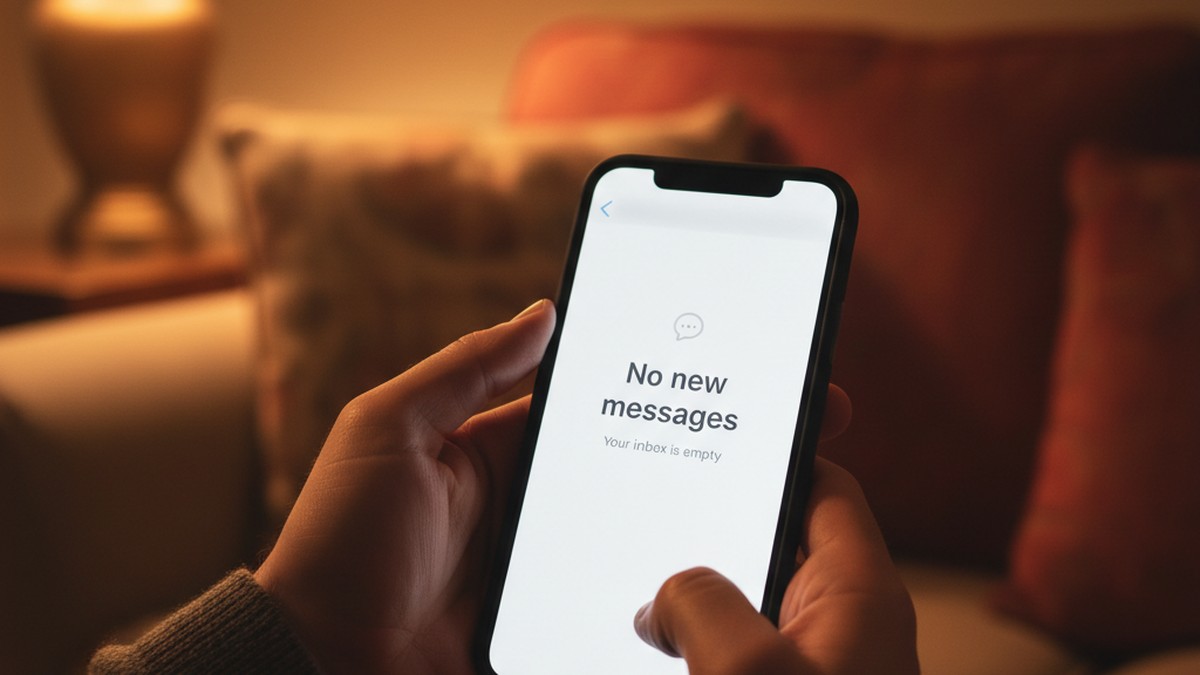
When someone unmatches you on Tinder, the match and your entire conversation disappear instantly from both accounts. Neither person receives a notification. You can no longer view their profile or send messages. The action is permanent and cannot be reversed by either party.
This mutual disappearance is the defining feature of Tinder's unmatch mechanic. The moment someone taps the unmatch option on your connection, the conversation and all profile access vanish simultaneously for both users. It's not like being blocked on social media, where one party can still see the other's content. On Tinder, both people lose access at exactly the same time.
Here's what you'll actually see from your end:
- Your matches list: The person simply no longer appears. There's no "removed" placeholder, no greyed-out name, no indicator that a match existed. The slot is just gone.
- Your message history: Every message — yours and theirs — is removed from your inbox permanently. The conversation thread disappears entirely.
- Your swipe queue: They won't appear in your swipe queue again. Tinder's system flags unmatched connections to prevent re-display in normal swiping.
- Your notification history: If you had a push notification from a message they sent, that notification remains on your device. Tapping it, however, will land you on an empty conversation screen or show an error.
What you will not see is any banner, badge, or notification that says you were unmatched. Tinder made a deliberate product decision to omit this. According to Tinder's official help documentation, "The person you're unmatching won't be notified of your action, but may notice you're missing from their Matches."
That silence is intentional. It reduces friction for users who want to quietly exit a match without confrontation. The platform's design philosophy prioritizes discretion for the person doing the removing — but it leaves you to figure out what happened on your own.
This behavior applies regardless of how long you'd been matched, whether you'd had an active exchange, or whether either of you has a paid subscription. Tinder Gold, Platinum, and Plus subscribers all experience the same unmatch mechanic as free users. The removal works identically across all tiers.
Understanding this baseline behavior is the first step. But a disappearing match doesn't always mean you were intentionally unmatched. Three other things can produce the same symptom: a deleted or deactivated account, a banned account, or an app glitch. The next section shows you how to tell them apart.
Want to skip straight to answers? CheatScanX scans Tinder, Bumble, Hinge, and 12+ other apps in minutes. Completely anonymous.
Start a confidential search →The 4 Clear Signs Someone Unmatched You on Tinder
Confirming an unmatch requires checking four specific signals. No single signal is definitive on its own, but together they paint a clear and reliable picture of what happened.
Sign 1: Their Profile Has Completely Disappeared From Your Matches
The primary indicator is total absence from your matches list. Not buried further down the list — completely gone. If you remember the person's name or photo and you can't locate them anywhere in your matches tab after a thorough scroll, that's the first signal.
This is different from a match getting pushed down by more recent activity. Tinder sorts your matches with the most recently active conversations at the top. An older match you haven't messaged will scroll further down, but it's still there and findable. A true unmatch leaves zero trace in your matches list.
If you're uncertain whether you're just missing them in the list, use Tinder's search function (the magnifying glass icon in the messages tab) to search for their name. If they don't appear in search results either, the absence is real.
Sign 2: The Conversation Thread Is Gone From Your Inbox
When someone unmatches you, your entire message history disappears with them. Every message you sent, every message they sent — removed from your inbox. If a conversation that definitely existed before is now completely absent, this is a strong secondary signal.
The practical test: scroll through your full message history from top to bottom. If you can find other conversations from the same time period but can't find theirs, the disappearance is real and not a display issue. If your entire inbox looks different or multiple conversations are missing at once, that's more likely an app sync problem.
Sign 3: The Match Doesn't Return After an App Restart
This is the most important technical check. App glitches can temporarily cause matches to disappear. Tinder's servers occasionally experience sync issues that make specific matches temporarily invisible or cause match counts to display incorrectly.
The test: fully close the Tinder app (force-stop on Android or swipe-close on iOS), wait 30 seconds, then reopen it. For a more thorough test, log out of your account, close the app, reopen it, and log back in. If the person and their conversation reappear with your message history intact, it was a temporary display error — not an unmatch.
If they don't return after a clean reload and fresh login, the disappearance is real.
Sign 4: A Linked Notification Leads Nowhere
If your phone's notification tray still contains a push notification from a message they sent, tap that notification. One of two things will happen: the app opens to an empty conversation screen with no message history, or it throws an error. Either outcome confirms that the connection no longer exists on Tinder's end — the server no longer recognizes the conversation as active.
If you have no notification to test, check whether you saved any contact information from the conversation — an Instagram handle, a first name and last initial, a workplace. Their existence on those other platforms tells you nothing definitive about the Tinder situation, but activity on Instagram combined with a disappearance from Tinder leans toward an intentional unmatch rather than an account deletion.
One additional check for iOS users: if you have Screen Time enabled, your App Usage data will show Tinder activity but won't distinguish between conversations. However, if you screenshot your match list periodically (a habit some active Tinder users develop for exactly this kind of situation), comparing screenshots before and after a suspected unmatch gives you a concrete record of who disappeared and when.
The 3-Signal Unmatch Diagnostic Framework
Most articles on this topic treat all disappearances as identical and prescribe the same response: accept it and move on. That advice skips a genuinely useful distinction. A person disappearing from your matches could mean four very different things:
- They unmatched you — a deliberate choice to remove the connection while still using Tinder
- They deleted or deactivated their account — they left the platform entirely
- Their account was suspended or banned — Tinder removed them, often for violating community guidelines or being flagged as a fake/scam profile
- An app glitch — a temporary sync error causing a display problem that resolves on its own
The appropriate response and what it means about the situation differs significantly in each case. Here's a structured framework using three observable signals to identify which one applies to you.
Signal A: Does the Match Return After an App Restart?
Run the restart test described in Sign 3 above.
| Test Result | Diagnosis |
|---|---|
| Match and conversation return with full history | App glitch — no further action needed |
| Match does not return after full restart and re-login | Real disappearance — proceed to Signal B |
This test eliminates the glitch explanation quickly. If the match comes back, nothing happened. If it doesn't, continue.
Signal B: Can a Different Account Find Their Profile?
This is the most diagnostically powerful step. Ask a friend who uses Tinder to search for the person, or — if necessary — check from a second account. The person you're searching for would need to be in a compatible location and age range for their profile to appear in discovery.
| Search Result | Diagnosis |
|---|---|
| Profile is visible from another account | You were specifically unmatched — they're still active on Tinder |
| Profile is not visible from any account | Account deleted, deactivated, or banned by Tinder |
There's one important caveat: Tinder allows users to set their profile to non-discoverable mode (available to paid subscribers). A person using this setting won't appear in new swipe queues or most search tools even if they're fully active. This means "not found from another account" is not definitive proof of deletion — but "found from another account" is definitive proof you were specifically unmatched.
Signal C: What Was the Conversation Context?
Context doesn't give you a definitive answer in isolation, but it helps confirm your Signal B conclusion and resolve ambiguous cases where profile discoverability is uncertain.
| Situation Before Disappearance | Most Likely Cause |
|---|---|
| Conversation had gone quiet for several days | Unmatch after interest faded — routine inbox cleanup |
| You sent a message that got no reply, then disappeared | Unmatch — soft ghosting pattern |
| Disappeared mid-active conversation with no warning | Account deletion, ban, or app-side issue |
| Profile had few photos, vague bio, responses felt scripted | Likely account ban (fake or scam profile flagged by Tinder) |
| Neither of you had messaged in weeks | Could be either; often routine cleanup rather than targeted removal |
| Match disappeared within minutes or hours of you sending a first message | Unmatch — they saw your message and decided not to continue |
Putting the Framework to Work
Run the three signals in sequence:
- Restart test first: If the match returns, stop. It was a glitch.
- External check second: If found by others, you were specifically unmatched. If not found by anyone, they deleted or were banned.
- Context check third: Use the pattern of your conversation to confirm or add nuance to your Signal B conclusion.
Based on CheatScanX's analysis of dating profile activity patterns, the large majority of disappearances where the profile is still visible to other users represent intentional unmatches — not account issues. Profiles that go completely dark across all accounts are typically deactivations or enforcement actions. The distinction matters particularly if you're trying to determine whether a partner is still active on the platform while claiming they're not.
A Tinder profile search can verify whether a profile is still active without requiring you to create a second account or ask a friend for help.
Does Tinder Notify You When Someone Unmatches You?
Tinder does not send any notification when someone unmatches you. There is no push notification, no in-app alert, and no email. The only way you'll know is by noticing the person has disappeared from your matches list and the conversation is gone.
This is a deliberate design choice, not a technical oversight. Tinder built the platform this way to reduce friction and the social cost of disconnecting from a match. The product logic is straightforward: if every unmatch triggered a notification, users would feel more social pressure to keep matches active even when they're no longer interested, which degrades the experience for both parties.
The Push Notification Edge Case
One specific scenario creates genuine confusion: you receive a push notification for a message from a match, but by the time you open the app, the conversation has vanished. What happened?
Two explanations cover this:
Scenario A — Unmatched in the gap: Tinder delivers push notifications for new messages, and there's sometimes a delay of seconds to minutes between notification delivery and when you open the app. In that window, the person could have decided to unmatch you — possibly after sending a message they then regretted, or immediately after seeing your profile more carefully.
Scenario B — Server-side processing lag: Push notifications are sometimes delivered to devices before Tinder's servers have fully processed a subsequent account action. The notification reflects a message that technically existed for a brief moment before the unmatch removed it from the active conversation record.
Either way, the practical conclusion is the same: if you receive a push notification from someone and open the app to find their conversation gone, you were almost certainly unmatched in the minutes immediately before you opened it.
Does Tinder Keep Any Record of Removed Matches?
No. Tinder does not maintain or display any history of removed matches accessible to users. There's no log, no "formerly matched" list, and no way to audit which matches you've had and lost. Once someone unmatches you, the record of that connection disappears from your interface entirely.
The only partial record that survives is a push notification sitting in your device's notification tray — and only until you clear your notifications manually or your phone's OS automatically purges them.
Some third-party apps claim to track Tinder match history and alert you when matches disappear. These tools have limited reliability and often require permissions that compromise your account security. Tinder's terms of service prohibit third-party apps from accessing match data this way, and accounts using such tools risk suspension.
A Note on Tinder's Product Philosophy
Tinder's no-notification policy for unmatches reflects a broader design approach: the platform protects the anonymity and autonomy of the person ending a connection. This is consistent across all removal actions on the platform — unmatches, blocks, and profile reports all happen silently.
You're designed to notice the absence, not be told about it. Whether that's a feature or a flaw depends heavily on what you needed the connection for.
Can You Tell If It Was an Unmatch or a Deleted Account?
You can't tell directly from within your own Tinder account. Both an unmatch and a deleted account produce the same result: the person disappears and the conversation is gone. The clearest distinction requires checking from a separate account or having a friend search for their profile.
This is the question most users struggle with, and Tinder's interface offers no direct answer. From your perspective, both events produce an identical outcome.
Why the Distinction Matters
If you were unmatched, the person made a deliberate choice to remove you — while still using Tinder. If they deleted their account, they left the platform entirely. The implications differ depending on your situation.
For someone using Tinder for dating, the distinction affects whether reconnecting elsewhere makes sense. If they deleted their account, the connection ended for reasons unrelated to you. If they specifically unmatched you while staying active, the signal is different.
For someone investigating whether a partner is still active on Tinder, the distinction is practically significant. A partner who claims to have deleted Tinder but whose profile is still visible to a third party hasn't deleted anything — they've unmatched you specifically.
The External Check Method
The most reliable approach is to search for the person from an unconnected account.
Option 1 — Ask a friend: A friend who uses Tinder and is in a similar geographic location can try to encounter the person's profile in their own swiping. This is the most natural approach but depends on location overlap and the person's age range settings.
Option 2 — Use a dating profile search tool: A dating profile search tool can check whether an active Tinder profile exists for a specific person without requiring a second account. These tools work by searching active profiles indexed from the platform.
Option 3 — Adjust your discovery settings: If you adjust your own Tinder search parameters (age range, distance) to match the person you're looking for, you increase the chance they'll appear in your own queue again through standard swiping — though this requires patience and the right overlap.
What "Not Found" Actually Tells You
If no account or friend can find the person, the most common explanations are:
- Account deleted or deactivated: They left Tinder voluntarily or paused their account
- Account banned: Tinder's moderation removed their account for guideline violations
- Profile set to non-discoverable: Paid subscribers can hide their profile from appearing in new people's queues while staying active — this is relatively uncommon but real
- Age or location filter mismatch: The person checking simply falls outside the target's discovery settings
The critical asymmetry: if someone can find their profile from another account, you have definitive evidence they're still on Tinder and chose to remove you specifically. The reverse — not finding them — has multiple explanations and isn't conclusive on its own.
What's the Difference Between Being Unmatched and Blocked on Tinder?
Unmatching and blocking are two distinct actions on Tinder with different mechanics and different implications. Understanding the difference helps you correctly interpret what happened and what it means.
What Unmatching Does
When someone unmatches you, both parties lose access to the match and conversation simultaneously. According to Tinder's help center, unmatching causes:
- The match to disappear from both users' lists at the same time
- The conversation to be permanently deleted for both parties
- Neither user can message the other going forward
- Tinder's system prevents both users from appearing in each other's regular swipe queue again
Unmatching is a mutual disconnection. Both people lose access simultaneously — neither party retains any visibility into the connection or any advantage in terms of what they can see after the removal.
What Blocking Does
Blocking is a more severe, safety-oriented action typically used when someone has behaved inappropriately or in a way that felt threatening. When you block someone on Tinder:
- They can no longer see your profile in any context
- You cannot see theirs
- Any existing match and conversation is removed
- Future contact on the platform is prevented
The meaningful difference from unmatching: blocking is primarily a protective tool that prevents the blocked person from finding or contacting you, with the conversation removal as a secondary effect. Unmatching is a neutral disconnection tool with no safety implication.
When unmatching someone, Tinder also offers the option to simultaneously block the person — a combined action available for situations where you want to both remove the match and prevent any future contact.
Comparison: Unmatch vs. Block
| Feature | Unmatched | Blocked |
|---|---|---|
| Who initiated | The other person | The other person |
| Both lose access | Yes, simultaneously | Yes |
| Can they see your profile | No | No |
| Can you see their profile | No | No |
| Conversation deleted | Yes, for both | Yes |
| Notification sent to either | None | None |
| Can they find you by search | No | No |
| Typical reason | Loss of interest, inbox cleanup | Safety concern, harassment |
| Reversible | No | No |
Can You Tell Which One Happened?
From inside your own account, the two actions look identical. Both cause the person to disappear and the conversation to vanish. Tinder does not label the action or tell you which type of removal occurred.
The only inferential difference is behavioral context: a block typically follows a conversation that escalated in a way the other person found threatening or uncomfortable. An unmatch more commonly follows a conversation that simply faded. But without knowing the other person's intent, this is inference rather than fact.
Can You Find Someone After They Unmatched You on Tinder?
Finding someone on Tinder after being unmatched is genuinely difficult, and in most cases where the unmatch was intentional, it requires going outside Tinder entirely. Your options depend on how much information you retained from the conversation.
Why Tinder Blocks Re-Discovery
Once someone unmatches you, Tinder's system marks that connection as intentionally closed. Two things follow automatically:
- They're removed from your swipe queue: Normal swiping won't re-show you their profile. This is a built-in system behavior that applies whether the removal was an unmatch or you previously swiped left on them.
- The conversation record is gone: Even if you somehow encounter their profile again through external means, you won't have access to your previous exchange.
According to Tinder's support documentation, there is no built-in mechanism to reverse an unmatch, restore a conversation, or request that a removed match be reinstated. Their support team cannot restore unmatched connections.
Option 1: Let Organic Rediscovery Happen
The simplest path is to continue using Tinder normally and wait for their profile to appear again organically. This can happen if Tinder's swipe-history cache resets over time (which does occur, particularly after profile resets or extended gaps in app usage), or if you adjust your location or age range settings in a way that puts you both back in range.
The odds of this happening within a specific timeframe are not high. With tens of millions of active profiles in most major cities, the chance of any specific person appearing in your queue again quickly is a matter of luck. However, if you're both geographically close and active at the same time, it does happen.
Option 2: Find Them on Other Platforms
If you retained any identifying information from the conversation — a first name, an Instagram handle they mentioned, a workplace, a city neighborhood — you can search for them on Instagram, LinkedIn, or other social platforms.
Many Tinder users link their Instagram directly to their profiles, and the username is visible before the unmatch. If you noted it during the conversation or if you have a phone screenshot, that's a direct path. Most people don't consider this a violation of their privacy because they chose to share that information in the conversation.
A brief, context-acknowledging message — "Hey, looks like we got disconnected on Tinder, wanted to stay in touch" — is reasonable if the conversation was going well. If they don't respond or decline, you have a clear answer.
Option 3: Use a Profile Search Tool
A find out if your partner is on Tinder type of search tool can check whether a specific person's Tinder profile is still active without you needing to create a second account or coordinate with friends. These tools work when the person's profile is still active and has some degree of discoverability.
This approach is most useful if you're in a different situation from the typical dating scenario — for example, if you're trying to confirm whether someone who says they've left Tinder is actually still using it.
What to Realistically Expect
If someone unmatched you deliberately, reaching out through another channel after they made that choice can come across as boundary-pushing rather than endearing. Weigh whether the reconnection is genuinely worth pursuing.
The case for reaching out is strongest when the unmatch appeared accidental (they seemed actively interested right up until the disappearance), when the conversation was genuinely good and the disappearance was unexpected, or when you had exchanged contact details and they simply didn't follow through.
The case against reaching out is when the conversation had already slowed considerably, when they had been sending shorter and shorter replies before disappearing, or when you'd sent a message that received no response before the unmatch. In those cases, the disappearance is almost certainly communicating something — and a reach-out is unlikely to change that.
Why Do People Unmatch on Tinder?
Understanding the most common reasons people unmatch helps reframe a disappearance as information rather than judgment. Most unmatches have nothing to do with you specifically.
Loss of Interest or Conversation Momentum
This is the single most common reason for unmatching. One or both people lose momentum in the exchange, the conversation goes quiet for a few days, and the person decides to clean up their matches list rather than leave a dead connection sitting there. It's digital housekeeping, not a verdict.
Tinder users check the app roughly 11 times per day on average (Demand Sage, 2026). With that frequency of use and matches accumulating continuously, a cluttered inbox is a genuine problem for active users. Periodic pruning of non-active matches is simply how many people manage the app — and an older match with no recent exchange is a natural candidate for removal.
Preferring a Different Match
Online dating involves managing multiple conversations simultaneously. It's entirely normal practice to talk to several people at the same time, and when a stronger connection develops with one, to quietly step back from others. You may have been unmatched not because of anything specific about you, but because the other person decided to focus more seriously on a different conversation.
This dynamic is especially significant given the substantial match rate asymmetry on the platform. Women receive match rates averaging 44.4% on right swipes, compared to 5.3% for men (SwipeStats, 2025). Someone managing dozens of active matches operates in a fundamentally different inbox environment than someone with a handful, and pruning is a practical necessity rather than a deliberate signal about any particular match.
Pre-Match Research
Many people search for their matches outside Tinder before continuing a conversation — a quick Google of a name, an Instagram check, a LinkedIn lookup. If they find something that makes them uncomfortable, recognize you from a different context they'd rather avoid, or simply find that your public profile doesn't match what they expected, an unmatch can follow quickly.
This happens more than most people realize. It's not personal in the sense of being about your personality or the conversation — it's more about how the external information changed their assessment.
The Conversation Went in a Direction They Didn't Like
If the exchange took a turn the other person found uncomfortable — an aggressive push for contact information, a comment that crossed a line for them, a tone mismatch between what they were expecting and what they experienced — an unmatch is their cleanest tool for ending the interaction without confrontation.
This is one of the more actionable reasons: if you notice a pattern of unmatches occurring after a specific type of message or escalation in conversation, that's a signal worth examining and adjusting.
Soft Ghosting as a Signal
Some users read a message, decide they're not interested in continuing, but rather than simply going silent, choose to unmatch as a more deliberate way to close the connection. Going quiet and unmatching serves as a cleaner form of disengagement than indefinite silence — it removes the conversation from both inboxes rather than leaving an unanswered message sitting there.
The person who unmatches after reading your message may be doing you a favor by removing ambiguity.
Accidental Removal
Accidental unmatches happen more often than the platform's designers probably intended. Tinder's interface places the report-and-unmatch option close enough to other profile actions that a fast-moving finger can trigger the confirmation dialog unexpectedly. The confirmation step exists, but in moments of rapid tapping it can be dismissed without being read.
If a match seemed genuinely active and interested right up until the moment of disappearance, with no apparent shift in tone, an accidental unmatch is a real possibility worth considering before drawing conclusions.
Account Resets and Platform Cleanup
Some users periodically delete their Tinder account and create a new one — to refresh their algorithm positioning, start fresh after a long absence, or reset a bad streak of matches. Every account deletion removes all existing matches and conversations from both sides. If someone you were matched with did this, you'd see exactly the same result as an intentional unmatch.
This is impossible to distinguish from a targeted unmatch without the external check from another account.
What Should You Do After Getting Unmatched?
Once you've confirmed a disappearance is real, your next steps depend on your situation and what the connection actually meant.
Step 1: Run the Diagnostic First
Before assuming anything, run the 3-Signal Diagnostic above. Check the restart test, consider doing an external profile check, and read the context of your conversation. A glitch is a real possibility — particularly right after Tinder releases an app update, when sync issues are more common. Assuming the worst before eliminating technical causes wastes emotional energy.
Step 2: Accept the Permanence
There is no appeal process, no support ticket that will restore a removed match, and no Tinder feature that undoes an unmatch. The connection is gone from Tinder's side. Accepting this early and directing your energy toward active conversations is the most productive response by a significant margin.
Step 3: Decide Whether Reconnecting Makes Sense
If you had a genuinely good conversation and the unmatch seemed out of character — particularly if it followed a period of silence that could plausibly be inbox cleanup rather than a targeted removal — a casual message on another platform where you're already connected is reasonable. Keep it brief and low-pressure: mention that you got disconnected and leave the response in their court.
If the conversation had clearly cooled before the disappearance, or if a message you sent went unanswered before the unmatch, reaching out elsewhere is unlikely to change the dynamic. The unmatch is likely confirming what the conversation's momentum already suggested.
Step 4: Look for Patterns, Not Single Events
A single unmatch tells you almost nothing actionable. A pattern of unmatches at the same stage of conversation — consistently after a first message, or consistently after you suggest meeting up — is data worth examining.
The most common causes of early-conversation unmatches are generic opening messages ("Hey" or "How are you?" consistently generate the lowest response rates), moving too quickly toward contact information or an in-person meeting, or messages that don't connect to anything in the person's profile. None of these are permanent traits — they're adjustable behaviors.
Pay attention to the timing pattern too. If you're consistently getting unmatched within the first 24 hours of matching, before any exchange, the issue is more likely profile-related — your photos, bio, or how your profile reads on second look after someone matches you. If unmatches happen specifically after your first message, the opening line is worth revising. If they happen mid-conversation after you raise a specific topic, that's the pattern to examine. Each timing window points to a different part of the process and a different type of adjustment.
Step 5: Use the Data Appropriately
The concrete information an unmatch gives you: one specific person, at one specific moment, chose to end the connection. That's it. You don't know the reason, the context within their life, or whether it had anything to do with your interaction. One data point filtered through unknown circumstances shouldn't carry significant weight.
A pattern of unmatches at the same stage — that's data worth using. A single instance — treat it as noise.

Can You Accidentally Unmatch Someone on Tinder?
Yes. Accidental unmatches are a genuine and recurring problem on Tinder, and the interface design creates meaningful risk of inadvertent removal. There is no undo function.
How the Interface Creates Risk
The unmatch option lives in a three-dot menu accessed from any match's profile. Tap their photo, tap the three-dot icon in the upper right corner, and the unmatch option appears in the dropdown. Tinder added a confirmation step — a popup that requires you to confirm the action before it finalizes.
The confirmation dialog works when you're moving carefully. It fails when you're tapping quickly, or when you're tired, or when your screen is responding slightly differently than you expect. The confirmation button is small, the popup appears and disappears within a second, and the word "Unmatch" in the button looks similar enough to a "Cancel" action in some UI states that fast-tappers sometimes dismiss the confirmation rather than cancel the action.
Common accidental unmatch scenarios:
- Tapping the menu area when trying to open the profile photo
- Moving through a confirmation dialog without reading it during rapid app use
- Smaller phone screens where tap targets are closer together
- The report-and-unmatch flow, where the unmatch is presented as a step within a different action
What Happens Next
Once confirmed, the unmatch is permanent. The match, the conversation, and your connection in the system disappear immediately. There's no grace period, no undo button, and no Tinder feature that reverses it.
If you know you accidentally unmatched someone and you want to reconnect, your options are the same as described in the "Can You Find Someone" section above: watch for their profile in your feed, adjust your discovery settings to improve the odds, find them on another platform if they shared contact info, or use a profile search tool to check whether their account is still active.
Reducing the Risk of Future Accidents
Three habits significantly reduce accidental unmatches:
Slow down before accessing the profile menu: Before tapping the three-dot icon on any profile, pause for a moment. The menu is also where you'd access other options, so being deliberate about why you're opening it prevents mistaken clicks.
Read every confirmation dialog fully: Tinder's unmatch confirmation explicitly says "Unmatch" on the confirm button in clear text. A one-second read prevents a permanent action.
Use the report function for uncomfortable matches: If you want to remove someone for a safety-related reason, the report function submits feedback to Tinder and removes the match in the same action. You don't need to use the standalone unmatch separately — reporting accomplishes both.
What Getting Unmatched Actually Tells You About Your Tinder Performance
Most guides on this topic treat unmatches as rejection events that warrant either emotional processing or profile optimization. The actual data tells a more nuanced story — and the most useful insight pushes back against that framing.
Here's the reality: on a platform where 85% of matches never turn into a real conversation (Business of Apps, 2026), an early unmatch is functionally equivalent to a match that simply never messaged you. Both outcomes are identical from a "connection that didn't develop" perspective. The mechanism differs — one person actively removed the match, the other never initiated contact — but the result is the same.
The Match-to-Conversation Rate Changes the Math
Consider the actual scale. Tinder reports that only 15% of mutual matches lead to any message exchange. For every 100 people who both right-swipe each other, 85 of those connections produce zero conversation. They sit in each other's match lists and eventually get cleaned up by one or both parties through the unmatch function.
An unmatch in the early stages — before any messages were exchanged, or after just one or two — represents the normal end of a connection that was, statistically, very unlikely to develop into anything meaningful in the first place. You were in the 85%.
This framing doesn't mean unmatches are meaningless in every case. An unmatch after days of engaging back-and-forth conversation does carry more signal than a disappearance before any exchange. But treating all unmatches as equivalent feedback, or as individually meaningful signals, ignores the baseline statistics of how the platform actually operates.
Gender Dynamics Change the Interpretation
The gender asymmetry in match rates complicates the picture further. Women using Tinder receive match rates averaging 44.4% on right swipes, versus 5.3% for men (SwipeStats, 2025). That's a gap of 8.4 times.
A person managing a 44% match rate across daily use accumulates matches at a fundamentally different rate than someone at 5%. For high-match users, unmatch as inbox management isn't a signal about individual matches — it's a necessary operational behavior to keep their conversation list functional.
Men who experience frequent unmatches are often experiencing the structural reality of a platform where selectivity in swiping is low (men tend to right-swipe more broadly) while genuine mutual interest is expressed differently. An unmatch from a high-match user often says more about their match volume than about any specific conversation.
What Actually Moves the Needle on Your Tinder Performance
If you want to improve your outcomes on the platform, the factors that actually matter — in approximate order of impact — are:
- Primary photo quality and selection: This is the dominant signal for new profiles and largely determines swipe behavior
- Profile completeness: Bio, prompt responses, and secondary photos collectively signal that you're a real and interesting person
- Swipe selectivity: Swiping right on everyone indiscriminately signals low selectivity to Tinder's algorithm and depresses desirability scores over time
- Response speed within active conversations: Faster replies within an ongoing exchange correlate with sustained engagement
- Opening message quality: Generic openers produce significantly lower response rates than messages that reference something specific in the profile
Early unmatches — those that occur before or within the first message exchange — fall below all of these factors in practical impact on your experience. They are statistical noise in a high-volume platform.
A pattern of unmatches after extended conversation is a more meaningful signal. If you consistently lose matches after several days of exchange, that's worth examining in terms of conversation dynamics. But a disappearance before or shortly after first contact? That's operating within the expected distribution of outcomes for Tinder's platform — not a signal worth carrying into your next conversation.
Conclusion: Moving Forward After an Unmatch on Tinder
Getting unmatched on Tinder is one of the most common experiences on the platform. It happens to active users of every demographic, subscription level, and attractiveness tier. Tinder's own match statistics confirm that the vast majority of connections never develop into real conversations — unmatches are how the platform processes that mathematical reality.
Four things to carry forward:
Tinder will never tell you when you've been unmatched. The absence of a notification is by design, not oversight. You'll only know by noticing the disappearance.
Use the 3-Signal Diagnostic before assuming anything. Restart the app, check from another account if possible, and read the conversation context. A glitch, a deletion, and an intentional unmatch all look the same from inside your account — the signals tell them apart.
There is no undo. Once someone unmatches you, the connection is gone permanently from Tinder's system. Energy spent trying to reverse it is better directed toward conversations still active.
Early unmatches are statistically expected. With 85% of Tinder matches never generating a single message exchange (Business of Apps, 2026), a disappearance before meaningful contact is operating inside the normal distribution of platform outcomes — not a meaningful personal rejection.
If you're not using Tinder personally but trying to determine whether a partner is active on the platform, the diagnostic above is the same process — but verification tools give you more reliable answers than trying to decode disappearance signals. A profile search across multiple apps can confirm active status directly without relying on signal interpretation.
Frequently Asked Questions
No. Tinder does not show a list of who has unmatched you or when it happened. Once someone unmatches you, their profile and your conversation disappear completely from your account. There is no history, log, or notification of the action. The only record that may survive is a push notification still sitting in your device's notification tray.
There is no way to undo an unmatch on Tinder. Once someone unmatches you, the connection is permanently removed. You could potentially re-encounter them in the swiping queue if you're in the same location and age range, but you won't have any existing conversation history and the encounter would start entirely fresh.
From your perspective, both look identical: the person disappears from your matches and the conversation is gone. The difference is only detectable externally — if a friend using Tinder can still find their profile, they unmatched you. If nobody can find them, they deleted, deactivated, or had their account banned by Tinder.
Being unmatched has minimal direct impact on your Tinder desirability score. Tinder's algorithm weights engagement signals like messages sent, profile completeness, and swipe selectivity far more heavily than unmatch events. The bigger performance impact comes from low match rates on right swipes, not from being unmatched after matching.
Yes, accidental unmatches happen. Tinder's report-and-unmatch menu sits in the same interface as other profile actions, making accidental taps possible. The app does show a confirmation dialog, but it can be dismissed quickly during fast tapping. If you accidentally unmatch someone, there's no undo — you'd need to hope their profile appears in your swiping queue again.