# Can You See Who Liked You on Hinge?
Yes — you can see who liked you on Hinge without paying, but the free experience shows you one profile at a time. A notification appears when someone likes you, and their profile enters your Likes You queue. You see the first person, decide to match or skip, then the next like becomes visible. Paying subscribers get a different experience: every incoming like visible at once in a browsable grid.
That distinction matters more than it sounds. If you get 5 likes this week, the free flow is barely limiting. If you're getting 40 likes and want to pick the most promising matches strategically, the one-at-a-time approach means you're navigating them blind.
According to data from 2026, Hinge has approximately 32 million users globally — but only around 1.9 million of them pay for a subscription (SwipeStats, 2026). That means roughly 94% of Hinge users are navigating the app with the free experience. What exactly that experience shows you — and what it hides — is worth understanding precisely.
The answer also matters for a second group of readers: people trying to understand a partner's activity on the app. How Hinge handles likes — who can see them, what gets notified, what account behavior they reveal — has direct implications for understanding whether someone is actively using the platform.
This article covers every layer of what Hinge reveals to free users versus subscribers, what happens when someone likes you, whether you're notified when you view a like, and what the likes feature actually tells you about someone's account activity.
Can You See Who Liked You on Hinge for Free?
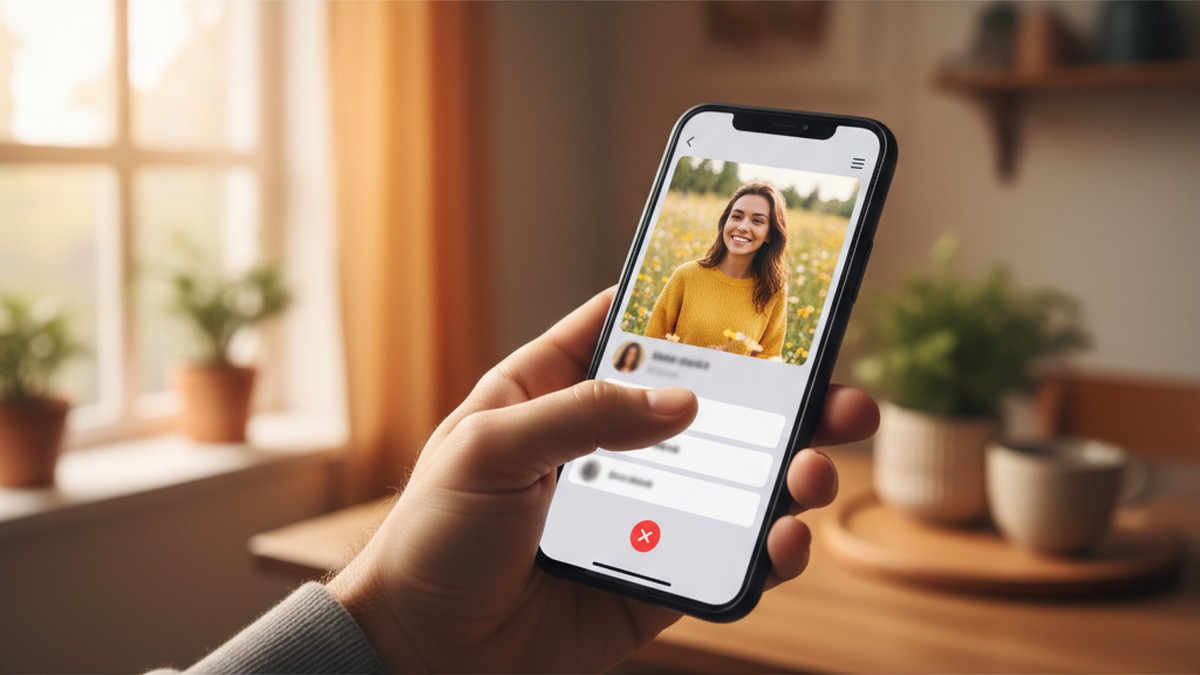
Yes. Free Hinge users can see who liked them, but only one profile at a time. A badge appears on your Likes You tab when someone likes you. You must either match with that person or skip them before the next like becomes visible. Paying subscribers see all likes at once in a full grid.
This is a deliberate design choice, not a technical limitation. Hinge built the sequential reveal to create what they call a "more intentional" matching experience. The logic: if you can see 30 likes simultaneously, you're likely to scan-and-choose like a catalog. One at a time forces you to engage with each person before moving on.
What you see in the free experience for each incoming like:
- The profile photo of the person who liked you
- Their name and age
- Which specific photo or prompt they reacted to (if they added a comment, you see that too)
- Whether they're a new like or were already in your queue
What you don't see on the free tier:
- The full list of everyone who has liked you at once
- How many total likes are waiting (just that a badge exists)
- Advanced sorting options (Last Active, Nearby)
One thing many users don't realize: you cannot scroll past a like to see the next one. You genuinely have to either match or skip the first person before the queue advances. There's no way around this on the free plan.
CheatScanX scans all of these platforms — and more — in a single search. Enter a name, email, or phone number and get results in minutes.
Try a multi-platform search →What Happens When Someone Likes You on Hinge?
When someone likes your profile or comments on a prompt, Hinge sends you a push notification and adds a badge to your Likes You tab. The person who liked you can see that their like was sent, but they don't receive any notification when you view it. You then decide to match or skip before the next incoming like appears.
The process from the liker's side:
- They see your profile in their Discover feed or Standouts section
- They tap the heart icon on your photo, or tap a prompt and type a comment before liking
- Hinge immediately sends you a notification: "[Name] liked your [photo/prompt]"
- Their profile enters your Likes You queue
- They have no further information until you respond — they don't know if you've seen it, ignored it, or are taking your time
From your side as the recipient:
- You receive the push notification (if enabled)
- You open the app and see the badge on your Likes You tab
- You see the first profile in your queue
- You either tap the heart to match (which opens a conversation) or tap X to skip
- The next like in your queue becomes visible
One important detail: if someone liked a specific photo or wrote a comment on a prompt, that comment is visible to you when you see their like. A comment before the like functions as an opener — you can see what they said before you decide whether to match. This often makes likes with comments feel significantly warmer than a plain like.
What Free Users Don't See in Their Queue
Free users see the number badge on the Likes You tab, but they don't see a count of how many likes are waiting. You know there's at least one — you don't know if there are 2 or 22 behind it. Premium subscribers can see the full list with a count, but on the free tier, it's a sequential reveal.
The Hinge Visibility Matrix: What Each Tier Actually Shows You
Most articles describe the difference between free and paid in vague terms. Here's the precise breakdown — what we call the Hinge Visibility Matrix — covering every feature that affects what you can see in the Likes You section:
| Feature | Free | Hinge+ ($29.99/mo) | HingeX ($49.99/mo) |
|---|---|---|---|
| See incoming likes | Yes — one at a time | Yes — all at once | Yes — all at once |
| Comment on like | Visible on received like | Visible on received like | Visible on received like |
| Sort by Recent | Yes | Yes | Yes |
| Sort by Your Type | Yes | Yes | Yes |
| Sort by Last Active | No | Yes | Yes |
| Sort by Nearby | No | Yes | Yes |
| See total like count | No | Yes | Yes |
| Daily sending limit | 8 likes | Unlimited | Unlimited |
| Standouts access | 1/day | Yes | Yes |
| Skip the Line | No | No | Yes |
The sorting difference is underrated. On Hinge+, sorting by Last Active means you can prioritize people who used the app recently — filtering out profiles that liked you weeks ago and haven't logged in since. On the free tier, you have no idea whether the first person in your queue was active this morning or three weeks ago.
What the Matrix Reveals About the Paywall Strategy
Looking at the matrix as a whole, Hinge's paywall strategy is more nuanced than a simple "pay to see your likes." Free users get genuine, functional like visibility — they just see it slowly. The paid tiers don't unlock visibility so much as they unlock efficiency and sorting.
This matters for how you evaluate the upgrade. If you're trying to decide whether to pay, ask yourself: "Is my problem that I can't see who likes me, or that I can't process my likes efficiently?" The first problem is mostly solved by the free tier. The second is what the paid tiers address.
For most users in their first few weeks on Hinge, the free experience is fine. The frustration with the free tier tends to build over time as like volumes accumulate — or as users become more strategic about who they engage with. That's when the upgrade argument gets stronger.
Does Hinge Notify the Person When You View Their Like?
No. Hinge does not notify anyone when you view their incoming like. The person who sent the like only knows their like was delivered — they have no way to tell whether you've seen it, ignored it, or are still deciding. There is no "viewed" receipt or read indicator on the Likes You screen.
This is meaningfully different from how likes work on some social platforms. On Instagram, for example, you can get a sense of engagement through story views. On Hinge, the liker has zero visibility into what happens after their like lands.
What the liker CAN see:
- That their like was sent (it disappears from their sent queue and moves to "Liked" history)
- Once you match them: a conversation opens and both parties see the match
- Once you skip them: they get no notification. Their like just... goes unanswered. They won't know you saw it and passed.
What the liker CANNOT see:
- Whether their like appeared in your queue yet
- Whether you've opened the Likes You tab since they sent it
- Whether you viewed their profile and chose to skip
- How long you took to decide
The anonymity cuts both ways. You can take your time reviewing a like without any social pressure. The person who liked you waits indefinitely with no confirmation either way unless you choose to match.
What Happens If You Skip Someone's Like
Skipping a like on Hinge removes that person from your Likes You queue permanently. They don't receive any notification — not a "declined," not a "seen," nothing. From their perspective, it looks identical to you simply not having seen their like yet.
This means skipped likes don't create any awkward social signal. If you match with someone on Hinge and later realize you skipped their original like before reconnecting another way, they'd never know.
Why Hinge Built the One-at-a-Time Free Experience (And Why It's Not Just About Money)
The sequential reveal is widely assumed to be a paywall mechanism — frustrate free users enough that they upgrade. That's partly true. But the design choice has a more interesting origin.
Hinge's core identity has always been "the app designed to be deleted" — meaning they optimize for actual relationships, not engagement time. Their internal research led to the "one at a time" approach as a way to reduce what behavioral economists call choice overload.
When people see 30 options at once, they tend to make shallower decisions — rapid visual scanning, minimal engagement with each profile. When forced to evaluate one option at a time, people spend more time with each profile and make decisions that better reflect their actual preferences (Journal of Personality and Social Psychology, 2000 — the foundational Jam Study by Iyengar & Lepper, since replicated across digital choice contexts).
The Psychology Behind Sequential Matching
The Iyengar & Lepper jam study established what has become a widely replicated finding: more choices reduce satisfaction with the eventual decision and increase the likelihood of decision paralysis. People presented with 24 jam options at a grocery store were less likely to buy any jam than people presented with only 6 options. Those who did buy from the larger selection reported lower satisfaction with their choice.
This maps uncomfortably well onto dating app behavior. Research from MIT and Harvard published in the journal Management Science (2020) found that online daters who evaluate options sequentially report higher satisfaction with their eventual matches than those who evaluate options in parallel. The "comparison shopping" approach to matches leads to lower commitment and higher dissatisfaction.
Hinge's sequential free experience isn't just a business tactic — it's a design that, according to the behavioral research, may actually produce better relationship outcomes for most users.
That said, the psychology research is about decision satisfaction, not absolute match quality. A high-achieving user on Hinge with 40 incoming likes genuinely needs to manage their attention effectively. For them, the grid view isn't about making worse decisions — it's about basic operational efficiency. The behavioral argument for sequential matching is strongest when like volumes are low to moderate.
Here's the contrarian take that most Hinge guides won't tell you: for most users, the free sequential experience probably produces better matches than the premium grid view.
If you're getting 5-15 likes per week — which is roughly average for male users on Hinge, given that men on the platform send far more likes than they receive — the sequential view barely constrains you. You'll work through your queue in a few minutes. The premium advantage of "seeing all at once" has minimal practical impact.
Where premium genuinely adds value:
- High like volumes: If you receive 30+ likes per week (more common for women), seeing them all at once lets you make strategic comparisons
- Efficiency: You can skip obviously non-matching profiles faster without the sequential reveal slowing you down
- Sorting by Last Active: The single most practical upgrade. Prioritizing recently-active users dramatically increases your response rate
What Hinge Subscription Tiers Actually Cost in 2026
Understanding what you're paying for matters before deciding whether the likes-related features justify the cost. Hinge pricing in 2026 varies based on subscription length:
Hinge+ Pricing
| Duration | Total Cost | Per Month |
|---|---|---|
| 1 month | $29.99 | $29.99 |
| 3 months | $59.99 | $20.00 |
| 6 months | $89.99 | $15.00 |
HingeX Pricing
| Duration | Total Cost | Per Month |
|---|---|---|
| 1 month | $49.99 | $49.99 |
| 3 months | $99.99 | $33.33 |
| 6 months | $149.99 | $25.00 |
Note: Hinge uses dynamic pricing — your exact cost may vary based on age and location. These are standard U.S. prices as of mid-2026.
Hinge+ and HingeX share most features, including seeing all likes at once and unlimited daily likes. HingeX adds "Skip the Line" (your profile is shown to more people more often) and enhanced recommendations. For most people primarily interested in seeing their full likes queue, Hinge+ is sufficient. The jump to HingeX is mostly about sending volume, not about what you can see.
If your only goal is to view all your incoming likes at once, the monthly Hinge+ cost is $29.99. If your like volume is moderate, the free tier handles it well enough to not justify that cost.
Can Someone See That You Liked Them on Hinge Before Matching?
Yes — and this is where Hinge works differently from platforms where likes are hidden until a mutual match occurs. When you like someone on Hinge, they are notified immediately.
The person you liked can see:
- Your profile photo
- Your name and age
- Exactly which photo or prompt you reacted to
- Any comment you added to your like
They see all of this before deciding whether to match with you. Your like isn't mutual before visible — it's visible to them the moment you send it. They now have the choice to match back (creating a conversation) or skip (in which case you'll never know).
This design distinguishes Hinge from apps like Tinder, where mutual interest is required before either person learns about the other's interest. On Hinge, one-sided visibility is the default — the person you liked knows about your interest immediately.
Does the Person Know If You Un-Like Them?
Yes, with nuance. If you like someone on Hinge and then immediately un-like them (which is possible within a short window), Hinge generally does not send a separate notification about the removal. However, if they've already seen the notification before you undo it, they'll have seen that you liked them. Once a notification lands on their screen, un-liking doesn't erase their awareness.
This is worth knowing: Hinge is a transparent platform on the liking side. Assume your likes are immediately visible to the recipient.
The practical implication is meaningful: if you accidentally like someone on Hinge, undo it immediately — before they receive the push notification. Once the notification delivers, the social signal has landed regardless of whether you un-like the profile. Hinge processes likes quickly, so "immediately" here means within the first few seconds. After that window closes, the like has been communicated.
This transparency distinguishes Hinge from Tinder, where free users never see who liked them until a mutual match. On Hinge, your interest is announced — which creates accountability for the quality of likes you send. Users who are thoughtful about who they like tend to get more intentional responses, because the person who receives their like has already read a specific comment or seen exactly which photo prompted the engagement. That context sets the tone for the conversation before it even begins.
What Your "Likes You" Activity Reveals About Account Status
Here's something most guides skip entirely: the Likes You section isn't just about your experience — it also carries implications for understanding someone else's account activity.
If you suspect a partner is on Hinge and actively using the app, the fact that Hinge's algorithm only shows profiles to active users is significant. According to Hinge's own logic, if someone is receiving new likes, that means the app is actively surfacing their profile in other users' Discover feeds. Profiles of inactive accounts gradually stop being shown to others — Hinge deprioritizes profiles with no recent engagement.
What this means practically: if a profile is still generating new likes, the account is likely still active. A completely dormant profile that was never deleted will eventually become invisible in the discovery queue as engagement drops. An actively-liked profile is typically an actively-used one.
This is relevant if you're trying to understand whether a partner's account is genuinely old or currently live. Seeing evidence of ongoing app activity — new matches, notification badges, incoming likes — suggests the profile isn't just a forgotten leftover from before your relationship.
The Difference Between a Dormant and Active Account on Hinge
This distinction matters and deserves more precision than most cheating-detection guides offer.
A dormant account is one where the person hasn't opened the app in months. Hinge gradually reduces how often it shows a dormant profile to other users. The profile may still technically exist, but it's being shown to fewer and fewer people in Discover feeds over time. Critically: a dormant account rarely generates new incoming likes, because it's being deprioritized by the algorithm.
An active account is one where the person logs in regularly, processes their queue, sends likes, and responds to messages. These accounts get consistently surfaced to other users in Discover. They receive new incoming likes because the algorithm identifies them as "someone worth showing your users — this person engages."
The behavioral fingerprint of an active vs dormant account from an external observer's perspective:
- Active: Regular new notification badges, match notifications appearing, distance listed in profile that reflects current location (Hinge uses proximity data when you open the app)
- Dormant: Distance listed may not match current location (because the app hasn't been opened recently to update it), no new likes arriving, no match notifications
One proxy: if your partner's Hinge profile lists them as "2 miles away" and they're currently sitting next to you, that means the app has been opened recently enough to update their location. If it says "23 miles away" and they've been home all week, the distance data is stale — suggesting they haven't opened Hinge from their current location.
For a definitive answer on whether someone has an active Hinge profile, a direct scan across platforms is more reliable than behavioral inference. Searching Hinge without an account covers the manual methods available — but for a comprehensive check, a dedicated platform scan removes the guesswork.
How Hinge Decides Which Likes You See First (Free Queue Order)
The order of your Likes You queue on the free tier isn't random. Hinge uses its algorithm to determine which incoming like appears first — and that order is based on profile compatibility signals, not simple chronology.
Factors that influence queue order:
- Dealbreaker alignment: Likes from profiles that match your dealbreaker settings (age range, distance, relationship goals) appear earlier in the queue
- Engagement patterns: Profiles that have higher engagement rates in your demographic tend to surface sooner
- Recency: More recent likes generally appear before older ones, but compatibility weighting can override this
- Mutual preferences: If the person who liked you has preferences that align with your profile, Hinge boosts their placement in your queue
The "Your Type" sorting filter on the free tier lets you adjust this to prioritize people who match your stated preferences more closely. On paid tiers, the "Last Active" sort often overrides all of this — many subscribers consider it the most practically useful filter because it surfaces the most responsive leads first.
One detail that surprises many users: people who left you a comment on their like tend to appear earlier in your queue than people who sent a plain like. Hinge appears to treat commented likes as higher-engagement signals, surfacing them before unaccompanied hearts.
Does Hinge Show You Who You Liked? (The Other Direction)
The article so far covers incoming likes. What about outgoing — can you see a history of profiles you've liked?
Yes, Hinge maintains a "Liked by You" history. You can view the profiles you've already liked by going to your profile and accessing your liked history. This shows everyone you've sent a like to, organized by recency.
What this history shows:
- The profile you liked
- Whether you added a comment
- Match status (matched or still pending)
What it doesn't show:
- Whether they've seen your like
- Whether they've actively skipped you (your like just sits as "pending" indefinitely)
- Any indicator of their online status
The history is useful for remembering who you've already liked, particularly if you've used your daily 8 likes and want to track where you've invested interest. There's no time limit on how long a pending like sits — someone you liked six months ago could still match with you if they finally see your profile and respond.
How Incoming Likes Work Differently for Men vs Women on Hinge
The free tier's "one like at a time" experience hits differently depending on your gender, because like volumes differ dramatically by demographic.
Based on 2026 Hinge data (SwipeStats, 2026):
- Men on Hinge have a match-to-like ratio of roughly 3%, meaning they get approximately one match per 33 likes sent. Men typically send many more likes than they receive.
- Women receive significantly more incoming likes than they send. The 30-50% match rate cited for women reflects that women are more selective on the sending side — they receive far more than they send.
This creates asymmetric experiences with the free tier:
For men: The one-at-a-time incoming queue is rarely a constraint. Most male users on Hinge don't have a backlog of 20+ incoming likes. The free experience works without friction because the queue is short. The more relevant free-tier limitation for men is the 8-daily-like sending cap.
For women: The one-at-a-time queue can genuinely frustrate. A woman with 40 incoming likes can't scan and compare — she has to work through them sequentially, spending time on profiles she'd immediately filter out if she could see them all. For female users with high incoming like volumes, Hinge+ offers a meaningfully better experience.
This is the audience most likely to benefit from upgrading: women (or anyone) receiving enough likes that sequential viewing creates real inefficiency.
What Happens to Old Likes? Do They Expire?
Hinge incoming likes don't technically expire. If someone liked you two months ago and you haven't gotten to their profile in your queue, their like is still there — waiting for the profiles ahead of it to be cleared.
However, there are a few practical expiration-adjacent scenarios:
Account deletion: If the person who liked you deletes their Hinge account, their like disappears from your queue. You'd never see it.
Profile blocking: If either party blocks the other, the like is removed. No notification either way.
Inactivity: Hinge doesn't remove old likes from your queue if the other person becomes inactive. You could theoretically match with someone and then discover they haven't used the app in months. There's no "active" indicator visible during the like review on the free tier (though on paid plans, sorting by Last Active effectively filters these out).
Your own account deletion: If you delete your Hinge account and recreate it, your Likes You history is wiped. Any outstanding likes are lost.
The upshot: on the free tier, your queue processes in a fixed order and old likes accumulate at the back. If you have 30 likes in your queue and only process 3 per day, the oldest likes could sit there for 10+ days. Whether that person is still active — or even still interested — is invisible to you on the free plan.
Signs Your Partner Is Actively Using the "Likes You" Feature
If you've found your partner's Hinge profile or noticed Hinge-related activity on their phone, understanding how the likes feature works helps you interpret what you're seeing. The key is distinguishing between signals that indicate a genuinely active account and artifacts from old, dormant use.
Incoming like notifications on their phone: If you see a notification that reads "[Name] liked your photo" or "[Name] commented on your [prompt]," their account is actively receiving likes from other users. Hinge only surfaces profiles in other users' Discover feeds when those profiles are considered active by the algorithm. An account sitting completely dormant eventually stops getting shown to people — which means it stops generating new likes. If new like notifications are arriving, the profile is being actively promoted.
An unread badge on the Hinge app icon: If you notice a notification badge (the numbered red circle) on the Hinge icon, that badge represents incoming likes or matches that haven't been opened yet. A badge doesn't confirm they're actively sending likes themselves — it just confirms new activity has reached their account. Combined with other signals, it's meaningful.
Match notifications: Hinge sends a distinct notification when two people match — when both parties have liked each other. A match notification is more significant than an incoming like notification because it indicates active bidirectional engagement: your partner chose to like someone back, and that person reciprocated. A match requires action from your partner, not just passive receipt. Seeing a match notification means your partner opened their Likes You queue, reviewed an incoming like, and actively tapped the heart to accept it — this is not something that happens accidentally or passively.
Active Standouts engagement: Hinge's Standouts feature highlights particularly compatible profiles and allows users to send a "Rose" (a premium like that stands out in the recipient's queue). If you see a Standouts-related notification or see the app open to that section, it indicates engagement beyond passive profile maintenance.
Profile updates: Hinge timestamps profile updates in some cases. If your partner's photos are recent, their prompts have been changed, or their listed distance from your location has shifted, these suggest active profile management — not just a dormant account that was never deleted.
Reading the Signals in Context
The signals above matter most when read together. A single old notification from six months ago is not strong evidence of current activity — it could be residual from before you became exclusive. Multiple simultaneous signals — a current notification, a recent profile photo, and a badge that refreshes regularly — paint a different picture.
One reliable indicator: Hinge notifications include the name and photo of the person who liked your partner. If those notifications show people who clearly live in your partner's current city and the photos look current (not clearly outdated), the account is almost certainly active and being shown to local users.
What doesn't definitively prove recent activity: an old like sitting in your partner's free-tier queue from months ago. Free users can have backlogged likes they haven't processed. The presence of an old, uncleared like is not the same as an account that's been actively used this week.
Understanding what Hinge's last active indicator shows gives you a more direct signal than interpreting notification patterns. And if you want to check whether your partner is on Hinge without relying on catching a notification at exactly the right moment, a direct platform scan is more reliable than situational evidence.
If you're seeing multiple signals that concern you — recent notifications, new matches, active profile updates — CheatScanX scans 15+ dating platforms simultaneously and can confirm whether an active profile exists without requiring access to their phone.

Is Upgrading to Hinge+ Worth It Just for the Likes Feature?
The honest answer is: it depends on your like volume and your patience for the sequential experience.
Cases where Hinge+ is worth it for the likes feature:
- You receive 20+ incoming likes per week and want to be strategic about who you engage first
- You want to sort by Last Active to avoid spending time on profiles that aren't checking the app
- You've been on Hinge for a while and have a built-up queue that feels unmanageable in the sequential view
- You're actively dating and want to reduce friction in the discovery phase
Cases where it's not worth upgrading just for the likes feature:
- Your incoming like volume is low (under 10/week) — the sequential experience moves fast at that volume
- You're selective and would match with anyone who liked you regardless of competition — there's nothing to compare
- You're planning to use Hinge casually or for a short period — $29.99/month for occasional use adds up
- You've already done the math: if you get 5 likes/week and it takes you 2 minutes to process them, the free tier costs you 8 minutes/month maximum
What you don't get from upgrading that you might expect:
Seeing all your likes at once doesn't show you more information per profile. You still see the same profile depth. The upgrade is about access speed (all at once vs one at a time) and sorting (Last Active, Nearby) — not about unlocking deeper profile data.
In practice, the sorting filters — especially Last Active — are often the more underrated value of a paid subscription than the likes grid itself. Being able to identify who logged in recently is meaningfully different from just seeing everyone who ever liked you.
A Practical Framework for Deciding Whether to Upgrade
Before spending $29.99 on Hinge+, run through this quick assessment:
How many likes are you receiving per week? Count your typical incoming likes over a two-week period. If it's under 15 total, the free one-at-a-time experience adds maybe 10 minutes of friction per week. Not worth the subscription.
Are you frustrated by stale matches? If you frequently match with people who then don't respond, they may have become inactive since liking you. The Last Active sort in Hinge+ lets you filter those out upfront. This alone has a real impact on response rates — matching with recently-active users produces significantly more conversations.
How long do you plan to use Hinge? The per-month cost drops to $15 on a six-month Hinge+ plan. If you're actively dating for a few months, the six-month plan makes the math more defensible. Month-to-month at $29.99 is a harder case for moderate users.
Do you want unlimited daily likes? The 8-like daily cap on free Hinge is the feature most likely to frustrate proactive daters. If you're the type to browse actively and want to like 20+ profiles in a session, the paid unlimited likes may be worth more to you than the grid view of your incoming likes.
The honest assessment: most users who feel the need to upgrade are responding to frustration with the daily like limit, not the sequential queue. If that's your primary pain point, Hinge+ addresses it. If you're content with your sending pace and just want to see all your incoming likes at once, evaluate whether that visibility genuinely changes how you'd act on them.
A Note on Third-Party Apps Claiming to Show You All Your Hinge Likes
A common Google search that surfaces alongside this topic: apps and websites claiming they can show you all your Hinge likes for free, bypassing the subscription. These don't work.
Hinge's API doesn't expose incoming likes data to third parties. Any app claiming to reveal your full Hinge likes list without a subscription is either:
- Fabricating the data
- Collecting your Hinge credentials (a significant security risk)
- Providing some other unrelated functionality while implying it shows likes
Entering your Hinge login credentials into an unauthorized third-party app gives that app full access to your account — including the ability to message matches, send likes, and potentially scrape your data. This is a privacy and security risk that isn't worth taking for any feature shortcut.
If you want to see all your incoming likes at once, the only legitimate method is a paid Hinge subscription. Anything else claiming to offer the same thing without payment is a scam or security risk.
Practical Tips for Managing Your Likes You Queue on the Free Plan
If you're staying with the free tier and want to use it effectively, a few approaches help:
Check your queue regularly: Hinge's algorithm favors active engagement. Users who open the app and interact with their queue regularly are shown to more people in the Discover feed. Processing your incoming likes isn't just about finding matches — it signals engagement to the algorithm.
Act on likes promptly: Profiles of people who liked you aren't "held" for you indefinitely in the sense that the other person may lose interest, change their profile, or become less active. If someone caught your attention in a notification, processing that like sooner rather than later increases your odds of a response. A 2026 analysis by CupidAI found that matches where the first message is sent within 24 hours of matching are 72% more likely to lead to an actual date — timeliness matters throughout the interaction chain.
Use Your Type sorting: The free sort filter "Your Type" adjusts the queue to surface the profiles that best match your stated preferences first. If you're selective, this helps prioritize your queue without paying for the full sort suite.
Read the comment before deciding: If someone left a comment on their like, read it carefully before matching or skipping. A thoughtful, specific comment is a much stronger signal than a plain like — it indicates the person engaged with your profile meaningfully before reaching out. Profiles that send comments with their likes see significantly higher match rates than those who send plain likes, according to Hinge's own engagement data. When you're on the receiving end, that context is valuable input for your decision.
Don't feel pressure to clear your queue in one sitting: The sequential reveal can feel urgent, but your queue isn't disappearing. Take your time with each profile. The one-at-a-time approach inadvertently encourages this — which, as noted above, research suggests actually improves match quality by reducing hasty scanning behavior.
Optimize your profile before checking your queue: This sounds backwards, but it matters. Hinge's algorithm uses engagement signals on your profile — responses to your prompts, likes on specific photos — to determine how often to show your profile to others. If your incoming likes are low-quality matches (people far outside your stated preferences, profiles with minimal information), that's often a signal that your profile itself isn't attracting the right audience. Spending 20 minutes refining one prompt or updating a photo typically produces better incoming likes within a week — making your free queue more valuable to work through.
What to Do If Your Likes You Tab Shows Nothing
Some users open Hinge's Likes You tab and see an empty screen despite recent activity. A few common causes:
Paused profile: If you've paused your Hinge profile, your profile isn't being shown to new users, and new incoming likes have stopped. Existing likes remain visible, but the queue appears static.
Account age: New accounts often receive a "first-mover boost" in Hinge's algorithm — increased visibility in the first few days. After that initial burst, incoming likes typically slow to a more typical baseline rate. An empty queue after a few weeks isn't necessarily a problem.
Preference filters: Your distance, age, and dealbreaker settings directly affect who sees your profile and therefore who can like you. Very narrow filters (a 5-mile radius in a rural area, a 3-year age window) can dramatically reduce incoming likes.
Profile strength: Hinge's algorithm distributes profiles based on engagement signals. Low-engagement profiles (few prompts filled out, single blurry photo, no comments received) see fewer shows and therefore fewer likes. Optimizing your profile typically produces a noticeable difference in incoming likes within a week.
App or connection issue: Less common, but a fresh app reinstall or log-in sometimes resolves display bugs where likes appear to be missing when they're actually present.
How the Likes You Feature Compares Across Major Dating Apps
Hinge's approach to showing likes is distinctive compared to other major platforms:
| App | Free Like Visibility | Paid Like Visibility |
|---|---|---|
| Hinge | One at a time (must match/skip to advance) | Full grid; sort by Last Active, Nearby |
| Tinder | Blurred likes (can't see who) | Full grid (Tinder Gold/Platinum) |
| Bumble | Full likes visible (no paywall) | Extended likes + filtering |
| OkCupid | Some likes visible free (limited) | All likes visible (A-List) |
Bumble stands out as an outlier here — free Bumble users can see all incoming likes without restriction. This makes Bumble's free tier meaningfully more transparent than Hinge's. If the primary goal is seeing who's interested without paying, Bumble has the more generous free experience.
Tinder sits at the opposite end — free Tinder users can see that likes exist (a blurred grid) but can't see any actual profiles until they pay. Hinge's middle ground (see one profile at a time, clearly) is arguably more user-friendly than Tinder's complete blur while still driving upgrade motivation.
Conclusion: What Free Hinge Actually Gives You
The Hinge Likes You feature gives free users something real and functional — sequential visibility of everyone who expressed interest, with notification on arrival and full profile context for each decision. That's genuinely useful and costs nothing.
What the free tier doesn't give you is strategic efficiency. You can't scan your full likes list, prioritize by recency of activity, or get a sense of scope before diving in. Those are genuine gaps for high-volume users.
The practical answer: if you're receiving under 15-20 likes per week, the free sequential experience is sufficient for most people. If you're receiving more and want to be strategic about prioritizing, Hinge+ ($29.99/month) adds the features that matter — particularly the Last Active sort. HingeX ($49.99/month) adds visibility and reach but doesn't significantly change what you see in your Likes You section compared to Hinge+.
The one thing that's clear regardless of tier: Hinge is designed to surface mutual interest with full profile context, which puts it ahead of blurred-grid apps in terms of information value at the free level. You may only see one like at a time, but you see that like fully and clearly.
That said, the single most undervalued insight from understanding how likes work on Hinge is this: like activity is a reliable indicator of account status. An account generating new incoming likes is an account the algorithm is actively promoting — which means it's being maintained. A profile that produces no new likes over weeks has likely been deprioritized, either by the user going inactive or by the algorithm catching up with their inactivity. This signal isn't foolproof, but it's more reliable than most people realize.
If you're reading this because you're concerned about a partner's Hinge activity rather than your own — understanding the signs your partner is using Hinge to cheat and how to tell if someone is active on Hinge will give you more direct guidance. And if you want a definitive answer about whether their profile is active, a platform scan is more reliable than notification monitoring.
Frequently Asked Questions
Yes, but with a significant limitation. Free Hinge shows you incoming likes one at a time — you see the first person in your queue, decide to match or skip, then the next one appears. Hinge+ and HingeX subscribers see all their likes at once in a full browsable grid, with extra sorting options.
No. Free users see incoming likes sequentially, one at a time. You must act on the first like (match or skip) before seeing who sent the next one. To see your full likes queue simultaneously, you need a Hinge+ ($29.99/month) or HingeX ($49.99/month) subscription.
No. Hinge does not send any notification when you view someone's incoming like. The sender only knows their like was delivered. There is no 'seen' indicator on the Likes You screen. You can review an incoming like as many times as you want without the sender being alerted.
Yes. When you send a like on Hinge, the recipient receives a push notification immediately. They can see your profile photo, name, and which photo or prompt you liked. However, you only become official matches once they like you back — at which point a conversation opens for both of you.
Free Hinge accounts get 8 likes per day. The counter resets at 4:00 AM local time each day. Hinge+ and HingeX subscribers get unlimited daily likes. Running out of daily likes is one of the more common reasons people consider upgrading to a paid plan.