
# Fitness App Location Data: Can It Prove Cheating?
Fitness app location data can confirm where your partner went and when they were there — but it's rarely proof of cheating on its own. The GPS route maps, timestamps, and pace data these apps generate create a detailed movement trail. That trail can expose lies about someone's whereabouts. What it can't do is tell you who was there with them or why.
If you're asking this question, you're probably not in a theoretical situation. Your partner has a Strava account, an Apple Watch, a Garmin on their wrist — and something about their workout schedule doesn't add up. Nearly one in three Americans now uses a wearable device (Pew Research, 2025), and Strava alone had 180 million registered users by 2025 (Business of Apps, 2026). The location trails these devices generate are more detailed than most people realize, and in at least one viral case, they've directly exposed infidelity.
This guide covers seven of the most commonly used fitness platforms, what location data each one actually captures, how to access it legally, and what courts have accepted as admissible evidence. You'll also find the specific patterns that raise genuine concern — and what to do if you find them. One honest warning before you start: the way you access the data matters as much as what you find in it.
What Does Fitness App Location Data Actually Record?
Fitness apps record GPS coordinates, route maps, start and end points, timestamps, and pace for every logged workout. This data creates a timestamped trail of exactly where someone traveled, when they arrived, and how long they stayed — often more detailed than standard phone location history.
Most people think of fitness apps as calorie counters or training logs. What they actually generate is closer to a forensic movement record.
The GPS Route Map
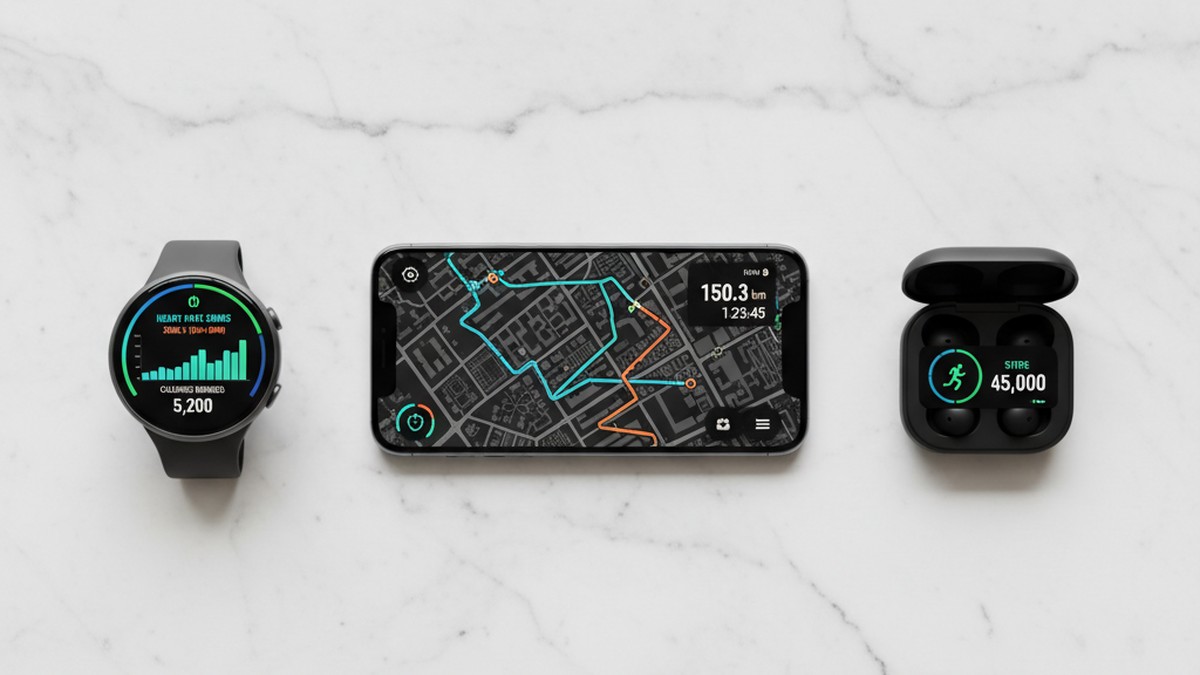
Every time someone starts a tracked run, ride, or walk, their app records GPS coordinates at intervals ranging from every few seconds to once per minute. These coordinates, stitched together, produce a precise route map. Strava, Garmin Connect, and MapMyRun display this as a colored line over a satellite image — showing exactly which streets the person traveled, where they turned, and where they stopped.
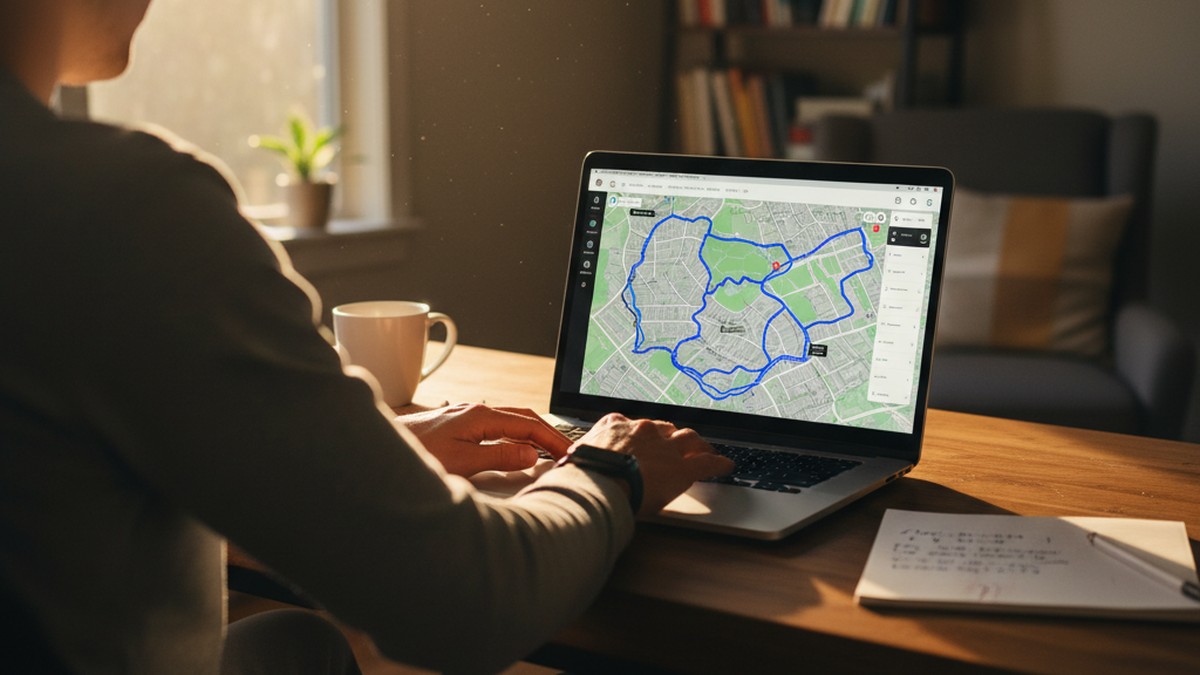
Route maps capture something a simple location ping can't: the full path of movement. You can see that someone left home heading east toward the gym — and then detoured to a specific residential street — before returning on a route that doesn't pass the gym at all. That pattern, repeated across multiple weeks, is different in character from a single suspicious evening.
Timestamps and Duration
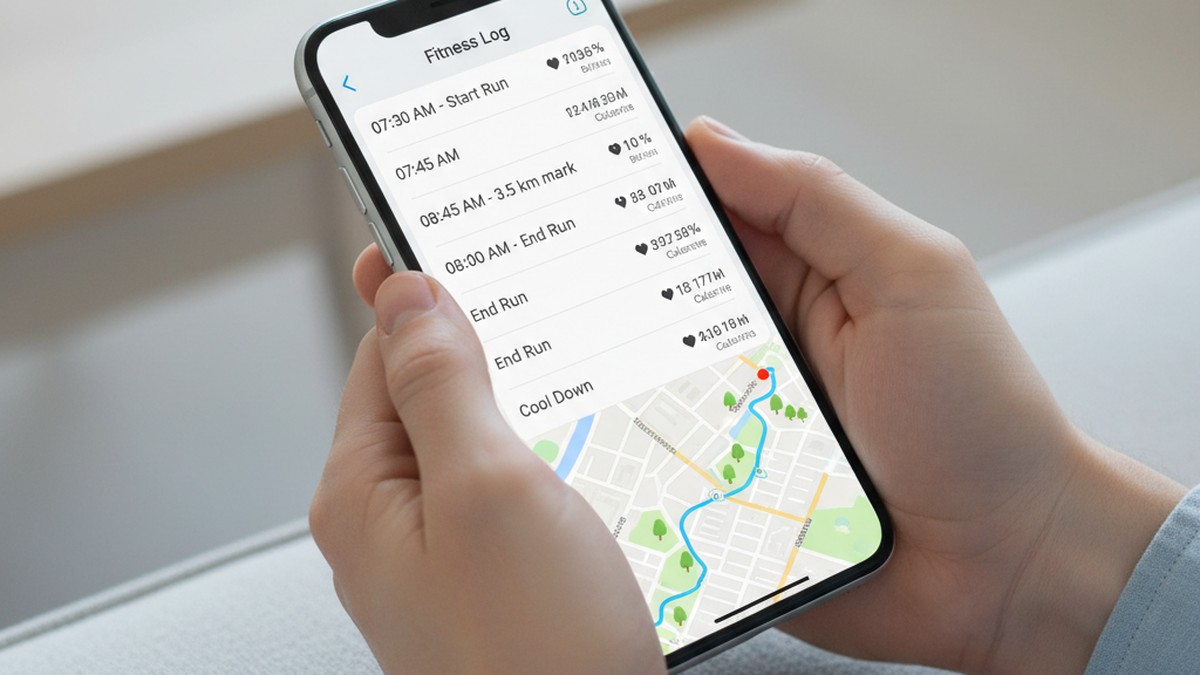
Every activity log includes a start time, end time, and total duration, recorded to the minute. If your partner says they went for an hour-long run from 6:00 to 7:00 p.m. but the activity log shows 5:47 to 8:12 p.m., that's a 91-minute discrepancy — logged by the app, not by you. Duration data becomes especially revealing when cross-referenced against stated whereabouts, because the times don't lie about themselves.
Pace data adds another layer. If a 60-minute run covers 10 miles at a pace the person couldn't physically maintain, something about the account doesn't hold together. Conversely, a long "workout" at a pace consistent with sitting still isn't a workout at all.
Heart Rate Correlation
Many fitness trackers record continuous heart rate, not just during logged activities. Apple Watch, Fitbit, and Garmin devices track heart rate throughout the day. This means even if someone disables GPS tracking, their heart rate spikes are still timestamped in the background. An elevated heart rate at 9:00 p.m. on a Tuesday, with no logged workout, is a data point. Correlated against location data from other sources, that data point can carry weight.
Social Connections and Kudos
Strava and similar platforms have a social layer: followers, kudos (similar to likes), and activity comments. Pay attention to who gives your partner kudos at 6:30 a.m. on days they're supposedly sleeping in — and whether the same account responds within minutes across multiple weeks. Social connection patterns on fitness apps have exposed affairs in documented cases because the person they're meeting frequently appears in the follower list, maintaining contact through the app's social features.
Understanding the full picture of what your partner's fitness apps record is the necessary starting point. The next step is knowing what each specific platform makes visible — and to whom.
If the data here has you concerned, CheatScanX can give you a direct answer. It searches 15+ dating apps for hidden profiles.
Search dating profiles now →The 7 Major Fitness Apps: What Each One Records
Not all fitness platforms expose the same data. This comparison shows what the seven most commonly used apps actually capture and what's visible to other users by default.
| App | GPS Route Map | Timestamps | Social Features | Default Privacy | Continuous HR |
|---|---|---|---|---|---|
| Strava | Full route visible | Yes, start/end/duration | Followers, kudos, comments | Public | If device syncs |
| Apple Health / Watch | Stored on-device | Detailed, minute-level | None | Private | Yes |
| Fitbit / Google Fit | Per-workout GPS | Yes | Limited friends list | Account-level | Yes |
| Garmin Connect | Full route visible | Yes | Followers, segments | Public option | Yes |
| Nike Run Club | Per-run GPS | Yes | Friends list | Semi-private | If device syncs |
| MapMyRun | Per-workout GPS | Yes | Friends list | Account-level | If device syncs |
| Samsung Health | Per-workout GPS | Yes | Limited | Private by default | Yes |
Strava is the most disclosure-prone by design. Profiles are public by default, and the platform is built around sharing routes. Even with privacy zones enabled near home or work, the full route between those zones is visible. Garmin Connect has similar exposure and syncs with Strava automatically — one logged activity can appear on both platforms simultaneously without any additional action from the user.
There's a compounding factor worth understanding: privacy settings changed today don't automatically apply to past activities. Garmin Connect's official guidance confirms that updating privacy settings won't retroactively affect previously saved activities unless you specifically select "Update Past Activities" in the account settings (Garmin Support, 2025). This means someone who has been running with a public account for a year and then locks it down has still left months of fully visible route data accessible to anyone who thought to look before the change.
Apple Health is the opposite in architecture. The app stores GPS data locally on the iPhone and is not public-facing. It can't be viewed by a public search. However, that privacy is only useful if the device itself is secured — anyone with access to an unlocked iPhone can read the Health app's location and activity history directly. Apple explicitly states that Significant Locations data is end-to-end encrypted and cannot be read by Apple itself — but it is synced across all devices signed into the same Apple ID (Apple Privacy, 2025). That sync means the location history visible on one device is also visible on any other device using the same Apple ID credentials.
Fitbit sits between these extremes. Workout GPS data appears in the app and can be shared with friends, but the platform doesn't have Strava's mass social layer. Its significance in the infidelity context comes less from public visibility and more from the admissibility of its data in legal proceedings — Fitbit data has been accepted as court evidence in at least seven documented cases by 2025 (Pro Te: Solutio, 2025).
Nike Run Club and MapMyRun both default to semi-private settings, but they offer a friends list feature that can be exploited in either direction: the account being investigated may have added people you don't know, giving them access to activity data that the account owner thought was limited. If you're listed as a friend on either platform, you can see activities set to "Friends Only" — which may be more revealing than fully public activities on an app like Strava, precisely because the account owner assumed fewer people could see them.
Samsung Health is the most private of the major platforms by default. It doesn't have the same public social layer as Strava or Garmin, and GPS data doesn't surface in any searchable public format. Its relevance is primarily as on-device data accessible through the phone itself, rather than through a web search or public profile.
How to Check Your Partner's Fitness App Data
What you can access depends entirely on how their account is configured and whether you already have a connection to their profile. Here are the legitimate methods for viewing fitness app location data.
If Their Strava Account Is Public
Search for your partner by name or email address on Strava.com. If their account is set to public — which is the default — you can view every logged activity: the full route map, the start and end points, the timestamp, and the duration. You don't need to follow them or be connected. Public means anyone with the URL or a search result can see it.
This is exactly how a widely-shared infidelity case played out. A Virginia woman discovered her husband was having an affair by examining his Strava route maps, finding that his "runs" consistently began at their house and ended at another woman's residence approximately half a mile away (Daily Dot, 2024). His account was public. She didn't need any special access — she searched his name and looked at the activity maps.
If You're Already a Follower
If you're already connected to your partner on a fitness app, you'll see their activities in your feed as they post. You may also see activities they've set to follower-level visibility rather than full public. Being a follower gives you access to the same route and timestamp data, plus the comment thread — which is sometimes where the most revealing patterns appear.
If You Have Access to Their Device
Apple Health's Significant Locations feature (Settings > Privacy & Security > Location Services > System Services > Significant Locations) stores a timestamped log of frequently visited places and route history. This is device-specific data — it doesn't sync to a public profile — but it's detailed. An iPhone that has visited the same address 14 times in three months will list that address as a significant location, with approximate visit dates and frequency.
Critical legal note: Accessing someone's accounts using their credentials, or browsing their device without consent, may violate the Computer Fraud and Abuse Act and applicable state privacy statutes. The method by which you obtain data matters as much as what the data shows — particularly if you ever need it in a legal context. If a legal proceeding is possible, consult a family law attorney before accessing anything beyond publicly visible profiles.
If your primary concern is whether your partner has active profiles on dating apps, checking hidden apps on your partner's phone or running a platform-specific profile search addresses that question more directly than interpreting GPS routes.
Can Strava Really Catch a Cheater?
Strava can expose cheating by showing route maps including start and stop points for every public activity. If your partner's Strava account is public or they follow you, you can see exactly where their workouts begin and end — including repeated trips to locations that don't match their stated whereabouts.
Strava's exposure problem is well-documented and extends far beyond relationship infidelity. In 2018, the platform's global heatmap accidentally revealed the location of classified US and French military bases by making running patterns of soldiers visible (Strava heatmap incident, 2018). In 2024 and 2025, Le Monde's #StravaLeaks investigation showed how public Strava activities exposed members of President Macron's security detail and US Secret Service agents operating abroad (Le Monde, 2025). If the platform can deanonymize intelligence professionals, a public consumer account presents no meaningful obstacle.
What the Route Map Actually Shows
The map doesn't just show the path — it shows pauses. An activity that records a 12-minute stationary period at a specific residential address, followed by resumed movement toward home, creates a different kind of record than a straightforward run. Multiple activities over weeks showing extended pauses at the same address — especially at hours inconsistent with a fitness goal — form a pattern rather than an incident.
The most telling patterns aren't usually dramatic detours. They're small, repeated anomalies: the same neighborhood appearing across different workouts over weeks, start times that shift suddenly to odd hours, or routes that include a consistent pause at an address that isn't a gym, coffee shop, or any previously mentioned destination.
The Privacy Zone Problem
Strava allows users to create privacy zones — a masked radius around specific addresses so that activity start and end points near those locations aren't displayed. Most users who set these up believe their location is protected. The protection is largely illusory.
Research published in Dark Reading found that attackers with moderate technical skill could identify the location protected by a privacy zone in approximately 85% of cases, by analyzing the route data just outside the zone boundary (Dark Reading, 2024). The direction the route is heading when it enters the privacy zone, combined with the distance from the zone edge to the nearest residential address, narrows the location to a small number of possibilities in most cases. A privacy zone set up at an address you don't recognize is itself a signal worth investigating further.
What the Data Can Prove — and What It Can't
Here's where most guides on this topic mislead people: fitness app location data is a clue, not a confession. Understanding the difference will save you from both false conclusions and significant legal exposure.
What the Data Actually Establishes
Route data establishes device presence — that a device registered to your partner was at a specific location at a specific time. It doesn't establish why. A frequent visit to an unfamiliar residential address could be a workout group meeting point, a physical therapist, a family member you haven't met, a personal trainer, or an affair. The data shows the location. Context determines the meaning.
This isn't a weakness in the evidence — it's an honest description of what location data actually measures. Circumstantial evidence has supported accurate conclusions in countless legal proceedings. But it requires corroboration from other sources to be actionable.
The Contrarian Reality: Why "Smoking Gun" Thinking Backfires
Many people searching this topic hope to find a clear, irrefutable answer in a GPS route. The reality is that treating fitness app data as definitive proof creates two problems that are worse than the original uncertainty.
The first problem is false positives. GPS routing is accurate to within 5–10 meters under ideal conditions, but that accuracy degrades in urban areas, in adverse weather, and near bodies of water — sometimes to 30 meters or more (GPS.gov, 2024). A route that appears to terminate at a suspicious address may represent a location recording error of half a block. People have been falsely accused based on GPS data that was slightly off.
The second problem is legal jeopardy. If you access your partner's fitness app account without their permission — log into their Strava, read their Apple Health through their locked phone, or use any software to extract device data — you may have committed a federal crime under the Computer Fraud and Abuse Act, regardless of what you find. Courts have dismissed cases specifically because one party obtained evidence illegally, shifting the entire legal narrative away from the partner's behavior and toward the person who did the investigating.
The right use of fitness app location data is as a starting point, not an endpoint. Used well, it contributes to a picture built from multiple evidence types. Used as a standalone verdict, it produces false certainty in both directions — either false confidence that nothing is wrong because no GPS anomalies appeared, or false certainty that infidelity is confirmed when the data is actually ambiguous.
The 5-Layer Fitness App Evidence System
Most people who suspect infidelity focus on one piece of data — a route, a timestamp, a destination. The problem is that single data points are almost always explainable in isolation. The 5-Layer Fitness App Evidence System takes a different approach: it maps five categories of fitness app data against your partner's stated behaviors, looking for patterns that converge across independent sources.
A single anomalous data point means little. Three anomalies from three independent layers form a pattern that warrants attention.
Layer 1: Route Anomalies
Compare logged routes to stated destinations. Does the route actually go where your partner said they were going? Not "generally in that direction" — specifically there. A run described as going to the park should start and end at the park. A ride described as a solo training loop shouldn't include a 20-minute pause at a residential address.
When evaluating route anomalies, flag the following: end points at addresses you don't recognize; routes that circle or pass a specific location multiple times; extended pauses at residential addresses during non-business hours; and routes that avoid previously used paths for no apparent reason.
Layer 2: Timing Pattern Shifts
Document your partner's historical workout patterns. When did they typically train? For how long? On which days? A genuine change in fitness behavior looks gradual — it builds over weeks with variations. A sudden shift coinciding with other behavioral changes — new workout times, dramatically longer durations, new training days that weren't there before — is worth noting as Layer 2 data.
What commonly emerges from pattern analysis isn't a single dramatic change but a cluster of small shifts: the morning 5K that becomes an evening 10K, the solo workouts that run 30–40 minutes longer than they used to. Timing shifts require historical data for context. One unusual workout is nothing. A six-week pattern of unusual timing aligned with other concerns is different.
Layer 3: Heart Rate Anomalies
Devices that log continuous heart rate — Apple Watch, Fitbit, most Garmin models — create an involuntary activity record that's harder to manipulate than GPS data. Heart rate spikes during periods when your partner claims to be at rest are timestamped in the device's health data.
In practice, what we see most often is someone who's careful to delete Strava routes but doesn't realize their heart rate history is still fully timestamped in Apple Health. Deleting a workout from Strava is a single menu action. Clearing heart rate history from Apple Health requires navigating multiple submenus and doing it category by category — a step most people don't know to take and few actually do.
Layer 4: Social Connection Patterns
On Strava and Garmin Connect, examine follower and following lists, kudos timing, and activity comments. Pay specific attention to: new followers added in the past three to six months; which accounts give kudos and how quickly after an activity posts; and comments between your partner and a specific account on activities logged at unusual hours.
Fitness app social features get used for contact because the platform feels low-risk. A comment on a 6:00 a.m. run looks innocuous. The same account commenting immediately after every single early-morning activity over a two-month period does not.
Layer 5: Metadata Comparison
Cross-reference fitness app metadata — timestamps, locations, durations — against your partner's stated whereabouts during those same periods. If they said they worked late until 9:00 p.m. but their Strava shows a 7-mile run ending at 7:45 p.m. two miles from the office, those two data points conflict. One of them is false.
Metadata comparison requires you to have recorded stated whereabouts — in texts, calendar entries, voicemails, or written notes. App metadata alone isn't a confrontation tool. But when you have documented statements and contradicting timestamps, the conflict between them is meaningful.
One practical note: screenshot and date-stamp your partner's fitness app activities before checking anything else. Fitness platforms allow users to delete activities at any time, and activities deleted after you've noticed them but before you've documented them leave you with a memory of something suspicious but no record of it. The 5-Layer approach works best when each layer is documented as you observe it, not reconstructed afterward from memory.
Understanding these layers is part of a broader approach to recognizing behavioral and digital patterns. For a comprehensive view of digital signals, the guide on how to catch a cheater covers the full spectrum.
How Do Cheaters Hide Their Fitness App Activity?
Understanding how fitness app location data gets suppressed tells you exactly what to look for when data goes suspiciously absent. Deliberate absence of data is itself a signal.
Disabling GPS Mid-Workout
Most fitness apps allow users to log a workout without GPS, or to pause location recording mid-activity. A run logged for 75 minutes with no route map attached is a common pattern when someone is being careful. The duration is recorded; the location isn't. If your partner's workouts were routinely GPS-tracked and then stopped including route maps — especially at the same time other behavioral changes appeared — that shift matters.
Privacy Zones at Unfamiliar Addresses
Privacy zones are designed for home and workplace privacy. If your partner has set up a zone at an address neither of you has discussed, that zone protects a location from appearing in their activity data. The zone itself, visible in their Strava privacy settings if you have access, may point directly to the address they're trying to hide.
Deleting Activities After Logging
Deleted Strava activities disappear from public view immediately. However, if you receive a push notification about the activity before it's deleted — which happens if you follow the account — that notification is a record of the activity's existence. Some apps, including Garmin Connect, retain summary data (steps, calories) even when a specific activity is removed.
Apple Health handles this differently. Activities deleted from a connected app like Strava lose their map data, but Apple's underlying step count, heart rate, and mobility data remain in the Health database until specifically cleared through a separate process most users never touch.
Using a Second Account
A second Strava or Garmin account under a different name takes about two minutes to create. Secondary accounts are typically kept private or have a very small follower list, but corresponding social behavior — a private account giving kudos to the same people as the primary account, or following the same niche running clubs — creates traceable patterns over time.
Uploading Fake Workouts
A service called Fake My Run allows users to draw a custom route on a map, set a pace, a start time, and even heart rate values, then download the file for upload to Strava. The cost is approximately $0.42 per fake workout, and the service attracted over 200,000 visitors since launching (Fast Company, 2025). Strava actively removes flagged fake activities and bans associated accounts — but the tool's existence means a plausible-looking route doesn't guarantee the person was actually there.
Retroactive Privacy Lockdown
A notable behavior specific to Garmin and some other platforms: when a user suddenly changes their account from public to private, they often don't realize that months of previously public activities remain visible unless they take the additional step of retroactively updating past activity settings. This creates a specific detection window — if you check a Garmin or Strava account shortly after it's been locked down, you may still find older activities that the person believed were hidden. The same principle applies in reverse: a sudden switch to private settings, particularly after a confrontation or change in the relationship, is itself a behavioral signal worth noting in the context of the other layers.
Apple Watch and Fitbit: The Hidden Location Trail
While Strava is the most widely discussed in this context, Apple Watch and Fitbit create a different and in some ways more comprehensive evidence trail — precisely because users don't think of them as location-sharing platforms.
Apple Watch: The Always-On Location Log
Apple Watch GPS operates independently from an iPhone when the two are separated. The watch automatically switches to its own GPS or cellular connection when out of Bluetooth range of the phone, logging location data continuously. This means that even if no workout is recorded, location data may still exist in the Health app under Walking + Running Distance with GPS correlation, or in Maps under Recently Visited.
The Significant Locations feature (Settings > Privacy & Security > Location Services > System Services > Significant Locations) logs every address visited more than twice in a given period, with approximate visit frequency and recency. Apple frames this as enabling Siri suggestions. In practice, it's a timestamped record of your partner's most visited locations — automatically maintained without any user action.
A 2024 incident involving a Netflix dating series cast member illustrated this precisely: the cast member claimed to be at a bar but his Apple Watch location data, shared through Find My, showed him in the neighborhood where another woman from the show lived (Norton, 2024). The Watch had continued tracking after the phone was left at home.
Fitbit: Steps That Corroborate or Contradict
Fitbit's GPS-enabled devices record route data for explicit workouts, but the step count pattern tells a supporting story even without GPS. A Fitbit user who records 13,000 steps on a day they claimed to spend working from home has some explaining to do. Steps alone don't show location, but they show activity level — and a high step count on a claimed rest day contradicts the narrative.
More importantly, Fitbit's data has already proven admissible in court. In 2015, a Fitbit belonging to a murder victim established a timeline that contradicted her husband's account of events, contributing to his eventual conviction (Cohen Jaffe, 2016). In a separate personal injury case, a plaintiff used her own Fitbit activity data to support her claim of decreased physical capacity. Courts have accepted this type of wearable data in at least seven documented civil and criminal cases as of 2025 (Pro Te: Solutio, 2025).
Garmin Connect: Route Data With Segment Exposure
Garmin Connect deserves a separate mention because it combines two types of location exposure that most users don't realize are linked. First, the standard route map shows the same start/end/path data as Strava. Second, Garmin's "Segments" feature — similar to Strava's leaderboard segments — records every time a user travels a specific route section, creating a repeating-location record that's separate from the workout itself.
If your partner's Garmin is set to public or follower-visible, their segment history shows not just individual routes but repeated traversal of specific paths over time. A segment that includes a residential street, run consistently on evenings or weekends, builds a pattern record automatically — even if individual activities are later deleted. The segment history doesn't disappear with the workout.
Garmin also syncs bidirectionally with Strava by default, meaning a route logged on Garmin often appears on Strava within minutes. A partner who locks down their Garmin account but forgets about the Strava sync may have their route data still fully visible on the Strava side. Checking both platforms independently is worthwhile for this reason.
Is Fitness App Location Data Admissible in Court?
Fitness app location data can be admissible in divorce or civil court when three conditions are met: the data is relevant to the case, it can be authenticated through testimony or expert analysis, and its reliability can be demonstrated. Courts have accepted Fitbit and Apple Watch data as evidence in multiple cases since 2019.
The Connecticut Supreme Court established the most important precedent on this question: wearable device data meets admissibility requirements when the proponent can show relevance to the claims at issue, authenticate the data through user testimony, distinctive linking features, or expert testimony, and demonstrate the device's reliability through manufacturer documentation or expert analysis (Pro Te: Solutio, 2025).
What "Legally Obtained" Actually Means
Here's where most guidance on this topic breaks down: how you access data is frequently more consequential than what the data shows.
Data from a public Strava profile, viewed without logging into any account, is clearly public information. Data from a profile where you're a listed follower and which has been set to follower-level visibility is similarly unproblematic. Both of these methods are legally sound starting points.
Data you access by logging into your partner's account using their credentials — even if they've shared those credentials with you in the past — is potentially unauthorized access under the Computer Fraud and Abuse Act. Data extracted from their device without consent raises the same issue. Courts have dismissed cases specifically because the party who found the evidence obtained it illegally, shifting the proceeding's focus entirely.
What Courts Have Accepted
| Case Type | Data Used | Admitted | Outcome |
|---|---|---|---|
| Murder (Connecticut, 2015) | Fitbit heart rate + activity log | Yes | Conviction |
| Personal injury (Federal, 2014) | Fitbit daily activity levels | Yes | Settlement |
| Divorce (New Jersey, 2022) | GPS location history (legally placed tracker) | Yes | Favorable ruling |
| Murder (Arizona, 2017) | Pacemaker data contradicting alibi | Yes | Conviction |
| Civil litigation (Federal, 2023) | GPS fitness tracking data | Yes (compelled disclosure) | Continued |
For divorce proceedings specifically, the admissibility of fitness app data often turns on whether the relationship between the data and the allegation has been clearly established. Route data showing repeated visits to an address requires an expert or corroborating witness to explain why that pattern is meaningful — without that foundation, a motion to exclude may succeed.
Any family law attorney advising on this will tell you the same thing: preserve what you've legally found, document how you found it, and do nothing else without legal guidance. The practical difference between evidence that advances your case and evidence that harms it is almost always procedural.
Common Mistakes When Interpreting Fitness App Location Data
People who find suspicious-looking fitness app data make the same predictable errors. Understanding these mistakes protects you from false conclusions and from actions that create legal exposure.
Mistake 1: Treating GPS as Perfectly Accurate
GPS accuracy ranges from approximately 5 meters under ideal open-sky conditions to 30 meters or more in urban canyons, near large bodies of water, or in adverse weather (GPS.gov, 2024). A route that appears to terminate at a specific address on a map may represent a recording error of half a block. Before drawing any conclusion from a route endpoint, verify that the recorded coordinates actually match the address you're thinking of — not just the nearest street that looks close on a map tile.
This is not a theoretical concern. In documented cases involving GPS data used as civil evidence, opposing counsel has successfully challenged conclusions based on GPS accuracy limitations in urban settings.
Mistake 2: Misreading Privacy Zones as Suspicious
A privacy zone at an address you don't recognize doesn't automatically indicate infidelity. Privacy zones are set up at all kinds of legitimate locations: medical offices, therapists' practices, a parent's home, a sponsor's address, a place of worship. The presence of a privacy zone at an unfamiliar address is worth noting as a data point. It is not evidence of anything on its own.
Conversely, as noted earlier, the existence of a privacy zone doesn't guarantee the location is hidden — 85% of zones can be approximately located using the route data entering and exiting the zone boundary (Dark Reading, 2024).
Mistake 3: Skipping the Innocent Explanation
Before treating location data as evidence of infidelity, systematically work through alternative explanations. A repeated visit to an unfamiliar residential address could be a physical therapy appointment, a training partner's home, a new gym you haven't heard about, a coworker hosting a running group, or any number of mundane destinations. This isn't naive generosity — it's accurate interpretation. A false accusation based on misread GPS data damages a relationship and legal standing more than the original suspicion.
Mistake 4: Confronting Before Documenting
If you find data that appears genuinely suspicious, confronting your partner immediately — before preserving what you found — is the most common and most costly mistake. Strava activities get deleted. Accounts get set to private. Apple Health data gets cleared. Screenshot every activity map, note the timestamps, save the URLs, and record the date and method by which you accessed the information before you do anything else. Email the screenshots to yourself so there's a timestamped external record.
Mistake 5: Relying on This Data Alone
Fitness app routes answer one specific question: where did this device go? They don't answer whether your partner was using dating apps, who they were communicating with, or whether there's an ongoing deception beyond what the GPS shows. If you need clarity about apps cheaters commonly use or whether your partner has active profiles on dating platforms, that investigation uses different tools.
Mistake 6: Forgetting That Route Absence Is Also Evidence
A common error in the other direction: seeing no suspicious routes and concluding that means nothing is happening. A partner who has disabled GPS, deleted activities, or simply stopped logging workouts has left no fitness app footprint for that period — but that absence may coincide with the same timeframe when other behavioral signals appeared. The disappearance of a previously consistent logging habit, without any fitness-related explanation for stopping, is itself a pattern worth noting in the overall evidence picture. Someone who ran every Monday and Thursday for six months and then stopped recording those runs — right around the time other concerns emerged — has created a data gap, not a clean record.
What to Do If You Find Suspicious Fitness App Activity
Finding location data that conflicts with what your partner told you is distressing. The steps you take immediately afterward matter for your own wellbeing, for any future legal options, and for the accuracy of whatever conclusions you ultimately reach.
Step 1: Document before you do anything else. Screenshot every suspicious activity map, note the timestamps visible on screen, and save the URLs of specific Strava or Garmin activity pages. Email this to yourself or upload it to a personal cloud storage account so there's a timestamped copy that exists independently of the app. This step takes five minutes and preserves access to data that could be deleted within hours of any change in the situation.
When documenting, be precise. The screenshot should include: the route map, the activity title (some people title activities with locations), the start and end time as displayed by the app, the total distance and duration, and the date the activity was logged. If the activity includes an address in the map, screenshot that detail separately. Generic screenshots of "a run" are much less useful as evidence than screenshots showing the specific route with visible geographic context.
Step 2: Corroborate before drawing conclusions. A single suspicious data point isn't enough to act on. Look for at least three independently suspicious signals — ideally from different layers of the 5-Layer Fitness App Evidence System. Route anomalies, timing pattern shifts, and social connection patterns that each point in the same direction are meaningfully more reliable than a single anomalous GPS endpoint.
Corroboration doesn't have to come from other fitness apps. Text message timestamps, credit card records showing nearby transactions, changes in arrival and departure times from home, and social media activity patterns from the same time periods all constitute corroborating evidence if they align with what the fitness app data shows. The strength of the overall case depends on the number of independent data sources that tell the same story.
Step 3: Keep the data in context. Fitness app location data tells you where a device was. It doesn't tell you who was with that device, what was said, or what your partner's intentions were. Maintaining this distinction protects you from both premature certainty and premature dismissal. Location data opens a question. It cannot close one.
The context question extends to timing. A route that ends at an unfamiliar address at 2:00 p.m. on a Tuesday carries different weight than the same route at 10:00 p.m. on a Friday night. Neither is automatically suspicious in isolation, but the pattern across multiple occurrences — the days, the times, the duration of any pause — gives context that a single screenshot cannot.
Step 4: Decide what you actually need. If what you need is clarity about whether your partner has active profiles on dating apps — which is more direct evidence of active infidelity than GPS coordinates — that's a distinct investigation. If you're building information for a potential legal proceeding, stop self-investigating and consult a family law attorney. The data you've legally found is preserved; further investigation without legal guidance creates risk.
Step 5: Consider your own wellbeing alongside the investigation. The process of checking routes, cross-referencing timestamps, and looking for patterns over weeks or months takes a sustained emotional toll. Many people who go through this investigation find themselves spending hours on something that produces neither clear confirmation nor clear relief. If you've found data that has raised your concern significantly, speaking with a therapist — before confronting your partner — gives you a framework for processing what you've found and deciding how to respond from a place of clarity rather than immediate reaction. Confrontations shaped by unprocessed distress rarely produce the answers people are looking for.
CheatScanX scans 15+ dating platforms simultaneously — if a direct answer about hidden dating profiles is what would actually resolve your uncertainty, that's a faster path than analyzing workout routes.
Putting It All Together: Honest Limits of This Evidence
Fitness app location data is genuinely useful for one specific purpose: detecting patterns of movement that contradict stated whereabouts. Used correctly — through public profiles, within legal access limits, and as one data source among several — it adds real information to a situation that often feels characterized by nothing but uncertainty.
What it won't do is deliver a verdict. The GPS trail shows where a device was. Courts require expert authentication. The data is circumstantial by definition. The person who finds suspicious data and immediately confronts based on it alone often ends up with less clarity than they started with — either because the data had an innocent explanation they didn't consider, or because the confrontation triggered defensive responses before corroborating evidence was assembled.
The most effective approach is systematic: document what's visible through public access, apply the 5-Layer analysis to identify whether patterns converge across multiple independent data types, and consider whether the fitness app data corroborates other behavioral and digital signals you've already noticed. Before taking any investigative steps that go beyond publicly visible data, and certainly before any legal action, consult an attorney who can assess what you've found in the context of your specific situation.
Understanding the limitations of this evidence also means understanding what questions it genuinely can't answer. Fitness app data tells you where someone went — not who they were communicating with, not whether they're maintaining a second life on dating platforms, and not what their intentions were at any specific time and place. Those questions require a different kind of investigation, one that looks at the platforms where intent is more directly expressed.
For anyone whose underlying question is really about whether their partner has hidden profiles on dating apps — which is a more direct question with a more answerable one — fitness app GPS routes are an indirect approach. Reviewing the signs your husband is cheating on his phone or running a dedicated profile search covers that territory more specifically.
Frequently Asked Questions
You can see another user's location data on most fitness apps only if their account is public or they've added you as a follower. Strava shows route maps including start and end points for public activities. Apple Health data is private by default and stored on-device. Most platforms require public settings or mutual consent before location data becomes visible to others.
Fitness app data can be used as evidence but is almost always circumstantial — it shows where someone went, not who they were with or why. To be meaningful, location data needs corroboration from other evidence. In divorce proceedings, courts have accepted fitness tracker GPS data when it was legally obtained, properly authenticated, and directly relevant to the case at hand.
The most common methods include disabling GPS before a workout, enabling privacy zones to mask activity start and end points, deleting activities after logging them, using a second account with a different name, or not recording the activity at all. Some users also upload fake workouts using paid tools that generate custom routes with realistic timestamps and pace data.
Strava accounts are set to public by default for most users, meaning anyone can view activity routes, timestamps, and stats without needing an account. You can change this in privacy settings. Even with privacy zones enabled, research has shown that approximately 85% of these zones can be reverse-engineered to identify the protected location using the route metadata just outside the zone boundary.
Fitbit data has been accepted in court proceedings, including a 2015 murder case where heart rate and activity data helped establish the victim's timeline. For divorce cases, the data must be legally obtained — either through the device owner's consent or a court order — and authenticated through testimony or expert analysis. Illegally accessed data is typically inadmissible and can harm your legal standing.