
# Google Maps Timeline: Can It Prove Cheating?
Google Maps Timeline records where a device has been and when — and yes, those records can reveal suspicious location patterns, unexplained absences, or repeated visits to addresses you don't recognize. But the tool has serious limitations that almost every guide on this topic ignores, and a major change Google made in late 2024 has made most of the advice circulating online both outdated and legally dangerous.
You're not alone in wondering whether this data holds answers. About 20% of married men and 13% of married women report extramarital affairs (Institute for Family Studies, 2024), and the digital trails those affairs leave behind are increasingly how suspicions get confirmed — or overturned. Location data is one of the most compelling pieces of that trail, but it's also one of the most misunderstood.
This guide covers what Google Maps Timeline actually shows, how accurate it is (the numbers are worse than you'd expect), what changed in 2024, what the law says about accessing it, and how to use the TRACE Method to evaluate location evidence without drawing the wrong conclusions.
What Is Google Maps Timeline?
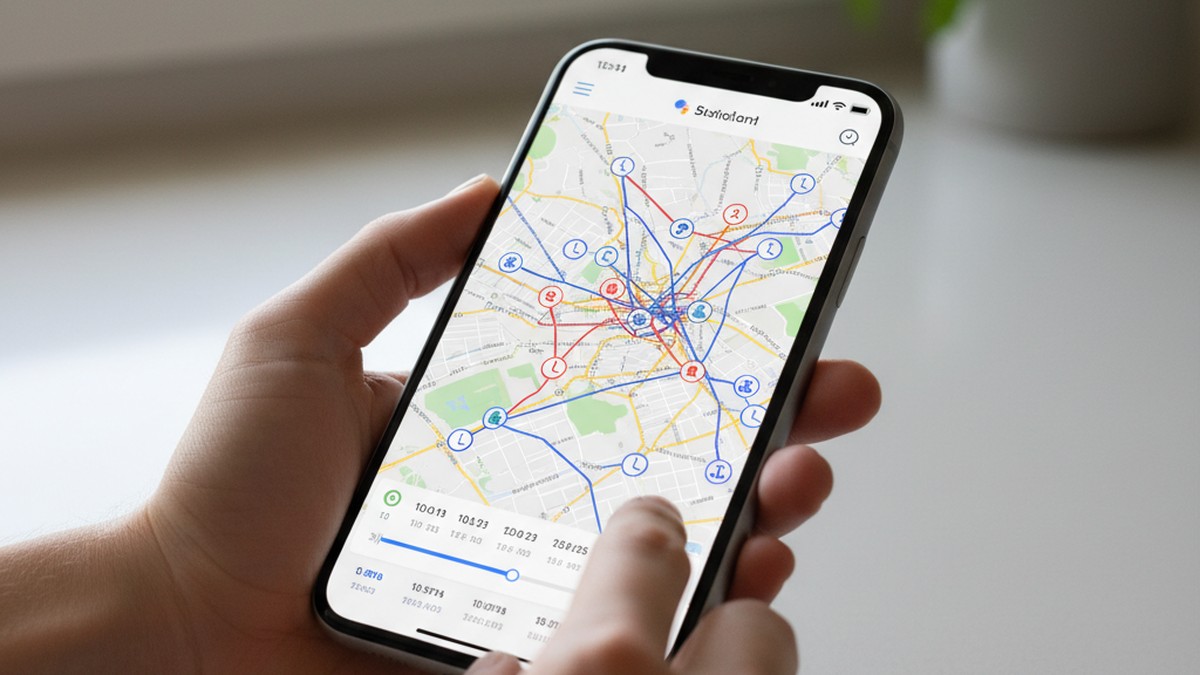
Google Maps Timeline is a location history feature built into Google accounts that creates a chronological record of everywhere a device has traveled. When Location History is enabled, Google Maps passively records routes, addresses visited, time of arrival, time of departure, and mode of transportation — all without any active input from the user.
The feature was originally designed to help users rediscover places they'd been, log trips, and review their own movement patterns. It displays data as a day-by-day timeline, with color-coded routes, pins on visited locations, and categories like restaurants, hotels, or gyms auto-detected by Google's algorithms.
What Timeline Records
Each Timeline entry typically includes:
- Location name and address — auto-identified by Google using business data
- Arrival and departure time — timestamped to the minute in most cases
- Mode of transportation — walking, driving, cycling, or public transit, inferred from speed and route pattern
- Route taken — the actual path traveled between locations
- Frequency data — Google labels locations as "home," "work," or frequent visits after enough data accumulates
The 2024 Storage Change That Changed Everything
Before December 2024, Timeline data was stored in Google's cloud — accessible from any browser at maps.google.com/timeline and synced across all devices on the same account.
Google changed that. As of late 2024, Timeline data is stored on-device only. The web version of Timeline was removed entirely. Data now lives on the specific phone where it was recorded, and it no longer syncs to other devices on the same account unless the user has manually enabled encrypted backup (which most people haven't) (The Hacker News, 2024).
Google also reset the default auto-delete setting to 3 months. Any Timeline data older than 90 days has likely already been permanently deleted for users who never changed that setting — which is the majority of users.
This change has two major consequences for anyone investigating a partner's location history. First, the step-by-step guides published before 2025 that instruct you to "log into their Google account from a browser" no longer work — the web Timeline doesn't exist anymore. Second, even if you could access the device directly, there may only be 90 days of history remaining at most.
If the data here has you concerned, CheatScanX can give you a direct answer. It searches 15+ dating apps for hidden profiles.
Search dating profiles now →What Does Google Maps Timeline Actually Record?
Understanding what Timeline captures — and what it misses — is essential before drawing any conclusions from it.
What It Captures Reliably
Timeline is most reliable for outdoor travel in open areas with clear GPS signal. A 45-minute drive to an unfamiliar neighborhood, a two-hour stop at a hotel, a repeated visit to an address every Tuesday evening — these are the kinds of entries Timeline records with reasonable fidelity.
It captures:
- Extended stops (15+ minutes at a single location)
- Routes between major locations with GPS enabled
- Major cities or neighborhoods visited
- Broad patterns across days, weeks, and months
What It Misses or Misreads
Timeline has well-documented gaps that matter enormously in an investigation context:
Indoor location accuracy drops sharply. GPS signals are degraded indoors, which means a hotel lobby, apartment building, or office complex may appear as a general area rather than a specific floor or unit. Someone recorded as "visiting" an apartment complex could be at any of dozens of units — or in the parking lot.
Short stops are often missed. Stops shorter than roughly 10-15 minutes frequently don't appear as distinct entries. A brief meeting somewhere may leave no trace.
The device must have location services on. If Location History is disabled, or if the device is in airplane mode or low-power mode, no data is recorded for that period. Gaps in Timeline are just as likely to mean "location was off" as "something was deleted."
Timeline data can be manually edited. Users can add, edit, or delete any Timeline entry at any time. Google does not log these edits or alert anyone. A person who knows they're being watched can delete exactly the entries that matter — and you'd have no way to know.
Can Google Maps Timeline Prove Cheating?
Google Maps Timeline can show where a device traveled and when, which may reveal suspicious patterns like repeated visits to unknown addresses or unexplained gaps. However, it cannot confirm cheating on its own — location data has a margin of error up to 300 meters, can be edited, and requires corroboration to mean anything in a dispute.
This is the answer most guides bury: Timeline shows patterns, not proof. The difference matters.
If location data is raising questions but not answering them, a dating app search tool that scans Tinder, Bumble, Hinge, and 12+ other platforms can provide a more direct answer — one that doesn't depend on GPS margin of error.
Consider what Timeline can and cannot establish:
| What Timeline CAN Show | What Timeline CANNOT Establish |
|---|---|
| A device visited a specific area | Who was using the device at the time |
| How long a device was in one place | What happened at that location |
| Repeated visits to an unfamiliar address | The nature of those visits |
| Gaps where no location was recorded | Whether those gaps were deliberate |
| Transportation mode (driving vs. walking) | Who else was present |
The distinction between "the phone was there" and "cheating occurred" is where investigations go wrong. A phone left at home, lent to a friend, or used by a partner running an errand — all of these could produce Timeline entries that look suspicious out of context.
If you find something that looks damning in Timeline, your next step is corroboration, not confrontation. One location point is a lead. A pattern, supported by other evidence, is something you can act on.
How Accurate Is Google Maps Timeline?
According to a peer-reviewed study published in Forensic Sciences Research, Google Maps Timeline achieves a 52% accuracy rate when GPS is active, with a median error of 4.76 meters in urban areas and up to 300 meters in rural areas (Forensic Sciences Research, 2018). Wi-Fi-based tracking has only a 7% hit rate, making it unreliable as standalone evidence.
These numbers deserve unpacking because they're significantly worse than most people assume.
What "Accuracy" Actually Means
The study defines a location as "accurate" only when the actual position falls within the accuracy radius Google itself reports for that data point. By that measure — Google's own stated confidence interval — more than half of GPS records miss the mark. For Wi-Fi-only records, 93 out of every 100 location points fall outside Google's own accuracy claim.
The Urban-Rural Gap
The difference in error magnitude between urban and rural environments is striking:
| Connection Type | Urban Median Error | Rural Median Error | Hit Rate |
|---|---|---|---|
| GPS | 4.76 meters | 300.2 meters | 52% |
| 3G | 206.8 meters | 1,712.6 meters | 38% |
| 2G | 164.6 meters | 1,425.2 meters | 33% |
| Wi-Fi | 141.7 meters | Not measured | 7% |
In a city, a 300-meter GPS error could place a device at a restaurant, a hotel, or an office building — three completely different narratives. In a rural area, a 1.7-kilometer error becomes nearly meaningless for establishing a specific location.
What This Means in Practice
If you see an entry that shows your partner's device at "Marriott Hotel" for three hours on a Tuesday evening, that entry may be:
- Exactly accurate — the device was at that hotel
- Off by 200 meters — the device was at a different building on the same block
- A GPS drift artifact — the device never moved from home but the signal wandered
This isn't an argument that Timeline is useless. Repeated visits to the same general area over multiple weeks is a meaningful pattern regardless of meter-level precision. But a single entry, or entries that require precise location interpretation, should be treated with significant caution.
How Google Labels Locations (and Where It Gets It Wrong)
Google's Timeline doesn't just show GPS coordinates — it attempts to identify and label visited locations using business databases, address data, and its own mapping information. This labeling introduces a second layer of potential inaccuracy beyond the GPS positioning error.
A device that stopped near a shopping center may be tagged with the name of a specific store inside, even if the device was in the parking lot. A residential address may be labeled with the name of a business that used to operate there. An apartment building with 150 units will appear as a single location entry, with no indication which unit or floor the device was nearest to.
This is particularly relevant for common cheating investigation scenarios. An unfamiliar "hotel" entry in Timeline is more likely to be a building in the same city block than a fabrication — but determining whether the device was actually inside the building versus across the street from it requires GPS accuracy that, as the Forensic Sciences Research data shows, Timeline frequently doesn't achieve.
The practical rule: use Timeline for neighborhood-level pattern analysis, not for drawing conclusions that depend on pinpoint address accuracy. "The device was consistently in the University Heights neighborhood on Tuesday evenings" is a reliable observation. "The device was at 1247 Oak Street, Unit 4B" is not a conclusion the data supports.
In practice, what we see in relationship investigation cases is that location data functions as a directional signal, not a definitive answer. It narrows the field and points you toward questions worth asking. It rarely closes the case on its own.
How Has Google Maps Timeline Changed in 2024?
The 2024 update to Google Maps Timeline is the single most important thing to understand about using this tool in 2026, and it's the change that most guides — including the ones currently ranking for this keyword — fail to address.
The Three Key Changes
1. Cloud storage removed, replaced by on-device storage. Timeline data no longer lives on Google's servers in any accessible form. It exists only on the specific Android or iOS device where it was recorded. This means you cannot access a partner's Timeline by logging into their Google account from a browser, another phone, or your own computer. The web interface is gone.
2. Default auto-delete set to 3 months. When the change rolled out, Google set the auto-delete default to 90 days for accounts that hadn't previously customized it. For the majority of users who never thought about this setting, any Timeline data older than 3 months is permanently deleted. There is no recovery option.
3. Cross-device sync discontinued. Previously, if a person used multiple devices on the same Google account, Timeline data from all devices contributed to one unified history. That's no longer the case. Each device now maintains its own local Timeline, and they don't merge.
Why This Matters for Investigations
These changes have rendered the most common advice about Google Maps Timeline completely obsolete. If someone writes a guide saying "log into their Google account in a browser to view their Timeline," that guide was written before December 2024 and the method it describes does not work.
To access Timeline data in 2026, you would need:
- Physical access to the specific device that recorded the data
- The device to be unlocked
- The Google Maps app to be open on that device
- Location History to have been enabled
- The data to not have been deleted within the last 90 days
This is a dramatically higher bar than the account-login methods described in outdated guides — and it introduces a separate, serious legal problem covered in a later section.
The Backup Option (and Its Limits)
Google does offer an encrypted backup feature for Timeline data. Users who enabled this before data was deleted can import their backup onto a new device. But this backup is encrypted and accessible only by the account owner — not by Google, and not by anyone else with account credentials. Even with the password, you cannot decrypt another person's Timeline backup.
What Patterns in Google Maps Timeline Suggest Cheating?
If you have access to Timeline data through legitimate means — either your own account or with your partner's knowledge — certain patterns are worth paying attention to.
How to Calibrate What You Find
Before diving into specific patterns, a framework for gauging significance:
| Pattern | Significance | What It Warrants |
|---|---|---|
| Single visit to unknown address | Low | Mental note only |
| 2–3 visits to same unknown address | Medium | Ask a direct, neutral question |
| 4+ recurring visits, consistent timing | High | Corroborate with other evidence |
| Location contradicts a specific stated story | High | Direct conversation with the facts |
| Large unexplained gap, unusual hours | Medium | Note alongside other behavioral signals |
| Sudden deletion of previously visible history | High | Direct conversation about the change |
Use this table as a calibration tool, not a verdict. "High significance" means it warrants follow-up — not that infidelity is confirmed.
Repeated Visits to Unfamiliar Locations
A single visit to an unknown address could be a business meeting, a friend's house, or a delivery pickup. A pattern of visits — every second Wednesday evening, or every Friday at the same time — is harder to explain away. The repetition is what gives location data meaning. What we commonly see in cases where infidelity is later confirmed is not one dramatic location entry but a consistent pattern of recurring visits that the partner struggles to account for.
Locations That Don't Match the Stated Story
If your partner said they were at the gym from 7pm to 9pm, but Timeline shows the device was in a residential neighborhood across town during those hours, that's a specific discrepancy — not just a vague suspicion. These narrative-versus-data contradictions are the most actionable findings in location evidence.
Gaps Where Location Data Should Exist
A gap in Timeline — a stretch of hours where no location data appears — could mean Location History was temporarily disabled. Deliberate gaps, particularly during time periods that are otherwise unexplained, are themselves a signal. Someone who knows their partner checks their Timeline might disable Location History only during certain hours and re-enable it afterward.
The "Home" Address That Doesn't Move
A subtler pattern: a device that appears to stay at home during hours when your partner is supposedly out. This can indicate one of two things — either the partner left their phone at home deliberately (to create a false location trail), or the location data is inaccurate. Both scenarios are worth understanding better.
Sudden History Deletion
If your partner's Timeline was previously accessible and now shows large gaps or appears empty, and they've never mentioned changing privacy settings, the deletion itself is a data point. You won't know what was deleted, but the act of deleting a previously maintained history is worth a direct, calm conversation.
A few things to know about deletion patterns: Google lets users delete a specific day, a specific date range, or all history. A person who deletes only certain days while leaving others intact is doing something different from a person who turns off Location History entirely or changes the auto-delete window. Selective deletion — where certain days are gone but surrounding days are intact — is the pattern that most clearly suggests intentional removal rather than a privacy settings change.
One caveat: since the 2024 Google update reset auto-delete to 3 months for most accounts, it's possible that a gap in Timeline reflects the automated deletion that occurred when those settings were applied — not a deliberate attempt to hide something. If the gap starts around December 2024 and everything before that is gone, that's likely the auto-delete reset, not selective deletion.
How Can You Access Your Own Google Maps Timeline?
The steps below are for accessing your own Timeline — the account you own and the device you use. This is the legal, straightforward version.
On Android:
- Open Google Maps on your Android device
- Tap your profile photo in the top-right corner
- Select "Your Timeline" from the menu
- Use the date selector at the top to navigate to specific days
- Tap any location entry for details including arrival time, departure time, and duration
On iPhone:
- Open Google Maps
- Tap your profile photo
- Select "Your Timeline"
- Note: on iOS, Timeline functionality depends on iOS location permissions being set to "Always" — "While Using App" will produce incomplete data
To adjust auto-delete settings:
- In Timeline, tap the three-dot menu (top right)
- Select "Timeline settings"
- Under "Automatically delete Timeline data," change from 3 months to a longer period if you want to preserve history
To export your data:
- Visit Google Takeout (takeout.google.com) from a browser
- Select "Location History" from the list
- Choose your export format and time range
- Download the exported file for offline backup
What You'll Actually See in Timeline
When you open Timeline, the default view shows a calendar. Days with recorded location data appear darker. Tapping a day reveals a vertical timeline on the left side — each entry shows a location name, the time you arrived, and the time you left. Route lines connect each entry, color-coded by transportation mode (blue for driving, green for walking, orange for public transit).
At the top of the day view, Google shows a summary — total distance traveled, number of places visited, and transportation modes used. Below the timeline entries, if enough data has accumulated, Google may show "Year in Review" statistics or monthly summaries.
One detail many guides miss: Timeline entries are not always shown in strict time order. Google sometimes groups nearby locations together or adjusts display order for readability. Always check the timestamps on individual entries rather than assuming the visual sequence reflects exact chronological order.
Checking the raw accuracy indicators: When you tap a specific location entry, you can sometimes see the accuracy radius Google reported for that data point. A small circle means high-confidence placement. A large circle means Google had low confidence in the exact location — and the real position could be anywhere inside that circle. This information is directly relevant to how much weight to give any specific entry.
If you want to preserve evidence from your own Timeline for any legal purpose, export and screenshot it immediately. Waiting risks the auto-delete window erasing the relevant data.
Is It Legal to Check Your Partner's Google Maps Timeline?
Accessing someone's Google account without their consent is illegal under the Computer Fraud and Abuse Act (CFAA) and similar laws in the UK and most other countries. Even if you know the password, unauthorized access can result in federal criminal charges and civil liability. The only legal route is mutual, consensual location sharing.
This is where the legal picture gets critical — and where most popular guides create serious risk for their readers.
The Computer Fraud and Abuse Act
The CFAA prohibits unauthorized access to computer systems, which courts have consistently interpreted to include logging into someone else's online account without permission. The law does not require you to break any technical protection. Using a password you happen to know, without the account owner's permission, still qualifies as unauthorized access under most judicial interpretations.
Penalties can include federal criminal prosecution and civil damages. This is not a theoretical risk — CFAA prosecutions have been brought in domestic cases.
State Law Adds Additional Risk
Beyond the CFAA, many states have their own computer access statutes that apply independently. Several states also have wiretapping and electronic surveillance laws that apply to accessing stored communications. The specific exposure varies by state, but the trend across all jurisdictions is consistent: accessing another person's accounts or devices without consent creates legal jeopardy.
California's Penal Code Section 502, Texas Penal Code Section 33.02, and similar statutes in most states criminalize unauthorized computer access separately from and in addition to federal CFAA exposure. In some states, using someone's password without permission — even a password you legitimately know — qualifies as unauthorized access. The domestic relationship does not create a legal exception.
The "shared account" question comes up frequently: if both partners use the same Google account, does either have the right to access Timeline? The answer depends on how the account is set up and whether there was a genuine mutual agreement to share. A Google account set up by one person, where the other person knows the password, is not a "shared account" in any legal sense — it's still one person's account that the other person accesses.
What Courts Can and Cannot Use
If you illegally access a partner's Timeline and find evidence, that evidence faces a significant problem in legal proceedings. Courts may exclude evidence obtained through illegal means, and your own illegal access could become a point of vulnerability in divorce or custody proceedings — giving the other party something to use against you.
A 2024 Pennsylvania Superior Court ruling is instructive: it confirmed that Google Maps Timeline data is admissible as evidence — but only when obtained legally and authenticated properly. The ruling held that Timeline screenshots could be admitted through lay testimony without requiring a digital forensics expert witness, which lowers the barrier for using legally obtained Timeline data in court. It explicitly does not create any pathway for using illegally obtained Timeline data.
For Timeline evidence to hold up in legal proceedings, best practices include:
- Screenshotting the exact data with timestamps visible
- Documenting when and how the data was accessed
- Preserving chain of custody (not modifying or cropping the screenshots)
- Consulting with a family law attorney before submitting anything to a court
The Consent-Based Alternative
Google Maps has a built-in location sharing feature that is entirely legal: both parties can opt in to sharing their real-time location with each other. This is different from Timeline — it shows current location, not historical data — but it's the only route that doesn't carry legal risk.
If you want location transparency in your relationship, that conversation starts with both parties agreeing to share, not with one party secretly accessing the other's data.
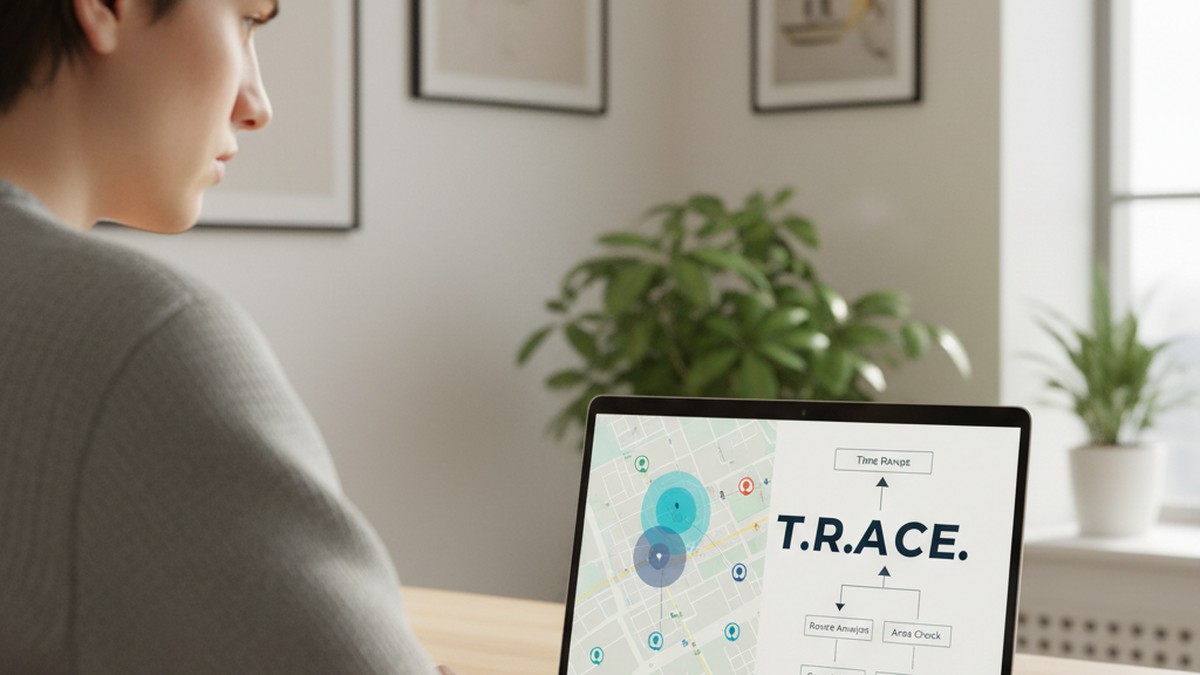
The TRACE Method: A Framework for Evaluating Location Evidence
Most people who find suspicious data in a partner's Timeline either confront immediately — often with incomplete information — or spiral into analysis paralysis. The TRACE Method is a structured approach to evaluating what location evidence actually shows before you decide what to do with it.
T — Timeline Review
Start with a complete, systematic review of the Timeline data you have legitimate access to. Don't cherry-pick entries that confirm suspicion. Map out the full picture: where does the data show your partner going on a typical day? What does a normal week look like in the data? You're establishing a baseline before identifying anomalies.
A useful exercise: before you look at the days that concern you, review the five most ordinary days in the data first. Build your mental model of what "normal" looks like — the commute route, the gym, the regular lunch spot, the Friday evening location. Once you've established normal, deviations stand out clearly rather than appearing suspicious against a background you haven't characterized.
During this review phase, note the data quality. Does location record continuously throughout the day, or are there regular gaps? A person who commutes by subway will have consistent gaps underground. A person whose device is often in low-power mode may have sporadic recording. Know the baseline gaps before treating any specific gap as significant.
R — Route Analysis
Look at the routes, not just the destinations. A destination entry that shows "downtown area" tells you less than the route that shows the device traveled 40 minutes in the opposite direction of work, stopped for 90 minutes at a residential street, then reappeared at the right location 20 minutes later. Routes often tell a more complete story than destination pins.
Pay particular attention to detours — routes that take significantly longer than the direct path, or that include stops in areas that don't align with the stated destination. A 20-minute drive that the route shows taking 75 minutes with an unaccounted stop is a specific question you can ask directly: "Your timeline shows you stopped somewhere on Tuesday evening before getting home. Where was that?"
Routes also reveal transportation mode inconsistencies. If the data shows your partner drove to work but the route shows movement patterns consistent with being a passenger (unusual stops, routes that don't match driving logic), that's a detail worth noting.
A — Alternative Explanations
For every anomalous entry, generate at least three alternative explanations before settling on infidelity as the most likely one. A two-hour stop at an unfamiliar address could be: a surprise party being planned, a medical appointment the person wanted privacy for, a visit to a family member in distress, a device left in a car while someone else drove, or a GPS error. This step isn't about making excuses — it's about testing your interpretation against other possibilities.
The alternative explanations step has a secondary function: it prepares you for a direct conversation. If you approach your partner with a specific, genuine question — "Where were you on Tuesday evening around 7pm?" — rather than an accusation, you create space to either receive a satisfying answer or notice that the answer doesn't hold up. Knowing the alternative explanations in advance means you can evaluate the answer you get rather than just reacting to it.
One pattern that merits particular attention in this step: timing. A recurring anomaly that happens on the same day of the week, at the same time, over multiple weeks is harder to explain with the usual alternative explanations. One unexpected stop is a question. A consistent, recurring pattern that the person has never mentioned is a different category of observation.
C — Corroboration
Location data alone is rarely sufficient evidence. Ask: what else would need to be true for the suspicious interpretation to hold? Does the data align with other behavioral changes — phone secrecy, schedule shifts, emotional distance? If the location data points to a specific address, does that address correspond to a specific person you have other reasons to investigate? Evidence that stands alone is a question. Evidence that fits into a pattern of corroborating signals is something more.
Useful corroborating evidence includes behavioral changes (discussed in the signs your partner is cheating guide), changes in communication patterns, unexplained financial transactions, and — most directly — the presence of an active dating profile on platforms like Tinder, Bumble, or Hinge. Location data can tell you where someone went. A dating profile tells you what they were actively seeking.
The corroboration principle also works in reverse: if location data seems suspicious but every other signal points to nothing unusual, weigh that accordingly. Anxiety can make neutral data look sinister. Build the full picture before drawing the conclusion.
E — Ethical and Legal Check
Before acting on what you've found: Was this data obtained legally? Is your interpretation strong enough to justify a confrontation? What's your next step — a direct conversation, a consultation with an attorney, or a search for additional corroborating evidence? Skipping this step leads to confrontations based on incomplete or misread data that damage trust in relationships where infidelity isn't actually occurring.
If you're considering divorce or legal action, this step is particularly critical. How evidence was obtained matters to courts. Evidence gathered through illegal account access may not only be inadmissible — it may actively hurt your position. Consulting a family law attorney before making any legal moves, even informal ones, is money well spent.
The TRACE Method doesn't tell you whether your partner is cheating. It helps you separate what the data actually shows from what anxiety wants you to believe it shows. It also protects you from the real harm of a false accusation — confronting a partner who is innocent, based on misread data, does lasting damage to the relationship regardless of what comes after.

What Google Maps Timeline Cannot Prove
Understanding the limits of Timeline evidence is as important as understanding what it can show. There's a common mistake: finding a suspicious entry and treating it as conclusive. In practice, what Timeline most reliably reveals is where a question should be asked — not where the answer lies.
It Cannot Prove Who Was Using the Device
A phone is not a person. Timeline records device location, not the location of the person registered to that account. A partner who routinely leaves their phone at home, lends it to someone, or whose device gets left in a car will produce Timeline entries that don't match their actual movements. Conversely, a partner's device showing "home" all evening means only that the device was home — the person may not have been.
It Cannot Prove Intent
Even if Timeline shows a device at a specific address for three hours, it cannot establish what happened there. A location visit is a fact. What that visit means requires interpretation, context, and corroboration. Courts that accept Timeline evidence treat it as one data point among several, not as a standalone conclusion.
Manipulated Timelines Are Invisible to You
Google allows users to add, edit, or delete Timeline entries with no log, no notification, and no record that changes were made. A person who knows they're under suspicion can simply delete the entries that would raise questions. You have no way to detect this.
There's one partial exception: if Timeline shows an inexplicable gap — a period of hours with no location data during a time when the person should have been moving around — that gap itself can be notable. A sudden absence of data during a specific recurring time window, combined with other signals, is a pattern worth examining.
The False Positive Problem
Not all concerning Timeline entries reflect concerning behavior. GPS drift can place a device at a location it never visited. A brief slow-down near a specific address while driving can generate an entry. A building with overlapping GPS signals can cause a device to "visit" an adjacent location. Before you decide something is suspicious, run it through the Route Analysis and Alternative Explanations steps in the TRACE Method.
Common false positive scenarios worth knowing:
Drive-by entries. If a device travels past an address while in a car, and the car slows briefly (traffic, a red light), Timeline may log a short stop at that location. An entry showing "2 minutes" at an address is far more likely to be a drive-by than an actual visit.
GPS drift during sleep. When a phone is stationary overnight but in a location with variable GPS signal — near a window, in a basement, in a building with metal construction — the GPS receiver may wander several hundred meters in the data even though the device never moved. Someone's Timeline may show them "visiting" a neighbor's address in the middle of the night while they were actually asleep at home.
Automatic re-labeling. Google periodically updates its business and address databases. A Timeline entry for a location visited months ago may now carry a different business name than it did at the time of the visit — because the business closed, moved, or was replaced. An entry labeled as a hotel today may not have been a hotel six months ago when the visit was recorded.
Multi-floor buildings. As noted in the accuracy section, GPS cannot determine floor or unit. A device recorded as visiting an apartment building could have been at any unit on any floor, or in a neighboring building that shares GPS signal characteristics. Treating a building entry as evidence of a specific person visited at that building requires an additional inferential leap that the data itself doesn't support.
Consent-Based Location Monitoring: The Legal Alternative
The legal and ethical way to use location data in a relationship involves consent — both parties knowingly sharing their location with each other.
Google Maps has a built-in location sharing feature that works in real time. You can share your location with a specific person for a set duration or indefinitely. The person you share with sees your current location on their map; they don't see your historical Timeline. This is a different feature from Timeline, but it accomplishes the core goal of location transparency.
How to Set Up Mutual Location Sharing
In Google Maps, tap your profile photo → "Location sharing" → "Share location" → select a contact and duration. The other person must accept the share request. Both parties can see each other's location when this is set up mutually.
Apple's Find My app works similarly for iPhone users. Both systems require explicit consent from both parties.
Having the Conversation
The conversation that precedes setting up mutual location sharing is often more useful than the location data itself. A partner who genuinely has nothing to hide typically agrees to transparent location sharing without significant resistance. How that request is received — the response, the reasoning offered for declining, the dynamic that follows — often tells you more than any Timeline entry would.
That's not to say declining location sharing proves guilt. Some people have strong and legitimate privacy objections to tracking of any kind, even mutual. A partner who says "I don't want either of us tracking the other — I think that creates a surveillance dynamic that damages trust" is making a reasonable relationship argument. That's different from a partner who agrees in principle but finds reasons why it won't work on their specific device.
Location Sharing as a Relationship Agreement, Not a Tool
The most constructive framing for consent-based location sharing isn't "I want to track you" — it's "I'd like us to be transparent about where we are, and I'm willing to share mine too." This framing shifts the dynamic from surveillance to mutual accountability.
Some couples use location sharing as a practical convenience tool — sharing location before meeting up, checking whether a partner has left work yet, or confirming safe arrival after a late night out. When location sharing is already normalized as a practical tool rather than a trust mechanism, it doesn't carry the same weight as a sudden request during a period of suspicion.
If you're considering this conversation, the catch a cheater without their phone guide covers additional approaches that rely on behavioral signals and accessible data rather than device access or covert tracking.
Should You Use Google Maps Timeline as Evidence?
The question isn't just whether Timeline evidence is legally valid — it's whether using it will actually help you get to the truth and navigate what comes next.
When Location Evidence Helps
Location data is genuinely useful when:
- You have legitimate access to it (your own account, or your partner has consented to share)
- You're using it to verify or contradict a specific stated location ("I was at the office until 10pm")
- You're looking for patterns over weeks or months, not interpreting a single entry
- You're building a picture alongside other forms of evidence, not treating it as standalone proof
- You're working with a family law attorney who can advise on how to gather and present it properly
When Location Evidence Can Make Things Worse
Location evidence creates problems when:
- It's obtained illegally (creates criminal exposure, may be inadmissible)
- It's interpreted in isolation without alternative explanations considered
- It's used to confront before you have a full picture
- It escalates a situation that might have been resolvable through direct conversation
If your relationship has reached the point where you're conducting a surveillance investigation, the relationship has a problem that location data alone won't solve — regardless of what the data shows. The evidence question and the relationship question are separate. Answering the first doesn't resolve the second.
The Misidentification Risk
One outcome that doesn't get discussed enough: confronting a partner based on misread location data. A 300-meter GPS error that places a device at an address it never visited. A Timeline entry that auto-labeled a parking lot as a specific business. A gap in data that looks intentional but was caused by a dead battery.
If you confront your partner with "your Timeline shows you at [address]" and you're wrong — because of GPS inaccuracy, labeling error, or an innocent explanation you hadn't considered — the confrontation itself becomes a relationship event that's hard to walk back. You've demonstrated you were covertly reviewing their location data, which opens its own set of questions about trust and boundaries.
This isn't an argument against using the information. It's an argument for the TRACE Method: build your interpretation carefully, consider alternatives, and seek corroboration before you make a move that can't be undone.
A Note on Hiring Professional Help
If the stakes are high — particularly if divorce, custody, or legal proceedings are possible — consider engaging a licensed private investigator rather than conducting your own investigation. A licensed investigator knows what evidence will hold up in your jurisdiction, how to gather it legally, and how to document it in a way that courts will accept. They also take on the legal and ethical complexity themselves rather than leaving it with you.
Private investigators commonly use legal location surveillance (following a subject in public spaces, documenting visible behavior) rather than accessing digital accounts — for exactly the legal reasons this article has described.
What Google Maps Timeline Actually Tells You
Google Maps Timeline is a real source of location information with legitimate uses in relationship investigations. But it's also a misunderstood tool that's frequently overhyped, often misread, and now hampered by a 2024 storage change that most guides haven't caught up with.
Here's what the data actually shows: a device's movement record, with accuracy that varies from a few meters to several hundred meters, covering at most 90 days unless the user changed their settings, accessible only on the physical device where it was recorded, and editable at any time without any trace of changes.
For confirming cheating with confidence, location data alone rarely gets you there. It raises questions and points directions. To catch a cheater with evidence that holds up — to yourself, to a partner in a confrontation, or to a court — you need a fuller picture.
The most direct form of evidence remains finding an active dating profile. A profile on Tinder, Bumble, or Hinge shows active intent in a way that a location entry cannot. If you're weighing your next step, a dating app search tool that checks multiple platforms simultaneously gives you a clearer answer than weeks of Timeline analysis.
Whatever you find, move through it carefully and legally. The TRACE Method exists to help you slow down, think clearly, and make sure you understand what the evidence actually shows before you act on it.
Frequently Asked Questions
Yes, with conditions. A 2024 Pennsylvania Superior Court ruling held that Google Maps Timeline screenshots are admissible through lay testimony without expert witnesses. However, courts require the data to be authenticated and examine it alongside other evidence. Data accuracy, potential manipulation, and chain of custody all affect how much weight it carries.
Yes. Google Maps allows users to delete individual location entries, specific time ranges, or their entire history. Since Google's 2024 update moved Timeline to device-only storage, users have even easier access to delete data directly on their phone. Gaps or sudden deletions in an otherwise complete timeline are themselves a telling signal.
No. Google Maps Timeline only records data when Location History is enabled on the account. If your partner has turned it off — or never had it on — the Timeline will be empty or incomplete. Many people also have Location History turned off by default, especially on iOS devices.
In late 2024, Google moved Timeline data from cloud servers to on-device storage only. The web version of Timeline was removed. Google also set the default auto-delete period to 3 months, meaning location data older than 90 days may already be permanently gone unless the user manually adjusted those settings.
Dating profile searches are more direct evidence. If you're concerned your partner is cheating, checking whether an active profile exists on Tinder, Bumble, Hinge, or other platforms tells you something definitive — unlike location data, which requires interpretation. Location data tells you where someone went; a dating profile tells you what they were doing.