
# Second Phone for Cheating: 11 Signs & How to Find Out
Second phone cheating signs are more detectable than most people realize — once you know what to look for. A partner using a dedicated second device for an affair will leave physical traces, behavioral traces, and digital traces that accumulate across your shared environment without them realizing it.
If your instincts are picking up on something you can't quite name, they may be registering these details before your conscious mind has processed them. Approximately 25% of people who cheat use a second phone or dedicated burner device specifically to keep their communication out of reach (Wifitalents, 2026). This isn't a rare tactic — it's a deliberate one, designed to create complete separation between what you can see and what's actually happening.
This guide covers 11 specific physical signs of a second phone, the digital footprints a hidden device leaves in shared accounts and on your home network, and a step-by-step method for confirming whether a second device exists without confronting your partner or accessing any phone you don't own.
What Is a "Second Phone" for Cheating?
A second phone for cheating is a separate mobile device — distinct from your partner's primary phone — used exclusively for communication they don't want you to see. The device typically operates on a different carrier, a prepaid plan, or a virtual number app, which means it doesn't appear on your shared phone bill and can't be tracked through your family carrier account.
The term covers two meaningfully different arrangements, and the distinction matters because the signs for each are different:
Physical second phone: An actual separate handset — typically a cheap prepaid "burner" phone bought with cash, or a spare smartphone kept charged and hidden. Physical second phones need to be charged regularly, stored somewhere, and brought out to use, which creates more opportunities for discovery. They appear on home WiFi networks, generate charging accessories, and sometimes surface in shared cloud accounts.
Virtual burner phone: A secondary phone number app running on their existing device. Apps like Google Voice, TextNow, CoverMe, or Burner give a user a completely separate phone number, call log, and messaging interface — all hidden within a single handset. There's no second device to find, but the app itself leaves traces in data usage records and sometimes in app install history.
How the Second Phone Tactic Works
The core logic is complete separation. Your partner's main phone — the one you see, the one on your shared carrier plan — stays clean. No suspicious contacts, no dating app installations, no conversations that could raise questions. Everything connected to the affair happens on a separate device or number that you have no visible access to.
This is meaningfully different from the more common approach of deleting texts or using encrypted messaging apps on the main phone. A second phone creates structural separation rather than selective deletion. Someone who deletes incriminating messages is managing risk after the fact. Someone using a second phone is managing risk at the infrastructure level — a more calculated and sustained commitment.
That deliberate separation is also what creates its own evidence. Infrastructure is harder to hide completely than individual messages. Chargers, billing charges, WiFi connections, and cloud account entries all accumulate and can be found without any access to the device itself.
If any of this sounds familiar, there's a way to know for sure. CheatScanX checks 15+ dating platforms for hidden profiles using a name, email, or phone number.
Check for hidden profiles →Why Do Cheaters Use a Second Phone?
Cheaters use a second phone to keep their communication completely separate from any device you can access. A dedicated second phone leaves no trace on your shared phone bill, doesn't appear in your carrier's account, and allows them to maintain a separate contact list, dating apps, and message history that never appears on their main device.
The specific reasons people choose a physical second phone over simpler methods like message deletion include:
No bill trail. A prepaid phone on a separate plan doesn't appear in any shared billing account. Your carrier's account portal only shows devices and lines associated with your plan — not their separate SIM on a different network.
No accidental notification exposure. A message or dating app notification appearing on a locked main phone screen is a major exposure risk. A second phone eliminates this entirely because the device is kept hidden and silent.
No cross-contamination risk. Apps, photos, contacts, and call logs remain completely separate. If you glance at their main phone, there's genuinely nothing visible — not because it's been deleted, but because nothing happened on that device.
Plausible deniability. When confronted about being unreachable or secretive, a person using a second phone can hand their main phone over for inspection. There's nothing to find — the activity happened on a different device entirely.
This is why second phones represent a more serious escalation than typical phone secrecy. The intent isn't to hide individual conversations — it's to eliminate the entire channel from the relationship's visible landscape.
How Common Is Second Phone Cheating?
Approximately 25% of people who cheat use a second phone or dedicated burner device, according to data compiled by Wifitalents (2026). An Ashley Madison survey found 11% of respondents specifically used a secret phone to contact their affair partner, while 80% of cheaters overall rely on text messaging as their primary communication method (Refinery29, 2017).
These numbers tell a specific story about the range of behavior. The majority of cheaters — about 56%, per the Ashley Madison data — use their existing phone and rely on message deletion, app hiding, or encrypted messaging to stay hidden. The subset who use a dedicated second device are making a more deliberate and resource-intensive choice.
| Method Used to Contact Affair Partner | Estimated % of Cheaters |
|---|---|
| Main cell phone (calls and texts) | 56% |
| 44% | |
| Dating apps or websites | 20% |
| Social media / direct messages | 18% |
| Secret or burner phone specifically | 11–25% |
Sources: Ashley Madison survey via Refinery29 (2017); Wifitalents aggregate data (2026). Totals exceed 100% because many cheaters use multiple methods simultaneously.
The gap between the 11% figure (Ashley Madison survey, self-reported) and the 25% figure (broader aggregate data) likely reflects how "burner phone" is defined. Someone using a Google Voice number on their existing phone may not categorize that as a "secret phone" even though it functions identically. The true range is probably between these two figures, varying by relationship type, how sophisticated the person is about technology, and how worried they are about discovery.
11 Physical Signs Your Partner Has a Second Phone
Physical evidence is the most concrete category. Unlike behavioral patterns that require interpretation, these are tangible things you can observe and document in your shared environment.
1. Extra Chargers or Cables You Don't Recognize
Every phone needs charging. A second phone requires a second charger — and that charger has to go somewhere in your shared environment.
Look for charging cables, wall plugs, or portable power banks that don't correspond to any device you know about. The charger may live in a car, a gym bag, a work bag, a desk drawer, or even a coat pocket. A cheap micro-USB cable (common with budget prepaid handsets) or an older-style Lightning cable where you only have a newer USB-C iPhone in your household is worth noting. The detail isn't the cable itself — it's a cable that has no obvious explanation.
Context matters here. Noticing one unfamiliar cable isn't meaningful on its own. A charger your partner becomes defensive about when you ask, or one that disappears after you notice it, is a different kind of data point.
2. Accessories That Don't Match Their Known Device
Phone cases, screen protectors, earphones with specific connectors, and car mounts are device-specific. A case sized for a Samsung Galaxy A-series phone won't fit an iPhone 16. A screen protector cut for a 6.1-inch device doesn't protect a 6.7-inch one.
If you find a phone case or protector that clearly doesn't fit any device you're aware of — especially if it's designed for a cheaper or older handset — that suggests a device you haven't seen. Prepaid burner phones are frequently inexpensive older-model Androids, and accessories matching those screen sizes are distinctive from the premium devices most people carry as their main phone.
3. Unexplained Telecom Charges on Bank or Credit Statements
Prepaid phones require purchasing data or airtime bundles. A charge from TracFone, Boost Mobile, T-Mobile Prepaid, Cricket Wireless, Metro by T-Mobile, or any similar prepaid carrier on a bank statement or credit card is worth examining.
Similarly, charges for prepaid gift cards — bought in round amounts like $20, $25, or $50 — can indicate purchasing prepaid airtime without creating a traceable telecom record. Purchases from stores like Walmart or Target in amounts suggesting a prepaid phone purchase ($30–$80) warrant attention if you can't account for them.
Your carrier's app or portal shows all lines active on your account. If you see telecom charges on a statement that aren't from your known carrier plan, they represent a service you're not aware of.
4. They Take Private Calls When Their Known Phone Is Visible
This is the sign most people overlook. If your partner excuses themselves to take a call privately, that's explicable in isolation. But if their main phone is sitting on the counter, visible and untouched, while they step into the next room or head to their car — something is generating a notification or call on a device you can't see.
Watch for situations where your partner's primary phone hasn't moved or lit up, but they suddenly need to step out, check something in their bag, or take a brief private moment. The pattern — main phone stationary, partner moving away — suggests a second device receiving communication.
5. A Spare SIM Card in an Unexpected Location
SIM cards are small and easily stored in a wallet card slot, a compartment in a bag, inside a phone case, or in a junk drawer. A SIM card not associated with your carrier plan has no obvious explanation.
One practical note: if you find an unknown SIM card, you can insert it into an unlocked phone to identify what number it's associated with without accessing stored messages or call logs. Identifying the number is a much less invasive step than accessing a full device and carries fewer legal concerns.
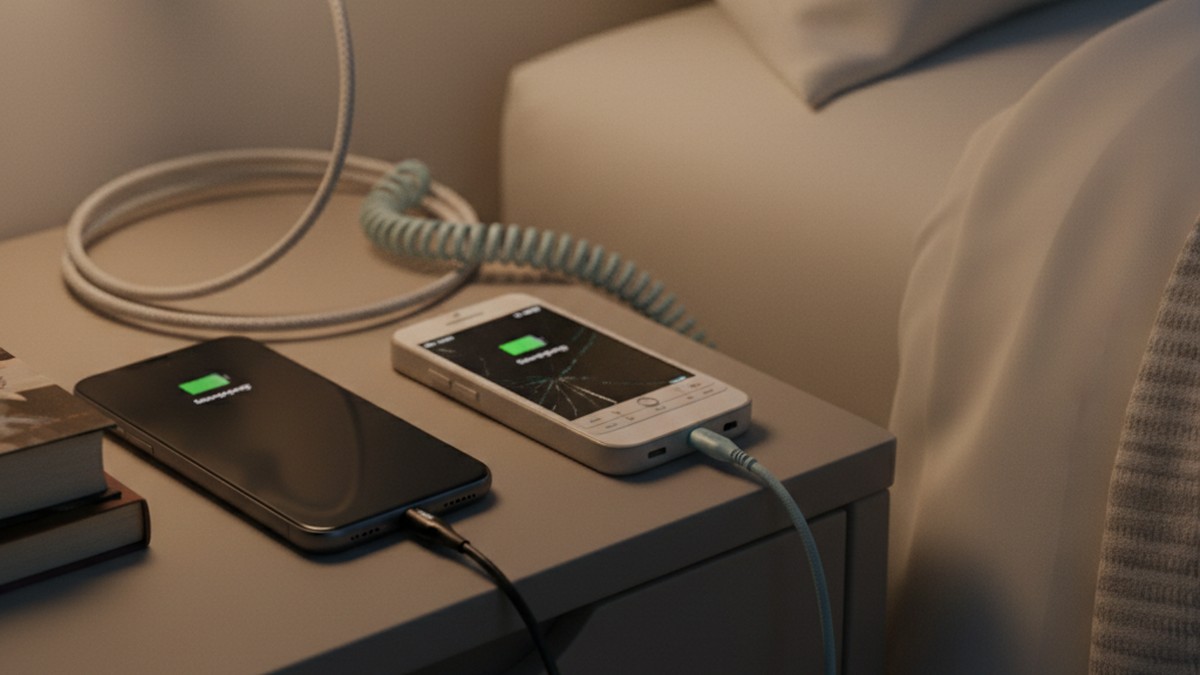
6. Two Things Being Charged Simultaneously
Most people charge one phone. If your partner is regularly observed with two items plugged in at a nightstand, in their car (two charging ports both occupied), or in a home office — and one of those items isn't identifiable to you — that's worth paying attention to.
Portable power banks are also used to charge a secondary device without needing outlet access. A high-capacity power bank kept in a bag rather than left in a shared space can sustain a secondary phone for multiple days between charges. A power bank that's always depleted despite your partner not seeming to use it for their known phone suggests it's powering something else.
7. They're Unreachable but Still Able to Communicate
This is the counterintuitive sign. If your partner is somewhere without what appears to be their phone but can still call or text you, they have a second communication device.
This happens when a person deliberately leaves their main phone somewhere visible — creating the impression of being "off the grid" — while carrying a second device. It also appears in "dead zone" inconsistencies: if your partner claims no signal but still manages to reach you, or responds to your texts while supposedly in a meeting where they said they'd have their phone off.
8. Bluetooth Connections in Shared Devices You Don't Recognize
Your car's Bluetooth system, a smart TV, or a shared wireless speaker pairs with devices and retains that history. Check the paired or connected devices list on any shared Bluetooth-capable item in your home or car.
An unrecognized phone appearing in your car's Bluetooth paired devices — especially with a name or model you've never seen before — means that device was physically present in the car and connected at some point. People frequently forget to clear this history.
9. Unknown Device in "Find My" or Location-Sharing Apps
If you use Apple's Find My or a similar family location-sharing service, every device in the account appears. An iPhone or iPad you've never seen in the device list, with recent activity, has no innocent explanation if your partner hasn't mentioned a new or second device.
For Android households, Google's Find My Device shows all devices signed into a Google account. A phone model you don't recognize with a recent "last seen" timestamp suggests that device was used with their credentials.
10. They Never Seem to Run Out of Phone Storage
This is an indirect sign, but worth noting. If your partner's main phone seems perpetually spacious despite heavy use — no complaints about storage, no need to delete photos or apps — they may be keeping media and communication that would otherwise fill the main phone's storage on the second device instead.
A second phone absorbs content that would otherwise accumulate on the primary device. Someone who is actively texting, receiving images, and using dating apps would normally accumulate storage pressure on their main phone. If that pressure never materializes, it may be because a separate device is absorbing it.
11. Their Phone Is Always on Silent, Even When They're Expecting Nothing
Most people adjust notification sounds to the context they're in. A phone perpetually on silent — including at home, during casual evenings, when no obvious reason for silencing exists — suggests managing incoming notifications from a source that shouldn't make sound in your presence.
This is different from someone who prefers silent mode generally. The sign is a change in behavior: a partner who previously had normal notification settings now keeps everything silent, including times when you'd expect them to want to hear their phone. The second device generates notifications they can't let you hear, so everything gets silenced as a blanket approach.
The Digital Shadow Method: Find a Second Phone Without Touching It
Most guides on this topic tell you to search for the physical device — check the car, the bag, the coat pockets. That approach requires physical access and creates direct confrontation risk if you're wrong.
More accessible is looking for the digital shadow a second phone casts across your shared home network and accounts. A second phone, even when hidden away, interacts with digital infrastructure that you have legitimate access to as a household member.
The following four-step system — the Digital Shadow Method — lets you check for evidence of a second device without accessing your partner's phone, without confrontation, and using systems you already have a right to access.
Step 1: Check Your Home WiFi Router's Connected Device List
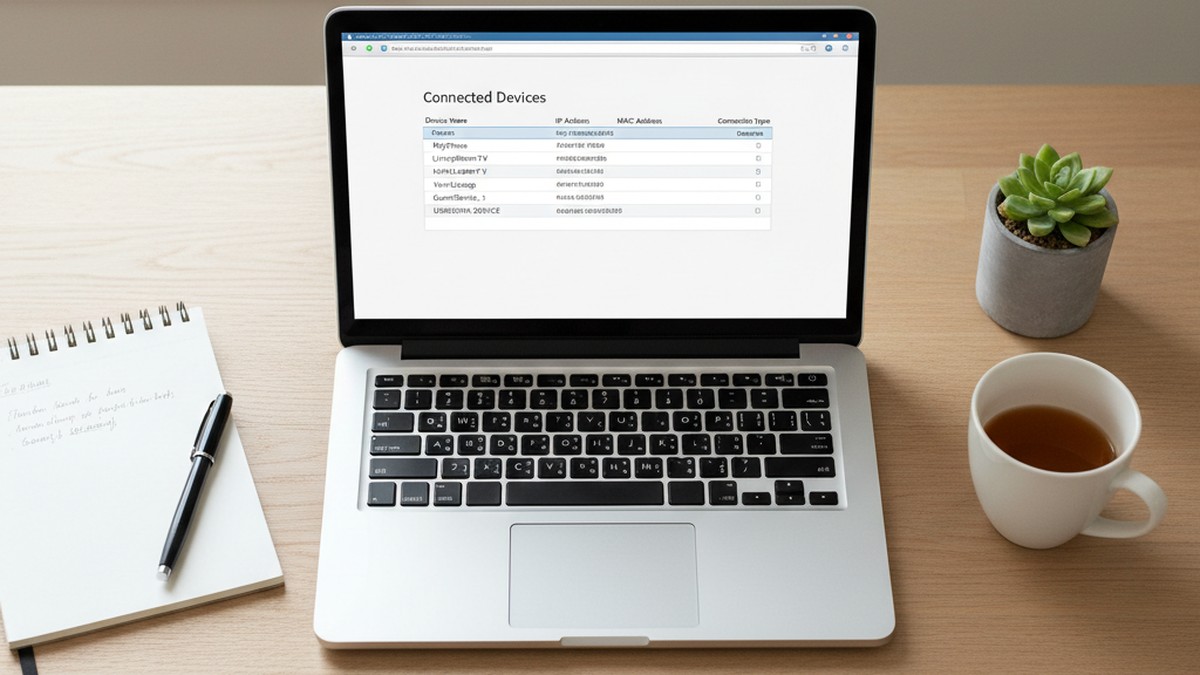
Every smartphone that connects to your home WiFi appears in your router's admin panel. To access it, type your router's gateway address into any web browser on your home network — typically `192.168.1.1` or `192.168.0.1`. Log in with your router's admin credentials (these are usually printed on a sticker on the router itself, or available from your internet service provider).
Look for a section labeled "Connected Devices," "Device List," "DHCP Clients," or "Attached Devices." Every device on your network shows a device name (often the phone model or an owner-assigned name) and a MAC address. Look for any device you don't recognize — especially one with a name suggesting a smartphone model that doesn't match your household's known devices.
Many routers also display connection history or logs. A device that connected to your network repeatedly during certain hours and then disappeared, or one that only connects when your partner is home, can be as revealing as a currently active unknown device.
If you use a router with a companion app — ASUS Router, TP-Link Tether, Eero, Orbi, or a provider app from Xfinity or AT&T — connected device lists are often accessible directly from the app with a cleaner interface than the admin panel.
Step 2: Check Apple ID or Google Account for Unknown Devices
For iPhone users: every device signed into an Apple ID appears under Settings → [Name at the top] on any of their Apple devices. If you've ever had access to your partner's Apple settings (for example, to help set something up), you may already know what devices are listed. An iPhone or iPad you've never seen or heard mentioned, with recent activity, is significant.
For Android users: the device activity list at myaccount.google.com/device-activity shows every device currently or recently signed into the Google account, including the device model, operating system, and last active timestamp. An unfamiliar Android phone with recent sign-in activity is harder to explain than an old tablet they haven't mentioned in years.
Step 3: Review Bluetooth Device History on Shared Devices
Open the Bluetooth settings on your car's infotainment system and review the list of paired devices. Cars retain this history even when a device hasn't connected recently. Look for any device name you don't recognize — particularly anything suggesting a phone model different from what your partner uses.
Do the same for any shared Bluetooth speaker, television with Bluetooth, or household device that pairs with phones. An unrecognized device in any of these lists means that phone was physically present and connected at some point.
Step 4: Look at Cellular Data Patterns on Your Router
Some router admin panels display not only connected devices but connection timestamps and data usage by device. If an unknown device generates significant data usage at unusual hours — late at night, during times your partner is supposed to be occupied elsewhere — that's meaningful.
Routers with detailed logging capability (common in mid-range and higher-end home routers) store this history. If your router has this feature, the log may show you not just which unknown device connected, but when and for how long.
If any of this sounds familiar, there's a way to know for sure. CheatScanX checks 15+ dating platforms for hidden profiles using a first name, age, and location — no device access required.
Digital Footprints a Second Phone Leaves Behind
Beyond the home network, a second phone interacts with digital infrastructure in ways that leave traces you can access without physical possession of the device.
Unknown Devices in Shared Cloud Accounts
If you share an Apple Family plan or a Google Family Group, any new device added to the family account appears to all members. Even without a shared family plan, a device signed into your partner's Apple ID or Google account will appear in their device management settings.
The most common find here is an older or budget smartphone your partner claims is an "old device" — but with a recent last-seen timestamp suggesting active use. A truly unused device wouldn't show activity in the last week. An "old phone" that connected three days ago was in use three days ago.
Carrier Account Device Verification
Log into your shared carrier account and look at every line and its associated device. Each line shows the current phone model registered to that SIM. This doesn't detect a phone on a completely separate carrier, but it does catch the scenario where a second line was quietly added to your existing plan — something that appears on your bill but is easy to overlook in a summary view.
Look at the full line-item detail, not just the total. Some carriers also show device change history — if a line's associated device changed recently without your knowledge, that's worth asking about.
App Store and Google Play Purchase History
Every app downloaded through an Apple ID or Google account appears in that account's purchase history, including free apps. If you have any legitimate reason to view your partner's account (for example, a shared family purchase history), check for apps associated with communication, dating, or private messaging that you've never seen on their phone. An app in the download history that doesn't appear on any device you've seen suggests it's installed on a device you haven't seen.
Behavioral Signs Your Partner Has a Secret Phone
Behavioral signs of a second phone differ from the phone secrecy patterns that indicate hiding activity on a main device. The behaviors described in our guide to signs your husband is cheating on his phone focus on what someone does with their primary phone. The patterns below are specific to someone managing a second device simultaneously.
They Carry More Than One Item Into Private Spaces
Most people take their phone to the bathroom or into a private room. The sign isn't taking the phone — it's taking something additional along with it. A second phone stored in a bag can't be left unattended in shared spaces during extended private time. If your partner consistently takes a bag, jacket, or extra item into private spaces beyond their obvious phone, they may be bringing a second device they can't leave behind.
Their Charging Behavior Creates Unexplained Gaps
If your partner goes to bed claiming a full battery and wakes up urgently needing to charge their phone, that's not unusual on its own. But if they're regularly plugging in items you can't identify, charging their phone in rooms where they're not sleeping, or seem anxious when their bag is near a power outlet, they may be managing a second device's power needs alongside their main phone.
A common pattern: the second phone gets charged in the car during commutes, in a work bag near the partner's dedicated workspace, or in a bathroom during long morning routines — locations with privacy and power access.
Their Bathroom or Car Trips Increase in Frequency and Duration
A second phone that can't be used near you must be used somewhere private. Watch for a gradual increase in the frequency and duration of solo time — trips to the car "to get something," extended bathroom visits, prolonged time in a home office with the door closed. These aren't dramatic disappearances — they're small, plausible increments of private time that accumulate into a significant pattern.
They're Specifically Anxious About a Bag or Jacket
Your partner's main phone is visible and accessible — usually in a pocket or on a surface. If they show particular anxiety about a specific bag, backpack, briefcase, or jacket — a reaction that's disproportionate to normal personal space — they may be protecting a secondary device stored there.
The specific pattern to notice: anxiety focused on a particular item rather than general privacy about their phone. Someone with a main phone in their pocket doesn't become anxious when you reach past a bag for something else. Someone with a second phone in that bag does.
Virtual Burner Phones vs. Physical Second Phones: Different Signs
The 11 physical signs above apply primarily to actual second handsets. Virtual burner phone apps present a different evidence profile because there's no second device to find — only a hidden app on the existing primary phone. Knowing which situation you're dealing with changes where you look for evidence.
| Feature | Physical Second Phone | Virtual Burner App |
|---|---|---|
| Appears on home WiFi | Yes (as separate device) | No (uses existing phone) |
| Appears in cloud account device list | Yes | No |
| Requires separate charging | Yes | No |
| Visible in router device logs | Yes | No |
| Physical signs | Chargers, accessories, bank charges, device in bag | No physical device |
| Digital signs | Router logs, unknown cloud device, Bluetooth pairings | App install history, data usage, hidden folder |
| Common tools | Any prepaid handset, older spare smartphone | Google Voice, TextNow, CoverMe, Burner, 2ndLine |
| Best detection method | Router logs, cloud account audit, bank statement review | Installed app audit on existing phone, carrier data review |
Specific Signs of a Virtual Burner App
If there's no evidence of a physical second device but your concerns remain, the alternative scenario is a burner number app running on your partner's existing phone. Signs specific to this arrangement:
Unexplained mobile data usage. Burner apps use data for calls and messaging rather than SMS, which means heavy use shows up in your carrier's data usage records. If your plan shows higher-than-expected data consumption that doesn't match your partner's explained app activity, a hidden messaging app running in the background may be responsible.
An app in a folder or screen they keep turned away. Apps like Google Voice look like productivity tools. CoverMe has an ordinary-looking icon. If you're ever near your partner's phone and notice an app whose purpose you don't know, make a note of the name and look it up.
Consistent data activity at unusual hours. Apps that run active communication generate data at the time of that communication. If your carrier's data breakdown shows consistent data usage by your partner's device during late-night hours when you know they're in bed with their phone face-down, background app activity suggests something is running that isn't sleeping with them.
For a complete breakdown of apps specifically designed to hide communication — including vault apps, disappearing-message platforms, and encrypted messaging tools — the secret messaging apps used for cheating guide covers what each looks like and how to identify it.
Is It a Work Phone or a Secret Phone?
A work phone is openly acknowledged, visible around the home, and your partner doesn't react anxiously when it rings near you. A secret phone is hidden, charged privately, and your partner's behavior changes noticeably when handling it. Transparency — not the existence of two phones — is what separates legitimate dual-phone use from a secret device.
Dual-phone use is extremely common in professional settings. Employers frequently provide phones to employees in client-facing, on-call, or communications-sensitive roles. Many professionals keep work and personal numbers completely separate as a matter of preference or policy. Finding evidence of two phones doesn't, by itself, mean an affair.
The meaningful difference is in how openly the second phone's existence is known and treated.
| Indicator | Work Phone | Secret Phone |
|---|---|---|
| Explicitly mentioned to you? | Yes | No |
| Visible around the home regularly? | Usually | Hidden |
| Used during normal business hours? | Primarily | Often late night or privately |
| Your reaction when it rings near you | Calm, unremarkable | Anxiety, moves away immediately |
| You've seen or handled it? | Yes | No |
| Mentioned to family or mutual friends? | Often | Never |
| Charged openly in shared spaces? | Usually | In private or car |
| Reacts defensively if you notice it? | No | Yes |
A person with a work phone doesn't develop anxiety when their partner happens to see it charging. A person with a secret phone does. The behavioral response to ordinary proximity — not the presence of two devices — is the reliable differentiator.
One additional data point: approximately 40% of affairs begin as workplace relationships (Institute for Family Studies data, 2024). A "work phone" that generates private calls in the evening and extreme protectiveness during those calls may be a work phone — and also the channel through which a workplace affair is sustained.
What Apps Do Cheaters Use on a Second Phone?
The most common apps on a cheating second phone include Snapchat (auto-deleting messages), Telegram (self-destructing chats), Signal (encrypted communication), dating platforms like Tinder or Hinge, CoverMe (a burner number for calls and texts), and Google Voice (a free virtual second number). Many cheaters use all of these on a single hidden device.
A second phone is often essentially a dedicated affair device with the apps the main phone deliberately doesn't carry:
- Tinder, Hinge, Bumble, or OkCupid — Active dating profiles that exist separately from the main device. A platform profile search can verify whether these profiles exist without anyone needing to access a phone.
- Snapchat — Auto-deleting messages make it attractive for private communication. Snapchat accounts are tied to usernames, not phone numbers, so a second phone can run a completely different Snapchat identity.
- Signal or Telegram — End-to-end encrypted messaging with self-destruct timers. Even if someone were to access the device, individual messages may already be gone.
- CoverMe or Burner — These apps generate virtual numbers for calls and texts. On a second physical phone, they add another layer of number separation beyond the device's own SIM.
- WhatsApp — Tied to a phone number, not an account identity. A second phone number means a completely separate WhatsApp account with no connection to the main account you know about.
- Private browsing sessions on dating sites — Some cheaters don't use apps at all, using mobile browser sessions in private browsing mode to access dating platforms that don't leave an app trace.
For the full breakdown of apps cheaters commonly use — including vault apps that disguise themselves as calculators or utility tools — our dedicated guide covers what each looks like in practice and how to identify whether an app on a visible phone is being used for concealment.
Can a Second Phone Show Up on Your Home WiFi?
Yes. Any phone connected to your home WiFi network appears in your router's connected device list, even if you've never seen the device. Access your router's admin page — typically at 192.168.1.1 or 192.168.0.1 — to see every device name and MAC address currently or recently connected. Unknown smartphones in this list are worth investigating.
A few important clarifications about what this check can and can't confirm:
It shows device names (often the phone model or an owner-assigned name), manufacturer, MAC address, and in some routers, connection timestamps and data usage by device.
It doesn't show what the device was used for, which apps were running, or the content of any communication. An unfamiliar device on your router tells you a device exists, not what it's doing.
The key limitation: A second phone kept exclusively on a separate cellular data plan — never connected to home WiFi — won't appear in your router's device list. Many people using second phones for concealment keep them on dedicated prepaid data specifically to avoid appearing on the home network. The absence of an unrecognized device on your router doesn't confirm there's no second phone. It means WiFi wasn't used on your home network.
How to check without the admin panel: Major internet service providers have companion apps — Xfinity, AT&T, Spectrum — that display connected devices with friendlier interfaces. Your router's own app (ASUS Router, TP-Link Tether, Eero, Google Home) also shows device lists. If you're not comfortable with the admin panel interface, these apps provide the same information more accessibly.
What to Do If You Suspect Your Partner Has a Second Phone
How you act on a suspicion depends on how strong the evidence is, what outcome you're working toward, and what your relationship can realistically sustain. The sequence below works from circumstantial signals toward more direct steps.
Start With Documentation, Not Confrontation
If what you have are circumstantial signs — an unexplained charger, a behavioral shift, one unfamiliar device on your router — document rather than confront. Write down what you observed with dates and specific details. Circumstantial signs that accumulate into a pattern over days or weeks become a much clearer picture than any single incident does on its own.
A suspicious charger seen once is genuinely ambiguous — someone might have borrowed a cable and left it. The same charger appearing in three different locations over two weeks, combined with an unexplained telecom charge and a behavioral change around calls, is a different level of evidence.
Use the Digital Shadow Method Before Physical Search
The four-step Digital Shadow Method described earlier in this guide — router device list, cloud account devices, Bluetooth history, and data logs — is worth completing before any physical search. It's less confrontational, legally cleaner, and often more productive. You're looking for the shadow the device casts, not the device itself.
Many physical searches of bags and cars find nothing because the phone is currently elsewhere or carefully hidden. The router log, by contrast, shows activity that already happened regardless of whether the device is currently present.
Run a Platform Search Without Device Access
One approach that bypasses both the legal complexity of accessing a second phone and the emotional difficulty of direct confrontation is checking whether your partner has active dating profiles. Profile searches on platforms like Tinder, Hinge, and Bumble don't require accessing any device. They require only a first name, age range, and approximate location. If active profiles exist, they'll appear in a scan regardless of which phone was used to create or access them.
Understand What You Can and Can't Access
If you find a physical second phone, the question of whether you access it is genuinely complex. Accessing another person's electronic device without consent may violate the Electronic Communications Privacy Act and equivalent state statutes. The specifics depend on your state, the ownership of the device, and what exactly you access. This is a question for a licensed attorney in your jurisdiction, not something to resolve through a guide like this one.
What you can do without legal concern: observe and document the device's existence, its approximate condition, and where it was found. That documentation is within your rights as someone who discovered an object in a shared space.
Have the Direct Conversation With Specific Evidence
If your evidence is clear enough to raise, the conversation is better served by specificity than by accusations. "I found a charging cable I don't recognize in the car" is a factual statement. "I checked our router and there's a phone I've never seen that connected at 2 AM" is a factual statement. Your partner's response — calm explanation or defensive deflection — is itself significant information regardless of what the evidence shows.
What a second phone's existence actually tells you is specific: your partner is conducting communication they're deliberately keeping hidden from you. They made a sustained decision to create separate communication infrastructure. That level of deliberate concealment is meaningful regardless of what the communication contains. The full picture of what it means, and what you want to do about it, is a question that goes beyond evidence.
The practical guidance in our how to catch a cheater guide covers additional approaches for managing evidence and preparing for direct conversations.
Get Support Before and After
Managing the uncertainty of suspicion — the cycle of noticing things, questioning whether you're overreacting, finding more things — takes a toll. A therapist or relationship counselor can help you navigate this before you confront, not just after. If you approach a counselor before you have certainty, they can help you think through the conversation, your own responses, and what you want to happen next.
The Honest Limitations of Second Phone Detection
Three common approaches to finding a second phone turn out to be less productive than people expect, and knowing this saves time and emotional energy:
Your carrier's call records: Your carrier's records show activity on lines associated with your account. A second phone operating on a completely separate prepaid carrier generates zero entries on your account. Carrier records are useful for checking whether unknown lines are attached to your plan — they cannot reveal activity on a different carrier's network.
Reviewing the main phone thoroughly: An extensive inspection of a clean main phone typically finds nothing — because that's the entire purpose of a second device. Someone using a second phone for communication maintains their main phone specifically so it can withstand inspection. Absence of suspicious content on the main phone is not evidence that nothing is happening. It may be evidence that the person is more careful than you expected.
Total phone bill amount: Your total bill doesn't change when your partner adds a prepaid line on a separate carrier. Prepaid plans paid in cash, or charged to a lesser-used payment method, are financially invisible in the household context. Look at bank and credit card statements for telecom purchases rather than the bill total — that's where separate plan costs appear.
A 2024 Pew Research Center study found that 54% of Americans have monitored or checked a partner's digital accounts or messages. The fact that this behavior is common doesn't resolve the practical and ethical complexity of it — but it does establish that the uncertainty you're navigating is one many people face, and it has genuine methods of investigation beyond intuition.
Frequently Asked Questions
Look for unexplained chargers, accessories that don't match their known phone, or telecom charges on bank statements you don't recognize. Check your home WiFi router's device list for unfamiliar phones. Watch for behavioral signs: taking private calls when their main phone is visible nearby, charging something in private, or reacting anxiously when you're near their bag or car.
Not automatically. Many people carry a second phone for legitimate work reasons. The meaningful difference is transparency—a work phone is openly mentioned and unremarkable. A secret phone is hidden, charged privately, and your partner's demeanor shifts around it. The deliberate concealment, not the extra device itself, is what signals a problem.
Don't access it without consent—accessing another person's device may violate electronic privacy laws depending on your jurisdiction. Instead, document what you observed: where you found it, its appearance, whether it was on or off. Approach your partner directly with what you found. If they become defensive or their explanation doesn't hold up, that reaction is itself significant.
Common hiding places include cars (under seats, in the trunk, glove compartment), gym or work bags, rarely-used coat pockets, locked boxes, or a workplace. Some people leave second phones at a trusted friend's home. The charging requirement is the greatest risk of discovery—a charger in an unusual location is often found before the phone itself.
A second phone on a separate prepaid carrier or plan won't appear on your bill at all—that's the primary reason cheaters use prepaid burner phones. A second line added to your existing family plan will appear as a separate line item. Log into your carrier account and review all active lines and devices to check whether any are unrecognized.