
# Can a Shared Family Plan Reveal Dating App Use?
A shared family plan shows the primary account holder less than most people expect — and more than the person on the line realizes. The standard phone bill reveals data totals, call logs, and text counts for each line, but specific app names don't appear anywhere in it. Dating apps blend into the same undifferentiated data stream as social media, news apps, and video calls.
That said, the full picture changes when you account for carrier add-ons, device-level settings, and shared cloud accounts. Whether you're trying to understand what a partner's plan reveals about you, or you're looking for clues about someone else's activity, the answer depends on which of four distinct visibility layers you're examining — and most people are looking at the wrong one.
Here's what surprises almost everyone researching this topic: federal law limits what the account holder can see about individual lines, even for their own family members. Carriers are legally required to protect subscriber data under FCC regulations — which means the common assumption that "whoever pays the bill sees everything" is fundamentally incorrect.
This guide covers exactly what each major carrier displays in family plan dashboards, how Apple and Google family sharing factor in, what data usage patterns can and can't suggest, and which approaches give clearer answers when you genuinely suspect a partner is using dating apps.
What Can a Shared Family Plan Actually Show?
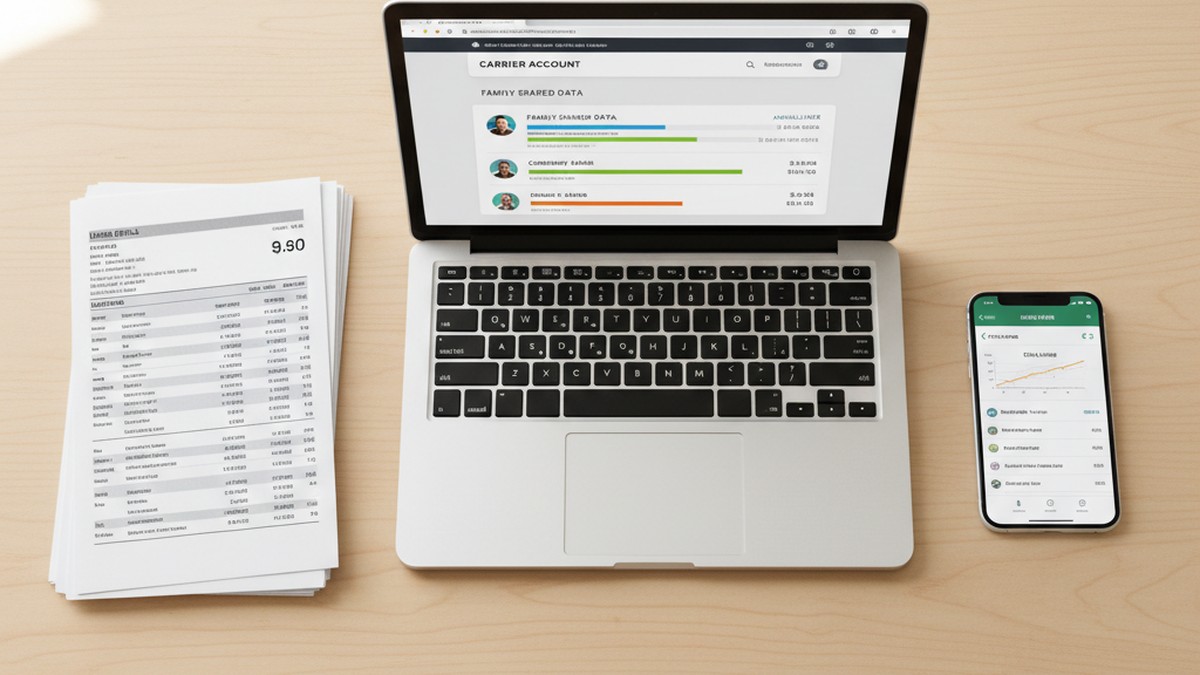
A shared family plan shows the account holder total data consumed per line, a log of calls and texts including phone numbers, timestamps, and call duration, and sometimes broad usage categories. It does not show specific app names, message content, website URLs, or what happened inside any individual app.
That gap — between what people assume the bill shows and what it actually shows — is larger than most guides acknowledge. The assumption that the family plan provides surveillance-grade visibility is common and wrong. Here's what a standard family plan account actually contains when you log in.
Data usage per line: Each line displays a total in gigabytes or megabytes for the current billing cycle, typically alongside a day-by-day usage graph. You can see spikes and patterns, including which days consumed more data than usual. You cannot see what generated that data — which apps were running, which services were connected, or what content was loaded.
Call logs: Every outgoing and incoming carrier call appears with the phone number dialed or received, the date and time, and the duration in minutes. For calls made through VoIP services — FaceTime Audio, WhatsApp calls, Tinder's in-app phone feature — the carrier sees only an internet data connection, not the call itself. Those calls generate data consumption, not a call log entry with a phone number.
Text message records: Standard SMS and MMS messages appear with timestamps and destination numbers, counted by volume. The content of messages is never recorded by the carrier. Messages sent through iMessage, WhatsApp, Signal, Telegram, or any other internet-based app appear only as data usage. The recipient's phone number doesn't appear in any carrier-visible log for those messages.
Data categories (select plans): Verizon offers a Data Utilization tool that classifies usage into broad categories — "Streaming Video," "Social Media," "Downloads & Marketplaces," and similar groupings. According to Verizon's support documentation, these categories represent "an estimated percentage breakdown" of overall usage and are explicitly not a precise accounting of individual apps or services. Social media usage from Facebook, Instagram, and Tinder would all appear under the same "Social Media" category.
What the bill never shows: which apps are installed, what websites were visited, the content of any message, what happened within any app session, or the identity of any accounts created on external services.
A dating app like Tinder or Bumble generates data that looks identical to Instagram or Reddit at the carrier level. There is nothing in carrier billing that flags traffic as dating-app-specific. A partner who spends two hours swiping on Bumble generates the same category of carrier data as someone spending two hours scrolling through news articles.
CheatScanX scans all of these platforms — and more — in a single search. Enter a name, email, or phone number and get results in minutes.
Try a multi-platform search →The 4-Layer Family Plan Visibility Model
Understanding what a shared plan can and can't reveal requires separating four distinct systems that are frequently conflated in guides on this topic. Each layer operates independently, has different capabilities, and is governed by different access requirements.
Layer 1: The Standard Phone Bill
This is the document you receive monthly, either by mail or in your online account portal. It contains line-by-line data totals, call logs with numbers, SMS counts, and charges. This layer contains zero app-specific information. It cannot tell you whether someone has Tinder, Bumble, Hinge, or any other service installed or active.
The bill is useful for spotting behavioral patterns — a line that suddenly consumes three times its normal monthly data, or a new number appearing repeatedly in the call log — but the bill doesn't interpret those patterns. You supply the interpretation, and that interpretation can be wrong.
Layer 2: The Carrier's Online Account Dashboard
The web portal or mobile app for your carrier (My Verizon, myAT&T, the T-Mobile app) gives real-time access to more detail than the paper bill. Account holders can typically see:
- Per-device data usage with daily granularity, sometimes hourly
- Which phone numbers appear most frequently in call and text logs
- Data usage broken into broad categories (with Verizon's standard tools)
- Roaming activity and international usage charges
Still no app names. Still no message content. Still no URL-level data. The dashboard is a more current, interactive version of the same underlying carrier data.
Layer 3: Carrier Parental Control and Monitoring Add-ons
This is where meaningfully more detail becomes available — but only if the account holder deliberately activated a monitoring service before the period in question. These are paid add-on services, and they don't collect historical data retroactively.
- Verizon Smart Family / Family Plus: Displays app usage categories, visited websites at the domain level, time spent in app categories, and can block specific content types. The Family Plus upgrade specifically adds the ability to see which individual apps and sites were accessed.
- AT&T Secure Family: Shows location data, content categories, and site-level browsing history for monitored lines. Available at $7.99/month for up to 10 devices.
- T-Mobile Family Allowances: Primarily usage controls — data limits and content filters — with less granular activity reporting compared to Verizon and AT&T's equivalents.
These tools provide genuine visibility into activity patterns, but they require deliberate prior setup. You cannot activate Verizon Smart Family today and retrieve data from three months ago. The monitoring is prospective only.
An important legal and ethical note: these products were designed and marketed as parental oversight tools for minor children. Activating them on an adult partner's line without their knowledge raises serious legal questions that vary by state. Some states classify this as electronic surveillance without consent.
Layer 4: Phone-Level Data (Requires Device Access)
The most granular data sits on the device itself. In iPhone Settings → Cellular, scrolling down reveals exactly how much mobile data each app has used during the current period. Android's Settings → Network & Internet → Data Usage provides the same breakdown, sorted by app, with date filtering. This is app-by-name attribution: Tinder, Bumble, Hinge, all listed individually if installed and active.
This layer requires physical access to an unlocked device. It is not accessible through any carrier portal. It also resets with each billing cycle, so historical usage data beyond the current period is lost.
Most people researching how shared plans reveal activity are thinking about Layers 1 and 2 when the meaningful data actually sits in Layer 3 (rarely active) or Layer 4 (requires device access). Understanding which layer you're examining clarifies what's actually achievable from each angle.
What Each Major Carrier Shows Account Holders
The three major carriers differ meaningfully in what family plan account holders can access. This comparison is based on published carrier support documentation and account features as of 2026.
| Feature | Verizon | AT&T | T-Mobile |
|---|---|---|---|
| Per-line data totals | Yes | Yes | Yes |
| Call and text logs with numbers | Yes | Yes | Yes |
| Real-time usage alerts | Yes | Yes | Yes |
| Broad data usage categories | Yes (Data Utilization tool) | Limited | Limited |
| App and website category detail | Add-on only (Smart Family) | Add-on only (Secure Family) | Limited add-on |
| Domain-level browsing visibility | Family Plus tier only | Secure Family add-on | Not available |
| Individual app names in billing | No | No | No |
| Message content | Never | Never | Never |
| Retroactive activity history | No | No | No |
Verizon offers the most detailed standard family plan visibility through its Data Utilization tool, which breaks overall usage into categories accessible via the My Verizon app and online portal. The Verizon Smart Family add-on ($4.99–$9.99/month depending on tier) adds category-level monitoring, and the Family Plus upgrade further includes domain-level browsing visibility and time-in-app metrics for monitored lines. Verizon's own documentation describes the Data Utilization tool as showing categories like "Social Media" or "Downloads & Marketplaces" as estimated percentages — not as a list of specific services used.
AT&T provides per-device usage through the myAT&T portal. The AT&T Secure Family add-on ($7.99/month for up to 10 devices) includes content filtering and category-level activity monitoring. Like Verizon's parental tools, this works prospectively from activation onward and shows categories rather than individual app names.
T-Mobile offers Family Allowances for basic content controls and per-line usage monitoring. Their family plan dashboard shows usage summaries and call/text logs. T-Mobile does not offer a carrier-level app-category monitoring product comparable to Verizon Smart Family or AT&T Secure Family for standard lines.
A consistent limitation across all three carriers: dating apps operating on HTTPS connections appear in monitoring dashboards — when those dashboards exist — as connections to their company's server domains (api.tinder.com, api.bumble.com), not as labeled "Tinder" or "Bumble" entries in plain language. Someone without technical knowledge reading a domain log might not recognize what they're seeing.
Can the Account Holder See Which Apps You Downloaded?
On a standard family plan, the account holder cannot see specific app names you have downloaded. The carrier bill shows data totals, not individual app installs. However, if you share an Apple ID or have iCloud Purchase Sharing enabled, App Store download history can be visible to other family members — and that history can include dating apps.
The confusion here comes from conflating three separate systems: the carrier account, the Apple or Google account, and the device itself. These operate independently.
Through the carrier account: No app names, no download history. This is simply not data that carriers track or expose in billing systems.
Through a shared Apple ID: If two people share a single Apple ID — which Apple strongly discourages and has moved away from with Family Sharing — one person can see everything downloaded under that ID. Purchase history, app downloads, and subscription records are all visible in a shared Apple ID. In practice, sharing Apple IDs between adult partners has become uncommon because it creates complications with contacts, calendars, and Messages that most couples don't want.
Through iCloud Family Sharing with Purchase Sharing enabled: When Purchase Sharing is active within an iCloud Family group, the family organizer and other adult members can view each other's App Store purchase and download history. This covers both paid and free app downloads. An app like Tinder, Bumble, or Hinge would appear in this history.
There is a significant limitation: any family member can choose to hide individual purchases or downloads before they appear in the shared view. Apple's support documentation confirms this. A person who downloads Tinder can hide that download through Account Settings → Purchase History → Hide Purchase before it appears in the shared family history. So while iCloud purchase sharing creates theoretical visibility, it requires that the person hasn't already taken steps to conceal specific downloads.
Through Google Play Family Library on Android: Google's family sharing is more restricted than Apple's. Family members can share purchased apps and subscriptions through the family library, but individual app installs on separate devices aren't automatically visible to other family members. Free app installs generate no shared record at all.
If your partner has a separate Apple Account (which is most modern couples' setup), carrier account access tells you nothing about which apps are installed. The systems are entirely separate.
If any of this points toward wanting a direct answer rather than piecing together indirect signals, CheatScanX searches Tinder, Bumble, Hinge, and 12+ other platforms by name — no access to the carrier account or the other person's phone required.
How iCloud and Google Family Sharing Factor In
Apple's Family Sharing is one of the most frequently misunderstood systems in this context. The "family" framing leads people to assume it provides comprehensive visibility into each member's digital activity. The reality is more limited and, by design, more privacy-protective.
What iCloud Family Sharing includes for adults
When set up between adults, iCloud Family Sharing provides:
- Shared subscriptions: Apple One, Apple TV+, Apple Music, and other Apple subscriptions are shared among group members. Each person uses their own Apple Account and has their own experience.
- Shared photo albums: By opt-in only. Family members choose which photos to share in the shared album; private Camera Roll photos are not visible to others.
- Location sharing via Find My: By opt-in, and reversible at any time. Either person can stop sharing their location without notifying the other. The location sharing feature is mutual — both people can see each other if both opt in.
- Purchase sharing: When the family organizer enables Purchase Sharing, App Store, iTunes, and Apple Books purchases become visible across the group. This is the setting most relevant to dating app visibility.
What iCloud Family Sharing does not include:
- Messages or iMessage content
- Safari browsing history or bookmarks
- Photos beyond shared albums
- App usage time or screen time data (unless Screen Time restrictions are actively set up)
- Email, contacts, or calendar data
- Notification content
The Purchase Sharing mechanism in detail
To check a family member's App Store downloads via Purchase Sharing, you open the App Store, tap your profile picture, select "Apps," then tap the family member's name. You'll see their download history, including free apps. This is the most direct method available through Apple's shared systems.
Any family member can hide individual purchases through Account Settings. Hidden purchases don't appear in the shared view. This means someone who downloaded a dating app three weeks ago and has since hidden it from purchase history won't show any record of that download in the shared family view.
Screen Time as an oversight tool
If the family organizer has enabled Screen Time restrictions on another family member's account — which requires that person's agreement and a shared Screen Time passcode during setup — the organizer receives detailed app usage reports. These reports include time spent in each individual app, broken down by category and app name, with daily and weekly trends.
Screen Time is the most detailed legitimate visibility available through Apple's systems. It shows exactly which apps are being used and for how long. But it requires explicit setup with the other person's knowledge. You cannot retroactively enable Screen Time and see past usage, and you cannot enable it without the other person accepting the restrictions during device setup.
Without Screen Time configured, there is no way through Apple's systems to see how much time someone spent in any specific app during a given period.
Google Family Link and adult accounts
Google Family Link is designed for parental oversight of children's Google accounts. When a device is set up as a child account through Family Link, the parent supervisor can approve app installs, see installed apps, and review usage activity.
For adult Google accounts, Family Link restrictions don't apply. Standard Google account usage between partners does not expose individual app activity, installed apps, or usage patterns to each other. Google's privacy architecture for adult accounts is structured to keep each person's data in their own Google account, not shared with others on a family plan or shared subscription.
Does Data Usage Reveal Which Dating Apps Are Running?
Data usage figures on a carrier account show total megabytes consumed per line, not which apps generated them. A sudden spike in evening data use can raise questions but does not identify the apps involved. The per-app data breakdown is stored on the phone itself in Settings, not in the carrier's billing system.
Understanding why requires a brief look at how mobile data tracking actually works at the carrier level.
How carriers track data usage
Every time an app makes a network connection — loading content, syncing notifications, sending a message — it generates data consumption that the carrier records. The carrier logs the timestamp, the volume of data transferred, and the general type of traffic (video stream, audio, standard data). What it does not record for billing purposes is the specific application that generated the traffic.
The technical structure: data packets traveling through cellular networks contain routing headers with source and destination IP addresses, not application names. A carrier could theoretically use deep packet inspection to analyze traffic and identify applications by their server addresses — this is technically possible. Major carriers don't expose this level of analysis to account holders in their billing dashboards, and doing so at scale would raise significant privacy and regulatory concerns.
What dating app traffic actually looks like
Dating apps are moderate data consumers. Active use of Tinder or Bumble — swiping through profiles, loading photos and short video clips, reading messages — typically generates somewhere in the range of 20 to 60 megabytes per hour, depending on photo quality settings and activity level. This is comparable to browsing Instagram or reading news articles with images. It is not distinguishable from other social app usage at the carrier level.
A person using dating apps exclusively over home WiFi generates zero mobile data from that activity. The carrier account would show no evidence of those sessions whatsoever. WiFi usage doesn't appear in carrier data records at all — it goes through the router, not the cellular network.
Patterns that can raise questions — without confirming anything
Some data usage patterns are worth noting, even if they're not conclusive:
- Timing shifts: A line whose usage historically peaks in the morning and suddenly shows heavy consumption between 10 PM and midnight represents a behavioral change, even if the cause is unknown.
- Volume increases without explanation: A person who typically consumes 2.5GB per month suddenly consuming 6GB — with no new streaming subscriptions, no travel, no obvious change in habits — is doing something different. Dating apps alone wouldn't drive a jump that large, but they can contribute to a pattern.
- Data activity during claimed offline periods: If data records show sustained activity while the person claims their phone is off, set aside, or in another room, that's a factual inconsistency worth examining.
- Late-night usage spikes that stop abruptly: Sustained late-night data use that stops sharply around a fixed time — as if being hidden — can suggest intentional behavior.
None of these patterns confirm dating app use. Each has multiple innocent explanations. Treating carrier data patterns as diagnostic is an exercise in working with insufficient information. According to behavioral data compiled in Lazo's 2025 Cheating Statistics report, phone and text monitoring catches approximately 40% of millennial cheaters who are eventually discovered. That figure also means this approach misses 60% — a significant false-negative rate that reflects exactly how easy it is for phone activity to avoid generating clear carrier-visible signals.
What a Phone Bill Actually Shows: A Complete Breakdown
One of the most useful clarifying exercises is examining what appears on a real phone bill, field by field. The gap between expectation and reality is consistently wider than people anticipate.
| Bill Field | What You Actually See | What Never Appears |
|---|---|---|
| Data usage per line | Total MB/GB, daily chart | App names, websites, content |
| Call log | Phone number, date, time, duration | Caller identity, call content, VoIP calls |
| SMS/MMS records | Recipient number, timestamp, message count | Message content, group chat participants |
| International usage | Roaming charges, country codes | Activity details, contacts |
| App store charges | Charge amount if billed to carrier | App name (typically shows as "App Store") |
| Wi-Fi calling / VoIP | Data consumed by voice calls | Call recipient, call content |
| Data categories | Broad usage category percentages (Verizon) | Specific services within each category |
| WiFi usage | Nothing — not tracked by carrier | Anything that happened over WiFi |
The call log row is worth extra attention. Someone using dating apps and communicating with matches will typically use app-based calling — Tinder's in-app phone feature, WhatsApp calls, FaceTime — rather than standard carrier calls. App calls generate data consumption entries, not call log entries with phone numbers. This is why the call log is less revealing for modern dating app activity than it was for older patterns of infidelity.
Standard calls, however, remain in the log with full numbers and timestamps. If a new, frequently-recurring number appears in the call log — one that doesn't belong to any known contact — that's a concrete, carrier-visible data point.
For data, the most useful check isn't the carrier bill: it's the phone itself. In iPhone Settings → Cellular, scrolling past the account summary reveals every app's data consumption for the current period. On Android, Settings → Network & Internet → Data Usage shows the same breakdown with date filtering. If apps cheaters commonly use appear with significant data consumption in these device settings, that's direct attribution — not the indirect inference available from carrier data.
Can Your Partner See Your Browsing History Through the Plan?
A standard shared phone plan does not give the account holder access to browsing history or URL-level data. Your carrier sees that data was transmitted but not where it went. Carrier parental-control add-ons can reveal category-level activity and sometimes domain names, but they must be deliberately activated before the period in question — retroactive access is not available.
Why carriers don't expose browsing data by default
When your phone connects to a website or app server, the carrier sees an encrypted connection going to an IP address. Nearly all web traffic in 2026 uses HTTPS, which encrypts the content of every connection. The carrier cannot read what's being sent or received. They know data moved between your phone and a server; they don't know what that data contained.
Beyond encryption, the FCC's regulatory framework around Customer Proprietary Network Information (CPNI) shapes how carriers design their systems. While CPNI primarily governs what carriers can sell to third parties, the broader privacy framework creates institutional incentives for carriers to limit metadata exposure in their customer-facing products.
What carrier parental control add-ons actually provide
Services like Verizon Smart Family Plus and AT&T Secure Family can provide domain-level visibility — they record that the device connected to a particular server domain during a given time window. For services like Netflix or YouTube, this might clearly say "netflix.com" or "youtube.com." For dating apps, which operate through their own server infrastructure (api.tinder.com, bumble.com/mwebapi, etc.), the domain entries may not be immediately recognizable without knowing what those server addresses belong to.
This domain-level data is not searchable retroactively. It accumulates from the point of activation forward.
The WiFi blind spot
An important structural gap: WiFi traffic doesn't pass through the cellular carrier at all. A partner monitoring the carrier account sees only mobile data activity. Sessions conducted over home WiFi — which is where most heavy smartphone use occurs — are entirely invisible to the carrier.
Your home router, however, is a different matter. WiFi routers maintain DNS query logs that can show which domains were requested from connected devices. WiFi router logs operate on a completely separate system from carrier billing and require accessing the router's own admin interface. Some routers make this straightforward; others require technical knowledge to interpret. But the key point is that carrier account visibility and router visibility are independent — being able to see one tells you nothing about the other.
The Privacy Rules That Limit What Carriers Can Share
Here is the point that most guides on this topic miss entirely: federal law actively restricts what the primary account holder can see about individual lines on a shared family plan. The assumption that "whoever pays the bill controls what's visible" runs directly against the regulatory framework governing telecommunications.
The CPNI framework
The FCC's Customer Proprietary Network Information (CPNI) rules, established under Section 222 of the Communications Act and refined through subsequent FCC rulemakings, treat subscriber data — call records, usage information, and network data — as belonging to the subscriber, not to whoever administers the billing account.
CPNI covers three categories: call information (who was called, when, how long), subscription information (what services are subscribed to), and customer-provided information (account details). The rules require carriers to protect this data from unauthorized disclosure and establish legal consequences for violations.
The stated purpose of CPNI rules, per FCC documentation, is to protect subscribers from having their call records and usage information disclosed without consent — including to third parties, and historically including disclosures to spouses and other family members who were not the subscriber of record.
What this means for family plan account holders
In practice, carriers do provide the account holder with call log access for all lines under the account as part of standard account management. The CPNI framework focuses more heavily on restricting carriers from selling or sharing data with outside parties than on limiting internal account visibility.
However, the regulatory framework shapes what carriers expose in their account tools. Carriers have legal exposure for privacy violations and have designed their systems to balance account management needs with subscriber privacy protections. This is part of why the default carrier dashboard shows relatively limited detail compared to what someone might expect.
Some carriers allow individual line holders to request enhanced CPNI protections — meaning even the primary account holder has less visibility into their line. Domestic violence organizations routinely advise survivors on shared plans about exactly these protections, because the regulatory framework does provide tools for individual subscribers to limit what's visible at the account level.
The practical implication
If you're relying on carrier account access to detect a partner's dating app activity, you're using a system that was designed for billing management, was explicitly not designed for surveillance, and is actively constrained by regulations that protect individual subscriber data. The carrier provides billing information — not behavioral investigation data. Expecting it to function as the latter will consistently produce ambiguous or absent results.

What Does Unusual Data Activity on Your Plan Actually Signal?
Unusual data spikes — particularly late-night surges on a line that is normally quiet — can indicate active app use during those hours. They do not confirm which apps caused the spike. Dating apps typically consume between 20 and 60 megabytes per hour of active use, indistinguishable from social media or video streaming at the carrier level.
Given the limitations established throughout this guide, data activity patterns can still function as a starting signal — if you understand what they're actually telling you.
Reading data usage patterns
The most meaningful pattern is a change from established baseline behavior. If a line has been consuming 1.8GB per month consistently for six months and suddenly starts consuming 4.5GB with no change in stated habits, something changed. The carrier data can tell you that something changed; it cannot tell you what.
Timing is more informative than volume in many cases. Modern carrier dashboards often show daily usage totals and sometimes hourly breakdowns. A person whose data has historically been consumed between 7 AM and 9 PM who now shows consistent late-night data sessions — 11 PM to 1 AM — has a behavioral change visible in the carrier data.
What dating app-level data actually looks like
Dating apps are not heavy data consumers on mobile networks. Active swiping on Tinder or Bumble for an hour generates roughly 20-60MB of mobile data. For context, watching ten minutes of YouTube at standard quality consumes more data than an hour of active Tinder use. Someone using dating apps for 30 minutes each evening over mobile data would add roughly 400-800MB per month to their usage — noticeable as part of a larger pattern, but not dramatic on its own.
Dating apps also sync on WiFi whenever possible, further reducing their mobile data footprint. A person actively using dating apps at home would generate minimal carrier-visible data from that activity.
The limits of pattern interpretation
Patterns are suggestive, not diagnostic. An unexpected data spike at 11 PM could reflect:
- Dating app activity
- Late-night social media use during insomnia
- A work project requiring downloads or video calls after hours
- A new game or streaming habit
- Automatic app updates that happen to run during off-peak hours
Multiple patterns pointing the same direction — changed timing, unusual volume, inconsistencies with stated behavior — carry more weight than any single data point. But carrier data alone can't distinguish between these explanations. It's a signal that something changed, not an explanation of what.
This limitation is why data pattern analysis works best as a prompt to gather better evidence through more direct methods, not as the primary investigative tool.
What Actually Works Better Than Checking the Phone Bill
The phone bill is a billing document. It was designed to accurately charge you for service — not to document someone's social life or app activity. Treating it as an investigative tool is useful in limited ways and misleading in many others.
For the specific question "is my partner on dating apps," there are approaches with significantly higher signal quality:
Dating profile search tools: Purpose-built services search Tinder, Bumble, Hinge, and a dozen or more other platforms simultaneously, looking for active profiles matching a name, phone number, email address, or uploaded photo. This approach answers the question directly rather than requiring indirect inference from usage patterns. A hit means an active profile exists; no hit means no profile found on those platforms. To find out if your partner is on dating apps without spending hours parsing carrier data, a dedicated profile search is the fastest path to a clear answer.
The phone's own data settings: If you have regular access to an unlocked device, Settings → Cellular on iPhone or Settings → Network & Internet → Data Usage on Android shows per-app data consumption. Dating apps listed with significant usage are direct evidence. This takes under a minute and requires no carrier access.
App Store and Google Play history: If you're in the same iCloud Family group with Purchase Sharing enabled and haven't been excluded from purchase history visibility, the App Store shows each family member's download history including free apps. Similarly, checking the App Store's "Purchased" section on a device where you know the Apple Account credentials shows complete download history unless items have been hidden.
Shared account cross-references: Look at shared subscriptions, shared cloud storage, and any accounts where you have legitimate shared access. Patterns in cloud storage usage, shared location history gaps, or changes in shared calendar entries can be more informative than carrier data.
Dedicated investigation of apps cheaters commonly use and how they're concealed: Understanding which apps are frequently used for infidelity — and how they're disguised, whether as calculator apps, under generic folder names, or through accounts tied to secondary email addresses — is more actionable than analyzing data usage percentages. Finding hidden dating apps on iPhone or finding hidden dating apps on Android involves specific search paths that go beyond what carrier data can reveal.
Direct conversation: According to Lazo's 2025 Cheating Statistics report, 56.8% of people who were eventually confirmed as cheating had confessed voluntarily — often when directly and calmly confronted. A specific, behavioral-evidence-based conversation ("I've noticed your phone patterns have changed significantly, and I'd like to understand why") is statistically more productive than extended surveillance of carrier data patterns that can't be conclusive anyway.
What the Family Plan Evidence Actually Tells You
A shared family plan is a useful tool for managing costs, distributing service across a household, and staying connected. It's a poor tool for detecting infidelity, not because the information doesn't matter, but because the information it provides is systematically insufficient for that purpose.
The honest summary of what's available:
The standard phone bill shows data totals, call logs with numbers and durations, and text message counts. It does not show app names, browsing history, message content, or anything that specifically identifies dating app use. Carrier online dashboards add daily usage granularity and sometimes broad data categories — still no app-specific identification.
Carrier parental-control add-ons can provide meaningful visibility into usage categories and domain-level activity. They require deliberate prior activation, work prospectively, and were designed for parent-child oversight rather than adult partner monitoring. Activating them without the other person's knowledge raises legal questions that vary by state and should not be taken lightly.
iCloud Family Sharing creates potential visibility through purchase and download history — but only if Purchase Sharing is already enabled, and only for items the other person hasn't already hidden. Google's equivalent systems are more restricted.
FCC CPNI regulations actively limit what carriers expose, even to primary account holders. This protection extends to each individual subscriber on a shared plan, not just to the person whose name is on the billing account.
If the goal is determining whether a partner has an active dating profile, the phone bill is the wrong starting point. It produces ambiguous signals that require interpretation and rarely yield a clear answer. A direct dating profile search, a review of shared account histories, or the per-app data breakdown on the device itself will give you sharper, more actionable information.
For a direct answer about whether your partner has an active dating profile, CheatScanX scans 15+ platforms and returns results in minutes — no carrier account access and no device access required.
The phone bill is evidence of behavior. A dating profile is evidence of intent. Knowing which question you're actually trying to answer will determine which tool gives you what you need.
Frequently Asked Questions
Not through the standard phone bill. Carriers show data totals and call logs per line, not individual app names. If the account holder has enabled a carrier parental-control or family-monitoring add-on, they may see usage categories or occasionally domain names. Specific app activity requires physical access to the device itself.
Your carrier knows that data is moving through your line but does not track or report individual app names to the account holder. Tinder traffic appears as undifferentiated data usage. The carrier has metadata at a technical level, but this information is protected by federal CPNI regulations and is not displayed in family plan dashboards.
A VPN encrypts your traffic so the carrier sees only a VPN connection, not the destination apps or websites. This prevents category-level or domain-level data from appearing in carrier monitoring tools. It does not affect what is visible in iCloud purchase history, Google Play history, or any app installed on the device itself.
Checking the phone bill is the least reliable method — it shows no app names and limited context. The most direct approach is a dedicated dating profile search that scans multiple platforms by name, photo, or email. CheatScanX checks 15+ apps and returns results in minutes without requiring access to the other person's device.
If iCloud Purchase Sharing is enabled, family members can view each other's App Store purchase and download history — which includes dating apps. However, any family member can hide individual purchases from the shared view. Free app downloads through a separate Apple Account are not visible to other family members.