# Smart Home Devices That Can Reveal Cheating
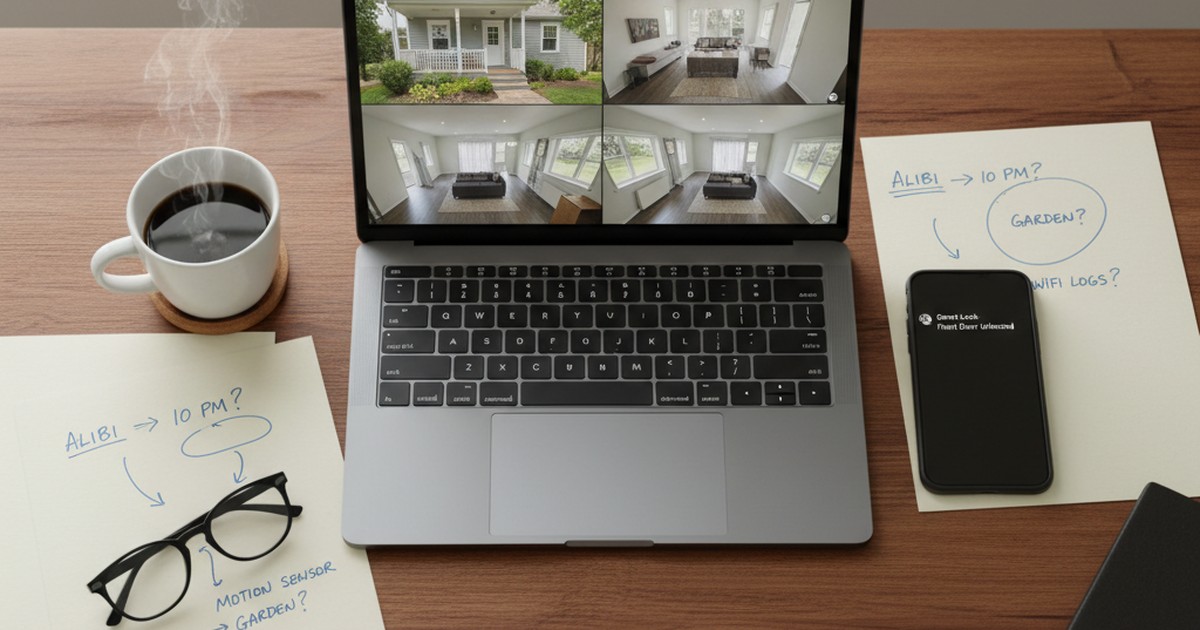
Smart home devices can reveal cheating through timestamped entry logs, video footage, voice command history, and GPS-linked activity data. Ring cameras document who enters and exits your home. Smart locks record every door unlock with the precise time and credential used. Fitness trackers log physical activity and GPS routes around the clock. Smart speakers store a voice command history most people never think to check.
Around 63% of US households have at least one smart home device, and the average home contains 21 connected devices across 13 categories (SQ Magazine, 2026). Those devices weren't installed to monitor anyone — but they generate a continuous record of daily activity, whether you're aware of it or not.
Eight device categories are covered: what each one captures, how to access the data, and the legal limits. Accessing a jointly-owned account is fundamentally different from accessing one that isn't yours — a distinction that determines both legality and how any evidence holds up.
One caveat to keep in mind: the same devices that may contain evidence are equally accessible to your partner. A tech-aware person who suspects scrutiny will check those apps before you do.
Can Smart Home Devices Really Reveal Cheating?
Smart home devices can reveal cheating, and the evidence they generate is passive — it was collected automatically, without anyone deciding to document something. That makes it harder to argue against than a text message screenshot or a social media screenshot, which could theoretically be fabricated or taken out of context.
The type and quality of evidence varies significantly by device. Some devices — video doorbells, for instance — capture direct visual documentation of who was at your home and when. Others, like thermostats or smart TVs, generate occupancy and usage patterns that are more circumstantial but still useful for establishing a timeline.
What all smart home evidence shares is its specificity. A Ring camera doesn't just tell you "someone was home" — it shows you who was at the door and when, down to the second. A smart lock log doesn't say "the door was opened sometime in the afternoon" — it says "the front door was unlocked at 2:17 PM using the Guest Code 4 credential." That level of specificity is what makes this data useful in the context of infidelity investigation.
The limitation is that smart home data rarely explains why something happened. A smart lock entry at 2 PM could mean your partner came home early from work. A fitness tracker spike at midnight could be insomnia. Context matters — and the most reliable conclusions come from combining smart home data with other evidence sources, rather than acting on any single data point in isolation.
If you're looking for direct confirmation of a dating app profile, a dating profile search through how to catch a cheater methods gives you an answer that smart home data can't: whether an active profile exists on Tinder, Bumble, Hinge, or other platforms. Smart home data tells you about your home. Dating app data tells you about what your partner is doing outside it.
If the data here has you concerned, CheatScanX can give you a direct answer. It searches 15+ dating apps for hidden profiles.
Search dating profiles now →Which Devices Reveal the Most? The Smart Home Evidence Pyramid
Not all smart home data carries the same weight. Some devices generate direct, timestamped, hard-to-dispute records. Others produce data that's useful for pattern detection but easily explained individually. Understanding which data source to prioritize — and in what order — determines whether you're building a coherent picture or collecting isolated anomalies.
The Smart Home Evidence Pyramid ranks device types by specificity: how precisely the data answers the question "who was here, when, and with whom?"
| Tier | Device Type | Evidence Type | Specificity |
|---|---|---|---|
| 5 — Highest | Video doorbells / security cameras | Visual footage with timestamp | Direct — shows people, faces, arrivals, departures |
| 4 | Smart locks | Entry/exit logs with credential ID | High — exact timestamp, which code or app was used |
| 3 | Fitness trackers | Activity, GPS route, heart rate | Moderate — location and activity, requires interpretation |
| 2 | Smart speakers | Voice command history | Moderate — confirms presence, may capture useful audio |
| 1 | Smart thermostats / routers | Occupancy and device logs | Low — confirms someone was home, not who |
Tier 5 is where you start. A Ring doorbell recording of a vehicle you don't recognize sitting in your driveway at 11 PM, or footage of a person leaving your home at 2 AM while you were traveling, is not ambiguous. It's direct documentation of an event that you can timestamp, preserve, and present.
Tier 4 is strong for timelines. Smart locks record exactly when the door was opened and which credential — app account, numbered code, or keypad entry — was used. This can confirm whether someone was home during a window they claimed to be elsewhere, and can identify whether an unknown access code exists in the system.
Tier 3 is best for detecting inconsistencies. A fitness tracker showing a 47-minute activity session at 11:45 PM in a neighborhood three miles from your home — on a night your partner said they went to bed early — is specific enough to raise questions that warrant answers.
Tiers 1 and 2 are most useful for corroboration. A smart thermostat showing home occupancy from 1 PM to 4 PM on a Thursday when your partner was supposedly at an all-day work conference doesn't prove anything by itself. But combined with a smart lock entry at 12:58 PM and Ring footage of an unfamiliar car at 12:55 PM, it becomes one piece of a coherent, multi-source pattern.
This pyramid doesn't mean Tier 1 devices are useless. It means the hierarchy matters: start with the most specific data and work downward. Higher tiers confirm facts. Lower tiers fill in the gaps between those facts.
Ring Doorbells and Security Cameras: The Most Visible Evidence
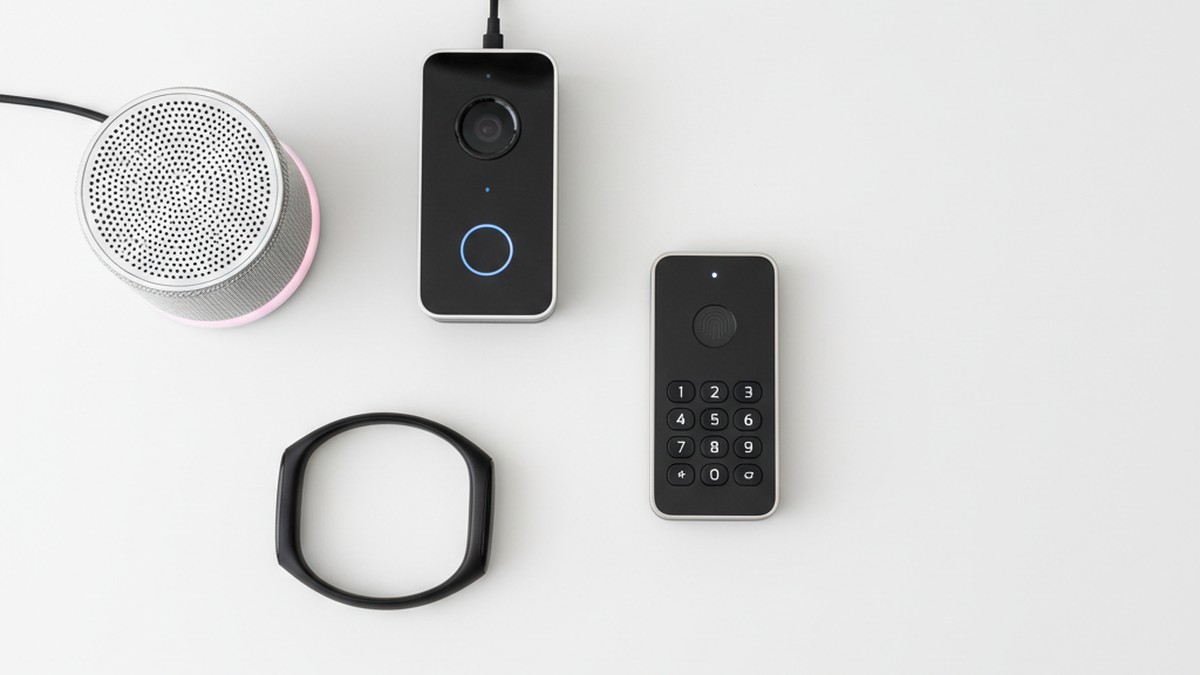
Ring doorbells and outdoor security cameras produce the most direct infidelity-relevant evidence of any smart home category. They capture timestamped video of everyone who approaches or leaves your home, stored in the cloud and accessible from anywhere through the manufacturer's app.
What a Ring Doorbell Actually Captures
A standard Ring Video Doorbell records motion-triggered clips of the area outside your front door. Depending on your subscription plan, Ring retains footage for 30 to 180 days. The app's event history shows each motion event as a dated clip — you can scroll through by day or week and see exactly what happened at your door.
This means: if someone visited your home while you were away, Ring's event log shows when they arrived and when they left. A vehicle in your driveway appears in many camera angles. Snapshots taken at regular intervals (a paid feature) create a near-continuous record even between motion triggers.
In documented divorce cases, Ring footage has been introduced as evidence. Courts have accepted doorbell camera footage when it was unedited, obtained from an account the reviewing spouse had legal access to, and properly authenticated. One widely-reported case involved a woman who discovered her husband had brought another person to their home while she was traveling — the Ring log showed arrival time, the duration, and departure, all automatically recorded.
What Ring Cannot Capture — and the Legal Line
Standard Ring doorbells face outward toward the entrance area. They don't record inside the home. Ring indoor cameras can be placed inside a home, but recording anyone in a space where they have a reasonable expectation of privacy — a bedroom, bathroom, or any enclosed room — is illegal in most US states, regardless of whether you own the property.
Even for exterior footage, audio recording laws apply. In two-party consent states — including California, Florida, Illinois, Massachusetts, and Washington — recording a conversation without all parties' consent may be inadmissible and could expose you to legal liability. Video without audio is generally held to a lower standard, but confirm with a local attorney before using footage in any proceeding.
The practical limitation is camera angle and resolution. Ring typically captures the area directly in front of the door. Depending on placement and lighting conditions, faces or vehicle plates may not be clearly identifiable at distance. Wider-angle cameras like Nest Cam or Arlo Pro 4 often capture more of the driveway and street.
How to Review and Preserve Ring History
- Open the Ring app and tap the three-bar menu at the top left
- Select Event History Timeline — this shows motion-triggered clips with timestamps
- Filter by specific dates using the calendar icon at the top right
- Tap any clip to view; long-press to select multiple clips for download
- Snapshot Capture (Ring Protect subscription) shows stills taken every 3 to 60 minutes — useful for seeing what happened between motion events
- Download any clips you want to preserve before they expire — Ring basic plans delete footage after 30 days
The same retrieval process applies to Nest Cam (Google Home app → camera → "Event History"), Wyze (Wyze app → Events tab), Arlo (Arlo app → Library), and Eufy (EufySecurity app → Events).
What Do Smart Speakers Actually Record?
Smart speakers are the most misunderstood device in a connected home. Most people assume these devices only activate on command and otherwise stay silent. The reality is more nuanced — and the voice history they maintain is visible to anyone with account access.
Smart speakers can reveal cheating by showing when your partner used the device at home on dates or times they claimed to be elsewhere. Every command issued after the wake word is logged with a timestamp, tied to the device it came from, and stored in the manufacturer's cloud.
Alexa records every voice command made to your Amazon Echo devices. These recordings are stored indefinitely unless manually deleted, and are accessible through the Alexa app's Activity section with exact timestamps. Amazon also logs which physical device in your home received the command — so you can tell whether a command came from the kitchen speaker, the bedroom Echo Dot, or another device.
Google Home logs voice commands for up to 18 months under default account settings, accessible through the Google My Activity dashboard. Each entry shows the device, timestamp, and the text of the command. Audio recordings can also be played back if the account has that setting enabled.
The practical implication: if your partner issued a "Hey Google, set an alarm for 7 AM" command from your living room speaker at 7:15 AM on a Tuesday when they claimed to be at a two-day work conference, that command is logged — with the timestamp and the device name — in your Google account.
What Voice History Shows and Doesn't Show
Voice history confirms presence in your home at a specific time. It doesn't capture open-ended conversations — smart speakers only record after detecting (or believing they've detected) the wake word. Background conversations, phone calls, or discussions held near the speaker without triggering it are not logged.
What you can identify:
- Commands issued from a specific device in your home, with exact timestamps
- Activity patterns — were commands being issued at times when your partner supposedly wasn't home?
- Commands involving specific topics — calendar requests, music, restaurant searches, reminders — that might reveal context
What you cannot identify from voice history alone:
- Who specifically issued the command (roommates, guests, or anyone present could have used the device)
- Conversations that didn't trigger the wake word
This is why voice history is most useful when combined with visual evidence (Ring camera) or access records (smart lock) that narrow down who was present at that specific time.
How to Access Alexa Voice History
- Open the Alexa app on your phone → tap More (bottom right) → Activity
- Use the date selector to browse by day or week
- Tap any entry to see the text transcript and hear the audio recording
- Entries labeled "Audio could not be understood" are accidental activations — the device activated but didn't detect a valid command
- To download a record, use the Alexa Privacy Settings at alexa.amazon.com → Review Voice History → filter and export
How to Access Google Home History
- Go to myactivity.google.com in a browser — log into the shared Google account
- Filter by product: select Google Assistant
- Filter by "Voice & Audio" under activity type
- Browse by date — each entry shows timestamp, the request, and whether an audio clip is available
- Use the "Download your data" option at takeout.google.com to export a full history file
For a broader look at what Google captures across its services — including Maps, Search, and YouTube — the Google activity history guide covers each data category and how to access it.
Smart Locks: Every Entry and Exit, Timestamped
Smart locks sit at Tier 4 on the Evidence Pyramid for a specific reason: their data is binary and unambiguous. Unlike video footage where lighting or angle can be questioned, or fitness data that requires interpretation, a smart lock log has no gray area. The door either opened or it didn't, and if it did, the log shows exactly when and which credential was used.
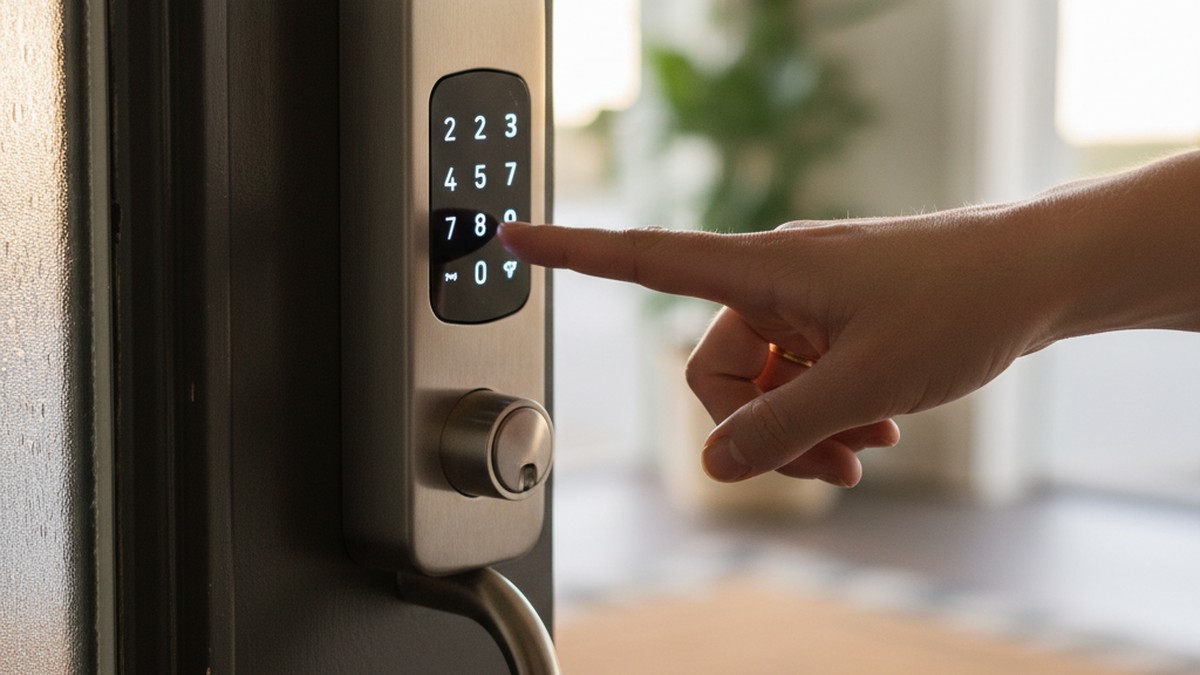
Smart locks — including August Smart Lock Pro, Schlage Encode, Yale Assure, and Kwikset Halo — maintain a continuous access log in the manufacturer's cloud app. Each entry records:
- The exact date and time (down to the second on most platforms)
- Whether the event was a lock or unlock
- Which method was used: a specific user's app account, a numbered access code (guest code), a keypad entry, or auto-lock
- Whether the door was subsequently re-locked
This data is typically retained for 30 to 90 days, depending on the platform.
What Smart Lock Logs Can Confirm
The most direct use case: if your partner says they were at the office until 7 PM but the smart lock shows the front door unlocked at 2:17 PM — using a specific credential — that's a timestamped inconsistency. If that credential appears in the app as "Guest Code 3" and you didn't create a code labeled with that name, that raises a specific, answerable question: who has this code?
Smart locks also show lock events, not just unlocks. You can trace when someone arrived, how long they were inside, and when they left. An entry at 1:30 PM followed by a lock at 3:47 PM, then an unlock at 3:49 PM — patterns like this sometimes reflect two distinct arrivals or a door that was briefly opened for someone leaving.
Reviewing Active Access Codes
Every major smart lock platform allows you to review all currently active access codes. Log into the app and navigate to the "Access" or "Guest Access" section. Any code you didn't create or can't account for is worth examining. Smart lock apps typically let you see:
- The label assigned to each code (if the creator named it)
- When the code was created
- The schedule it's valid during (some codes are set for specific hours or days)
- When the code was last used
An unrecognized code with a recent creation date and activity during specific windows is one of the more specific data points available from any smart home device.
How to Access the Access Log by Platform
August: August app → tap your lock → History. Shows every entry and exit with timestamps. You can export this data from your privacy settings.
Schlage: Schlage Home app → select your lock → Activity. Shows the last 100 events with user attribution where applicable.
Yale: Yale Connect or Yale Access app → select the lock → Activity Log. Retains up to 100 events with timestamps.
Kwikset: Kwikset app → your lock → History section. Shows lock/unlock events with the access type used.
One common oversight: if your partner has the app on their phone and also has admin access, they can view the same access log — and potentially delete codes or modify the log before you check. If you suspect the log may have been altered, note when you access it and document the state of the log at that point.
How Does Fitness Tracker Data Reveal Infidelity?
The case that first brought fitness trackers into public awareness as infidelity-relevant devices involved NFL Network reporter Jane Slater. She and her then-boyfriend had synced their Fitbit accounts as a mutual accountability measure. One night, his activity log showed a significant physical activity spike at 4 AM — while he was supposedly home and asleep. He wasn't home. The data made it impossible for him to claim otherwise (TechTimes, 2021).
Fitness trackers have since expanded well beyond step counting. Modern devices from Fitbit, Apple Watch, Garmin, and Whoop record GPS routes, heart rate variability, sleep staging, calorie burn, and workout summaries — all with precise timestamps and, on GPS-enabled models, full location mapping.
Smart home devices can reveal cheating through fitness data when:
- Activity is logged at times inconsistent with stated location or behavior
- GPS routes trace through locations your partner said they weren't near
- Heart rate data shows elevated readings during periods claimed to be sleep or desk work
- Activity summaries show a regular pattern of late-night or early-morning events that don't match any stated routine
Types of Fitness Data and What They Show
Step and activity logs: Every device logs movement through the day with 15-minute or 1-minute resolution on premium plans. A step count showing 8,000 steps between 10 PM and midnight — from someone who told you they were home on the couch — is a specific inconsistency.
GPS route history: Garmin Connect, Apple Fitness+, and Fitbit Premium all retain GPS-tracked workout routes on a map. A "Tuesday afternoon walk" that traces a route through a specific neighborhood is concrete location data. If that neighborhood is where a suspected third party lives, the connection is specific enough to require an explanation.
Heart rate data: Sustained elevated heart rate during supposed sleep hours — particularly if it's consistently elevated during specific time windows — is one of the more frequently cited fitness data patterns. This is the mechanism behind the Slater case and others like it. Devices like Apple Watch and Whoop track continuous heart rate through the night, making it easy to identify periods of elevated activity during claimed rest.
Location from connected phone: Apple Watch, when paired with an iPhone, participates in Apple's location history. The iPhone's Significant Locations feature (Settings → Privacy & Security → Location Services → System Services → Significant Locations) logs frequently visited places and travel patterns. This is separate from GPS workout tracking and captures passive location data whenever the phone moves.
The Shared Account Mechanism
If you and your partner share a fitness app — or are connected as friends within one — their activity may be visible to you without any additional access. This is exactly how the Slater case worked: shared accountability became shared evidence. If you're connected as friends on Fitbit, Strava, or Garmin Connect, their logged activities may appear in your friend feed with full GPS routes and timestamps.
If you don't have friend access, you can only review data from devices you own or accounts you have credentials for.
How to Access Fitness History
Fitbit: fitbit.com or Fitbit app → Activity tab → select a date → "Show All Data" for full detail. GPS routes appear under individual workout logs.
Apple Health: Health app → Activity → select a day → scroll to workout entries. For GPS routes, open the Fitness app → Workouts → tap any GPS-tracked session → map view appears.
Garmin Connect: connect.garmin.com → Activities → select a workout → Map view shows full GPS route. The activity feed also shows all workouts chronologically.
Strava: Strava profile (if public or you follow each other) → Activities — GPS routes visible on any activity marked as anything other than private.
Smart Thermostats and Home Presence Detection
Smart thermostats sit at Tier 1 on the Evidence Pyramid — they're the least specific device type, but they're also the least likely to have been checked or cleared. Most people don't think of their thermostat as a surveillance device. That makes the data it contains more likely to be intact.
Smart thermostats — Nest, Ecobee, Honeywell Home T9/T10 — detect occupancy through two mechanisms: built-in infrared motion sensors and smartphone location data from the connected app. When the thermostat detects that the home is occupied, it logs the time and switches to a comfort mode. When the home appears empty, it switches to an eco or away mode and logs that change.
The resulting data: a record of when your home was occupied versus vacant, with timestamps for each transition.
What Thermostat Data Can and Cannot Show
What it shows: Occupancy state changes throughout the day. If the thermostat logged a switch from Away to Home at 1:23 PM on a Wednesday — while your partner was supposedly at an all-day conference — that's a documented occupancy event at a specific time.
What it cannot show: Identity. The thermostat detects that someone is present, not who specifically. If your partner was genuinely at work but a houseguest, family member, or someone else was present, the occupancy log won't distinguish between them.
Thermostat data is most useful for corroboration: it fills a gap in a timeline assembled from higher-tier sources. A smart lock entry at 1:20 PM plus Ring footage at 1:18 PM plus thermostat transitioning from Away to Home at 1:24 PM forms a consistent, multi-source pattern.
Ecobee's Room Sensors
Ecobee thermostats use small remote sensors placed in rooms throughout the house to detect occupancy. Each sensor logs when motion is detected, with timestamps. If your partner has an Ecobee with sensors in multiple rooms, the app shows which rooms had occupancy and when — more granular than a single thermostat motion detector.
This room-level data can be accessed in the Ecobee app under Home IQ → Activity. The timeline view shows occupancy periods for each room sensor throughout the day.
How to Access Thermostat History
Nest (Google Home): Google Home app → tap your Nest thermostat → scroll to History at the bottom. The app shows temperature changes, Home/Away mode transitions, and the times they occurred. Data is available for approximately the past 10 days.
Ecobee: Ecobee app → Home IQ → Activity view. Shows sensor occupancy readings with timestamps. The web portal at ecobee.com provides more detailed historical data than the mobile app.
Honeywell Home: T9/T10 thermostat app → Insights section. Shows occupancy sensor readings and schedule adjustments over time.
The data retention on thermostats is shorter than cameras or lock systems — typically 10 to 30 days. If you're looking for evidence from a specific date in the past, check this data before it rolls off.
Are Shared Streaming Accounts a Blind Spot?
Shared streaming accounts — Netflix, Disney+, Max, Hulu — are among the least-examined sources of location-linked session data. Most people think of these accounts as entertainment subscriptions, not data logs. That's exactly what makes them worth checking: there's an almost zero chance your partner thought to review or manipulate this data.
Smart home devices in this category work differently from cameras or locks — they don't generate evidence of who was physically at your home. They generate evidence of where an account was accessed from, and on which device. When that location or device doesn't match expectations, it raises specific questions.
Netflix's "Recent Account Access" Log
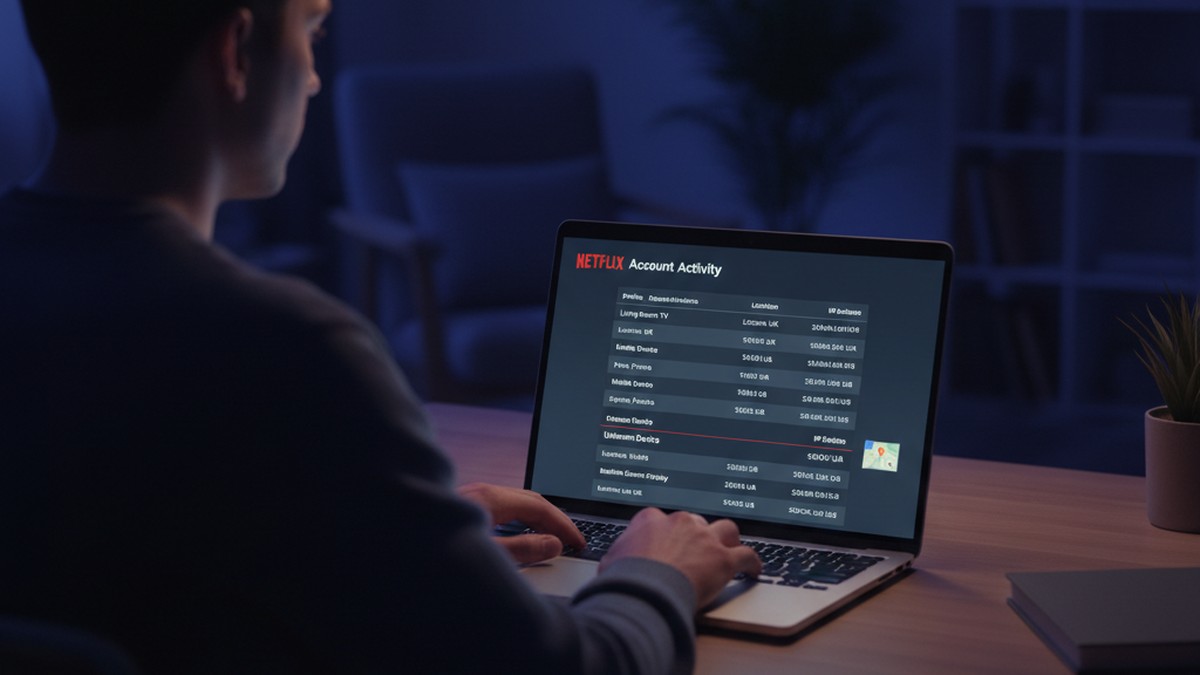
Netflix stores a session log for every account that shows, for each viewing session:
- The date and approximate time
- The device type (iPhone, Smart TV, Samsung browser, Chrome on Windows)
- The general location (city and country) based on IP address
- The IP address
To access it: Netflix.com → Account → scroll to Settings → See recent account access (or Viewing activity → See recent account access from the activity page).
If Netflix shows a session from a city your partner didn't visit, or from a device type you don't recognize, that's a specific anomaly. A session logged as "Smart TV" from a city 200 miles away on a Tuesday when your partner was supposedly at work two miles from home is exactly the kind of discrepancy this log can surface.
The limitation: Netflix shows only the most recent sessions — typically the last several weeks — and location data is city-level, derived from IP address rather than GPS. An ISP may route through a different city than the user's physical location, which means city-level location isn't always precise.
Viewing History and Shared Profiles
Netflix's separate viewing history (Account → Viewing activity) shows every title watched on each profile, with the date. Watching patterns — activity on your partner's profile at 2 AM, a title series started and finished over the course of three hours on a day they claimed to be elsewhere — can reveal timeline inconsistencies.
If your account has separate profiles, each profile's viewing activity is logged independently.
Other Streaming Services
Disney+: Log into disneyplus.com → Account → Security → "View devices connected to your account." Shows the device type and approximate location of each login.
Max (HBO Max): max.com → Settings → Devices — shows every device logged into the account and when it was last active.
Apple TV+: Check via appleid.apple.com → Devices — shows which devices have used your Apple ID, including streaming activity.
Connected Cars: The GPS Logs Built Into Your Vehicle
Modern vehicles are the most underestimated data source on this list. Most cars manufactured since 2018 include embedded telematics systems — GPS, cellular connectivity, and trip logging — that operate continuously without any setup beyond the initial account registration. Most owners set these up when they first get the vehicle and then never think about them again.
That creates an unusual situation: detailed trip history going back months or years, accessible from a web portal, that neither party has thought to check.
What Connected Car Systems Log
Trip history: Origin, destination, route, departure time, arrival time, and distance for every trip. This is not GPS satellite coordinates in a raw data file — it's a readable trip log showing exactly where the car went and when.
Paired device history: Infotainment systems log which phones have been paired via Bluetooth. An unfamiliar phone paired to your partner's vehicle — a phone you didn't know existed, or one registered to a name you don't recognize — is a specific data point.
Driving behavior: Speed, acceleration, and braking data logged by manufacturer telematics and some insurance programs.
How to Access Vehicle Trip History
Tesla: Tesla mobile app → tap the car → Location → vehicle's current position. For trip history: tesla.com account → Vehicle → the trip log shows recent trips with routes. Tesla's system maintains extremely detailed driving data.
GM vehicles (Chevrolet, GMC, Buick, Cadillac): The OnStar account portal and myChevrolet/myGMC app → Vehicle Health or Diagnostics → trip summary data. Location history in OnStar Guardian shows recent locations.
Ford: FordPass app → Connected Services → Trip Data. Available on most Ford vehicles with Ford's connected services subscription active.
BMW: BMW app → My Vehicle → Trip Records. Shows origin, destination, and route for recorded trips.
Toyota: Toyota app (linked to Toyota Connected Services) → Remote Services → vehicle location and recent activity.
If you don't know whether your vehicle has connected services active, search the manufacturer's website with your vehicle's VIN — most 2018+ vehicles were enrolled automatically. The account may have been created during dealership setup.
The Legal Standard for Vehicle Data
Reviewing trip data from a connected car account you jointly access — where you're listed on the vehicle registration and the manufacturer account — is generally within the scope of reviewing shared property data. Courts have accepted telematics data in divorce proceedings when it came from a legitimately-accessed account rather than a covertly installed tracker.
For more on the legal framework around car GPS tracking for infidelity, the key distinction is always consent and ownership: data from an account you have legitimate access to versus data from a device you installed covertly without the other party's knowledge.
How Can You Access Smart Home Data Legally?
Accessing smart home data correctly isn't just about finding the right app menu — it's about doing it in a way that doesn't create legal exposure for you, and in a way that makes the data usable if it ever becomes relevant to a legal proceeding.
If you and your partner share the account, both have login credentials, and both have historically used the device, reviewing that account's data is generally permissible. You're looking at information that's associated with your shared household — a Ring camera in your shared home, an Alexa on your kitchen counter, a smart lock on your front door.
What generally crosses into illegal territory:
- Installing monitoring software on a device you don't own. Spyware, keyloggers, or stalkerware apps installed on your partner's personal phone or computer are illegal under the federal Computer Fraud and Abuse Act and corresponding state statutes in all 50 states.
- Accessing accounts solely in your partner's name. If your partner has a personal Gmail, iCloud, or social media account that you've never jointly used, accessing it — even by guessing the password — is unauthorized computer access under federal law.
- Audio recording without consent in two-party consent states. Twelve states currently require all parties to a conversation to consent to being recorded: California, Delaware, Florida, Illinois, Maryland, Massachusetts, Michigan, Montana, Nevada, New Hampshire, Oregon, and Washington. Changing a smart speaker's wake word to capture more audio, or placing additional recording devices to capture conversations, can violate these statutes.
- Installing a GPS tracker on a vehicle you don't co-own. If the car is titled solely to your partner, placing a tracker on it is illegal in most states without consent.
What "Joint Account" Means in Practice
The joint account question is more nuanced than most guides acknowledge. If your name is on the Ring account, you have clear access. If the account is in your partner's name but you've historically used the app to check footage and both parties know the account exists, access is generally defensible. The question courts tend to ask is whether there was a reasonable expectation that both parties could access the account — not just which name it's registered under.
When in doubt: consult a family law attorney before accessing any account that isn't clearly shared. An attorney can also tell you which evidence is admissible in your state and how to preserve it properly.
Preserving Evidence Before You Act
Once you find relevant data, preserve it before confronting anyone. Data can be deleted:
- Screenshot every relevant screen with the timestamp visible in the frame
- Download video clips directly from the app, not just screenshots
- Note in writing: the date you accessed the data, which app, and what account
- Back up everything to a cloud service or external drive immediately
- Consider printing or creating a PDF of key records
Do this before any confrontation. Once a partner knows you've been reviewing smart home data, certain logs may disappear.
Why Do Cheaters Clear Smart Home History — and What They Miss
Here's the gap most guides don't address: anyone who understands what smart home devices capture — and many people do — will review and clear that data before you can access it.
Alexa voice history can be deleted in the app in about two minutes. Ring footage expires automatically unless downloaded, and cloud history can be manually deleted from the app. Smart lock logs clear on their own after 30 to 90 days. A tech-aware person who suspects they're being watched will check these systems first.
This creates a counterintuitive situation: the most obvious devices are often the most likely to have been cleared. Ring is the first thing most people think of. Alexa is second. Both are easy to manage.
What tech-aware people tend not to think about:
Thermostat occupancy history. Almost no one considers this. The Nest or Ecobee app isn't something most people open for any reason except adjusting the temperature. The occupancy log sits there untouched.
Vehicle telematics. The connected car account was set up at the dealership, the app was downloaded once, and then forgotten. Trip history going back months may be sitting in a Ford Pass or OnStar account that neither party has thought about in years.
Streaming service access logs. Netflix's "Recent Account Access" page exists, but the vast majority of users don't know it logs location and device data for every session. It's several menus deep in account settings.
WiFi router device logs. Your home router records every device that connected to your network, with MAC address, connection time, and in some cases approximate hostname. If an unknown device connected to your WiFi during a specific window — a phone you don't recognize — that log contains the timestamp. WiFi router history requires some technical comfort to retrieve, but the data is rarely cleared because most people don't know it exists.
Old data on cleared accounts. Some platforms notify you when history is deleted and log the deletion event. If your Alexa activity log shows a bulk deletion event three days ago and then shows no history before that date, that deletion is itself a documented action — and a deliberate one.
The most useful first move is often to look at what's least likely to have been touched: thermostat occupancy from three weeks ago, vehicle trip history from a specific date, streaming location logs. These are the records that accumulate quietly without anyone managing them.
A pattern of recently cleared obvious data — combined with no unusual history on less-obvious sources — is itself informative. It doesn't prove infidelity. But choosing to delete a voice command history is a deliberate act, and it happens for reasons.
What Smart Home Evidence Can and Cannot Prove
Smart home data is, at its core, circumstantial. Even the most specific piece of evidence — Ring footage of a person you don't recognize leaving your home at 1:30 AM — doesn't definitively answer the central question. It documents an event. It doesn't interpret it.
Understanding what this evidence cannot prove prevents you from acting on incomplete information, which can damage a relationship based on a misread, or complicate legal proceedings based on a premature confrontation.
Presence doesn't mean infidelity. A smart lock entry at 2 PM when your partner said they were at work could mean they came home early because they felt sick. A Ring clip of someone leaving your home could be a sibling, a contractor, a neighbor returning something. Presence at your home during an unexpected window is a question — not an answer.
Activity anomalies need a pattern to be meaningful. One Fitbit spike at midnight could be insomnia, anxiety, or a late workout. Three spikes on the same night of the week, over three consecutive weeks, in the same geographic area — that pattern is harder to explain with a single benign cause.
Cleared history isn't guilt. Some people delete their voice history and location logs on a regular schedule for privacy reasons unrelated to any relationship. The act of clearing data is more significant when it's inconsistent with past behavior, or when it follows a specific event.
Smart home evidence doesn't tell you about what happens away from your home. If the relevant events happened at a hotel, a coworker's apartment, or anywhere else, your home devices won't capture them. For confirmation of activity on dating platforms — which are used primarily outside the home — a direct search is the relevant tool. Apps cheaters use to hide activity tend to be on their phones, not visible through your Ring camera.
The most defensible use of smart home evidence is to document specific inconsistencies — things that contradict specific claims your partner made — rather than to build a case from general patterns alone. A timeline assembled from multiple independent sources is harder to explain away than any single data point.
What to Do When the Data Raises Questions
Finding patterns in smart home data that you can't explain is a difficult place to be. The data tells you something happened — it doesn't tell you what to do about it. This section outlines a practical order of operations.
Step 1: Document Before You Act
Before confronting anyone, preserve every relevant data point. Download Ring clips. Screenshot thermostat occupancy logs. Export smart lock history. Save the Netflix access log. Once you initiate a confrontation, your partner may immediately delete any data they have access to.
Preserve first. Act second. Create a simple document noting what you found, where you found it, how you accessed it, and the date you accessed it. This creates a chain-of-custody record if the information ever becomes relevant to a legal proceeding.
Step 2: Cross-Reference Independent Sources
One anomalous data point is a question. Three anomalous data points from independent sources — a smart lock entry at 2:15 PM, Ring footage of an unfamiliar vehicle at 2:12 PM, and Fitbit showing elevated activity starting at 2:20 PM in your area when your partner was supposedly 30 miles away — form a coherent picture that's harder to explain individually.
Look for corroboration across sources that operate independently of each other. Data that tells the same story from different angles is more reliable than any single source.
Step 3: Identify What Your Home Data Can't Tell You
Smart home devices document your home. They don't document what happens elsewhere. If you suspect activity that happens at another location — on a dating app, at a specific person's address, during business travel — home device data won't confirm it.
For dating app activity specifically, a direct scan is the most targeted approach. CheatScanX checks 15+ platforms simultaneously — including Tinder, Bumble, Hinge, and others — and gives you a direct answer about whether an active profile exists. That's a question smart home evidence can't answer.
Step 4: Consult an Attorney Before Any Legal Steps
If you believe this information may be relevant to a separation, divorce, or custody matter, consult a family law attorney before confronting your partner, before taking additional investigative steps, and before deciding what to do with any evidence you've gathered.
An attorney can tell you:
- Which evidence is admissible in your state
- Whether the access method you used creates any legal exposure for you
- What to preserve and how to preserve it properly
- What your options are before the confrontation changes everything
Step 5: Decide What You Need to Know Before Confronting
Going into a confrontation with specific documented inconsistencies — rather than accusations based on a feeling — produces different outcomes. "The Ring camera shows a car I don't recognize in our driveway for two hours on Tuesday, when you said you were at the office" is a specific, documented question. It requires a specific answer. "I think something is going on" is not.
Deciding in advance what information you're looking for, and what the presence or absence of that information means for you, keeps a difficult conversation grounded in documented facts rather than escalating based on emotion.
Frequently Asked Questions
Alexa recordings are stored in the Alexa app's voice history and can show commands made at home on specific dates and times. Their value depends on what was said and whether the account is jointly owned. Courts have admitted Amazon Echo recordings in criminal proceedings. Admissibility in divorce cases varies by state — consult a family law attorney before using voice recordings as evidence.
Reviewing data from a shared account you both use is generally legal. Problems arise when you access an account solely in your partner's name, install monitoring software without consent, or record audio in a two-party consent state without both parties agreeing. Twelve states currently require all parties to consent to audio recording, including California, Florida, and Illinois.
Standard Ring doorbells face outward and record the exterior entrance area only. Ring indoor cameras can be positioned inside, but recording in spaces where someone has a reasonable expectation of privacy — bedrooms, bathrooms — is illegal in most US states regardless of home ownership. Exterior footage from a shared Ring account is generally admissible when properly preserved.
Most smart locks — August, Schlage Encode, Yale Assure, and Kwikset Halo — log every lock and unlock event with the exact time and which credential was used. This access history is viewable in the manufacturer's app, typically stored for 30 to 90 days, and shows both the entry time and whether the door was re-locked afterward.
Fitness tracker data can contradict specific claims about location or activity. Data showing GPS routes through areas a partner said they weren't near, or sustained activity during claimed sleep hours, is circumstantial but specific. It's most useful when it directly contradicts something your partner said, or when it forms part of a repeating pattern across multiple dates.