# Can You Use Tinder Without Facebook? (Yes — 3 Ways)
Yes, you can use Tinder without a Facebook account. Since 2019, Tinder has offered phone number sign-in as a standalone option, and has since added Google and Apple login — making Facebook entirely optional from the first screen of sign-up to daily use.
But the fact that you're searching for this question suggests a specific concern. Maybe you don't have Facebook at all. Maybe you have it but don't want your network to know you're on a dating app. Maybe you've heard that linking the two platforms creates a privacy problem you'd rather avoid. Each of those situations has a different answer, and some of them are more complicated than "just use your phone number."
Tinder has over 75 million monthly active users globally, according to DemandSage's 2026 data — and its relationship with Meta has never been simple. In 2020, the Norwegian Consumer Council cited Tinder for potential GDPR violations related to sharing user data — including behavioral data and inferred sexual orientation — with advertising partners without clear user consent. That investigation covered all account types, including phone number accounts.
This article covers all three non-Facebook sign-in methods with step-by-step instructions, explains exactly what data each option shares with Tinder and with the login provider, and gives you an honest answer to the question most guides avoid: does switching away from Facebook login actually make you more private?
Can You Use Tinder Without Facebook?
Yes. You can use Tinder without a Facebook account. Since 2019, Tinder has offered phone number sign-in as an alternative, and later added Google and Apple login. Facebook is no longer required at any point during sign-up, profile building, or daily use.
For most of Tinder's early history, a Facebook account wasn't just recommended — it was mandatory. The app launched in 2012 using Facebook as its sole authentication method. The rationale was straightforward: Facebook gave Tinder instant access to verified names, ages, photos, and social graphs, allowing faster profile setup and reducing the number of fake accounts.
That changed in 2019. Tinder rolled out phone number sign-in globally, responding to years of user complaints about privacy and to competitive pressure from apps like Bumble and Hinge that already offered alternatives. Since then, the options have expanded further.
Today, Tinder offers four sign-in options:
- Phone number (SMS verification — universally available)
- Google account (Android, Tinder.com, and some iOS regions)
- Apple ID (iOS devices only)
- Facebook (still available, but no longer required)
All four create a fully functional Tinder account. The differences between them lie in what data Tinder receives at sign-up, what data flows back to the login provider, and how easily your profile can be connected to your real identity.
One thing that surprises many users: switching from Facebook to phone number doesn't delete your profile from Tinder's databases or make you harder to find through a Tinder profile search. Your profile is public-facing by design — visible to other users based on your location, age range, and preference settings. The login method controls which companies can see your account data, not who can swipe on your profile.
What Changed, and What Didn't
Removing Facebook from your Tinder login stops one specific data pathway: the flow of information between your Facebook account and Tinder. Your Facebook friends can no longer see Tinder in your "Apps and Websites" connected to your account. Tinder can no longer pull profile data — photos, job title, school, age — from your Facebook automatically.
What didn't change: Tinder still creates your account, still collects your behavioral data, still tracks your location, and still builds a model of your preferences, swipe patterns, and engagement. All of that happens regardless of login method. Tinder's parent company, Match Group, also owns Hinge, OkCupid, Match.com, and dozens of other platforms — and its privacy policy states that it may share de-identified and non-personal data across those entities and with advertising partners.
So your login method controls one narrow piece of your privacy picture. It's a genuine improvement if Facebook is your concern. It's not a comprehensive privacy solution.
CheatScanX scans all of these platforms — and more — in a single search. Enter a name, email, or phone number and get results in minutes.
Try a multi-platform search →Why Did Tinder Stop Requiring Facebook?
Tinder dropped its Facebook requirement after years of user complaints about privacy and the rise of Facebook fatigue among younger demographics. In 2019, Tinder rolled out phone number login globally after seeing that privacy concerns were pushing users toward competing apps.
The move wasn't just about user experience. It was a response to a sequence of events that made Facebook-linked logins increasingly problematic for both users and app developers.
The Cambridge Analytica Fallout
In March 2018, it emerged that Cambridge Analytica had harvested personal data from up to 87 million Facebook users through a third-party quiz app — without those users' meaningful consent. The scandal exposed how easily data could flow from Facebook to third parties, and it triggered a fundamental shift in how people thought about Facebook-connected apps.
For anyone who had linked Tinder to Facebook at the time, the question became obvious: what had Tinder already accessed, and where had that data gone? Tinder's response largely pointed users to its privacy policy, but the damage to Facebook-linked logins across all platforms was real and lasting. App developers began adding alternative authentication methods, and users began looking for ways to decouple their social media identity from their app accounts.
Younger Users Were Already Drifting Away
Tinder's core demographic — people aged 18 to 34, who represent 61.2% of the platform's user base according to DemandSage's 2026 data — had a complicated relationship with Facebook even before Cambridge Analytica. This group was already moving toward Instagram, TikTok, and Snapchat. Requiring Facebook login to access a dating app felt out of step with how a generation that was actively abandoning Facebook actually used social media.
Bumble and Hinge had already introduced phone number sign-ins by mid-2018. Tinder's Facebook-only policy was becoming a competitive liability, especially among privacy-aware younger users who treated Facebook as an obligation from a previous era of the internet rather than a current part of their identity.
The Friends-in-Common Problem
Even for users comfortable with Facebook's privacy settings, Tinder's Facebook integration created a specific social friction: the app would surface mutual Facebook friends in the swipe queue. For anyone using Tinder while navigating a separation, a divorce, a period of personal privacy, or simply a preference not to have their dating life visible to their social network, this feature made Facebook login feel like a liability rather than a convenience.
Phone number sign-in gave those users an exit. It also gave Tinder a way to grow in markets where Facebook penetration was lower than in the United States — particularly across parts of Asia and Latin America where other platforms dominated social networking.
What Tinder Gained
From Tinder's business perspective, removing the Facebook requirement expanded the addressable market and gave the company greater control over its own data pipeline. Instead of relying on Facebook to validate user identities, Tinder built its own verification infrastructure — including SMS verification and, later, photo verification through facial detection technology.
The trade-off was less structured profile data at sign-up. But more total users, lower sign-up friction, and independence from Facebook's platform policies made that a worthwhile exchange.
Method 1: Sign Up for Tinder With a Phone Number
Signing up for Tinder with a phone number is the most universally available non-Facebook option. It works on iOS, Android, and Tinder.com, and is available in every country where the app operates. Here's exactly how it works.
Steps for New Users (iOS and Android)
- Download Tinder from the App Store (iOS) or Google Play (Android) and open the app.
- Tap "Create account" on the welcome screen. The default prompt may show "Log in with Facebook" prominently — look for the smaller "Sign in with phone number" or "Use phone or email" option beneath it.
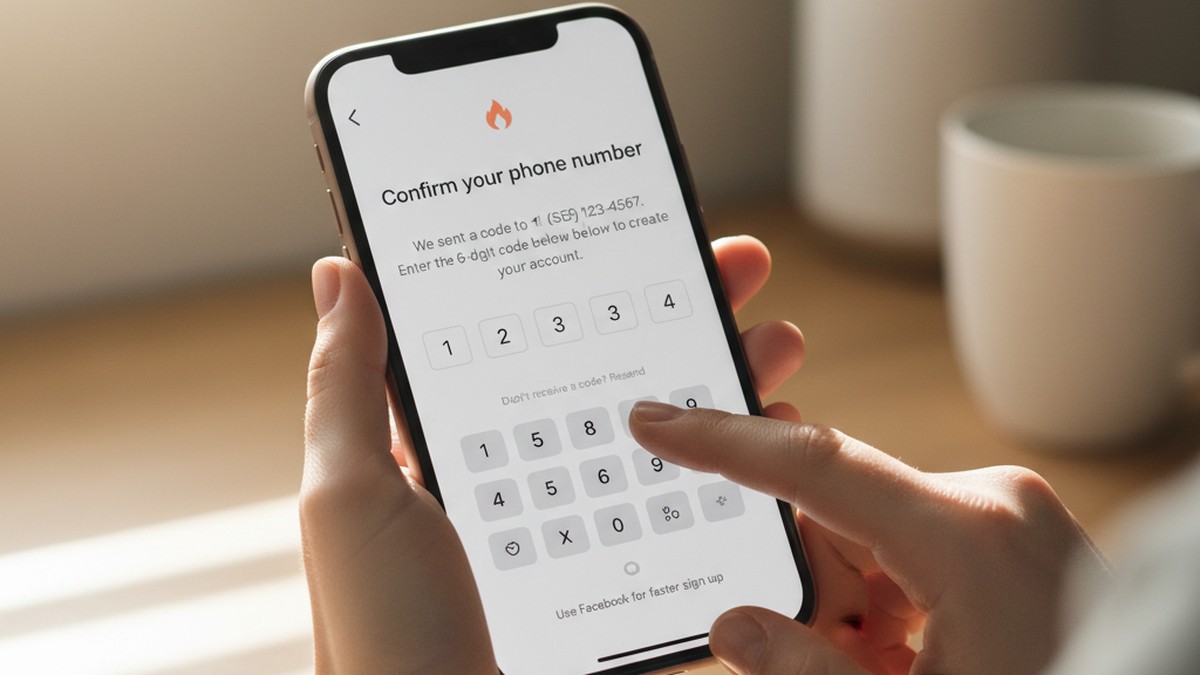
- Enter your phone number with your country code. Tinder will send a 6-digit verification code via SMS. Standard carrier message rates apply.
- Enter the verification code within the time limit, typically five minutes. If you don't receive it, tap "Resend code."
- Create your profile. Tinder will ask for your first name, date of birth, gender, sexual orientation, and at least one photo. Unlike Facebook login, nothing is pre-filled — you enter all of it manually.
- Add photos. Upload from your camera roll or take a photo directly. Adding at least two photos is recommended for visibility within Tinder's recommendation algorithm.
- Set your location and preferences. Tinder uses your device's GPS for location. You can set it manually with a Tinder Gold or Platinum subscription if you prefer.
- Complete verification if prompted. Tinder now requires photo verification on many accounts to confirm you're a real person. This step applies to all sign-up methods.
What Tinder Gets From Phone Number Sign-Up
When you sign up with a phone number, Tinder receives and stores:
- Your verified phone number (used for account recovery and for "hashed" audience matching with advertising partners)
- The profile information you manually enter: name, age, gender, photos
- Your device identifiers (IDFA on iOS, GAID on Android) used for fraud detection and ad attribution
- Your GPS location data, beginning immediately at account creation
Your phone number may be converted into an encrypted string and compared against advertiser contact lists — a standard industry practice called "hashed audience matching" that Tinder discloses in its privacy policy. This is meaningfully different from sharing your phone number directly, but it does mean your number can link your Tinder account to other advertising databases where that same number appears.
Practical Privacy Choices During Phone Number Sign-Up
You have several options that most guides don't mention:
- Use a Google Voice number (free in the United States) instead of your personal phone number. It receives SMS verification codes and keeps your real number out of Tinder's database entirely.
- Use a nickname as your first name. Tinder only displays your first name to other users. A nickname or shortened version of your name adds lightweight pseudonymity without violating Tinder's terms of service.
- Skip linking Spotify or Instagram. Both are optional integrations presented during sign-up. Both reintroduce social graph data to your profile — exactly what you were trying to avoid by skipping Facebook.
- Decline contacts access. When Tinder asks if it can access your contacts for the "Friends in Common" feature, you can decline. This limits a significant source of cross-referencing your identity against other users.
If you need a way to check whether a partner's profile is findable regardless of how they signed up, CheatScanX searches across Tinder and 15+ other platforms without requiring any account linkage on your part.
Method 2: Sign In to Tinder With Google
Google login is Tinder's second alternative to Facebook. It's available on Android devices and Tinder.com, and in some regions on iOS — though availability varies by country and app version. If you don't see it listed, the web version at tinder.com typically surfaces the full range of sign-in options.
Steps to Sign Up With Google
- Open Tinder and tap "Create account."
- Look for "Sign in with Google" — on some versions it appears below the Facebook button, on others you may need to tap "More options."
- Select your Google account. If you have multiple Google accounts on the device, choose carefully. The email associated with this account will be linked to your Tinder profile.
- Review the permissions screen. Google will show exactly what Tinder is requesting — typically your name, email address, and profile photo. Read this screen before tapping "Allow."
- Tap "Allow." Tinder creates an account using the approved information from your Google profile.
- Complete your Tinder profile manually. Unlike Facebook login, Google login pre-fills only your name and optionally your profile photo. Date of birth, gender, sexual orientation, and preferences are all entered manually.
What Google Shares With Tinder
When you authorize Google Sign-In, the following flows from your Google account to Tinder:
- Your name as it appears on your Google account
- Your Google account email address
- Your Google profile photo, if you have one set
Google does not share your contacts, search history, Gmail content, location history, YouTube activity, or any other Google app data. The permission scope is intentionally limited to basic profile information.
The data flow is not entirely one-directional, though. Google logs which apps you authorize, and that information informs Google's own personalization and advertising systems. Tinder appearing in your Google account's authorized apps is a form of behavioral data for Google — even if Google doesn't share that back to Tinder.
Who Google Login Works Best For
Google login sits in the middle of the privacy spectrum:
| Comparison Point | Google Login | Facebook Login | Phone Number |
|---|---|---|---|
| Social graph shared | No | Yes | No |
| Email shared with Tinder | Yes (Google email) | Yes (Facebook email) | No |
| Photos pre-filled | Optional | Yes | No |
| Ad ecosystem linkage | Google ads | Meta ads | Limited |
| Account recovery ease | Easy | Easy | Moderate |
Google login works well if you frequently switch phones or SIM cards, since Google account recovery is more reliable than SMS recovery. It's less anonymous than phone number login because your Google email becomes a persistent identifier linked to your Tinder account. If you use your personal Gmail address, Tinder gains a stable cross-platform identifier that may be used for audience targeting across advertising networks that recognize that email address.
Consider creating a dedicated Gmail address for dating apps if you want to limit this. A throwaway Gmail requires only a few minutes to create and separates your dating activity from your primary Google identity.
Method 3: Sign In With Apple (iOS Only)
Apple Sign-In is available exclusively on iOS devices and is, by most privacy metrics, the strongest non-Facebook sign-in option Tinder offers. Apple's approach to third-party authentication is meaningfully different from Google's or Facebook's — and those differences matter when you're linking your identity to a platform with Tinder's data collection practices.
Steps to Sign Up With Apple on iOS
- Open Tinder on your iPhone or iPad and tap "Create account."
- Look for "Sign in with Apple" — it may appear below the phone number option, or require tapping "More options."
- Tap "Sign in with Apple." Your device will prompt Face ID or Touch ID authentication.
- Choose your email option. Apple presents two choices: share your real Apple ID email with Tinder, or use Apple's Hide My Email feature to generate a randomized relay address. Choose Hide My Email if privacy is your goal.
- Tap "Continue." Tinder receives only the information Apple has approved for this exchange.
- Complete your Tinder profile manually. Apple does not share your age, gender, photos, or preferences — you enter all of it yourself.
What Apple Shares With Tinder
Apple's Sign-In system is deliberately minimal in scope:
- A unique, Tinder-specific token that identifies your account. This token is not reusable across other apps — Apple generates a different token for each app you authorize, so Tinder's identifier for you cannot be cross-referenced with your token on, say, another app using Apple Sign-In.
- Your name, which you can edit or delete before confirming
- Either your real email address or a randomized relay address in the format `[email protected]` that forwards to your actual inbox
Apple does not share your Apple ID password, payment information, Apple device data, iCloud content, health data, or any cross-app behavioral information.
The relay email is particularly valuable. You receive Tinder's emails normally, but Tinder holds an address that carries no identifying information. If you later want to stop Tinder from contacting you, you can disable that relay address from your Apple ID settings, and Tinder's emails stop — permanently, without you needing to interact with Tinder directly.
Why Apple Sign-In Limits Advertising Exposure
Research from the Electronic Frontier Foundation has highlighted how Facebook and Google sign-in systems extend those companies' advertising reach into your third-party app activity. Every time you use a Google or Facebook login, that session can inform advertising profiles maintained by those companies.
Apple explicitly prohibits app developers from using Apple Sign-In data for advertising or cross-app profiling. The token Apple provides is also app-specific — a design choice that prevents Tinder from correlating your Apple Sign-In identity with your identity on other Apple Sign-In apps.
For Tinder specifically, this means:
- No Meta data pipeline connecting your dating profile to your Facebook ad identity
- No Google data pipeline connecting your dating activity to your search advertising profile
- A relay email that carries no identifying information in Tinder's database
- Account recovery that requires only your Apple ID — no SMS, no email to a potentially shared inbox
The Primary Limitation: iOS Only
Apple Sign-In is unavailable on Android devices and is inconsistently available through Tinder.com in browsers. If you use Tinder on both an iPhone and occasionally through a web browser or Android, you may encounter authentication friction. Some users maintain separate accounts for this reason, or simply use Apple Sign-In exclusively and access Tinder only on iOS.
Does Tinder Show Up on Facebook if You Use Your Phone Number?
No. Signing up for Tinder with a phone number creates a completely separate account with no connection to Facebook. Your Tinder activity will not appear on your Facebook profile, timeline, or connected apps section, provided you have never linked the two accounts.
This is one of the most common concerns people raise before making the switch, and the answer is unambiguous when you understand what "linked" means in technical terms.
When you sign up with a phone number:
- Tinder requests no permission from Facebook, so no authorization token is created
- Your Facebook profile's "Apps and Websites" section (found under Settings → Security and Login) will not list Tinder
- Facebook's servers receive no information about your Tinder sign-up or activity
- Tinder cannot pull your Facebook data (name, age, photos, friends) because no connection exists
- Facebook cannot see your Tinder activity through any official data pathway
The reverse is equally true: Tinder won't know your Facebook identity, and won't display any Facebook-sourced information on your profile.
Checking Your Facebook Apps Section
If you previously used Facebook to log in to Tinder and are now switching to phone number sign-in, your first step should be cleaning up any residual connection. On Facebook, navigate to Settings → Security and Login → Apps and Websites. If Tinder appears there, click "Remove." This revokes Facebook's ongoing data-sharing permissions with Tinder and removes the app from your connected accounts view.
This step does not affect your Tinder profile itself. Your account continues to exist — but after removal, Facebook receives no further data from Tinder's platform.
A Subtlety Worth Understanding: Advertising Pixels
A narrower concern exists around advertising infrastructure. Many apps and platforms — including Tinder — use advertising network technology that can report user activity to ad systems, including Meta's advertising platform, even when there's no direct account linkage. This operates as a targeting mechanism rather than a social visibility mechanism.
In practical terms: if you sign up for Tinder with a phone number, your Tinder activity will not show on your Facebook profile, will not appear in your connected apps, and will not be visible to your Facebook friends through any standard Facebook feature. A more indirect advertising data pathway may exist, but that operates entirely invisibly and does not affect your social privacy.
If your concern is "will people be able to see I'm on Tinder through Facebook," the answer with phone number sign-up is a clear no. If your concern is "will Facebook's advertising systems ever learn anything about me from Tinder," that's a murkier question that applies regardless of login method.
Will Facebook Friends Know You're on Tinder?
Using phone number or Google login eliminates the Facebook connection, so your account won't appear in your Facebook friends' connected apps. However, Tinder's Friends in Common feature uses mutual contact data and can still surface shared connections on profile cards regardless of how you signed up.
This distinction matters. There are two separate ways a Facebook friend could potentially learn you're on Tinder, and they operate through different mechanisms.
Pathway 1: Facebook App Connections (Eliminated by Phone Login)
When you use Facebook to sign in to Tinder, the connection becomes visible in multiple places. Your Facebook profile may show Tinder in your "Apps and Websites" list. Some Facebook configurations make connected apps visible to friends. This pathway is completely closed off when you use phone number, Google, or Apple login — no Facebook connection is created, so no Facebook-based visibility exists.
Pathway 2: Swiping Within the App (Not Affected by Login Method)
Tinder shows profiles to users in overlapping geographic areas and compatible age ranges. If a Facebook friend is in the same city, uses Tinder, and falls within your preference settings, your profile may appear in their swipe queue. This happens because of how Tinder's recommendation algorithm works — it's independent of how either of you signed up.
This can feel like a privacy failure, but it reflects the fundamental nature of the product: Tinder profiles are designed to be seen by other users. If you want to control which people encounter your profile, the relevant tools are inside Tinder, not in your sign-up method.
Pathway 3: Friends in Common (Partially Affected by Login Method)
Tinder's "Friends in Common" feature was updated in 2023. It now works by matching users who have each other's phone numbers saved in their device contacts — not exclusively through Facebook. If a Facebook friend has your personal phone number saved in their phone's contacts, and both of you have contact-syncing enabled in Tinder, you may show up as connected on each other's profile cards.
For this pathway to operate, three things must be true: the other person has your number in their contacts, Tinder has been granted contacts access on their device, and you've done the same on yours. Declining contacts access during Tinder setup eliminates your side of this equation.
Steps to Reduce Visibility to People You Know
These Tinder settings apply regardless of login method and directly control who can see your profile:
- Show me on Tinder toggle: In Settings → Discovery, turning this off makes your profile invisible to all users without deleting your account. You can still message existing matches.
- Contacts access: When Tinder requests access to your contacts, declining removes your phone number data from the Friends in Common calculation.
- Distance display: You can hide your exact distance from your profile card, making it harder for nearby acquaintances to identify you through geographic proximity.
- Tinder Incognito Mode (Gold and Platinum subscribers): Your profile becomes visible only to people you've already swiped right on. This is the most effective tool for controlling who can see you.
The Tinder Login Privacy Matrix: What Each Method Actually Shares
Most guides tell you to use your phone number and leave it at that. What they don't show you is a complete, structured breakdown of what each login method means for your data — what Tinder receives, what flows back to the login provider, and what advertising exposure each option carries.
This comparison doesn't exist anywhere else in this form. Here's the full picture.
The Tinder Login Privacy Matrix
| Data Point | Facebook Login | Phone Number | Google Login | Apple Sign-In |
|---|---|---|---|---|
| Name sent to Tinder | From Facebook | Manual entry | From Google account | From Apple (editable) |
| Email sent to Tinder | Facebook email | None by default | Google email | Real or relay address |
| Profile photo pulled | Yes (from Facebook) | No — manual upload | Optional (from Google) | No |
| Birthday shared | Yes (from Facebook) | Manual entry | Not shared | Not shared |
| Social graph (friends) | Yes | No | No | No |
| Data sent back to provider | Tinder activity to Meta | None | Login events to Google | Blocked by Apple |
| Ad ecosystem exposure | Meta advertising | Limited (hashed number) | Google advertising | None |
| Cross-app profiling risk | High | Low | Medium | Very low |
| Account recovery | Through Facebook | SMS to your number | Through Google | Through Apple ID |
| Provider breach risk | High (Meta has had significant data incidents) | Low | Medium | Low |
Reading the Matrix
The pattern is clear across every row. Apple Sign-In provides the cleanest separation on almost every dimension. Phone number login is a strong option, with one caveat: your phone number itself can serve as a cross-platform identifier through hashed audience matching, connecting your Tinder account to other contexts where that number appears in advertiser databases.
Facebook login is the most data-rich option for Tinder — and the most connected to your real-world social identity. The social graph sharing row alone explains why Facebook login creates the visibility problems most people are trying to avoid.
What the Matrix Doesn't Show
Here's what all four methods share in common — and why login method is only part of the story.
Once you've created a Tinder account, the platform itself collects identical behavioral data regardless of how you authenticated. The Mozilla Foundation's 2024 Privacy Not Included review rated Tinder as failing on privacy, citing its collection of "psychological profiles" built from behavioral data. That profiling applies to every account type.
The data Tinder collects after login includes:
- Precise GPS location, updated continuously during app use and potentially in the background
- Your complete swipe history and match rate
- App engagement patterns: how often you open it, how long each session lasts, what time of day you're active
- Message content (Tinder's privacy policy states it processes messages to detect policy violations)
- Photos you upload and, through its AI Photo Selector feature, images analyzed from your camera roll
- Inferences about your preferences, behavior patterns, and characteristics built from all of the above
According to Tinder's privacy policy, this information may be shared in de-identified or non-personal form with advertising partners and across Match Group's family of platforms. That data collection and sharing happens the same way for a phone number account as it does for a Facebook account.
The login method controls who gets your data at the front door. It doesn't control what Tinder does with your data once you're inside.
How to Switch Tinder From Facebook to Phone Number
Many Tinder users created their accounts when Facebook login was the only option. If you're in that situation, switching to phone number isn't a settings change — it requires understanding a firm technical limitation.
The Core Limitation: Login Method Is Permanent on Existing Accounts
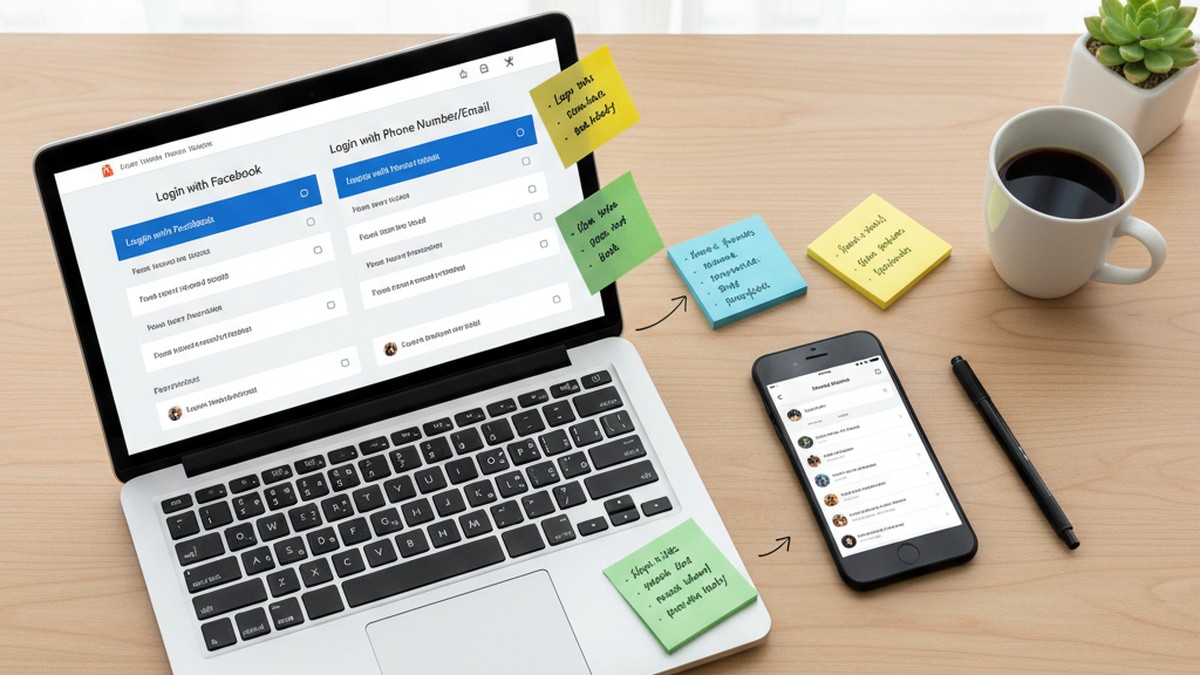
As of 2026, Tinder does not allow you to change the login method on an existing account. This is a technical constraint, not a setting buried in your profile. Your account is permanently tied to the sign-in method you used when you created it.
The only way to have a Tinder account that isn't connected to Facebook is to delete your existing account and create a new one.
Step 1: Export Your Data Before Deleting
Before you delete anything, Tinder allows you to download a copy of your data under GDPR and CCPA privacy rights:
- Open Tinder → tap your profile icon → go to Settings
- Scroll to "Download My Data" and submit a request
- Tinder typically processes this within a few days and sends it to the email address on your account
This gives you a record of your matches, conversations, and profile history before they're gone.
Step 2: Delete Your Existing Account
- In Tinder settings, scroll to the bottom and tap "Delete Account"
- Tinder may offer "Pause Account" as an alternative — this is not the same as deletion. A paused account still exists in Tinder's systems.
- Follow the deletion prompts and confirm
Deletion is permanent. Your profile, matches, and message history will not be recoverable.
What You Lose and What Carries Over
| Item | After Deletion |
|---|---|
| Profile, matches, messages | Gone permanently |
| Unused Boosts and Super Likes | Gone |
| Tinder algorithm score | Reset (fresh accounts often see a short-term visibility increase) |
| Gold/Platinum subscription | Transfers if billed through App Store or Google Play — contact Tinder support first to confirm |
The Partial Alternative: Revoke Facebook Permissions Without Deleting
If losing your matches is not acceptable, you can remove Tinder's permissions from Facebook without deleting your Tinder account. This won't change your login method, but it limits what Facebook receives going forward:
- Go to Facebook → Settings → Security and Login → Apps and Websites
- Find Tinder in the list and click Remove
- Confirm the removal
Your Tinder account continues functioning. You'll still log in via Facebook, but Facebook receives significantly less data from Tinder's ongoing operations. Think of this as a partial measure — not a migration to phone number login, but a meaningful reduction in cross-platform data flow for users who don't want to lose their match history.
Is Signing Up Without Facebook Really More Private?
Partly. Removing Facebook from your Tinder login stops Meta from receiving your Tinder activity and prevents your Facebook network from seeing the app in your connected accounts. But Tinder itself continues to collect the same behavioral, location, and biometric data regardless of which login method you choose.
This is the part most guides skip entirely — and it's the most important thing to understand before you make the switch.
What You Genuinely Gain by Removing Facebook
Switching from Facebook to phone number, Google, or Apple login achieves these concrete, verifiable outcomes:
- Meta no longer receives a direct feed of your Tinder account activity
- Your Facebook profile's "Apps and Websites" section won't list Tinder
- Facebook friends won't see Tinder listed in your app connections
- Tinder won't auto-populate your profile with your Facebook data
- A data breach at Facebook won't directly expose your Tinder account linkage to bad actors
There's also a security benefit that goes beyond privacy: the 2020 incident in which over 70,000 women's photos scraped from Tinder appeared on a criminal forum affected accounts across all login types — but accounts using Facebook login faced the additional risk that the breach could be correlated with their Facebook identities, making targeted harassment easier. Removing the Facebook linkage eliminates that specific exposure vector.
These are real improvements. If your concern centers on Meta's advertising ecosystem, on Facebook friends seeing your app connections, or on reducing cross-platform data exposure between two large platforms, switching login methods addresses those concerns directly and meaningfully.
What You Don't Gain
The contrarian reality: your login method has almost no bearing on what Tinder itself knows about you.
In practice, what analysis of dating app data infrastructures reveals is that behavioral profiling begins at account creation regardless of authentication method. Tinder's systems build a model of your preferences, engagement patterns, and likely characteristics from your swipe behavior — not from your login credentials. A phone number account produces an identical behavioral profile to a Facebook account within a few hours of active use.
The Norwegian Consumer Council's 2020 investigation — which led to formal complaints against Tinder under GDPR — found that Tinder shared user data, including inferred sexual orientation and behavioral patterns, with third-party advertising partners without sufficiently clear user consent. That data sharing covered users across all account types. Phone number accounts were not exempt.
More recently, the Mozilla Foundation's 2024 Privacy Not Included assessment flagged Tinder for collecting biometric data through its photo verification system, for building "psychological profiles" from behavioral patterns, and for sharing inferred data with advertising vendors. All of those practices apply uniformly across login methods.
Where the Real Privacy Levers Are
If limiting Meta's data exposure is your concern, changing your login method is the right move. If limiting Tinder's data exposure is your concern, the login method is largely irrelevant. The decisions that actually matter for Tinder privacy are:
- What photos you upload and whether those photos appear anywhere else online
- Whether you link Spotify or Instagram to your profile (both reintroduce social graph data)
- What location permissions you grant and whether you allow background location access
- Whether you use your real name, workplace, and school on your profile
- What you write in your bio and whether any of it is uniquely identifying
Those choices have far more impact on your practical privacy than which button you tapped on the sign-up screen.
What Your Login Method Won't Protect You From
The previous section covered what Tinder's data collection looks like regardless of login method. Here are the specific practical scenarios where your sign-up choice makes no difference.
Profile Discovery
Your Tinder profile is visible to other users in your geographic area and age range, regardless of how you signed up. If you're active on Tinder, people in your area can encounter your profile while swiping.
Dedicated profile search tools can locate active Tinder profiles using basic information — first name, approximate age, and general location. The search process doesn't require knowing your login method, your email address, or your phone number. If your profile is active and set to discoverable, it can be found.
Partners searching for a partner on Tinder typically use first name, age range, and city — details visible on any Tinder profile regardless of how that account was created. The login method is completely invisible to that search process.
This reflects how Tinder works at a structural level. Profiles are meant to be found by other users. Login method controls which companies can see your account metadata. It doesn't reduce your visibility within the app itself.
Biometric Data Collection
Tinder's photo verification system collects biometric data to confirm users are real people. This applies to all account types equally. In 2022, the FTC raised concerns about Tinder's use of facial recognition technology through a third-party provider, Clarifai. Tinder updated its practices following regulatory scrutiny, but photo verification remains a universal requirement for new accounts — regardless of whether you signed up with Facebook or a phone number.
Tinder's newer AI Photo Selector feature also analyzes images from your camera roll when you use it to choose profile photos. The privacy policy confirms that images from your roll may be processed by this system. Again, this applies across all account types.
Precise Location Tracking
Tinder's core functionality depends on your location, and the app may request ongoing location access. Phone number accounts are subject to the same location data collection as Facebook accounts. Your device settings are the relevant control here — not your login method.
To limit Tinder's location access:
- iOS: Settings → Privacy & Security → Location Services → Tinder → select "While Using App" (not "Always")
- Android: Settings → Apps → Tinder → Permissions → Location → "Only while using the app"
- Both platforms also now offer approximate location rather than precise — enabling this under the same screen reduces the resolution of location data available to Tinder.
Payment Records
If you pay for Tinder Gold or Platinum, the purchase appears in your App Store or Google Play purchase history. This is entirely separate from your Tinder login method — it's a payment record with Apple or Google. For people trying to keep Tinder activity private on a shared device or a payment account shared with a partner, this is a more practical concern than login method.
Linked Spotify and Instagram
Tinder offers optional connections to Spotify and Instagram through your profile settings. These integrations are voluntary, but they're presented in a way that makes them feel like normal profile additions. If you accept them, they reintroduce social graph data to your profile — potentially allowing profile viewers to identify you through those external platforms.
One of the most common situations we see: users who deliberately avoided Facebook login for privacy reasons, then linked their Spotify or Instagram without considering that those platforms connect back to the same social graph they were trying to avoid. If privacy from your social network is your goal, skip both of those integrations.
Privacy Tips for Tinder Regardless of Login Method
Understanding what your login method can't protect you from leads to a practical question: what can you actually do to use Tinder more privately? These specific steps apply to all account types.
1. Audit Your Profile for Identifying Details
Your profile is the primary surface through which you're identifiable. Go through each field deliberately:
- First name: Tinder shows only your first name to other users. A nickname or abbreviated name provides lightweight pseudonymity without violating Tinder's terms of service. You don't need to use your legal first name.
- Workplace: This is an optional field. If your employer is distinctive — a unique company name, a specific government agency, a well-known local business — this single field can narrow your identity to a small pool of people.
- School: Same principle. An uncommon institution or a specific graduate program can be identifying on its own.
- Bio: Avoid including neighborhood names, specific gyms, regular hangout spots, or any detail that makes you uniquely locatable to someone who knows you in real life.
2. Control Your Location Settings Precisely
Tinder defaults to aggressive location access. Tighten this at the device level:
- iOS: Settings → Privacy & Security → Location Services → Tinder → set to "While Using App." Then enable "Precise Location: Off" to share neighborhood-level position rather than exact GPS coordinates.
- Android: Settings → Apps → Tinder → Permissions → Location → "Only while using the app." On Android 12+, you can also toggle precise location off from the same permissions screen.
Location data collected at the moment you use the app is already enough for Tinder's matching features. Background and always-on access provides no functional benefit to you and significant benefit to Tinder's data collection.
3. Use a Virtual Phone Number for Sign-Up
If you're creating a new account and want to keep your personal phone number out of Tinder's database entirely, consider using a virtual number:
- Google Voice (United States, free): Provides a real phone number that receives SMS and calls, with forwarding to your actual device. Free to create with a Google account.
- TextNow or TextFree: Free virtual number apps available in the US and Canada. Slightly less reliable for SMS verification than Google Voice, but functional.
Virtual numbers significantly reduce the value of Tinder's hashed phone number matching, since your Google Voice number is unlikely to appear in the same advertiser databases as your personal number.
4. Don't Link Spotify or Instagram
Both integrations are presented during sign-up and in profile settings as simple additions. Both reconnect social graph data to your profile. A Spotify connection shows your music activity and can surface your Spotify username to profile viewers, who can then find your broader Spotify activity. An Instagram connection displays your Instagram photos, creates a link to your profile, and can allow viewers to find your Instagram handle.
If privacy from your real-world identity is your goal, skip both. The algorithm does not favor linked profiles in ways that compensate for the privacy trade-off.
5. Review Tinder's Built-In Privacy Controls
Tinder has added privacy controls in response to regulatory pressure. Most users never find them:
- Show me on Tinder: Settings → Discovery → toggle this off to pause your profile's visibility without deleting your account. You can still message existing matches.
- Block Contacts: Settings → Block Contacts lets you upload a list of phone numbers you want to prevent from seeing your profile. This directly addresses the Friends in Common concern for specific people.
- Incognito Mode (Gold/Platinum): Your profile becomes invisible to all users except people you've already swiped right on. This is the highest-impact setting for controlling who encounters your profile.
- Distance: Some profile settings allow hiding your distance from your card, reducing the ability of nearby acquaintances to identify you through geographic proximity.
6. Choose Photos Strategically
Your photos are the most identifying element of your profile — more identifying than your name, because they persist across the internet through reverse image search. If the photos on your Tinder profile are also on your Facebook, LinkedIn, or Instagram, a viewer can find your other profiles in seconds.
For users where profile discoverability is a genuine concern, the highest-impact step is using photos on Tinder that don't appear anywhere else on the internet. A phone number login means nothing if your hero photo is also your LinkedIn headshot. Understanding how apps cheaters commonly use for privacy can also help you understand the full range of digital footprints to consider.
7. Understand the Limits of These Measures
None of these steps make you undiscoverable on Tinder — they reduce the amount of identifying information available to someone who does encounter your profile. Tinder is a platform where profiles are designed to be seen. If being found within the app is your concern, the only complete solution is not having an active profile. Every other measure is a degree of reduction, not elimination.
For a broader understanding of the digital footprint a Tinder profile leaves, it can be useful to understand investigation methods from the outside — it shows how much information is visible from outside an app, regardless of how carefully a user configured their settings within it.

The Honest Bottom Line on Tinder Without Facebook
Using Tinder without Facebook is straightforward. Phone number sign-up is universally available, takes under two minutes, and creates a completely independent account with no data connection to Meta. Google login provides similar separation with easier account recovery. Apple Sign-In goes furthest — offering a relay email, an app-specific authentication token, and no advertising data pipeline back to the login provider.
The decision between these three methods mostly comes down to your devices and preferences. Apple Sign-In is the clearest privacy choice if you're on iOS and willing to use it exclusively. Phone number login with a virtual number like Google Voice is the strongest option for cross-platform users. Google login is a reasonable middle ground if you're already in Google's ecosystem.
What won't change regardless of your choice: Tinder's own data collection. The platform builds behavioral profiles, tracks location, and shares de-identified data with advertising partners — and it does this whether you signed in with Facebook, a phone number, or an Apple relay address. The privacy gain from removing Facebook is real, but narrow. It closes one specific data channel rather than changing Tinder's relationship with your information.
If you want to know whether someone has an active Tinder profile right now, the sign-in method they used tells you nothing useful. Active profiles are discoverable based on name, age, and location — the public information on every card in the swipe queue. CheatScanX scans Tinder and 15+ other dating platforms using that same publicly visible information, with results in minutes.
For your own account, the most impactful privacy decisions are made after sign-up: in your photo choices, your bio details, your location permissions, and whether you link external apps. Those choices shape what someone can learn about you far more than the login screen you started from.
Frequently Asked Questions
Yes. Tinder does not require Facebook to create an account. You can sign up using a mobile phone number, a Google account, or Apple ID. Phone number sign-up is the most widely available option and works in every country where Tinder operates.
When linked, Facebook may appear in your Tinder profile's connected accounts section. Tinder can also display mutual Facebook friends on your profile card. To prevent this, sign up with phone number or Google instead and avoid linking Facebook through Tinder's settings.
Tinder does not allow changing your login method on an existing account. To switch from Facebook to phone number login, you need to delete your current account and create a new one using your phone number. Your matches and messages will not transfer to the new account.
Not through Facebook. Phone number login creates no cross-platform connection to your Facebook network. However, Tinder profiles are still discoverable through the app's own search and third-party profile search tools, regardless of which sign-up method you used.
For most users, yes. Apple Sign-In lets you hide your real email with a randomly generated relay address. It shares minimal data with Tinder — no birthday, no photos, no social graph. Combined with Tinder's privacy settings, it gives you the cleanest separation from your real identity.