# How Burner Phones Are Used for Cheating
Cheaters use burner phones to maintain a completely separate line of communication — one that never appears on a shared phone plan, never shows up in a household bill, and can be wiped or discarded the moment they feel exposed. A physical burner phone is a cheap prepaid device, often purchased for cash at a drugstore or big-box retailer, with no personal information attached. The moment suspicion rises, it disappears into a trash can. Your partner's main phone stays clean because the real communication never happened on it.
This is exactly why the standard advice — "just check their phone" — fails completely for people in relationships with burner phone users. If your partner maintains a secondary device or uses a virtual number app, their main phone will look spotless.
Research from the Institute for Family Studies (2024) shows that 20% of married men and 13% of married women report having had sexual affairs outside their relationships. A meaningful portion of those use secondary devices to conceal the evidence. This guide covers what a burner phone is, how cheaters construct a concealment system around one, 12 physical signs your partner may have one, digital detection methods, and what to do with what you find.
The part most guides miss: even an untraceable phone leaves traceable behavior.
What Is a Burner Phone Used for Cheating?
A burner phone used for cheating is a cheap prepaid mobile device purchased outside any shared phone plan, activated with minimal personal information, and maintained covertly to communicate with an affair partner. It never appears on a household phone bill and can be discarded the moment discovery feels imminent.
The term "burner" originated in contexts where anonymous communication was valuable — journalism, witness protection, temporary travel. In the context of infidelity, the logic is identical: a device with no permanent identity, no contract, no history, and no anchor to the user's real life.
How Physical Burner Phones Work
Physical burner phones are typically cheap Android handsets or basic feature phones costing between $10 and $50, sold at retail chains like Walmart, Target, Walgreens, and Dollar General (Surfshark, 2026). They run on prepaid SIM cards that cost around $5 and can be activated with a name that requires no verification. Prepaid airtime loads via gift cards or cash top-ups — both methods that leave no digital payment trail traceable to an individual.
The phone gets assigned a new phone number not linked to the buyer's real identity. That number isn't on the household phone bill, isn't visible in the main phone's call or message logs, and can't be found by searching the cheater's regular carrier account. From the perspective of anyone checking the main phone or the carrier account, those calls and texts simply don't exist.
The Appeal Goes Beyond Anonymity
Burner phones solve four distinct problems that standard phone security measures don't address:
- Shared billing: On a family or joint phone plan, call and message logs appear in the carrier account summary. A burner eliminates this entirely — it operates on an independent account.
- Device access: Even if a partner correctly guesses a phone PIN, the main phone contains nothing suspicious. The evidence lives on a device they'd have to physically find first.
- Cloud syncing: Modern smartphones back up call logs, messages, and app data to iCloud or Google accounts. A burner phone set up with a new account doesn't sync to shared cloud storage.
- Location tracking: If a partner uses Find My iPhone or Google's location-sharing features, those tools only track known, consented devices. A burner is entirely invisible to them.
Together, these four features make a burner phone the most comprehensive tool available for concealing an affair — one that addresses every standard detection method simultaneously.
Burner Phones vs. Prepaid Phones
There's a common conflation of "burner phone" and "prepaid phone" that's worth clarifying. All burner phones are prepaid, but not all prepaid phones are burners. A prepaid phone used as someone's primary device — registered with real information, used openly, known to a partner — is simply a budget phone choice. The "burner" designation depends on intent: a device maintained covertly, activated with minimal identifying information, and kept deliberately outside a partner's awareness. The phone's technical properties are the same; the secrecy is what defines it.
Who Uses Burner Phones for Affairs?
Data compiled by Gitnux (2026) shows men are approximately 50% more likely than women to use secondary phones or burner SIM cards when conducting an affair. The same dataset notes that 30% of people who engage in infidelity actively take steps to hide their phone behavior — changing passwords, deleting messages, or maintaining separate devices. A burner phone represents the most deliberate version of that concealment. It isn't opportunistic hiding after the fact. It's infrastructure built for secrecy from the start. Understanding what that infrastructure looks like reveals why finding it is harder than most guides suggest.
Want to skip straight to answers? CheatScanX scans Tinder, Bumble, Hinge, and 12+ other apps in minutes. Completely anonymous.
Start a confidential search →How Do Cheaters Set Up a Burner Phone System?
Most guides describe the burner phone as a simple tool: buy phone, use phone, hide phone. The reality is that people who rely on burner phones to conduct affairs typically build what can be called The Three-Layer Cover System — a structured approach to concealment with three distinct components, each providing redundancy and deniability for the others.
Understanding this system matters because it explains why catching a burner phone user is considerably harder than it sounds, and why disrupting one layer rarely exposes the full operation.
Layer 1: The Physical Device
The first layer is the burner phone itself — a cheap prepaid handset purchased for cash, activated on a prepaid SIM, and stored somewhere the partner won't encounter it during normal daily life.
Common hiding locations include:
- Inside a car: in the center console, under the seat, in a rarely used storage compartment
- At a workplace: inside a desk drawer, a work bag, or a locker
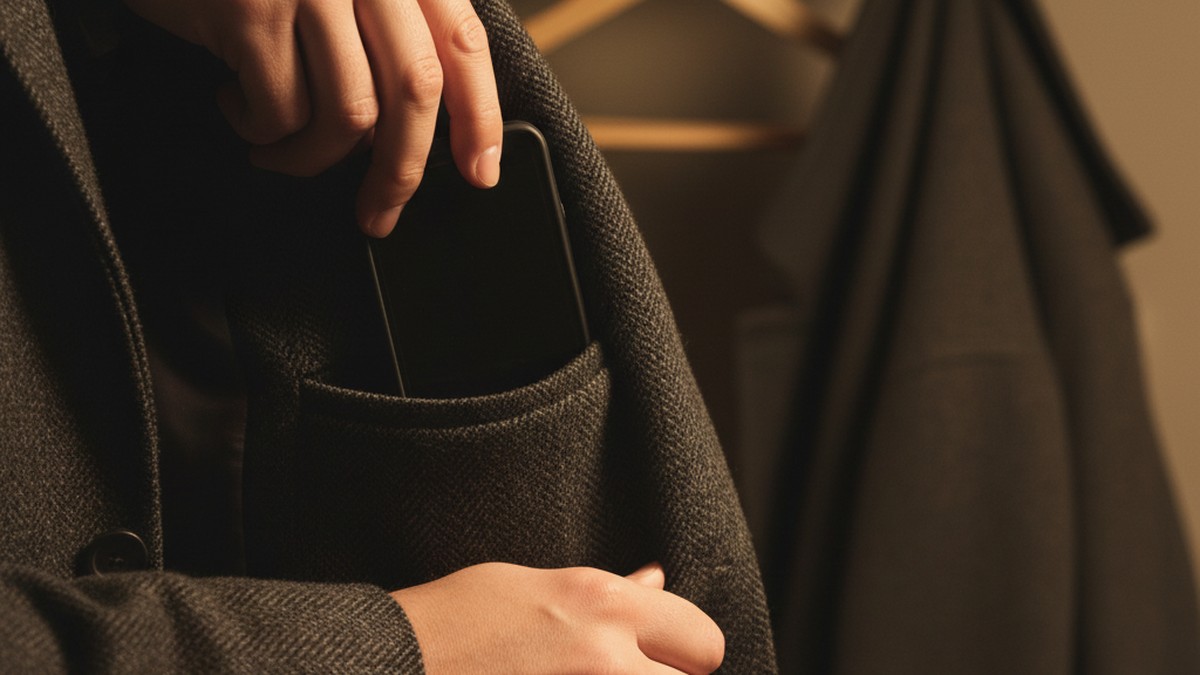
- In a jacket or coat worn infrequently at home but regularly outside
- Inside a gym bag or sports kit the partner doesn't typically handle
- At a secondary location: a workplace parking structure, a friend's property, or a storage unit in long-running affairs
The phone is charged using a cable bought separately from any household charging setup. It's typically kept on silent or powered down entirely when not in active use, appearing as inactive as possible during periods when discovery is most likely.
Layer 2: Virtual Number Apps
The second layer — often used alongside or instead of a physical device — is a virtual number app installed on the main phone. These apps create a secondary phone number that operates through a data or Wi-Fi connection rather than through the carrier's cellular system.
Apps like TextNow, Google Voice, or the simply named Burner app give a user a real phone number that others can call and text normally. From the affair partner's perspective, they're contacting a regular phone number. From the user's perspective, the call or message arrives inside an app — not in the standard Phone or Messages application. The main phone's call history shows nothing because no standard call was made.
Layer 2 is typically the starting point for most affairs. It's free or inexpensive, requires no separate hardware to conceal, and feels lower-risk than buying a second device. As the affair becomes more serious, or as the volume of communication increases, some people add a physical burner (Layer 1) for greater separation — moving the most sensitive communications off the main device entirely.
Layer 3: Behavioral Concealment
The third layer is purely behavioral. No amount of technical concealment works if the person's behavior around their partner makes the hidden communication obvious.
Behavioral concealment includes:
- Establishing a plausible reason to be away from the partner at specific times (a gym routine, a "work project," a friend mentioned just often enough to seem credible)
- Managing emotional cues — suppressing guilt-driven behavioral changes at home
- Controlling where and when the burner is used: never in areas where the user could be recognized, never in range of home Wi-Fi if possible
- Keeping a consistent, low-variance account of their schedule
What makes The Three-Layer Cover System effective is that the layers reinforce each other. If the partner questions the behavioral changes (Layer 3), the clean main phone (Layer 2) gets produced as evidence of innocence. If the partner finds the virtual number app (Layer 2), the affair partner's real contact details — stored only on the physical burner (Layer 1) — remain hidden. Each layer provides a fallback if another fails.
How the System Typically Escalates
Affairs that reach the burner phone stage rarely start there. The typical escalation runs like this:
- Early stage: Communication happens on the main phone, with messages deleted after reading
- Intermediate stage: A burner app is installed when deletion feels too risky or too time-consuming
- Late stage: A physical burner phone is acquired when the app feels too vulnerable to discovery during phone inspection
By the time a physical burner phone appears, the affair has usually been ongoing for a significant period, and the investment — emotional and logistical — is substantial. The effort required to build and maintain three layers of concealment is not something people do casually or early. This architecture is precisely why the standard detection advice breaks down.
Why Checking Your Partner's Main Phone Misses the Point
A partner using a burner phone keeps their main device deliberately clean because they know it will be checked the moment suspicion rises. Finding nothing on the main phone is exactly what the system is designed to make happen. The evidence doesn't live on that device. It lives on one you don't know exists.
The most commonly offered advice when someone suspects a cheating partner is some version of: look at their phone. Check the messages. Review the call log. Search the installed apps.
This isn't wrong for every situation. Cheaters who are careless or early in an affair sometimes communicate on their main device and half-heartedly delete records. But for anyone using a burner phone or virtual number app, checking the main phone doesn't just fail to find evidence — it actively produces false reassurance.
A Clean Main Phone Is Not Evidence of Faithfulness
A partner who uses a burner phone understands, explicitly or instinctively, that the main phone is the primary suspect the moment suspicion rises. They clean and maintain the main phone precisely because they know it will be examined.
When you check that phone, you might find:
- No suspicious texts or calls
- No dating apps
- No locked folders or hidden vaults
- A call history that matches expectations
- A message thread with friends and family that looks entirely unremarkable
You walk away reassured. That outcome is exactly what the system is designed to produce.
The False Reassurance Problem
When a partner checks their significant other's main phone and finds nothing, one of two things typically happens. The checking partner concludes the suspicion was unfounded ("I was paranoid") or continues to feel uneasy but has nothing concrete to point to.
Neither outcome is accurate. A clean main phone in the context of a burner phone tells you one specific thing: this person has thought carefully about concealment. The phone's cleanliness isn't evidence of innocence. It's evidence of planning.
Data from Gitnux (2026) shows that 30% of people who engage in infidelity actively take steps to hide their phone behavior — and that figure counts only those who were eventually identified. For those using a secondary device, the main phone's cleanliness is passive. There's nothing to hide there because nothing happened there.
What You Should Be Looking For Instead
If a burner phone is involved, the main phone becomes less relevant than the system surrounding it. The evidence lives in:
- Physical traces: extra charger cables, unrecognized hardware, SIM cards in wallets
- Router and Bluetooth device history
- Behavioral patterns that don't match explanations
- Bank and cash spending patterns consistent with prepaid phone purchases
- How your partner responds to specific, targeted questions — not about their main phone, but about unexplained cash withdrawals, extra chargers, or unknown devices on your network
The shift in approach matters. Checking a phone is reactive. Detecting a burner phone requires looking for what has been deliberately kept separate from the main device — and the traces that separation inevitably creates.
If any of this sounds familiar, there's a way to get a direct answer on one critical question — whether your partner has active profiles on dating platforms — without needing access to any device at all. CheatScanX scans 15+ major dating platforms using just a name and location, producing results that exist independently of whatever phone was used to create the profile.
12 Physical Signs Your Partner Has a Burner Phone
A burner phone is a physical object. It needs to be stored somewhere, charged somewhere, and used somewhere. That physical reality creates tangible evidence even when the phone itself is never accessed. None of the following 12 signs require you to touch your partner's main phone — only to pay attention to the physical environment around you.
1. An Unfamiliar Charging Cable or Adapter
Most households accumulate a predictable set of charging cables tied to specific devices. A cable that doesn't match any device you know about — especially one kept in a bag, a car console, or a desk drawer rather than at a common charging station — deserves attention.
Burner phones are frequently older Android handsets that use Micro-USB rather than the USB-C standard found on modern smartphones. If you find a Micro-USB cable and your household has no Micro-USB devices, that's a specific inconsistency with no obvious innocent explanation.
2. An Extra SIM Card
SIM cards are roughly thumbnail-sized and easy to conceal in a wallet, a card slot in a bag, or the lining of a jacket. If you encounter a SIM card without a clear corresponding device, its presence requires explanation. People don't carry unused SIM cards without purpose.
3. An Unrecognized Device on Your Home Wi-Fi
Burner phones still require internet access. Many cheaters connect their secondary device to home Wi-Fi rather than relying solely on prepaid cellular data — it's cheaper and doesn't show elevated data consumption on a prepaid statement. But that Wi-Fi connection creates a record in your router's device log.
An unnamed or generically labeled device appearing in your connected device list — "Android-4f2a," "Unknown," or a brand you don't own — that correlates with your partner's presence is a specific and detectable trace.
4. A Car Charger in Consistent Use
If the car charger port or cable is regularly occupied during periods your partner is driving alone — particularly if their main phone charges fine at home and shouldn't need heavy car charging — a second device may be drawing power during solo drives. The car is one of the most common places burner phones are used, stored, and charged.
5. Unexplained Prepaid or Electronics Purchases
Prepaid phone companies like Boost Mobile, Cricket, and Metro by T-Mobile sell their plans through physical retailer cards. Walmart, Target, Best Buy, and Walgreens all sell prepaid handsets and SIM kits. A purchase from any of these channels that doesn't correspond to a known device or household need is worth noting.
Cash purchases leave minimal trace, but credit card statements sometimes show transactions from retailers strongly associated with prepaid phone hardware — even when the specific item isn't itemized.
6. A Hidden Phone in a Personal Item
Physical burner phones turn up in specific locations when discovered. Common finds include:
- Car glove boxes and center consoles
- The jacket pocket of a coat worn rarely at home
- Inside a gym bag or sports kit the partner manages independently
- Under car seats or behind seat cushions
- Inside personal bags your partner guards more carefully than usual
Pay attention to any personal item your partner carries with unusual vigilance — bringing a bag inside when they previously left it in the car, taking it to the bathroom, or keeping it within arm's reach in every room.
7. Bluetooth History Showing an Unknown Device
Every Bluetooth-enabled device that pairs with or scans near another leaves a record. Your car's Bluetooth history or your own phone's Bluetooth scan log may show unfamiliar device names — particularly devices that appear and disappear on a consistent pattern matching your partner's presence. A device name that shows up whenever your partner is home and disappears when they leave is not ambient interference. It's a device traveling with them.
8. The Main Phone Battery Never Depletes Normally
This one is counterintuitive. If your partner is heavily communicating — always on their phone, texting constantly, frequent calls — but their main phone consistently maintains battery levels you'd expect from light use, the communication load may be distributed across two devices. The main phone appears in normal use. The actual communication volume happens elsewhere.
9. Phone Accessories Without a Matching Device
A phone case in the wrong dimensions for their current model. A screen protector that doesn't fit the phone you know they own. A pair of earbuds in a box that doesn't correspond to any declared device. These small items appear when someone is outfitting a second phone — and buying accessories is a purchase people make without thinking much about leaving a trail.
10. Prepaid Top-Up Card Receipts
Prepaid airtime cards — used to add calling minutes or data to prepaid phones — look like gift cards and sell at checkout counters in pharmacies, gas stations, and convenience stores. Finding such a receipt, especially from a cash-friendly retail location, is specific evidence of prepaid phone activity. There is no other common reason to purchase a mobile top-up card if you own a contract smartphone.
11. The Main Phone Is Unusually Minimal
A main phone that's conspicuously sparse — very few apps, almost no social media presence, a short contacts list, minimal photos — can indicate that the primary communication and storage has moved elsewhere. When most of the apps, accounts, and contacts live on another device, the main phone naturally appears bare. This is not the same as someone who simply prefers a minimal setup — look for this sign in conjunction with others.
12. Location History Gaps That Don't Match Explanations
If your partner's main phone shares location data through Google Maps Timeline, Find My, or a shared location app, look for gaps. A phone that shows no movement during a period your partner claims to have been at a specific location may indicate the main phone was left stationary while the burner was taken out. Long stretches of the main phone showing "home" during hours your partner described being elsewhere are worth noting as part of a broader pattern. Physical signs establish that a second device exists. Behavioral signs establish who's managing it and why.
Behavioral Red Flags That Signal a Hidden Device
Physical evidence is concrete. Behavioral evidence is pattern-based and requires longer observation. Both types matter — and behavioral signals often surface before any physical discovery.
Steps Away Specifically to Take Calls
Privacy during calls is normal. The signal here isn't privacy itself — it's specificity and inconsistency. A partner who steps outside for calls whose records don't appear in the main phone's call log afterward may be managing two separate streams of communication.
Watch for: they receive no calls on the main phone when you're together, yet their schedule includes unaccounted-for calling time. Or they take calls from the main phone openly, then step away briefly and return from conversations that don't appear in any call history you can access.
Carries Everything Into Every Room
Most people leave their phone behind occasionally — on a counter while cooking, on a nightstand while showering, on a table during a meal. A partner who carries a bag (not just a phone) into every room of the house, including the bathroom, has changed a habitual behavior. Bags are significantly easier to conceal a second device in than pockets, and the change is often subtle enough to go unnoticed initially.
Specifically watch for changes from a previous baseline. Someone who previously left their bag in the car who now brings it inside every time has altered a routine without explanation.
Defensive Without Being Accused
People concealing something often become sensitive to proximity — the approach of a topic near the hidden thing — before any direct accusation is made.
If a neutral question ("Did you stop anywhere after work?") receives a disproportionately defensive or evasive response, that emotional charge sometimes relates to the concealed situation. This isn't reliable as a standalone indicator — some people are simply defensive communicators — but as part of a pattern with physical signs, it adds context.
Unexplained Cash Spending
Burner phones, prepaid SIM cards, and top-up airtime are nearly always purchased with cash. If your partner is withdrawing more cash than their normal pattern, or making purchases at venues where cash is common (gas stations, pharmacies, convenience stores), and can't account for the spending, that's behavioral evidence consistent with prepaid phone maintenance.
Cash use is inherently harder to track than card spending, which is precisely why cheaters who think ahead use it. The combination of elevated cash use and other signs narrows the explanation.
The Main Phone Is Offered Too Freely for Inspection
This is counterintuitive but worth understanding. Partners who use burner phones are sometimes more willing to share their main device than partners who have something on it. If your partner goes out of their way to display or offer their main phone — "Here, look at it, check whatever you want" — it may be because they know the main phone is sterile and want that inspection to happen there rather than elsewhere.
The clean phone is the decoy. Encouraging you to examine it is part of the concealment, not evidence against it.
Distracted and Waiting
A person managing a secret relationship — particularly early in an affair — often shows a specific quality of distraction. They seem to be waiting: glancing around, picking up and putting down the main phone, finding small reasons to leave the room. This is the psychological noise of someone whose attention is partly elsewhere.
When this behavior coincides with periods your partner describes as "just stressed about work" but doesn't align with any observable work event, it fits a pattern worth noting. The distraction has a source, even if the source isn't visible.
Absences That Don't Quite Add Up
A burner phone enables communication. It doesn't explain away the time the affair itself requires. If your partner has gaps in their schedule that they fill with vague explanations — the gym when they don't show signs of having exercised, a late work meeting when colleagues seem unaware of it — the phone behavior and the unexplained time are parts of the same pattern. The signs your husband is cheating on his phone extend well beyond device behavior into the broader pattern of unexplained time and inconsistent accounts. Physical and behavioral signs both point toward the same question: what exactly is being concealed, and where does that concealment live?
Burner Phone Apps: The Digital Version That's Harder to Catch
Physical burner phones are increasingly supplemented — and sometimes replaced — by a newer approach: virtual number apps that run on the existing main phone. These apps create a secondary phone number that operates through an internet connection rather than a SIM card, keeping all hidden communication within a single device with no second piece of hardware to find.
They're harder to detect than a physical burner in one respect. They're easier to detect in another: the app itself has to live somewhere.
How Burner Apps Work
A virtual number app assigns the user a real phone number — typically a local area code — that others can call and text like any other number. The recipient has no way to know the number is virtual rather than a standard carrier-assigned number.
From the user's perspective, incoming calls and messages arrive within the app — not in the main Phone dialer or Messages application. The main phone's call log shows nothing because no standard call was placed. Texts sent through the app live in the app's inbox, not in the primary SMS thread.
These apps use Voice over IP (VoIP) technology — calls route through the internet rather than through cellular infrastructure — which means there's no carrier record of the calls at all. No phone bill from any provider will show a record of those conversations.
The Major Burner Apps in Use
TextNow is the most widely used free option. It provides a real US phone number for calls and texts over Wi-Fi or data at no cost for basic use. The app resembles any standard messaging application and can be placed in a neutral folder with no distinctive name.
Google Voice provides a free US number tied to a Google account. For anyone willing to create a secondary Gmail address — a process that takes three minutes — Google Voice is essentially free, permanent, and capable of forwarding calls to any device. The number persists indefinitely.
The Burner App — literally named as such — is a paid service at roughly $4.99 per month that specializes in temporary numbers with auto-deletion. Users can discard a number and create a new one on demand, leaving no continuous trail associated with any single number.
CoverMe is designed specifically for secret communication. It creates a second number, offers self-deleting messages, encrypted calls, and a "shake to lock" feature that immediately hides the app when the phone is shaken. Its feature set is oriented around concealment from someone with physical access to the device.
Hushed provides temporary numbers with an anonymous purchase option, making it harder to link back to a real identity even if discovered.
| App | Cost | Number Persistence | Key Feature | Detection Risk |
|---|---|---|---|---|
| TextNow | Free | Permanent | Wi-Fi calling + texting | Moderate — visible in app list |
| Google Voice | Free | Permanent | Linked to Gmail account | Higher — ties to Google account |
| Burner App | ~$4.99/mo | Temporary | Auto-delete numbers | Lower — numbers change on demand |
| CoverMe | Freemium | Permanent | Shake-to-lock, self-delete | Lower — disguised app interface |
| Hushed | ~$1.99/wk | Temporary | Anonymous purchase option | Lower — minimal account data |
For a full picture of the tools cheaters use across messaging and communication platforms, the guide to apps cheaters use covers the landscape beyond virtual numbers — including vault apps, encrypted platforms, and calculator-disguised messaging tools.
Signs Someone Is Using a Burner App
A burner app leaves no second device to find, but it does leave signs within the primary device:
- An app with no obvious purpose. An unfamiliar app in a utilities or tools folder — one your partner hasn't mentioned — that has call or messaging capabilities.
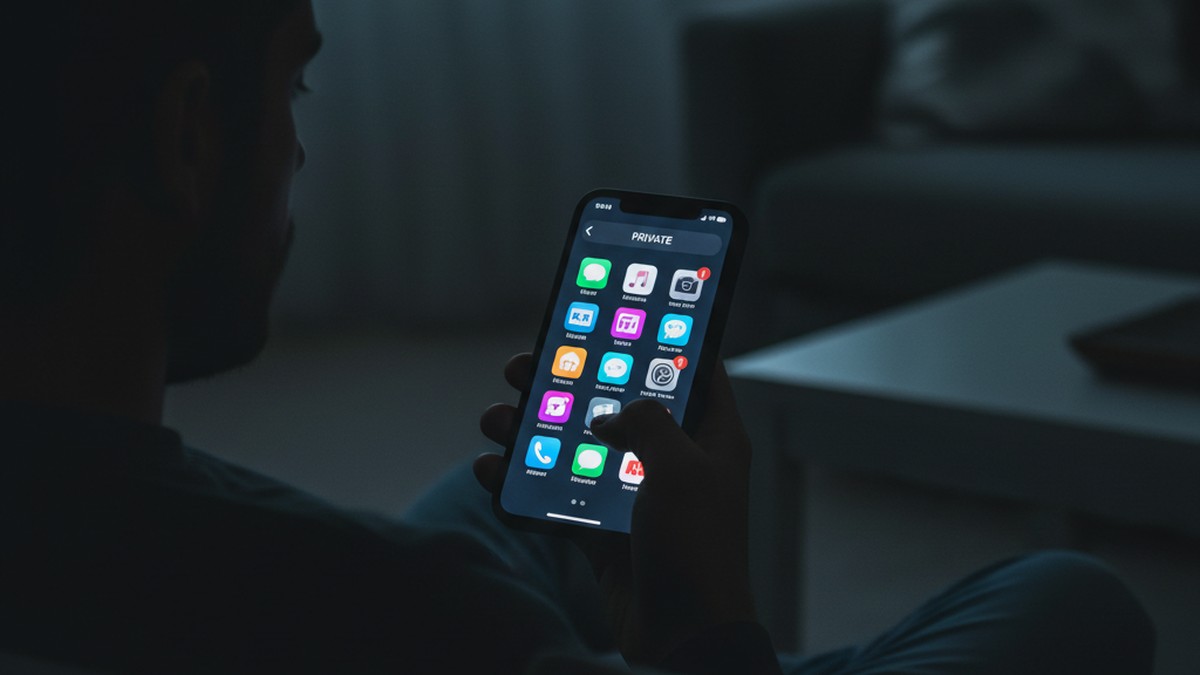
- Notification behavior that doesn't match the lock screen. The phone lights up or vibrates, but your partner picks it up and there's nothing visible. Notification content from within private apps often doesn't display on the lock screen.
- A secondary contacts source. Some virtual number apps maintain their own contact directory, which may appear as a separate source in the phone's contacts settings under "Accounts."
- Elevated data usage. VoIP calls consume data. If your phone plan's data summary shows higher consumption than your partner's observable internet habits explain, that's a potential indicator.
- The app appears in screen-time data. If you have access to Screen Time (iOS) or Digital Wellbeing (Android) summaries, unfamiliar apps with daily usage recorded tell a specific story.
Hidden dating apps follow a similar concealment pattern. The guide to hidden dating apps covers how apps get disguised or hidden on both iOS and Android devices.
Can You Trace a Burner Phone Number?
Technically yes, practically no — at least not without law enforcement involvement. Carriers log every burner phone's IMEI and cell tower connections, but accessing those records requires a court order or police investigation. Standard reverse-number lookup services fail on prepaid numbers. Home router logs, Bluetooth history, and shared account device lists are the realistic options for a private individual.
Discovering evidence of a burner phone often raises the immediate question: can you trace the number back to whoever owns it?
What's Theoretically Traceable
Every phone that connects to a cellular network leaves a record. When a device makes a call or uses mobile data, it registers with the nearest cell tower. That connection is logged by the carrier, including the timestamp, the call duration, and a hardware identifier called an IMEI number — a unique serial number embedded in every mobile device.
For burner phones, this means:
- The device IMEI is logged every time it connects to a cellular network
- The phone's approximate physical location (to within a cell tower's coverage range) is recorded at each connection point
- Any call placed through the carrier creates a time-stamped entry
These records exist and are retained by carriers for varying periods. Accessing them, however, requires a court order, an active law enforcement investigation, or a formal legal request to the carrier. None of those channels are open to a private individual.
What Reverse Lookup Services Actually Return
Several online services advertise the ability to identify the owner of any phone number. For standard carrier-assigned numbers, these services work reasonably well. For prepaid burner numbers, they typically return one of two results: nothing at all, or a generic "prepaid mobile" result with no personal information attached.
Prepaid phone numbers are activated with minimal identity verification. Carriers are not legally required to confirm the identity of prepaid customers in most US jurisdictions. A prepaid number purchased with cash and a false name produces a registration record that a reverse lookup service has no way to resolve.
The VoIP Problem
If your partner is using a virtual number app rather than a physical burner, the tracing problem becomes more acute. VoIP numbers are assigned by application providers, not cellular carriers. They route calls through the internet rather than through cell tower infrastructure, which means:
- No cell tower connection records exist for those calls
- Standard carrier-level records don't apply
- The number itself may change at any time if the user deletes the account and creates a new one
From CheatScanX's experience working with users who discover hidden dating profiles, a consistent pattern emerges: a notable portion of those profiles are registered with VoIP or temporary email addresses rather than real carrier-assigned phone numbers. This is consistent with someone deliberately constructing a secondary identity — one designed from the start to resist tracing.
What You Can Check Without Legal Help
Without legal process, the options for tracing a burner number are limited but not zero:
- Router device logs. Your home router maintains records of connected devices by MAC address. A device appearing on your network that you can't identify is traceable within your own system.
- Bluetooth proximity history. A device that regularly appears in Bluetooth scan range when your partner is present can be identified by device name, even without pairing.
- Shared account device records. If the burner uses the same Apple ID or Google account as the main phone, connected device lists in account settings show it.
- Physical device. If you locate the physical burner, the IMEI printed inside the battery compartment can be looked up through basic public tools to identify the manufacturer and device model.
- VoIP app traces. If a virtual number app is installed on the main phone, its internal call and message logs are visible within the app itself if the device is unlocked and the app is accessible.
Tracing a burner number through official channels is largely out of reach. But every burner phone, by existing in the physical world, leaves a different kind of trace — and those traces are far more accessible.
What Digital Traces Does a Burner Phone Leave?
Despite their reputation for anonymity, burner phones exist in physical and digital space simultaneously — and both create records. The question isn't whether these traces exist. It's whether you know where to look.
Wi-Fi Network Connections
This is the most accessible detection method available without technical expertise or legal process. When your partner's burner phone connects to your home Wi-Fi — which many do, since prepaid cellular data costs money and home Wi-Fi is free — the router registers the connection and assigns the device an IP address based on its MAC address.
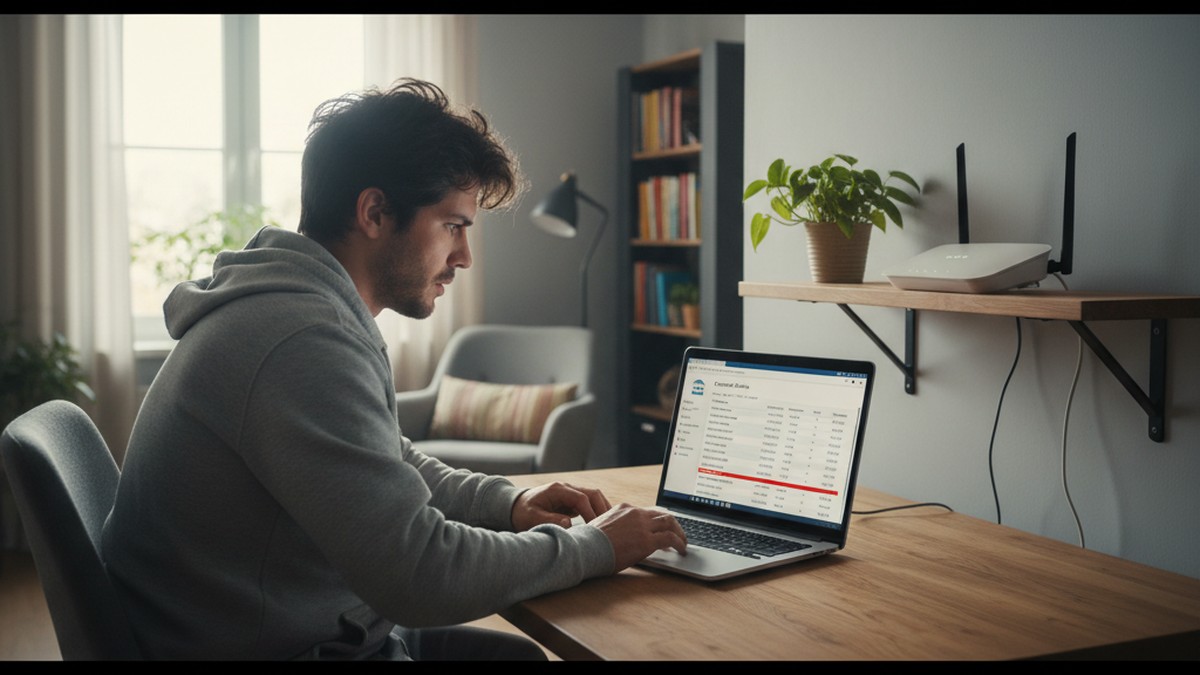
Your router's connected device list shows every device currently on the network. A device you don't recognize — particularly one that appears and disappears on a schedule that corresponds to your partner's presence at home — is a detectable trace that requires no access to any phone.
Bluetooth Proximity Records
Bluetooth-enabled devices scan for other devices periodically. Your main phone's Bluetooth settings often show devices that have been detected nearby even if they've never been paired. A burner phone carried in your partner's bag or jacket will regularly appear in Bluetooth proximity range — often under a generic name like the handset model or "Android Phone."
If that same device name appears whenever your partner is home and disappears when they leave, it's a device traveling with them. Cross-referencing this with the router device list creates a stronger case than either signal alone.
iCloud or Google Account Contamination
This is one of the most common mistakes that leads to burner phone discovery. Setting up a new phone requires an associated account. If your partner uses their main Apple ID or primary Gmail to set up the burner — perhaps to install apps they've already purchased — that account now shows activity from two devices.
Connected device lists are accessible in account settings:
- Apple: Settings → [Your Name] → scroll down to see all devices signed in with that Apple ID
- Google: myaccount.google.com → Security → Your devices
An unfamiliar device name — a budget Android model, an older iPhone generation, a brand your partner has never mentioned — appearing in that list is significant. Devices sign into accounts with their actual names, not anonymized identifiers.
App Store and Google Play Purchase History
Apps purchased or downloaded on the burner using a linked account appear in the purchase history of that account. The app itself may seem innocuous — a messaging platform, a photo editor, a VPN — but its presence on a device your partner hasn't mentioned creates an inconsistency between the purchase history and the devices you know they own.
Photo Metadata
Photos taken on a burner and later transferred to a main device or shared through a messaging platform retain metadata, including EXIF data that records the device model that captured the image. If you receive photos from your partner and the EXIF data shows a camera model different from the phone you know they own, that's a specific inconsistency worth investigating.
Car Infotainment Bluetooth History
Many modern vehicles maintain a history of previously paired Bluetooth devices even after those devices are unpaired or removed. If a burner phone was connected to the car's Bluetooth system — commonly done for hands-free calling — some infotainment systems retain the device name in their pairing history log. Checking the car's Bluetooth settings menu, specifically the list of previously connected devices, is one of the least-known and most practically effective detection methods available. It requires no account access and no technical knowledge beyond navigating the car's settings menu. The router check below provides another accessible layer of that same type of evidence.
How to Check Your Home Router for Unknown Devices
Checking your home router for unrecognized devices requires no technical background and takes about five minutes. It's one of the most reliable methods available for detecting a secondary phone on your network.
Step 1: Log Into Your Router Admin Panel
Access your router's management interface through a standard browser. Enter one of these addresses in the address bar:
- `192.168.0.1`
- `192.168.1.1`
- `10.0.0.1`
If none of these connect, find your router's address through your phone's Wi-Fi settings — tap the connected network name and look for a field labeled "Router" or "Gateway."
You'll need the router's admin username and password. If you've never changed them, they're usually printed on a sticker on the router itself. Common factory defaults are `admin / admin` or `admin / password`. Many internet providers also include login credentials on router documentation.
Step 2: Find the Connected Devices List
Router interfaces differ by manufacturer — Netgear, TP-Link, Asus, Eero, Google Wifi — but all of them expose a device list somewhere. Look for menu items or sections labeled:
- "Connected Devices"
- "Device List"
- "DHCP Client List"
- "Wireless Clients"
- "Network Map"
- "Attached Devices"
Step 3: Inventory Every Device on the List
Write down or photograph the complete device list. Modern households have more connected devices than most people estimate: both partners' phones, laptops, tablets, smart TV, streaming sticks, game consoles, smart speakers, smart displays, and smart home devices like thermostats, doorbells, and lights.
Work through the list systematically. iPhones typically appear under the owner's name. Laptops appear under their computer name. Smart TVs and streaming devices usually show the manufacturer brand. Generic entries — "Android-abc123," "Unknown," or a string of alphanumeric characters — require additional investigation.
Step 4: Check Connection History and Timing
Some routers log connection and disconnection events with timestamps. If yours has this feature — often accessible under "Advanced Settings," "Logs," or "Event History" — look for when unknown devices appear and disappear.
A device that connects consistently during specific hours that correlate with your partner's presence and disconnects when they leave indicates a device they carry. A device that appears only after midnight, only on specific days, or only during periods when your partner is home alone follows a pattern worth examining. The timing is often more informative than the device identity itself.
Step 5: Cross-Reference With Bluetooth Proximity
Open Bluetooth settings on your main phone and look at the list of available or previously seen nearby devices. On Android, this is typically visible under Bluetooth settings as a list of devices in range. On iOS, devices paired at any point remain in the Bluetooth list even if currently disconnected.
A device name appearing in both your router history and your Bluetooth proximity history — especially with consistent timing — creates a significantly stronger case for a secondary phone than either source alone.
A Note on Router Logging Capability
Not all routers store historical connection data. Entry-level models often display only currently connected devices, not historical connections. If your router lacks a log function, the current device list tells you only what's connected right now. A mesh networking system or a dedicated network security device (like Firewalla or Circle) provides substantially better logging and historical data. If your current router has limited visibility, upgrading the network hardware is a practical step for ongoing monitoring. Whichever method surfaces the secondary device, the next question is what that discovery actually tells you — and what it doesn't.
Does Finding a Burner Phone Prove Cheating?
Not automatically. A hidden phone is significant evidence, but not definitive proof of an affair. People maintain secondary devices for legitimate reasons — work, privacy, small business use. The distinguishing factor is concealment: a phone your partner hid, charged separately, and never mentioned is a trust issue regardless of its contents. Context and accompanying evidence matter significantly.
Finding a hidden secondary phone is significant evidence. It's not, by itself, definitive proof of an affair — and approaching the situation as though it is can create problems, both interpersonally and legally.
What a Burner Phone Does Not Automatically Mean
People maintain secondary devices for legitimate reasons:
- Work separation. Some employers require or encourage a dedicated work phone to keep business communications off personal devices. This is common in regulated industries, legal work, and roles with sensitive client information.
- Financial or legal privacy. People in divorce proceedings, business disputes, or complex financial situations sometimes maintain separate communication channels on legal advice.
- Personal safety. Survivors of domestic abuse, stalking situations, or harassment sometimes maintain a secondary phone for communications with support services or emergency contacts they don't want associated with their primary number.
- Side business or freelancing. Someone running a small business may use a separate number for professional contacts rather than mixing them with personal communications.
The distinguishing factor in every legitimate case is disclosure. A work phone your partner mentioned is not a burner phone in any meaningful sense. A prepaid device hidden in the car glove box, charged with a cable that never enters the house, and never acknowledged — that's a different situation regardless of what's on it.
The Real Issue Is Concealment
The concealment is what warrants concern, not the device itself. A secondary phone you didn't know about, stored in a location suggesting deliberate secrecy, is a trust violation even if the phone contains nothing incriminating. Even an innocent secondary phone hidden from a partner raises a direct question about why it was hidden.
The combination of a hidden device and a pattern of other behavioral signs is what builds a meaningful picture. Taken alone, a second phone is a question. Taken alongside unexplained absences, changed passwords, elevated cash spending, and a partner who is using secret messaging apps for cheating on top of a hidden device, it becomes part of a consistent pattern that's much harder to explain.
A Common Misconception Worth Addressing
The presence of a burner phone does not necessarily mean the affair is active at the time of discovery. People sometimes maintain secondary devices out of habit long after a relationship has ended. The phone's existence tells you something happened or is happening — it doesn't specify the timeline or the current status.
This distinction matters because the confrontation that follows discovery needs to be grounded in what you actually know, not what you've assumed based on incomplete information.
What This Does NOT Mean About Your Options
Finding a hidden device does not give you the right to access it without consent. In the United States, the Electronic Communications Privacy Act makes unauthorized access to someone else's electronic communications illegal — including within a marriage, and including on a device you found in your own home. Accessing the phone without the owner's knowledge creates legal exposure for the person doing the checking, and evidence obtained that way may be inadmissible in subsequent legal proceedings.
Document what you observed — the device's existence, its location, how you found it — but avoid attempting to unlock or access it. The existence of the device, combined with other evidence you've gathered through legitimate means, is often sufficient to have a productive direct conversation.
Steps to Take If You Suspect a Burner Phone
If the physical signs, behavioral patterns, and digital traces you've observed point toward a secondary phone, a structured approach protects your interests and produces better outcomes than reactive confrontation.
Step 1: Document Before You Act
Before doing anything else, write down what you've observed. Not conclusions — observations. Specific, dated, factual entries: "I noticed an unfamiliar Micro-USB cable in the glove box on May 18th." "The router showed an unrecognized Android device connected from 11pm–1am on May 20th." "I found a SIM card in the inside pocket of the jacket on May 21st."
Documentation serves two functions. It creates a clear picture of the pattern rather than a collection of individual incidents that seem dismissible in isolation. And it creates a record that's useful if the situation escalates toward legal proceedings, where how and when you gathered information matters.
Step 2: Complete Your Digital Checks First
Before any confrontation, gather as much information as you can through legitimate, non-invasive means. Check your home router for unknown connected devices. Examine your car's Bluetooth pairing history. Review Apple ID or Google account connected device lists. Look at shared financial records for prepaid phone purchases.
Walk through the steps in the router section above. These checks happen without the other person knowing and without touching any device you don't have rightful access to. They produce specific, documentable findings.
Step 3: Run a Dating Profile Scan
A burner phone enables communication. It doesn't erase what that communication created. If your partner has an active dating profile — built to facilitate an affair — that profile exists on a server and is searchable regardless of what phone or number was used to create it.
Running a search through CheatScanX covers 15+ major dating platforms using a name and location. The result is independent of any device access, any confrontation, or any information from your partner. A confirmed active profile alongside the physical and behavioral evidence you've already gathered creates a substantially clearer picture than any single piece of evidence alone.
Step 4: Have a Grounded, Specific Conversation
This is the step most people rush toward and should actually prepare for carefully. A confrontation that opens with conclusions — "I know you have a burner phone" — moves immediately to denial. A conversation grounded in specific observations — "I found a charger cable in your car that doesn't match any device we own, and an unrecognized phone showed up on our router three times this week" — is much harder to dismiss.
Present what you know. Invite an explanation. A partner with a legitimate reason for a second phone can provide it. A partner without one will either offer a flimsy explanation or confirm what you suspected. Either way, you'll have a clearer picture than you did before.
Step 5: Get Support — Whatever the Outcome
If the conversation confirms your suspicion — or if the denial doesn't resolve the evidence you've gathered — the next step is support for yourself, not escalation. That might be a therapist or counselor to process what you're experiencing, a couples therapist if you're considering whether the relationship is recoverable, or a family law attorney if you're thinking about separation. For catching a cheating partner in any context, the most useful outcomes come from a methodical approach that includes emotional support at each stage, not from crisis-mode decisions made in the immediate aftermath of discovery.
Frequently Asked Questions
Look for physical signs: an unfamiliar charging cable, an extra SIM card in their wallet, or an unrecognized device on your home Wi-Fi router. Behavioral signs include stepping away specifically to take calls whose record doesn't appear on the main phone, carrying a bag everywhere including the bathroom, and unexplained cash spending consistent with prepaid phone purchases.
Cellular carriers log IMEI numbers and cell tower connections for every call made through their network, but accessing those records requires law enforcement and legal process — not available to private individuals. Standard reverse-number lookup services typically fail on prepaid numbers. Home router logs, Bluetooth proximity records, and shared account device lists are accessible without legal help.
They serve the same function — a hidden communication channel — but differ in form. A burner app runs on the existing main phone and creates a virtual number via VoIP, leaving no extra hardware to find. Burner apps are harder to detect physically but leave digital signs: unfamiliar apps, elevated data usage, and notifications that don't appear in the main messaging app.
Document when and where you found it, but do not access it without the owner's consent — unauthorized access may violate privacy laws even within a relationship. Use the existence and location of the hidden device as the basis for a direct conversation. If the response doesn't resolve the situation, consult a family law attorney before taking further steps.