# Dating App Push Notifications: Signs of Cheating
A dating app push notification appearing on your partner's phone is one of the clearest technical signals when you're concerned about cheating: the app is installed, active, and communicating with its server. Push notifications cannot arrive on a device unless the app is downloaded and notification permissions are enabled. There is no remote delivery workaround, no accident, no "wrong device" scenario. What varies is what the notification means about behavior — and how effectively it can be suppressed.
A 2026 study in Frontiers in Psychology found that 75% of men and 70% of women who arranged sexual encounters through dating apps were in committed relationships at the time. Phone-based discoveries are consistently among the most common ways these situations surface: according to Magnum Investigations (2025), 71% of phone-based infidelity discoveries were triggered by a partner noticing an unexpected or unfamiliar app. But not every notification equals active pursuit. Re-engagement alerts, ghost match notifications, and automated system pings can fire on accounts that haven't been opened in weeks.
This article covers exactly what each major dating app displays on a lock screen, how notifications can be suppressed or hidden entirely, what re-engagement alerts actually look like versus user-triggered alerts, and a framework for interpreting what you saw accurately rather than reacting to the rawest version of what you witnessed.
What Does a Dating App Push Notification Actually Mean?
A dating app push notification proves the app is installed on the device and notification permissions are active. Push notifications require the app to be present on the phone — there is no mechanism for receiving Tinder, Bumble, or Hinge alerts without those apps downloaded and installed. The notification travels from the app's server to Apple's Push Notification Service (for iOS) or Google's Firebase Cloud Messaging (for Android), which then delivers it to the device. If the app is absent, that delivery chain has no endpoint.
This is the single most important technical fact to understand: you cannot accidentally receive a dating app notification the way you might receive an email from a forgotten newsletter subscription. The app must be installed, the account must be active, and the device must have granted the app permission to deliver push alerts. All three conditions must be true simultaneously.
The one narrow technical exception
There is an edge case worth understanding: browser-based web push notifications. Some platforms allow users to receive alerts through a mobile browser without installing a native app. This requires the user to have explicitly opted in to browser notifications when visiting the site — it's a deliberate action, not something that happens passively. The major platforms (Tinder, Bumble, Hinge, Grindr) do not offer full browser-push on mobile, but niche and older platforms like OkCupid and some regional apps support it. If you saw a notification with no corresponding app icon on the home screen, web push is worth investigating, though it represents a small fraction of scenarios.
What a notification technically confirms
When you observe a dating app notification on a partner's device, the following can be stated with certainty:
- The app is installed, or web push has been deliberately enabled
- The account is active and has not had notifications disabled in device settings
- The app's server considers the account worth reaching — typically because there is activity worth alerting about (a new match, a message, a like, or an expiring connection)
- The user has not deployed iOS 18's hidden app feature or full notification suppression for that specific app
What a single notification does not confirm: how frequently the app is being used, whether the activity is the user's own actions or an automated re-engagement prompt, or whether any conversations have taken place beyond the single event that triggered the alert.
The app must be actively maintained to receive notifications
One detail worth knowing: push notification permissions require periodic maintenance. On both iOS and Android, if an app is not used for an extended period, the operating system may revoke background activity permissions. An account abandoned for a very long time — six months or more with no opens — may stop receiving push alerts not because notifications were intentionally disabled but because the OS backgrounded the app entirely.
This is genuinely uncommon for apps like Tinder and Hinge that have sophisticated re-engagement systems, but it's a legitimate scenario for smaller platforms or old accounts. In practice, if a lock screen notification arrived, the app is functionally active from the OS's perspective.
CheatScanX scans all of these platforms — and more — in a single search. Enter a name, email, or phone number and get results in minutes.
Try a multi-platform search →What Do Dating App Notifications Look Like on a Lock Screen?
The text, icon, and sound that appear when a dating app notification arrives depend on three factors: which app it is, what type of notification it is, and what privacy settings the user has configured. With default iOS or Android settings (show previews always), notification content is fully readable on the lock screen without unlocking the phone. With "show previews when unlocked" or fully disabled previews, different amounts of information remain visible.
The table below summarizes what each major platform shows under default settings and under privacy-restricted settings.
| App | Default Lock Screen Text | Icon | Default Sound | With Preview Hidden |
|---|---|---|---|---|
| Tinder | "You have a new match!" / "New message" / "Someone liked your profile" | Orange flame | Standard ping | "Tinder" + flame icon only |
| Bumble | "[Name] sent you a message" / "Your match expires in 24 hours" | Yellow bee | Cheerful doorbell chime | "Bumble" + bee icon only |
| Hinge | "[Name] liked your photo" / "You matched!" / "[Name] sent you a Rose" | Purple H | Standard ping | "Hinge" + H icon only |
| Grindr | "New message from [Name]" / "Someone tapped you" | Yellow/black logo | Updated chime (2024) | "Grindr" + logo only |
| Snapchat | "[Name] sent you a Snap" / "[Name] sent you a message" | Yellow ghost | Camera click | "Snapchat" + ghost icon only |
| OkCupid | "[Name] liked you" / "New message from [Name]" | Red circle | Standard ping | "OkCupid" + icon only |
Why Bumble's default notifications are the most revealing
Bumble's default notification text stands apart from other major apps because it explicitly includes the other user's name: "[Name] sent you a message." Tinder sends a generic "New message" with no identification. Hinge identifies the action ("liked your photo") but may or may not include the name depending on the notification type. Bumble names the person by default.
This means that even a briefly visible Bumble notification — one that appears and gets immediately dismissed — may have already revealed more than the user intended. A partner who reacts quickly to a Bumble notification is not necessarily hiding the app; they may just be reflexively dismissing it. But the name that appeared in that fraction of a second matters.
Bumble also has the most distinctive default notification sound among the major apps. Users and partners alike frequently describe it as a "cheerful ding-dong" or doorbell chime — immediately recognizable and different from standard iOS or Android alert tones. We address the acoustic dimension separately in a later section.
What Hinge notifications reveal about account activity level
Hinge's notification behavior carries a meaningful implication beyond confirming the app is installed. The platform's matching algorithm actively favors users who interact frequently — recent logins, swipes, and responses all increase a profile's visibility to other users. Accounts that have been dormant for weeks are deprioritized in the algorithm and shown to fewer potential matches.
If a phone is receiving Hinge match notifications — "You matched!" or "[Name] sent you a Rose" — it signals that the account is visible and being promoted by the algorithm to other active users. A genuinely dormant account accumulates fewer new matches over time precisely because Hinge stops showing it. An active notification stream of new likes or matches implies an active profile, not just an installed app.
What Grindr notifications signal differently
Grindr differs from Tinder, Bumble, and Hinge in a fundamental way: it's proximity-based, surfacing users based on physical location rather than purely swiping preferences. A Grindr notification arriving on a partner's phone indicates that other users in the immediate vicinity have interacted with the account — a more geographically specific signal than a general-purpose dating app. The notification type also includes "proximity tap" alerts that don't have direct equivalents on other platforms.
Grindr updated its default notification sound in 2024. If you're working from memory of what Grindr alerts sounded like before that update, the acoustic reference point may have shifted.
Snapchat's dual notification wording
Snapchat has two distinct notification phrasings that carry different meanings. "[Name] sent you a Snap" indicates a Snap sent directly to you. "[Name] sent a Snap" (without "you") may indicate a Snap sent to multiple people — a broadcast snap, not a personal one. This distinction, documented by Snapchat users, matters because it affects whether you're seeing evidence of personal communication or group content. The difference in wording is subtle enough that it's easy to misread in a brief glance.
Can You Receive Dating App Notifications Without Using the App?
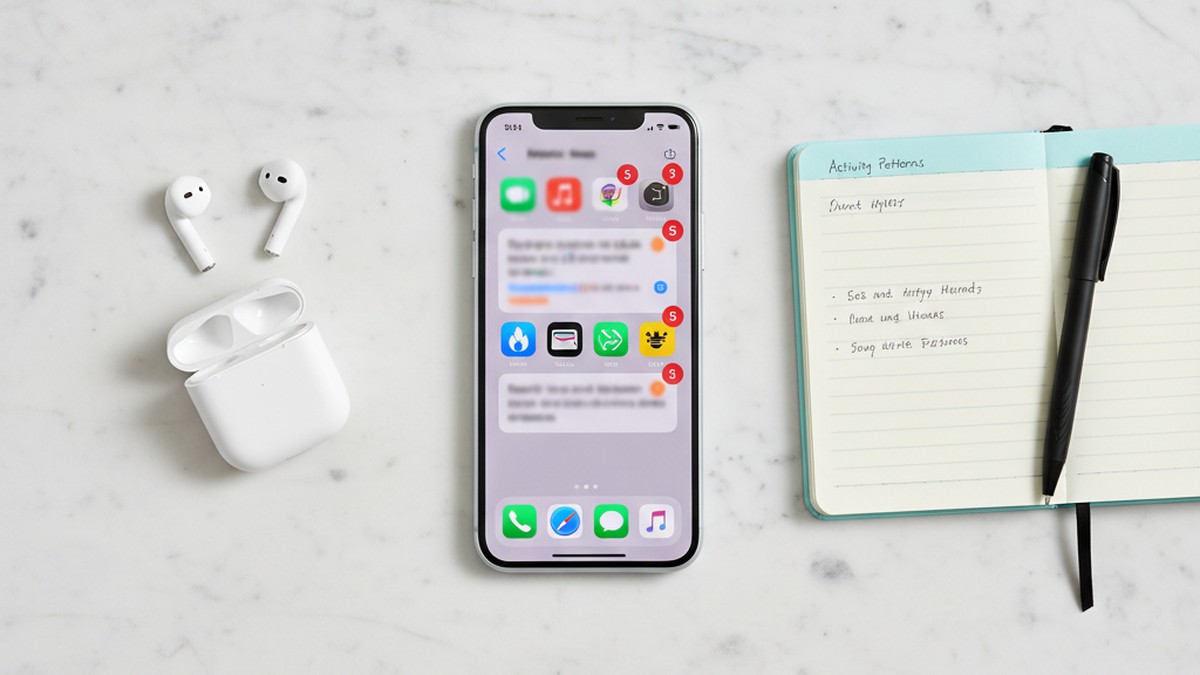
You can receive re-engagement notifications from a dating app without having recently opened it. Apps like Tinder, Bumble, and Hinge send automated push alerts to accounts that have been inactive — these alerts fire from the platform's server without the user having taken any action. The app must be installed and notification permissions must be active, but user interaction is not required to trigger these specific alerts.
Understanding which notifications are automated versus which require another user's action is critical for evaluating what a specific notification means.
Notifications that require no user action (automated re-engagement)
- Tinder: "You have X new likes waiting" / "Come back, there are people who want to meet you" — sent to accounts that haven't opened the app within a defined inactivity window
- Bumble: "Your connection with [Name] expires soon" — a time-sensitive reminder about a match approaching the 24-hour window in which women must initiate
- Hinge: "You have X new likes" / "[Name] sent you a Rose" — can fire on accounts inactive for weeks; the Rose notification fires because another user sent one, not because the account owner was active
- Tinder: Match expiration reminders on Tinder Gold/Platinum subscription tiers
These are platform-generated and designed entirely to increase session frequency. They do not require the account owner to have opened the app, swiped, or messaged anyone.
Notifications that require another user's action (activity-confirming)
- A new match (requires a mutual swipe — someone swiped right on the account and the algorithm confirmed mutual interest)
- "[Name] sent you a message" (requires the account to be visible and a conversation to have started)
- A Rose received on Hinge (requires another user to spend a premium Rose credit on the account)
- A Super Like received on Tinder (requires another user to deliberately Super Like)
- "Someone tapped you" on Grindr (requires a nearby user to tap the profile)
These cannot be automated. If a notification specifies another user's action — a named message, a specific Rose, a tap — someone on the other end was actively engaging with the account. That is harder to explain as passive re-engagement.
The ghost notification phenomenon on Tinder
Tinder is uniquely known for generating phantom notification badges — the red number indicator on the app icon — in specific situations: when a match un-matches the account (the badge persists briefly after the match disappears), when a user deletes their profile after messaging, or due to sync delays after recent activity. These phantom badges can make the app appear to have unread content when none exists.
The distinction worth noting: phantom badges require the app to be open (or at least in the foreground briefly) to notice. A push notification — the alert that appears on the lock screen with preview text — is a different mechanism. It's a direct server push to the device. If you saw a lock screen alert with text, it was a genuine push notification, not a badge glitch. If you saw a red number on the app icon without a corresponding lock screen alert, it could be a phantom badge from a defunct match.
How Cheaters Hide Dating App Notifications on iPhone
Five primary methods are used to suppress dating app notifications on iPhones. They range from partial concealment to complete notification blackout. Understanding each helps you interpret what you did or did not see — and recognize when a pattern of settings may be deliberate rather than coincidental.
Method 1: Notification preview suppression (most common)
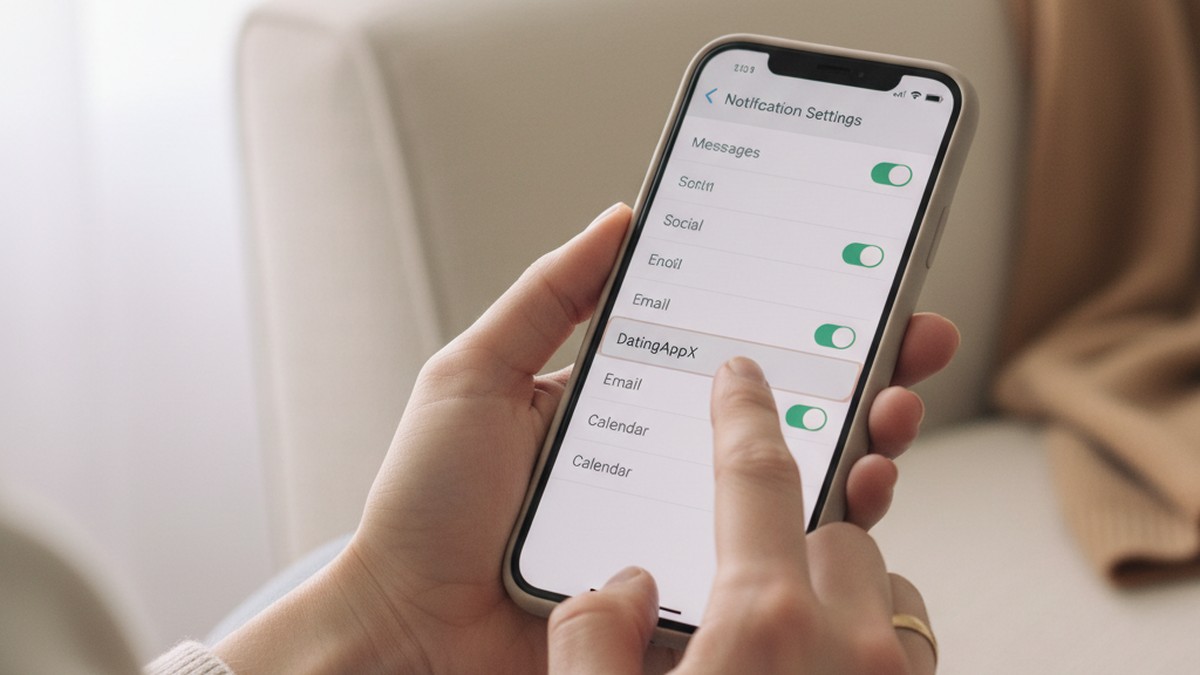
The most widely used approach is disabling notification preview text while leaving the app visibly installed on the home screen. This is configured at Settings > Notifications > [App Name] > Show Previews > "When Unlocked" or "Never."
With "Never" selected, the lock screen shows the app's icon and name but no content. A Tinder match notification becomes "Tinder" with a flame — no indication of whether it's a match, a message, or a system alert. A Bumble notification loses the sender's name, becoming simply "Bumble" with the bee icon.
This method is particularly common because it looks like a privacy preference rather than deliberate concealment. Many people set notification previews to "never" for all apps as a general privacy setting — it's harder to single out as suspicious when applied broadly.
What to notice: If every other app on the phone shows rich notification previews (iMessages visible on lock screen, email subjects showing) but specific apps show blank notifications, the inconsistency is informative. Preview suppression applied selectively to dating apps while email shows full content is an unusual configuration.
Method 2: Full notification disable
Settings > Notifications > [App Name] > toggle off "Allow Notifications." The app receives no push alerts whatsoever — no lock screen popup, no sound, no badge count, nothing. The user checks the app manually to see activity.
This requires behavioral discipline. The person must remember to check the app intentionally rather than being prompted. It eliminates the risk of a visible notification entirely but also means they may miss time-sensitive match windows (like Bumble's 24-hour conversation starter requirement).
Someone who has disabled all notifications for a specific app but checks it regularly during private moments — bathroom, parked car, waiting in line — won't generate any visible alerts.
Method 3: iOS 18 "Hide and Require Face ID" (most thorough)
iOS 18, released in September 2024, introduced a feature that removes an app from the visible phone environment entirely. To activate it: long-press the app icon > "Require Face ID" or "Hide and Require Face ID."
With this setting active, the app icon disappears from the home screen, from Spotlight search, from Siri suggestions, and from the App Switcher. The app moves into a Face ID-gated hidden section inside the App Library — accessible only to someone who knows it's there and can authenticate with Face ID or Touch ID. More critically: all push notifications for the hidden app are automatically and permanently disabled. Not suppressed — blocked at the system level.
A TikTok video explaining this feature's implications for relationships received 22 million views and 1.9 million likes in October 2024 (Daily Dot). The public awareness of this method is now widespread; it's not an obscure power-user technique.
The email notification loophole: iOS 18's hidden app feature stops push notifications but does not stop the dating platform from sending email alerts. Tinder, Bumble, and Hinge all send re-engagement and match notification emails to the account's registered email address. A partner using the iOS 18 hidden app feature may remain exposed through email — particularly if they use a shared email account or if email notifications arrive at an address visible on other family devices. If push notifications for a known app have simply stopped while everything else on the phone functions normally, iOS 18 hiding is a plausible explanation — and the email trail may remain.
For a deeper look at find hidden dating apps on iPhone, the iOS 18 hidden app feature represents the most significant platform change in recent years for detection.
Method 4: Notification grouping to reduce visual footprint
iOS and Android both support notification grouping, where multiple alerts from the same app stack into a single expandable notification. Rather than five separate Tinder notifications appearing, they collapse into one stack. This doesn't eliminate notifications but reduces their visual presence — five alerts look like one, and the stack sits lower in the notification priority order.
This method doesn't hide the app's presence but is used in combination with other settings to reduce the visual evidence of high-frequency notification receipt.
Method 5: Scheduled Focus Modes and Do Not Disturb
iOS Focus Modes allow users to define custom time periods during which all notifications from specified apps are silenced. A "Personal" Focus Mode active during evenings at home could suppress all dating app alerts during time spent with a partner, while allowing them through during work hours when the phone is private.
The behavioral marker here: if a partner's phone is frequently in Do Not Disturb or a custom Focus Mode specifically during the times you're together, and they check it privately when DND is off, this pattern is worth noting — though it has many non-suspicious explanations, including genuine digital wellness habits.
How Cheaters Hide Dating App Notifications on Android
Android devices offer equivalent suppression methods with significant variation between manufacturers. Samsung devices have capabilities that non-Samsung Android phones don't share, and Android 15 introduced a native feature that many covering this topic have not yet acknowledged.
Samsung Secure Folder
Samsung Secure Folder creates a completely isolated environment within the phone — a locked, separate space with its own app installations, account credentials, and notification handling. Apps installed inside Secure Folder generate notifications only within that environment; nothing appears on the main phone's lock screen or notification shade.
A user can install Tinder inside Secure Folder while the main home screen shows no dating apps at all. Secure Folder requires biometric authentication (fingerprint, face) to enter. It's been a built-in Samsung feature since 2017 and is accessible through Settings > Biometrics and Security > Secure Folder.
The detection difficulty: Secure Folder's own icon can be hidden from the app drawer and home screen. A Samsung phone with no visible Secure Folder icon is not evidence that the feature isn't in use — it can be accessed only through the Settings menu when the launcher icon is removed. The folder itself, even empty-looking, may contain active apps. For full coverage of find hidden dating apps on Android, Samsung-specific features require a different detection approach.
Android 15 Private Space
Android 15, released in late 2024, introduced a native equivalent to Samsung Secure Folder for stock Android devices — called "Private Space." Available on Google Pixel phones and other devices running clean Android 15, Private Space creates a locked secondary profile with its own apps, notifications, and data store. Apps in Private Space produce no alerts outside that environment.
This is newer than most articles on this topic acknowledge. Coverage of Android notification hiding methods tends to focus on Samsung Secure Folder while missing that Private Space is now a stock Android feature — available on any Android 15 device, not just Samsung. If the phone is running Android 15 and is not a Samsung, Private Space is the relevant feature to understand.
Per-app lock screen notification management
On any Android device: Settings > Notifications > [App] > Lock Screen > "Don't show notifications at all." This hides notifications from the lock screen entirely while still allowing them to appear in the notification shade when the phone is unlocked. The person sees the alerts privately when they open the phone; a partner glancing at the locked screen sees nothing.
Icon disguise applications
Third-party apps exist specifically to replace a dating app's home screen icon and name with a disguised alternative — a calculator icon, a flashlight, a utility tool. The dating app functions normally but appears as something innocuous on the home screen. Some of these apps also intercept and rename notifications under the disguised app's label, so the notification banner shows "Calculator" rather than "Tinder."
Browser access as complete notification bypass
Accessing a dating app through an incognito mobile browser eliminates the app install entirely — no icon, no push notifications, no install history, no app in the Settings notification list. Most major dating platforms have functional mobile websites. Tinder, Bumble, and Hinge all work in mobile browser mode for basic swiping and messaging, though some premium features require the native app.
The only traces from browser-based dating app use: browsing history (clearable in seconds) and email notifications from the platform. A partner who uses dating apps exclusively through an incognito browser creates no device-side evidence beyond those two traces.
How Notification Sounds Expose Hidden App Use
An angle almost no competitor article covers: dating apps have distinctive default notification sounds. A partner in the same room may recognize the app by its audio signature before ever seeing the screen.
Bumble's default notification sound is the most recognizable among the major platforms. Users consistently describe it as a "cheerful ding-dong" or doorbell chime — distinct from the standard iOS notification sounds and from the tones used by Tinder and Hinge. After hearing it once in context, many people report being able to identify it immediately in subsequent instances. The sound is different enough from everyday phone notifications that it stands out in a quiet room.
Grindr historically had a particularly distinctive notification sound — described by long-time users as immediately identifiable. The app updated its notification sound in 2024 for the US market, which means the acoustic signature some people memorized from previous experience may no longer match what's currently used. This is worth knowing if you're drawing on a reference you learned before 2024.
Tinder's default notification uses a more generic tone — the standard iOS or Android alert sound on most devices, depending on which sound the user has set. Tinder alone is harder to identify by sound. Combined with the screen lighting up at unusual hours and a reflex reach for the phone, the behavioral context amplifies what the sound alone doesn't confirm.
What acoustic recognition means practically
Sound-based detection is less reliable than visual confirmation but matters in a specific scenario: when a partner has disabled notification preview text or completely removed an app's icon. Even with visual suppression active, most notification hiding methods do not change the notification sound. Method 1 (preview suppression) and Method 4 (notification grouping) leave sounds intact.
Someone who is genuinely concerned about audio exposure has to take the additional step of disabling sounds specifically — either setting the notification sound to "None" in Settings or using silent mode when around a partner. If sounds are still present but visual preview is hidden, that's a gap in the concealment.
People frequently describe a gut instinct that preceded visual evidence — a recurring sound they recognized from somewhere, a reflex phone grab in response to a specific tone, a behavioral pattern that seemed too consistent to be coincidence. The acoustic dimension of notification detection explains some of those experiences.
The Notification Confidence Scale
Most people who see a dating app notification don't know how much weight to give it. A single notification can mean very different things depending on what it says, when it arrived, and what the phone's recent history looks like. The Notification Confidence Scale is a framework for classifying the signal strength of a specific observation into three tiers.
Tier 1 — Active User (Strong Signal)
All of the following are present:
- The notification references a specific other user by name ("James sent you a message," "[Name] liked your photo")
- The notification type requires another user to have deliberately engaged with the account
- The app was not previously disclosed or known to be active
- The notification arrived during normal waking hours, not as an overnight batch
Interpretation: This is strong evidence of an actively engaging profile. Another real person initiated contact with the account, generating the alert. The account is not passively sitting unattended — it's visible to other users and those users are interacting with it. A Tier 1 signal warrants direct investigation before any confrontation.
Tier 2 — Ghost Account (Moderate Signal)
Some of the following are present:
- The notification text is generic ("You have X new likes," "Don't miss your connections," "Come back")
- No specific person is named in the notification
- The app may have been disclosed previously ("I set it up before we got together")
- The notification appeared as part of a batch during off-hours (4 AM re-engagement pings)
Interpretation: This may be an automated re-engagement alert. The app is installed and the account is accessible to other users, but this specific notification doesn't confirm the account owner has been actively using the platform. A Tier 2 signal warrants attention but not accusation. It's a reason to gather more information, not a reason to confront.
Tier 3 — Ambiguous (Weak Signal)
Present:
- A notification sound was heard without a visible lock screen notification appearing
- A badge number appeared briefly on an app icon without a corresponding message inside the app
- A notification appeared and was immediately dismissed before any content was visible
Interpretation: Something involved a dating app, but the specifics are unclear. This tier confirms the app exists on the device and may be active, but doesn't confirm what triggered the alert or at what level. A Tier 3 observation is a reason to notice a pattern, not a reason to draw conclusions from a single incident.
Using the scale in practice
The Notification Confidence Scale is not a verdict system — it's a proportionality guide. A Tier 2 alert combined with other behavioral indicators carries more weight than a Tier 1 alert appearing in complete isolation. Behavioral context is almost always present in meaningful situations.
In practice, what we consistently see in cases processed through profile scan services is that Tier 1 notifications — named-person interactions — occur on accounts that also show other signs of active use: recently updated profile photos, bio edits within the last 30 days, and match activity timestamps that align with times the account holder claimed to be unavailable. Automated Tier 2 pings, by contrast, often correspond to accounts where the profile hasn't been touched in months and whose only recent server interaction is the re-engagement alert itself. The notification type reliably distinguishes between these two very different account states.
According to Magnum Investigations (2025), 84% of cases in which partners were found to be engaged in undisclosed dating app use involved behavioral changes the discovering partner had already noticed before the device-based discovery. The notification tends to confirm a direction the evidence was already pointing, not arrive as a complete surprise. That behavioral context — phone secrecy, schedule changes, communication pattern shifts — is the multiplier that makes a Tier 2 notification more significant than it would be on its own.
The Problem With the "65% of Tinder Users Are in Relationships" Statistic
Nearly every article covering dating app infidelity repeats some version of this claim: between 42% and 65% of Tinder users are already in relationships. The figure appears so frequently it reads as established fact. The methodology behind it is not.
The higher 65% figure traces back to a 2023 survey of approximately 1,387 Tinder users, the results of which were reported by NBC News and subsequently republished across dozens of infidelity-adjacent websites. The critical methodological problem, noted by several researchers who reviewed it: the survey's response options reportedly did not include "single" as a choice. Respondents who were genuinely single had no response option that accurately described their status, which means any percentage derived from the remaining categories — "in a relationship," "married," "it's complicated" — is meaningless as a proportion of the full user base. Tinder itself disputed the study's design publicly.
The 42% figure from a Computers in Human Behavior study (2019) is older and more carefully designed, but it still relies on self-reported data from voluntary participants — a non-representative sample of a platform with hundreds of millions of registered accounts.
Why this matters for interpreting a notification: The inflated statistic is sometimes used to suggest that having a dating app account while in a relationship is common and therefore less concerning. But that conclusion doesn't follow from the data, even if the statistic were accurate. The relevant question isn't how many accounts exist — it's what a specific account is being used for.
What the 2026 Frontiers in Psychology study provides — based on 495 participants with a more rigorous design — is a different and more specific finding: 75% of men and 70% of women who arranged sexual encounters through dating apps were in committed relationships at the time. That's a claim about behavior rather than mere account existence. The distinction between "has a profile" and "is actively arranging meetings" is where interpretation has to land.
A notification from a dating app confirms account presence and activity. The research question is what that activity looks like, and a single notification can't answer that on its own.
What to Do When You See a Dating App Notification
Seeing a dating app notification on a partner's phone produces an immediate impulse to react. How the next hours unfold matters significantly, both for getting accurate information and for any subsequent conversation.
Step 1: Record exactly what you observed
Before taking any other action, write down precisely what you saw: the app name, the exact text (or as much as you remember), the time the notification appeared, your partner's reaction when they noticed it — or didn't notice. Note whether the notification appeared proactively on a locked screen or whether you happened to see it while the phone was visible on a surface.
This documentation matters because memory degrades quickly under emotional stress, and the specific wording of a notification (generic versus named-person) is the most important detail for interpreting what it means. A note in your own phone with the specifics is enough. Include the date.
Step 2: Apply the Notification Confidence Scale
Evaluate what tier the notification falls into before drawing any conclusions. Was this a named-person interaction — a message, a Rose, a tap — that confirms another user was engaging with the account? Or a generic "You have new likes" that could be an automated re-engagement prompt?
A named-person interaction (Tier 1) is meaningfully different from a generic automated ping (Tier 2), and the proportionate response differs accordingly. Both warrant attention; neither warrants immediate confrontation on their own.
Step 3: Assess the behavioral context
A notification doesn't arrive in a vacuum. Research on phone-based infidelity discoveries consistently shows that behavioral shifts precede device-based evidence in the majority of cases. Signs your partner is using dating apps include: increased phone secrecy (carrying it everywhere, screen-down on surfaces), recently changed passcodes, unexplained gaps in availability, and shifts in communication patterns.
A Tier 2 notification that arrives in an otherwise consistent relationship warrants different weight than the same notification appearing alongside several of the above behavioral changes. The notification is a data point. The behavioral context is the frame that gives it meaning.
Step 4: Consider indirect verification before confrontation
If you need more certainty before raising the issue, several verification options exist that don't require accessing your partner's device:
Profile search on the same platform: Create an account on the app in question and set your preferences to match your partner's demographic profile. Active accounts will appear to other users in the search pool. You may encounter the profile — or not, depending on how the algorithm surfaces it.
Third-party profile scan: Services like CheatScanX search across 15+ dating platforms simultaneously using name, age, and location data, returning results without requiring you to create multiple accounts. If a profile is currently active on any of the major platforms, it will appear in results. If the notification you saw was from an app like Tinder, Bumble, or Hinge, a scan can confirm or rule out active profile status without any interaction with your partner's device.
Step 5: Define what you need from a conversation before having it
If verification confirms active profile use, the conversation that follows is high-stakes. Entering it without a clear sense of what you need — an explanation, an acknowledgment, a concrete decision about what comes next — makes it easier for deflection and circular responses to dominate. Knowing what outcome you're working toward before the conversation starts gives you something to return to when the discussion becomes difficult.

Can You Check If Your Partner Is on Dating Apps Without Their Phone?
You don't need access to your partner's device to determine whether an active dating profile exists. Several approaches work entirely from your own phone or computer.
Direct profile search on the platforms
Each major dating app allows you to view profiles through normal account use. Setting your search preferences to match your partner's age range, location, and the gender they'd be attracted to puts you in the same matching pool they'd be visible within. Active accounts appear in this pool to other users.
The limitation: most apps serve profiles through an algorithm that weighs activity, preferences, and mutual interest. You may not encounter a specific profile even if it exists, particularly if distance filters, age preferences, or other settings don't overlap fully. This method is better suited to confirming existence than to ruling it out.
Third-party profile scanning services
Profile scan services automate the cross-platform search, querying multiple dating apps using demographic data — name, age, approximate location — and returning results across all of them in one pass. This covers platforms you might not think to check individually (OkCupid, Plenty of Fish, Match.com) alongside the obvious ones.
If a partner receiving dating app alerts is part of a broader pattern of concern, a profile scan provides a definitive snapshot of current profile status. What a scan can establish: whether a profile currently exists and is publicly visible. What it cannot establish: last-active dates, message history, or the full timeline of account use.
Shared digital trails that may reveal app use
If you share an Apple ID, iCloud Family Sharing, or a joint mobile plan, several indirect verification paths exist with legitimate access:
App Store purchase history: Dating apps that require payment — Tinder Gold, Bumble Boost, Hinge Preferred — leave purchase records visible to anyone sharing an Apple ID or reviewing Family Sharing purchase history. A $14.99 charge from "Tinder" or "Bumble" is transparent evidence.
iCloud Family Sharing: Depending on settings, app downloads (including free apps) may be visible across family group accounts. This varies by configuration and is most relevant when both partners are in the same Family Sharing group.
Phone plan data records: Some carrier billing accounts show data consumption by app name on detailed billing statements. This is plan-dependent and varies by carrier, but it can surface an unexpected app that's consuming data regularly.
Shared email accounts: Dating platforms send re-engagement emails, match notifications, and account verification emails to the registered address. If the account uses an email you have legitimate access to — a shared family email, an old account you both know — email evidence may be present.
Common Misconceptions About What Dating App Notifications Prove
"No notifications means no dating app use"
The absence of notifications proves very little. As detailed above, multiple methods exist to completely suppress push alerts while still actively using an app. A partner using Method 2 (full notification disable), iOS 18 hiding, Samsung Secure Folder, or browser-based access will generate no visible alerts regardless of how frequently the app is being used. Absence of notifications is not absence of activity.
This is one of the most consequential misunderstandings in this space. Many people conclude their concern was unfounded because they "never saw any notifications" — not realizing that deliberate suppression is how many people manage exactly this risk.
"The app has to be open or running to send notifications"
Push notifications don't require the app to be running. They're server-initiated: the platform's servers push an alert to Apple's or Google's notification delivery infrastructure, which forwards it to the device regardless of whether the app is active, backgrounded, or closed. The app can be completely terminated and still receive a push alert. This is how re-engagement notifications work — they arrive on phones where the app hasn't been opened in days.
"A dating app notification definitely means active cheating"
A notification confirms the app is installed and the account is accessible. It doesn't establish intent, frequency, the nature of conversations, or whether any offline meetings have taken place. An account created before a relationship started, never deleted, and technically capable of receiving automated pings represents a different situation than an account being actively used to message people.
This is not a dismissal of what a notification means. It's a call for proportionate, evidence-based assessment rather than conclusions drawn from a single data point.
"People who check for dating app notifications are paranoid or controlling"
Many people encounter dating app notifications accidentally — the phone is on the counter, a notification appears while the partner is driving, a sound is heard from across the room. The notification presents itself without any surveillance or snooping. What to do with information that appeared without seeking it is a real question, and there's nothing inherently unreasonable about taking it seriously.
What Notifications Can't Tell You — And What Can
Push notifications are a presence signal: they confirm the app is installed and the account is reachable by the platform. They cannot tell you:
- When the account was created — before or after the current relationship began
- How recently the user actively opened the app — an inactive account still receives automated alerts
- What conversations, if any, have taken place — notifications don't contain message history
- Whether the account has been used beyond passive existence — having a profile and having conversations are different things
- Whether any offline contact has followed — app activity and physical meetings are separate events
What provides more actionable information than a single notification:
- Profile scan results: A scan confirms whether the account currently exists and is publicly visible to other users. A hidden or paused account won't appear in results. An active, recently updated profile will.
- Algorithm-based activity signals: As noted in the Hinge section, platforms prioritize recently active users in recommendations. An account receiving consistent new match notifications is being actively promoted by the algorithm — which correlates with recent logins and interaction, not just passive installation.
- Behavioral pattern: Per Magnum Investigations (2025), 84% of confirmed cases involved behavioral changes that preceded device-based discovery. The notification tends to confirm what behavioral evidence already suggested.
For the full picture of hidden dating apps on a phone — including apps configured specifically to avoid notification traces — a notification search alone doesn't cover every scenario. The apps designed to be hardest to detect are precisely the ones that generate no notifications at all.
Taking the Next Step With Accurate Information
A dating app push notification is one of the clearest technical signals available in this situation. It proves app presence. Depending on the notification type, it may prove recent active engagement. What it doesn't do on its own is tell you what that presence means or what has happened beyond the single event you observed.
The Notification Confidence Scale gives you a starting framework. A named-person interaction (Tier 1) — a message, a Rose, a tap from a specific user — carries more signal than a generic automated alert (Tier 2). Both tiers, in the context of behavioral changes you've already been noticing, tell a more complete story than either would in isolation.
The 2026 Frontiers in Psychology study is worth returning to: 75% of men and 70% of women who arranged encounters through dating apps were already in committed relationships. Those numbers are not comforting. But they also represent situations where other signals were present alongside the device-based evidence — situations where a clear-eyed, evidence-based approach to verification led to a more accurate picture than reacting to any single alert.
A notification is a reason to look more carefully. A profile scan, a behavioral assessment, and an honest conversation — approached from a position of actual information rather than reaction to one data point — is how that closer look becomes something actionable.
Frequently Asked Questions
Yes. Tinder, Bumble, and Hinge send re-engagement push notifications to accounts that haven't been opened recently — automated alerts designed to pull users back. The phone receiving these alerts still has the app installed with permissions active. Whether the account owner has been actively using the app is a separate question from whether these automated pings can arrive.
With default iPhone settings, a Tinder notification shows the orange flame logo, preview text such as 'You have a new match!' or 'Someone liked your profile,' and the app name. With preview disabled, only the icon and 'Tinder' appear — no content. iOS 18's hidden app feature suppresses all Tinder push notifications entirely, so nothing appears on the lock screen.
Deleting an app removes it from the home screen but does not delete the account. The profile stays active on the platform until explicitly closed. If you need to verify whether a profile currently exists, a third-party profile scan service checks across 15+ platforms using name, age, and location — without requiring you to create accounts on each app yourself.
A dating app notification confirms the app is installed and active, but not infidelity by itself. Context matters: when the relationship started, whether app use was previously disclosed, and whether the notification type indicates active engagement versus automated re-engagement. A named-person notification ('James sent you a message') carries significantly more weight than a generic automated ping.
Yes. Accessing a dating app via a mobile browser's incognito mode generates no push notifications, leaves no app icon, and creates no install history. Most major apps have functional mobile websites. The only traces are browsing history — easily cleared — and any email alerts the platform sends. This is a commonly used method for hiding dating app activity.