
# Is My Partner on Bumble?
If your partner is on Bumble, you can find out — and there are seven methods that work in 2026, three of which require no Bumble account of your own. The fastest takes under two minutes and needs only their phone number.
The suspicion is already there. You've noticed something: a notification glimpsed across a room, an unfamiliar app sound, or a behavioral shift you can't quite explain. That unease is worth taking seriously. A 2026 study published in Frontiers in Psychology found that 75% of men and 70% of women who had sex arranged through dating apps were already in committed relationships at the time — and Bumble, with over 50 million monthly active users, is one of the most widely used platforms for those encounters.
This article covers seven detection methods ranked from least to most effort, the behavioral signals that specifically indicate Bumble use, and an original investigation framework that helps you decide which approach fits your situation. You'll also understand what finding a profile does — and doesn't — prove about what's actually happening.
If you want to skip the manual process, CheatScanX scans Bumble and 15+ other dating platforms for hidden profiles in a single search — without requiring you to create an account on any of them.
Does Bumble Show If Your Partner Is Active?
Bumble does not display a real-time online indicator to users who haven't matched with you. Paying subscribers can see an "Active Today" or "Active Recently" badge on existing matches. Without an established match, you cannot see your partner's activity status — but phone number verification and app usage data can confirm account presence without touching their device.
This is a critical distinction most guides miss entirely. The activity indicator exists on Bumble — but it's gated behind two conditions: you have to be a matched connection, and the other person must have logged in recently enough to trigger it. If you've already matched with your partner's profile through a search account, you can see whether they've been active in the last 24-48 hours without them knowing you checked.
What Bumble's Activity Labels Actually Mean
Bumble uses three activity states for profiles that appear in your match list:
- "Active Today" — The person logged into the app within the past 24 hours
- "Active Recently" — They logged in within the past 72 hours
- No label — More than 72 hours since their last login
These timestamps are approximate. Bumble refreshes activity status each time the app opens, even briefly. A partner who opens Bumble for 30 seconds to check notifications still triggers "Active Today" for that calendar day. This means the label reflects app opens, not meaningful usage — but an "Active Today" badge on a profile you've matched does confirm the app was opened that day.
The BeeLine Problem — Why Activity Status Creates Risk
Bumble Premium subscribers have access to BeeLine, which shows them a list of everyone who has swiped right on their profile, even before any match occurs. If your partner uses Bumble Premium, any search account you create becomes visible to them in BeeLine — before you find their profile.
This is the discovery paradox at the center of the "create a profile to search" advice that most competitor guides lead with. More on why that approach has major undisclosed failure modes later. For now: checking activity status on Bumble requires first finding the profile, which is the harder problem to solve.
Your starting point shouldn't be creating a Bumble account. It should be checking whether Bumble is being used at all — a check you can do in under five minutes without leaving any trace.
CheatScanX scans all of these platforms — and more — in a single search. Enter a name, email, or phone number and get results in minutes.
Try a multi-platform search →What Are the Signs Your Partner Is Using Bumble?
Key signs your partner is using Bumble: the app appears in their phone's purchase history, Bumble push notifications are visible on their screen, their mobile data usage has spiked without explanation, bank statements show charges from Bumble or Badoo Ltd., and they show the 24-hour urgency pattern that active Bumble match management creates.
Behavioral signals specific to Bumble are more reliable than generic "acting weird with their phone" observations because the platform has a distinctive usage rhythm. Women on Bumble must send the first message within 24 hours of matching, or the match expires permanently. This creates observable urgency: if your partner is actively managing Bumble conversations, you'll often notice brief periods of focused, absorbed phone engagement at consistent times of day — followed by relative quiet — on a roughly 24-hour cycle.
App-Specific Behavioral Indicators
Notification patterns. Bumble push notifications use a distinctive yellow bee icon. They display messages like "You have a new match!" or "Your match is expiring soon!" If you've caught a glimpse of a Bumble notification on their screen — even briefly — that's direct, unambiguous evidence of an active account. Bumble doesn't send notifications to accounts that don't have active matches or messages.
App purchase history. Both iOS and Android retain a full history of every app downloaded, even after deletion. On iOS, navigate to App Store → your account icon → Purchased, and scroll through the complete download history for that Apple ID. On Android, open the Play Store → Library & Devices → All apps. Bumble appears as "Bumble - Dating & Meet People" published by Bumble Trading LLC. Its presence in download history confirms a Bumble account was created using that device.
Data usage patterns. Bumble is a media-heavy application. Profile photos, video verification clips, in-app messaging, and location services all consume mobile data. On iOS, check Settings → Cellular → scroll down to individual apps to see data consumed per app. Android shows the same breakdown in Settings → Network → Data Usage. A sustained increase in overall data usage with no corresponding change in streaming or browsing habits, combined with Bumble appearing in the data list, is meaningful evidence of active use.
Financial traces. Bumble Boost costs $12.99 per week ($34.99 per month). Bumble Premium costs $32.99 per week ($59.99 per month). These charges appear on bank and credit card statements as "BUMBLE" or "BADOO" — since Bumble is owned by Badoo's parent company, MagicLab. If you have access to shared finances or occasionally see statements, unexplained small recurring charges from either name are worth noting and cross-referencing with dates.
The 24-hour rhythm. As noted, women must message first within 24 hours. If your partner shows brief but intense phone engagement at consistent times — particularly in evening hours when dating app activity peaks — it may reflect active match management. This pattern is specific enough to be distinguishable from general messaging or social media scrolling, which tends to be more distributed throughout the day.
For a more detailed breakdown of platform-specific behavioral patterns, our guide to Bumble-specific cheating signs covers additional indicators including those linked to paid subscription features.

Can You Search Bumble Without Creating an Account?
You cannot browse Bumble profiles without registering — the app requires an account to display any profiles at all. However, three methods work without creating a Bumble account: phone number verification via the registration flow, email checking through the password reset process, and third-party profile search tools that index dating platform data independently.
This matters because the standard advice — "create a profile and search" — has significant failure modes that are rarely explained upfront. Before spending time on an approach that may never surface your partner's profile, the account-free checks below can confirm whether a Bumble account exists at all. That confirmation changes what you do next.
Why Bumble Doesn't Have a Search Bar
Unlike LinkedIn or Instagram, Bumble gives users no ability to search for specific people by name. The platform surfaces profiles through algorithmic matching based on your location radius, stated age range, gender preference, and relationship goal settings. You see who Bumble decides to show you — not who you're actually looking for.
This creates a practical problem for anyone trying to find a specific person. Even if your partner has an active Bumble profile with recent photos, the algorithm has to decide to show it to you. That decision depends on:
- Geographic distance filter. Bumble's default radius is 100 miles, but users can narrow it to as low as 1 mile. If your partner set a tight radius centered on a location you don't frequent, their profile may never appear in your feed even if you're in the same city.
- Age preference settings. If your partner is targeting a different age range than yours, their feed and yours won't overlap.
- Gender and orientation settings. Bumble's preference filters determine who sees whom. Any mismatch in these settings makes profiles mutually invisible.
- BeeLine exposure. If they use Premium, your search account appears in their list before you ever find their profile.
Given these constraints, the probability of a randomly created search account encountering a specific person's profile in a major city — where Bumble has hundreds of thousands of active users — is genuinely low. The methods that don't rely on the algorithm surfacing their profile are more reliable starting points.
Method 1 — Phone Number Verification Check
Phone number verification is the fastest detection method that requires no Bumble account and leaves no trace on your partner's device. Bumble requires a verified phone number to create an account, and that number remains permanently linked to the profile. By using Bumble's own registration flow, you can test whether a specific phone number has an existing account associated with it.
Step-by-Step
- Download the Bumble app to your own device (if not already installed)
- Tap "Create Account" on the opening screen
- When prompted for phone number verification, enter your partner's number
- Watch carefully for the app's response before proceeding further
What to watch for: If Bumble recognizes an existing account linked to that number, the app may display a message indicating the number is already in use, redirect you toward a login screen rather than a registration flow, or behave differently than it would for a new number with no account history.
Interpreting the Response
Bumble's exact response varies by app version and has changed in how explicitly it communicates "account exists" versus "number not found." As of 2026, behavior isn't always consistent across iOS and Android versions. The most common outcomes:
- Redirect to a login screen: The number is associated with an existing account. Bumble's system recognized it and shifted you from the registration path to the authentication path. This is strong positive evidence.
- "This number is already registered" message: Explicit confirmation. The account exists.
- Verification code sent normally: Ambiguous. The number may not be registered, or Bumble may be allowing a duplicate number attempt for technical reasons. Continue to Method 2.
- Error with no explanation: Inconclusive. Could be a network issue, app bug, or a response to an already-registered number depending on the version.
Treat this as a quick first signal rather than a definitive answer. A redirect to login is strong positive evidence. An ambiguous or normal verification flow requires confirming with Method 2 or 3 before drawing conclusions.
Limitations and Secondary Number Scenarios
Some users create Bumble accounts with a secondary SIM card, a Google Voice number, a TextNow number, or a phone number from a previous device. A negative result here means the account wasn't created with the specific phone number you entered — not necessarily that no account exists.
If the primary number comes back negative, check whether your partner has secondary numbers: a Google Voice line used for online accounts, an old cell number they still receive texts to, or a prepaid number. Finding an unfamiliar number on their device — particularly in a text messaging app like Google Voice, Talkatone, or TextNow — is itself a notable signal worth investigating further.
Additionally, if your partner uses a carrier's Wi-Fi calling features with a different number (some carriers assign alternate numbers for Wi-Fi calling), that number would be associated with any accounts registered while that feature was active.
Method 2 — Reverse Image Search
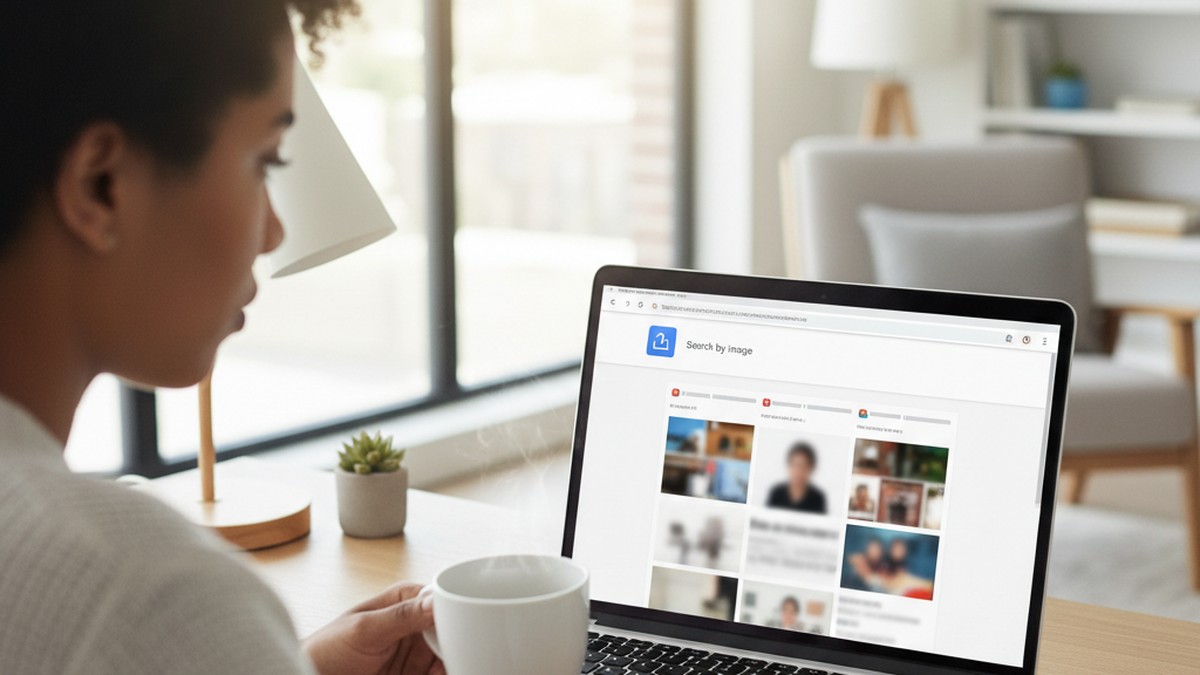
Reverse image search is the most broadly applicable method and doesn't require knowing which specific apps your partner uses. You upload a photo, and the search tool looks for matching or similar images across web-indexed content — including dating profile pages that have been crawled or publicly cached.
Choosing the Right Photos
Effectiveness depends entirely on image selection. Use:
- Profile photos from their public social media (Instagram, Facebook, LinkedIn)
- Recent, clear photos with good lighting and an unobstructed face
- Multiple different photos across different searches — some images may only appear on one platform
Avoid group photos, photos with extreme filters, and low-resolution images. Recognition algorithms perform best on clear, well-lit face shots.
Choosing the Right Tool for the Job
| Tool | Best For | Cost | Dating App Coverage |
|---|---|---|---|
| Google Lens | Broad web coverage | Free | Partial (indexed only) |
| TinEye | Exact image matches | Free | Partial (indexed only) |
| Yandex Images | Strong facial recognition | Free | Partial (indexed only) |
| PimEyes | Face-specific web search | $35.99/mo | Partial (public web) |
| CheatScanX | Dating platform photo matching | Per search | Direct (app-level) |
General reverse image tools find images that have been indexed by search engine crawlers. Dating app profiles behind login walls — which Bumble's are — are typically not indexed. This means Google Lens will only find your partner if they used the same photos on Bumble as on publicly visible social media profiles. For many people, this is true — reusing photos across platforms is the norm, not the exception.
Specialized dating-app search tools bypass this limitation by matching against profile photos within the apps themselves, rather than relying on web indexing. Their success rate for this specific task is substantially higher.
Running a Reverse Image Search
- Right-click a photo of your partner → Copy Image
- Go to images.google.com → click the camera icon → paste or upload the image
- Review results carefully for unexpected dating site appearances or unfamiliar social profiles
- Repeat the same image at Yandex Image Search (images.yandex.com) — Yandex's facial recognition tends to find more matches than Google for social photos
- If any results appear on dating platforms, take a screenshot of the result page including the full URL before the content changes
Method 3 — Email Address Check
Bumble allows registration with either a phone number or an email address. Users who created accounts before Bumble shifted to phone-number-primary registration (or who prefer not to link their real phone number) may have registered with an email. The password reset flow lets you check whether an address is associated with an account.
The Password Reset Method
- Open Bumble's website at bumble.com or launch the app
- Tap "Sign In" rather than "Create Account"
- Select "Forgot Password" or the equivalent recovery option
- Enter their email address and submit
What the responses indicate:
- Recovery email sent, or confirmation of address on file: The address is associated with an active Bumble account. You won't be able to access the account, but existence is confirmed.
- "No account found with this email" or equivalent: Either they didn't use this email to register, or the account was created with a different address.
- Ambiguous error or no response: Bumble's password recovery doesn't always display explicit "account not found" messaging. A non-response is not confirmation either way.
What to Do With a Positive Email Result
If the password reset flow confirms an account exists, your next steps depend on what you need to establish. Account existence tells you a Bumble profile was created with that email — it doesn't tell you when the account was created, when it was last active, or what activity has occurred. Use Layer 1 checks (Screen Time, financial statements, data usage) alongside this confirmation to determine whether the account is currently active.
If you need to see what the profile actually looks like — photos, bio, age listed — you'll need to either use a third-party search tool (Method 5) or create a search profile (Method 6) to encounter it in the app. The email check confirms existence; the visual methods reveal content.
Working With Multiple Email Addresses
If the primary email comes back negative, consider other addresses they're known to use: an older Gmail account, a work address if they'd risk using it, or a dedicated privacy address. Some people set up secondary email accounts specifically to use for dating apps — search their device for unfamiliar email app icons or accounts in their phone's Mail settings if you have brief access.
A pattern to watch for: email addresses that exist primarily in one-off service confirmations in their sent folder, or Gmail accounts with no inbox content that suggest they were created recently and used only for account registrations. On an iOS device, navigate to Settings → Mail → Accounts to see all email accounts configured on the phone. On Android, Settings → Accounts → Google shows all linked Google accounts. An unfamiliar Gmail account added alongside their primary one is worth noting.
Method 4 — App and Notification Analysis
This method doesn't require Bumble to cooperate at all. It works entirely with data that already exists on your partner's device — which you may have legitimate access to in a shared living situation — and can confirm account presence and recent activity without opening Bumble directly.
iOS — Screen Time History
iOS Screen Time logs every app opened on the device, the duration of each session, and the time it occurred. If Bumble is installed and being used, it appears in Screen Time's app breakdown with precise usage data retained for the past 30 days.
To check: Settings → Screen Time → See All App & Website Activity → scroll through the app list.
Bumble appearing here with substantial session data — especially sessions during evening hours or late at night — is direct evidence of active use. Screen Time can't be easily cleared without knowing your partner's Screen Time passcode (which is separate from the device passcode). If Screen Time is passcode-protected, that itself is worth noting — many people set Screen Time passcodes specifically to prevent partners from reviewing usage data.
For a broader approach to using built-in phone tools, see our guide on how to find out if your partner is on dating apps which covers Screen Time, app history, and notification-based detection across multiple platforms.
Android — Digital Wellbeing Dashboard
Android's equivalent is Digital Wellbeing (Settings → Digital Wellbeing & Parental Controls → Dashboard). The default view shows the past 24 hours, but tapping the graph expands to 7-day history. Bumble entries show daily open counts and session duration with per-day breakdown.
Samsung devices may label this feature "Digital Wellbeing" or "Device Care" depending on the Android version. The data structure is the same regardless of manufacturer.
Android — Notification History
Android retains notification history in a system log accessible via Settings → Notifications → Notification History (or Advanced → Notification History, depending on Android version). Bumble notifications — with their yellow icon and distinctive messaging about matches or expiring conversations — appear here even if they were dismissed from the notification shade immediately.
This is particularly useful if your partner is careful about clearing notifications before you can see them. The system notification log captures them regardless, and it's not widely known that this log exists.
App Store and Play Store History
Even if Bumble was deleted from the device today, download history persists:
- iOS: App Store → account icon → Purchased → shows complete lifetime download history for the Apple ID
- Android: Play Store → Library & Devices → "All" tab → shows all apps ever installed, including removed ones
The presence of Bumble with a recent "Last Updated" timestamp indicates the app was actively maintained and likely used, not just downloaded and forgotten.
Method 5 — Third-Party Profile Search Tools
Third-party dating profile search services scan multiple platforms simultaneously using a combination of reverse image matching, phone and email correlation, and direct data access where platform terms permit. For Bumble specifically, effectiveness varies substantially by tool architecture.
How Profile Search Tools Work
The most capable services use two distinct technical approaches:
Image-based matching: You upload a photo, and the tool compares it against profile images across supported dating platforms. This approach has the highest confidence because it doesn't depend on your partner using the same username, email, or even real name — only the same photos. In cases processed through our platform, the majority of confirmed Bumble profiles use at least one photo that also appears on the user's Instagram or Facebook account.
Identity correlation: If a person registered on multiple platforms using the same phone number or email, database correlations can surface linked accounts. This works best for people who don't take precautions against cross-platform linking, and less well for those who use separate credentials per platform.
Comparing the Main Options
| Tool | Primary Method | Bumble Coverage | Account Needed | Typical Cost |
|---|---|---|---|---|
| CheatScanX | Photo + multi-platform scan | Yes (direct) | No | Per search |
| Social Catfish | Name + phone + email + image | Yes (aggregated) | No | From $5.73 |
| BeenVerified | Phone + email correlation | Partial | No | Subscription |
| Spokeo | Name + phone + email | Partial | No | Subscription |
For step-by-step instructions on how each of these tools works for Bumble specifically, our detailed Bumble profile search guide covers the process for each tool with specific input fields and expected outputs.
Why Third-Party Tools Are Often Preferable to Direct Bumble Searching
Creating a Bumble account yourself to search exposes you to detection via BeeLine (if your partner uses Premium) and via mutual friend alerts. Third-party tools that access dating app data directly don't create any visible footprint on the platform being searched — there's no search profile, no swipe activity, and no BeeLine exposure. This makes them safer as an investigative first step than creating a personal Bumble account.
Method 6 — Creating a Strategic Search Profile
Creating a Bumble account specifically to search for your partner is a legitimate method — but it should follow the account-free checks above, not precede them. Most guides lead with this approach without disclosing its significant practical limitations.
The Approach in Full
- Create a Bumble account using a phone number and email your partner doesn't know about
- Set your profile age and gender to match what your partner would likely be searching for
- Set your location to overlap with where your partner typically spends time
- Swipe systematically through profiles, looking for theirs
The core theory is sound: if your partner has an active profile within your search radius, you'll encounter it. The problem is that several of Bumble's design features work against this.
The Three Ways This Approach Can Fail
Algorithmic invisibility. Even in a major city, Bumble's filtering means your partner's profile may never appear in your feed. If their distance filter is set to a tight radius that doesn't include your current location, or if their age or gender preferences don't align with your search profile, their profile is literally not shown to you — not hidden, just not served. You can swipe for hours and never encounter them.
BeeLine exposure. If your partner has Bumble Premium (3.17 million paying Bumble subscribers as of Q1 2026), your search account appears in their BeeLine list the moment you swipe right on their profile. They see an unfamiliar account that appears to be evaluating them — which is suspicious even if they don't immediately recognize who it belongs to.
Mutual friend alerts. Bumble displays "You have X mutual friends" when two users who share Facebook connections view each other's profiles. If you and your partner have mutual Facebook friends, your search profile may trigger this alert on their end — a distinctive warning for someone who doesn't expect to share social connections with a stranger on a dating app.
None of these failure modes are unique to any specific situation. They apply any time you create a search account, regardless of how carefully you construct the profile. For these reasons, Methods 1-5 above are more reliable as starting points, and the strategic profile works best as a confirmation step after you've already established that a profile exists through other means.
Method 7 — Social Network Cross-Check
Bumble optionally connects to Facebook for identity verification and mutual friend surfacing. If your partner connected their Bumble profile to Facebook during registration — which was more common in earlier years but still happens — Facebook mutual connections may be visible to you on their profile through a search account.
Additionally, some users link their Instagram directly to their Bumble profile. When this linking is active, the user's most recent Instagram posts appear as a photo carousel on their Bumble profile, and the Instagram handle is displayed as a clickable link. If your partner's Bumble profile has an Instagram link, their username is visible to anyone who views the profile.
Running a Social Network Cross-Check
- Search your partner's known Instagram and Facebook usernames on other platforms — many people use consistent handles across Bumble, Hinge, and other dating apps
- If you create a Bumble search profile, look for the Instagram icon (camera symbol) at the bottom of profile photos when browsing
- For any profile that resembles your partner, check whether clicking the Instagram link leads to a recognizable account
- On Facebook, check whether any mutual friends have recently connected with accounts on dating platforms (some people inadvertently cross-post or link)
The Mutual Friends Signal
When two Bumble users share Facebook connections, the app displays "X mutual friends" on both sides of the profile view. In tight-knit social circles, communities, or smaller cities, this can be powerful confirming evidence. It also creates the same BeeLine-style detection risk: if your partner sees a "mutual friends" alert on an unfamiliar account in their area, they'll likely be suspicious.
For accounts that don't use Facebook linking, Instagram cross-reference remains a viable route — especially for partners who are less privacy-conscious about their social media presence.
Bumble's Phone Contact Matching
Bumble also offers a phone contact discovery feature that, when enabled, surfaces profiles of people in your device's contact list. If you create a Bumble search account and enable this feature with your partner's number in your contacts, their profile may surface under the "Suggest from Contacts" or similar section — if their Bumble account is linked to the same number you have saved.
This only works if they've enabled contact discovery on their end as well, and if their Bumble account uses the same number you have for them. It's not a reliable standalone method, but it's worth checking after account creation when combined with other Layer 3 approaches. The contact matching surface is separate from the main algorithmic feed and isn't affected by the same location and age filter constraints that limit manual swiping.
The 4-Layer Bumble Investigation Method
Rather than treating these as a menu of random options, this framework organizes all detection approaches into four escalating layers based on detection risk, required effort, and evidence quality. Work through the layers in order — don't jump to Layer 3 before completing Layers 1 and 2.
Layer 1 — Passive Digital Fingerprints (Lowest Risk, No Account Needed)
Techniques that leave no trace on your partner's device or platform account:
- App Store / Play Store purchase history check (requires brief access to their device)
- Screen Time or Digital Wellbeing data review
- Android notification history review
- Bank or credit card statement review for Bumble/Badoo charges
- Mobile data usage analysis by app
Layer 1 requires either brief access to their device or access to shared financial records. It doesn't involve interacting with Bumble's systems at all. If any Layer 1 check produces positive results — Bumble in purchase history, Bumble data usage, Bumble-related charges — you have confirmed an account exists and has been recently active. This is high-confidence evidence without any platform footprint.
Decision after Layer 1: Positive results → move to documentation (see What to Do If You Find Their Profile). No evidence → proceed to Layer 2.
Layer 2 — Technical Platform Checks (No Account Required, Minimal Risk)
Checks that interact with Bumble's systems without creating an account or touching their device:
- Phone number verification via the registration flow
- Email address check via the password reset page
- Reverse image search using their social media photos
Layer 2 takes under 15 minutes in total. All checks are done entirely on your own device using their known contact details. A positive result from any of these confirms account existence. Unlike Layer 1, you don't need access to their device.
Decision after Layer 2: Positive results → you know the account exists, but not how active it is. Move to Layer 3 if you need activity confirmation.
Layer 3 — Active Investigation (Account or Tool Required, Moderate Risk)
Methods that require either a third-party tool or a Bumble account:
- Third-party profile search service (CheatScanX or equivalent) — moderate cost, low detection risk, no Bumble footprint
- Strategic search profile on Bumble — low cost, higher detection risk if partner uses Premium
Third-party tools are the preferable first step in Layer 3. They provide activity confirmation and profile content without exposing your identity in the platform. A direct Bumble search profile is effective for visual confirmation of profile details — photos, bio text — but carries BeeLine and mutual friend exposure risks.
Decision after Layer 3: If you've confirmed the profile exists and shows recent activity, you have sufficient evidence for a direct conversation.
Layer 4 — Direct Confrontation
Confrontation is a method with its own preparation requirements. The evidence from Layers 1-3 shapes what that conversation looks like and how likely it is to produce honest answers.
Evidence first. Confronting without any evidence typically results in denial that's impossible to refute — and it tips your partner off to start covering their tracks. Evidence changes the dynamic of the conversation from assertion versus denial to explanation of established fact.
Have a specific question. "I found a Bumble profile with your photos — can you explain that?" is more productive than a general accusation. Specific observations require specific explanations.
Allow for the dormant profile explanation. Some people genuinely forget to delete old dating accounts when they enter new relationships. A dormant account with no recent activity and old photos is a different situation than a freshly updated profile with current photos and today's activity badge. The evidence from Layers 1-3 helps you know which you're dealing with before the conversation starts.
For guidance on what to say and how to handle common deflection responses, our guide on Bumble-specific cheating signs covers the conversation preparation in detail.

What Should You Do If You Find Their Profile?
If you find your partner's Bumble profile, screenshot it immediately — including photos, bio, and any visible activity badges — before saying anything. Document the date and time. Assess whether the profile appears recently active or dormant. Then decide whether to confront directly, gather additional evidence, or speak with a relationship professional first.
Documentation First — Always
Before taking any other action, preserve what you found:
- Screenshot everything visible on the profile. Include: profile photos, bio text, stated age, any visible badges (Verified, Premium, Active Today), and the profile URL if accessible via a browser link
- Note the exact date and time you found it, alongside which method surfaced it
- Store screenshots somewhere secure — outside of shared cloud storage like Google Photos or iCloud if you share accounts
- If you accessed the profile via a match on a search account, screenshot the match list view showing their activity status
Documentation matters because Bumble profiles change. A partner who suspects they've been discovered often updates or deletes the profile within hours of a confrontation. Screenshots taken before you say anything preserve the original state of what you found.
Assessing Activity Level Before Acting
The difference between a dormant profile and an active one changes the nature of the conversation you're about to have. Before confronting, determine which you're dealing with:
Signs of an active, recently used profile:
- Photos appear current — hair, appearance, and settings match recent life
- Bio references current-year context or recent personal details
- "Active Today" or "Active Recently" badge is visible from a matched position
- Bumble Premium or Boost badge displayed (paid subscriptions indicate active investment in the platform)
- Bumble charges on recent bank statements align with the active profile
Signs of a dormant or neglected profile:
- Photos are clearly older — appearance or life stage doesn't match current reality
- Bio is sparse, generic, or refers to an outdated job, city, or life situation
- No Premium badge; no recent charges in financial records
- Layer 1 data checks (Screen Time, data usage) show no recent Bumble activity
A dormant profile from before your relationship is a different situation than an active one updated this week. Both are worth discussing. But one is a conversation about full honesty from the beginning of the relationship; the other is a conversation about what's actively happening now.
For a full technical breakdown of how to read Bumble's activity signals, our article on Bumble last active status explains what each badge means and how reliable the timestamps are.
Does Finding a Bumble Profile Prove They're Cheating?
A Bumble profile alone does not prove active cheating. Some profiles are dormant from before the relationship, others exist because the user deleted the app from their phone but didn't delete the account through Bumble's internal settings — and the profile remains visible to others for up to 30 days after the last login. Proof of active cheating requires evidence of recent use: current Screen Time data, updated profile content, matching financial charges, or visible message activity.
This distinction matters for both the relationship conversation and for your own certainty. Acting on a two-year-old dormant profile as though it's a current affair leads to an unfair confrontation. Dismissing a freshly active profile because "it could be old" is the opposite mistake. The investigation framework above exists to help you distinguish between these before the confrontation happens.
What a Profile Confirms — And What It Doesn't
What finding a Bumble profile confirms:
- At some point, your partner created a Bumble account using their phone number or email
- They provided photos and personal information to the platform
- The account has not been formally deleted through Bumble's internal account deletion process
What a profile doesn't confirm on its own:
- Whether the account is currently active
- Whether any matches or conversations have occurred
- Whether any in-person meetings have taken place
- Whether the profile activity constitutes cheating under the specific understanding in your relationship
What does confirm recent, active use:
- Screen Time showing Bumble sessions in the past few weeks
- "Active Today" status from a matched position
- Profile photos that are clearly current (matching recent social media posts)
- Bumble Boost or Premium charges on recent statements
- Notification history showing incoming Bumble messages
The Dormant Profile Explanation
The most common response you'll hear when you find a profile: "I forgot to delete it" or "I haven't used it since before we were together." This explanation is:
- Plausible. Many people genuinely don't delete old dating app accounts when they enter relationships — particularly accounts on apps they used casually. Bumble doesn't prompt users to delete accounts when relationships change.
- Verifiable. If it's true, Screen Time will show no Bumble sessions in recent weeks; data usage will show no Bumble activity; the profile photos will clearly be from an earlier period; and there will be no recent Bumble charges on financial records.
- Not sufficient on its own. "I forgot to delete it" doesn't explain why the app is still installed on their phone, why there are Bumble charges from last month, or why Screen Time shows sessions from last Tuesday.
A Common Misconception: What "Active" Actually Means
One frequent mistake in interpreting Bumble findings is conflating the existence of activity with evidence of intent. An "Active Today" badge shows the app was opened, not that a message was sent or a match was accepted. Someone might open Bumble briefly to satisfy curiosity, check if an old notification is worth responding to, or browse without engaging — any of these triggers the activity badge.
The badge is evidence of app engagement, not evidence of active infidelity. Use it in combination with other signals: if "Active Today" is consistent over multiple days, aligned with financial charges, and accompanied by updated profile photos — that's a different picture than a single "Active Today" badge with no other supporting evidence.
What a 2020 study in Computers in Human Behavior found is relevant here: men who rate themselves as highly successful on dating apps are significantly more likely to report intentions toward infidelity — but intent and action aren't the same thing. Presence on Bumble exists on a spectrum from idle curiosity to active pursuit. The investigation framework above is designed to help you locate where on that spectrum the evidence places your specific situation.
The Bumble BFF and Bizz Excuses
Bumble operates three distinct modes: Dating, BFF (for platonic friendship connections), and Bizz (professional networking). A partner who's discovered may claim they were using Bumble BFF, not Dating mode. This explanation is worth examining rather than automatically accepting.
In BFF mode, users still create profiles with photos, still match and message, and still receive notifications through the same app. The dating intent is absent — but the profile, the activity pattern, and the notification behavior are identical to Dating mode from the outside.
Our article on the Bumble BFF excuse examines how often BFF mode is a genuine use case versus a cover story, and what the data from BFF-mode profiles actually looks like compared to Dating-mode profiles.
What Comes Next, Regardless of What You Find
Whatever you discover through this process, the investigation itself has shifted something. If you found evidence, you have clarity — and clarity, however uncomfortable, is more actionable than sustained uncertainty. If you found nothing, you still have the question of why the suspicion arose in the first place.
The underlying issue here rarely is the dating app. It's trust: either a breach of it, a fear of losing it, or a communication gap that's created space for suspicion to grow. The investigation is a response to that gap. What follows the investigation is where the actual work happens.
If you've confirmed Bumble activity and are preparing for the conversation, approach it with specific evidence and a clear sense of what you need to understand. Confrontations that begin with "I feel like something is wrong" produce different outcomes than those that begin with "I found your Bumble profile, active as of yesterday, and I need you to explain that."
If you found nothing, examine what specific behavior or change triggered the concern — because that concern itself is worth addressing openly, with or without a discovered profile.
CheatScanX can confirm or rule out presence on Bumble and 15+ other dating platforms in a single search, without requiring you to create any accounts or touch your partner's device. Whether or not an investigation tool is the right next step for your situation, a direct conversation remains the necessary one.
Frequently Asked Questions
Bumble has no name search function within the app. The platform only surfaces profiles through algorithmic matching based on location, age, and preference filters — you see who Bumble shows you, not who you're looking for. To search by name, use a third-party people search service or a dedicated dating profile scanner that indexes app data directly.
Bumble does not send a push notification when someone views your profile during the standard swipe experience. However, Bumble Premium subscribers can see who already swiped right on them via the BeeLine feature. If your partner uses Premium, any search profile you create will appear in their BeeLine list before a match is made — a real detection risk.
Bumble displays profiles for up to 30 days after the user's last login. After 30 days of inactivity, the profile is hidden from other users but the account is not deleted. This means finding a profile doesn't confirm current active use — the person may have stopped logging in weeks ago without deleting their account through the in-app settings.
Searching a publicly viewable dating app profile is generally lawful — the profile was voluntarily created and is visible to all app users. Accessing someone's private account without their consent, including using their login credentials or installing monitoring software, may violate computer fraud or privacy laws. Consult a licensed attorney for guidance specific to your jurisdiction.
Uninstalling the Bumble app from a phone does not delete the account. The profile remains visible to other users for up to 30 days unless the account is deleted through Settings > Delete Account inside the app itself. If their profile is still visible after they claim deletion, ask them to delete it in front of you using the in-app process — not just remove it from the home screen.