# How to Catch Cheating with Apple Watch Activity
Your partner's Apple Watch may hold evidence their iPhone doesn't. When messages are deleted from a phone, the synced copy on the watch often survives — sometimes for days. When a workout is recorded, GPS logs the complete route with timestamped coordinates. When heart rate spikes unexpectedly at 2am, the reading is preserved.
This happens because most people focus on clearing their phone. The watch is an afterthought.
55% of infidelity cases are now discovered through digital evidence (Magnum Investigations, 2026). Apple Watch — with its continuous health monitoring, message syncing, and GPS-enabled workouts — has become one of the richest and most overlooked sources of that evidence. A viral case in 2025 showed a woman discovering 20 conversations her boyfriend had deleted from his phone, still intact on his Apple Watch, saved under fake contact names (LadBible, 2025).
This article covers 6 specific data methods for reviewing Apple Watch activity, an original framework for reading the data reliably, what the evidence genuinely proves versus where it misleads, and the legal context you need before you act on anything you find.
Why Does Apple Watch Store Data Separately From the iPhone?
Apple Watch maintains its own local cache of synced data that doesn't update instantly when you delete something on your iPhone. Messages, notifications, and health records are stored on the watch independently. Content deleted from an iPhone can remain visible on a paired Apple Watch for hours, days, or indefinitely until manually cleared from the watch itself.
Understanding this architecture explains why the watch is such a useful — and often forgotten — source of evidence.
When an iPhone and Apple Watch are paired, data flows between them over Bluetooth when the devices are close. The watch isn't a passive display screen for iPhone content; it maintains its own local database. Health data — heart rate, workouts, step counts, GPS routes — syncs bidirectionally. Messages and notifications are delivered to the watch independently, then stored in its own local cache.
The critical implication: deletions don't automatically mirror. According to digital forensics researcher Andrea Fortuna's 2026 analysis of Apple Watch data structures, "deleted messages are not always synchronized in their deleted state to the watch. When a message is deleted on the iPhone, the deletion does not propagate immediately to the watch's copy." The message stays on the watch until the user manually deletes it from the watch — a step that most people don't think to take, especially if they're focused on clearing their phone quickly.
The same architecture applies to notification history. Notifications delivered to the watch are logged in its Notification Center independently of the iPhone's notification stack. Clearing notifications from your iPhone lock screen doesn't automatically clear the watch's Notification Center.
Fortuna also notes that "GPS-derived coordinates logged by the watch's own sensors for each step of a route" during recorded workouts are stored "with sub-second timestamp precision" in the Health database. This data syncs to the paired iPhone but also persists in the watch's local cache until the device is reset or the specific workout is deleted.
The practical result: a person who is careful about their phone — who clears texts, removes app notifications, and deletes location history — may leave a clean iPhone while an unlocked Apple Watch on their wrist holds the data they thought was gone.
| Data Type | Stored on iPhone | Stored on Watch Separately | Deletes When Deleted on Phone? |
|---|---|---|---|
| Messages | Yes (Messages app) | Yes (watch Messages cache) | No — must delete separately on watch |
| Notifications | Yes (Notification Center) | Yes (watch Notification Center) | No — clears independently |
| Workout GPS routes | Yes (Health app) | Yes (watch GPS cache) | Syncs; deletion on iPhone removes it from both |
| Heart rate history | Yes (Health app) | Yes (continuous monitoring cache) | Synced; typically mirrors iPhone Health data |
| Find My location | Via iPhone/iCloud | Watch GPS reports to Find My | Shared in real time; not a stored history |
| Siri app suggestions | Yes (iPhone Siri) | Yes (watch Siri Intelligence) | Persists based on usage patterns |
The watch is essentially a second cache of your partner's digital life — one that they probably haven't thought to clean up.
If the data here has you concerned, CheatScanX can give you a direct answer. It searches 15+ dating apps for hidden profiles.
Search dating profiles now →What Can Apple Watch Actually Reveal About Cheating?
Apple Watch can reveal six types of information relevant to suspected infidelity: synced messages that survived phone deletion, workout GPS routes showing actual locations, heart rate timestamps indicating unusual activity, activity ring timing anomalies, Find My location history if sharing is already enabled, and notification previews from apps installed on the paired iPhone.
Each of these data types works differently, requires different access, and carries different evidentiary weight. Before reviewing the individual methods, here's an honest overview of what each one can and cannot tell you.
The most significant real-world case on record involved an Australian model, Christina Podolyan, who discovered her ex-boyfriend's infidelity in exactly this way. She accessed his Apple Watch and found 20 conversations with women that he had deleted from his phone but never cleared from the watch. The contacts were saved under falsified names — one contact labeled "Frank from work" turned out to be a woman he was messaging regularly (LadBible, 2025). The watch was, in his case, the only place the conversations still existed.
That case illustrates what every method below depends on: the person forgot to clean up the watch. They focused on the device in their pocket, not the device on their wrist.
| Method | What It Can Reveal | What It Cannot Reveal | Access Required |
|---|---|---|---|
| Synced messages | Full conversations, contact names, content | Nothing if manually deleted from watch | Unlocked watch (physical access) |
| Workout GPS routes | Location during workouts with timestamps | Location outside recorded workouts | Paired iPhone (Health app) |
| Heart rate timing | When elevated activity occurred | What the activity was or who was present | Paired iPhone (Health app) |
| Activity ring timing | When active calories/exercise occurred | Location, companion, or nature of activity | Unlocked watch or paired iPhone |
| Find My sharing | Real-time location (if sharing is enabled) | Historical location log | Find My app (consensual sharing required) |
| Notification Center | App icons, message previews, timestamps | Full message content beyond first ~100 chars | Unlocked watch (physical access) |
All six methods require either physical access to the unlocked watch or access to the paired iPhone with its Health app. None of them can be reviewed remotely. And all of them carry limitations that are as important as what they reveal.
Where Do Deleted iPhone Messages Go on an Apple Watch?
The most direct and reliable evidence available on an Apple Watch is the message sync gap. When texts are deleted from an iPhone, they are not immediately removed from the watch's local message cache. The conversation thread persists on the watch until the user manually opens the Messages app on the watch and deletes it there — a step that most people forget entirely.
This is the method that produced the Podolyan case. It's also the most commonly reported method in viral social media accounts of Apple Watch cheating discoveries.
Here's how it works technically: when your iPhone receives a message, it is delivered to the Apple Watch simultaneously via the paired Bluetooth connection. Both devices store a copy. When you delete a message on your iPhone — whether by swiping to delete the thread or using the "Delete All Messages" option — the watch receives a deletion sync request. But this sync doesn't always execute instantly, particularly if the watch and iPhone aren't in close Bluetooth range at the moment of deletion, or if the watch is in low-power mode. The result is a window — sometimes hours, sometimes longer — where the messages remain visible on the watch.
Additionally, some deletion commands simply don't propagate reliably to older Apple Watch models. A message deleted from an iPhone 15 Pro paired with an Apple Watch Series 6 may or may not sync that deletion in real time, depending on watchOS version, battery state, and proximity.
How to access messages on an Apple Watch:
The watch must be unlocked — either by being detected on a wrist (wrist detection enabled) or by entering the passcode. If your partner leaves the watch on a surface without disabling it, it may auto-lock within minutes. If they hand it to you or leave it on their wrist nearby, it may be accessible.
- Press the Digital Crown (the rotating button on the side) to open the app grid
- Tap the green speech-bubble icon — this is the Messages app
- Scroll through conversation threads — each shows the contact name and a preview of the most recent message
- Tap any thread to read the full conversation history cached on the watch
- Alternatively, swipe down from the top of the watch face to open Notification Center, which shows recent message notifications with sender name and a content preview
What to look for:
- Contacts saved under generic or falsified names — "gym contact," "work friend," "Mark from meeting" — that are actually women or men engaging in romantic conversation
- Conversations with unusual timestamps (late night, early morning)
- Threads that show a contact name but contain suspicious content inconsistent with the stated relationship
- Multiple conversations with people your partner has never mentioned
If you find something: take a screenshot on your own phone before touching anything on the watch. The data can disappear when your partner picks up the watch and syncs it. Document what you see, note the exact timestamp of the most recent message visible, and note the contact name as saved.
How Long Does the Message Window Last?
The persistence window depends on watchOS version and device behavior. On modern Apple Watch models running watchOS 10 and later, deletion sync between iPhone and watch is faster — but still not instantaneous. If the watch is on the wrist with Bluetooth active, deletion may sync within minutes. If the watch has been off the wrist, in airplane mode, or running on low battery, the window can extend to several hours or longer.
On older models (Series 4 and earlier running watchOS 6 or below), syncing is less reliable and the persistence window is typically longer. Users in online discussions consistently report finding deleted iPhone messages still visible on Series 4-5 watches days after deletion — particularly if the watch and iPhone spent time out of Bluetooth range.
The practical implication: a partner who deleted messages from their iPhone while away from home, then came home and connected their watch to their phone, may have already triggered the sync. But a partner who habitually clears their phone messages periodically — without pausing to clear the watch — leaves a larger window.
Fake Contact Names: What Patterns to Look For
The Podolyan case is illustrative not just because of what was found, but because of how the contacts were saved. "Frank from work" was a woman. Other contacts used generic professional descriptors — "gym contact," "neighbor," "friend from college" — names designed to appear innocuous in a casual glance.
Common patterns in falsified contact names found in documented infidelity cases include: mixing gender-neutral names with a professional context ("Taylor — work project"), first names with no last name that don't appear anywhere else in the phone, names that match a plausible casual acquaintance but appear in conversations with unusual intimacy, and contacts with no photo while all genuine contacts have profile pictures.
If you see a contact thread but can't verify who that person is in any shared social context — they're not on social media, not referenced in family conversations, not a visible part of your partner's professional life — that absence itself is worth noting.
Critical limitation: this requires the watch to be unlocked and physically accessible. It also requires your partner to have forgotten to delete from the watch — which many people do, but not everyone. A partner who is meticulous about digital hygiene may have cleared both devices. And if the watch has been set up with wrist detection disabled, it may lock on removal. Review carefully, document quickly, and don't manipulate the device in any way that would require a passcode bypass.
Want to skip straight to answers? CheatScanX scans Tinder, Bumble, Hinge, and 12+ other apps in minutes — without requiring access to any device.
Can Apple Watch GPS Expose Where Your Partner Actually Went?
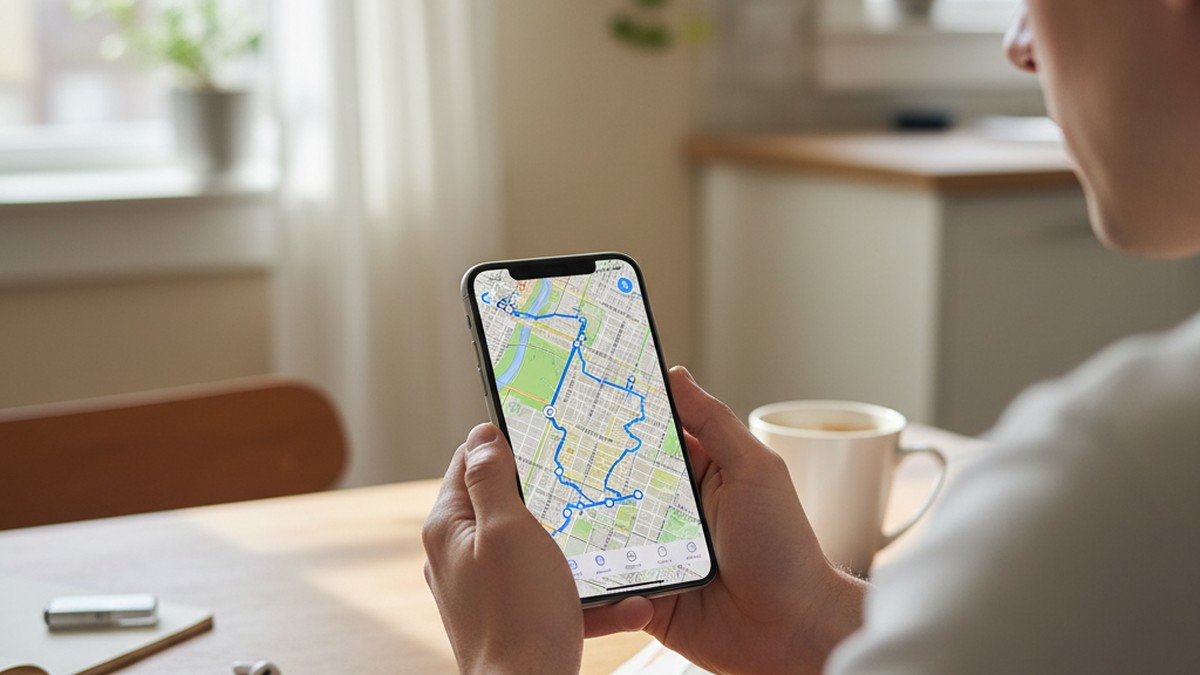
Workout GPS data is among the most precise and difficult-to-fabricate evidence that Apple Watch can provide. Every workout recorded on the watch — whether started manually or auto-detected — logs GPS coordinates for the complete route, with timestamps at sub-second intervals (Andrea Fortuna, 2026). This data syncs to the paired iPhone's Health app and is accessible there.
The key application: if your partner says they were at the gym, at work, or visiting a family member, the workout GPS route will show exactly where they actually went — route, duration, and location.
How to access workout GPS routes:
- Open the Health app on the iPhone paired to the watch (with the iPhone unlocked)
- Tap Browse at the bottom → Activity → Workouts
- Select any workout from the list — each shows date, time, duration, and activity type
- Scroll down to the Route section — a map appears showing the GPS path taken
- Zoom in on the map to identify specific streets, neighborhoods, or addresses
What the data shows: the start point, the complete route, the end point, and the exact timestamps for each GPS coordinate logged along the way. If a workout started at 7pm, traveled through a residential neighborhood in a different part of the city, and ended at a location they've never mentioned — that discrepancy is visible.
| Claimed Activity | What GPS Would Show If True | What to Check |
|---|---|---|
| At the gym | Route to/from the specific gym they named | Does the GPS path match the address of that gym? |
| Working late | Office building location or home | Does the GPS show movement to a different location? |
| Visiting family | Route consistent with family member's address | Do start/end points match what they told you? |
| Business trip | Airport, hotel, or meeting venue | Does the GPS route match the city they named? |
| Morning run | Route through nearby streets | Does the loop show them traveling to a specific building? |
What makes GPS evidence strong: Unlike heart rate or activity ring data, GPS coordinates aren't ambiguous. A route that goes to a specific address is a physical fact. It shows that the watch traveled to that location during the stated time window. You're not interpreting physiological signals — you're reading coordinates.
Limitation 1 — workout must have been recorded: GPS data only exists for logged workouts. If your partner walked to a location without recording a workout — say, they drove there, or they didn't have the watch on — no GPS data exists. Auto-detection on Apple Watch (Series 4 and later with watchOS 9+) can detect walking workouts after approximately 20 minutes, but this isn't guaranteed for all movement.
Limitation 2 — not all Apple Watches have standalone GPS: Apple Watch Series 1 and 2 relied on the paired iPhone for GPS. From Series 2 onward, built-in GPS logs routes independently of the iPhone. If your partner's watch is an older model that uses phone GPS, the route data quality depends on whether the iPhone was also carried.
Limitation 3 — location identifies place, not people: A workout route that goes to an unfamiliar address proves they were at that address at that time. It doesn't prove who they were meeting. A location discrepancy is significant evidence of deception about whereabouts, but it's a starting point for a conversation, not a final conclusion.
Reading the GPS Map: What to Compare
When you open a workout route in the Health app, you'll see a colored line traced over a map. Zoom in until street names are visible. The useful comparisons are:
First, cross-reference the route endpoint against what your partner said they were doing. If they claimed to be at a gym, the route should end at that gym's address — you can search the gym's name to verify. If the route ends at a residential street or a different commercial district, that's a discrepancy.
Second, check the workout start time against your partner's stated schedule. The Health app logs start and end times for every workout with minute-level precision. If they said they left at 7pm and the workout started at 6:45pm at a location you don't recognize, the timeline doesn't align.
Third, note the workout duration vs. the claimed absence duration. A 45-minute workout that allegedly consumed a 3-hour absence leaves two unexplained hours. That discrepancy is a separate conversation from the location itself.
GPS data from Apple Watch is accurate to approximately 10-15 meters under open sky conditions, which is precise enough to identify a specific building or address but not a specific apartment within a building. For street-level identification — confirming a neighborhood or a business address — Apple Watch GPS is reliable. For claiming to identify a specific room or floor, it isn't.
For historical location evidence on the iPhone itself — covering movement outside of workout sessions — Google Maps Timeline as cheating proof provides a complementary method that covers all movement, not just recorded workouts.
Does Apple Watch Show Unusual Heart Rate Activity at Night?
Apple Watch monitors heart rate continuously, not just during workouts. At rest, readings are taken roughly every 5 minutes. During elevated activity, sampling increases to every few seconds. This generates a complete physiological record throughout the day and night — one that timestamps every significant change in heart rate.
The result: if your partner's watch shows sustained elevated heart rate between midnight and 3am on a night they claimed to be asleep or alone, that timestamp discrepancy is visible in the Health app.
How to access heart rate history:
- Open the Health app on the paired iPhone
- Tap Browse → Heart → Heart Rate
- Tap Show All Data to see individual readings with exact timestamps
- Use the date filter to examine a specific night or time window
- Look for: elevated readings (above 100bpm) outside workout context, sustained elevation over 15-30 minutes, then a return to resting rate
Exercise physiologist Dr. Alex Koch explained the mechanism in a study reported by Inverse (2025): "Sexual activity would show up as some form of activity, through both an increase in heart rate and an increase in motion." The watch records both, creating a behavioral fingerprint that can indicate physical exertion.
What unusual heart rate patterns can suggest:
- Sustained elevation (120-160bpm) between 11pm and 4am on nights claimed to be at home alone
- Resting heart rate (RHR) that has risen noticeably over recent weeks — chronic stress and guilt are both documented RHR elevators
- Heart rate patterns that are consistent each week, tied to specific days, suggesting a recurring event
The false positive problem — and why it matters enormously:
Dr. Koch's assessment continued with a crucial qualifier: "There are many possibilities for erroneous interpretation of sexual activity." This is not a minor caveat. It is the central limitation of heart rate data as evidence.
Heart rate elevates due to: vigorous exercise (including solo exercise), argument or emotional distress, anxiety or panic attacks, nightmares or disturbed sleep, alcohol or caffeine, illness or fever, watching an intense movie or sporting event, and dozens of other causes. A resting heart rate that's risen recently could reflect work stress, a new exercise routine, poor sleep quality, or a medical condition.
In practice, what this means: a partner whose heart rate shows unexplained elevation at 1am could be anxious about a work deadline, watching a tense movie, having a nightmare, or exercising insomniacs often do at unusual hours. The reading does not tell you which.
Heart rate data becomes meaningful only when it corroborates other evidence — a GPS location you've already identified, or a message conversation you've already read. Alone, a heart rate spike is ambiguous data, not evidence of infidelity. This is a distinction most viral social media posts about "Apple Watch catching cheaters through heart rate" completely fail to make.
Method 4: Activity Ring Timing Anomalies
The three Activity rings — Move (active calories), Exercise (elevated heart rate minutes), and Stand (hourly standing) — update in real time as your partner goes about their day. The timing of when these rings complete can contradict a claimed location or activity.
If your partner claims they were at their desk working until midnight but their watch shows the Exercise ring completing at 10:30pm, there's a discrepancy worth noting. If they claim they were too tired to go to the gym but their rings are all completed by 8pm, the physical record doesn't match the story.
How to review activity ring history:
Option A — If Activity Sharing is already enabled: Open the Fitness app on your iPhone → select your partner's name in the Sharing tab. You'll see their rings for today and the past week. This is consensual data sharing they agreed to when they enabled the feature.
Option B — Through the paired iPhone: Open Health app → Browse → Activity → look at individual metrics (Active Energy, Exercise Minutes, Stand Hours) for specific dates and times.
Option C — Directly on the watch: Scroll through the Activity app history on the watch to see ring completion patterns.
Important note about Activity Sharing: This feature shows only the three rings — move calories, exercise minutes, and stand hours — and nothing else. It does not share GPS routes, heart rate history, or workout details. Apple specifically designed Activity Sharing to be a motivational fitness feature, not a surveillance tool, and its data scope reflects that (Apple Support, 2026).
| Ring | What Its Timing Reveals | What It Doesn't Reveal |
|---|---|---|
| Move (red) | When active calories were burned and how many | Where the movement occurred or what type |
| Exercise (green) | When heart rate was elevated for sustained minutes | The nature of the exercise or companions |
| Stand (blue) | Which hours they were standing and moving hourly | Where they were standing |
What to look for:
- Exercise ring completion at times that don't fit claimed activity — rings completing at 11pm when they claimed to be resting
- Significant day-to-day variation in ring completion that correlates with specific claimed locations or activities
- Days with unusually high active calories that don't align with any stated workout
The limitation: Like heart rate data, activity ring timing is circumstantial. Completing exercise rings at 10pm could mean a solo run, a gym class, an evening walk, an argument while pacing, or a vigorous phone conversation while moving around. The rings tell you physical activity happened. They don't tell you what kind, where, or with whom.
Activity ring timing works best as a corroborating signal alongside GPS data or message evidence — not as standalone proof of anything.
Method 5: Find My Location History and Real-Time Sharing
Apple Watch can share real-time location through the Find My app, but only when location sharing has been mutually established between two people's Apple IDs. This is an important distinction: you cannot access your partner's Apple Watch location passively. They must have consented to share it with you.
If location sharing is already active, here's what you can access:
How to check location sharing status: Open the Find My app on your iPhone → tap the People tab. If your partner's name appears, they are sharing their location with you. Tap their name to see their current location, the device reporting it (iPhone or Apple Watch), and how recently the location was updated.
What Apple Watch adds over iPhone-only tracking: Apple Watch models with cellular (Series 3 and later) have standalone GPS. This means the watch reports location independently of the iPhone. If your partner leaves their iPhone at home — a strategy some people use to avoid phone-based location checks — their cellular Apple Watch will still report their location through Find My, provided sharing is enabled.
This is a meaningful gap in a common evasion tactic. A partner who deliberately leaves their iPhone at a claimed location to create a false location record may not realize their watch is independently reporting GPS data.
What Find My doesn't provide: Find My is a real-time tool, not a historical archive. It shows where your partner is now and updates as they move, but it doesn't provide a searchable log of all past locations. You can't go back and look at where they were last Tuesday at 9pm through Find My alone.
For comprehensive historical location data on the iPhone, iCloud backups can reveal dating app activity and other location patterns that Find My doesn't surface.
The consent requirement: Reading a location your partner has voluntarily shared with you is categorically different from attempting to access their location without consent. This article covers the former only. Any attempt to access location data your partner hasn't shared — through third-party apps, network monitoring, or device access — carries significant legal risk in most jurisdictions.
Method 6: Notification Center — Dating App Alerts That Don't Clear Themselves
Every notification delivered to an Apple Watch is logged in its Notification Center until manually cleared. Unlike iPhone notifications, which many people habitually dismiss throughout the day, Apple Watch notifications often accumulate unaddressed — particularly for people who wear the watch casually without actively managing it.
This accumulation can be revealing.
How to access the watch's Notification Center: Swipe downward from the top of the watch face. Every notification that hasn't been manually cleared will appear in reverse chronological order, showing the app icon, sender name, and a content preview of approximately 100 characters.
What to look for:
Dating apps have distinctive icons that are recognizable at watch scale. Tinder's flame icon, Bumble's yellow hexagon, Hinge's geometric logo — if any of these appear in the notification history, that app is installed on the paired iPhone and has been actively delivering messages.
Beyond app identification, the notification preview shows sender names and the beginning of message text. A notification reading "Alex: Hey are you free tonight?" arriving at 11pm from an app your partner hasn't mentioned tells you something specific — not everything, but something.
The accumulation effect: Watch notifications pile up especially for people who wear the watch as a fitness tracker but don't actively manage its notifications. They swipe away iPhone alerts throughout the day but never open the watch's Notification Center at all. A notification that arrived three days ago may still be sitting there.
What notifications don't reveal:
- Full message content beyond the first ~100 characters of the preview
- Any notifications from apps where notification delivery to Apple Watch has been disabled
- Notifications from before the last manual Notification Center clear
If you find a notification from an unfamiliar app, use that as a starting point. The app exists on their iPhone. Investigating how to find hidden dating apps on iPhone will help you understand the next steps for the device itself.
Practical limitation: Partners who actively manage their watch — regularly clearing the Notification Center — won't leave evidence here. This method works for people who wear the watch without thinking deeply about notification management, which is a large proportion of Apple Watch owners. It's less effective against someone who is specifically aware of this vulnerability.
The 5-Layer Watch Evidence Framework
Not all Apple Watch data is created equal. After reviewing the patterns across digital infidelity investigations, a consistent picture emerges: the people who draw accurate conclusions from watch data are those who understand which data layer they're reading and how much interpretive weight it can bear.
The 5-Layer Watch Evidence Framework organizes Apple Watch data by reliability and specificity:
Layer 1: Communication
Data types: Synced message conversations, Notification Center message previews
Reliability: High. This is direct evidence. A message conversation on the watch is a record of what was said between two people, not an inference about their physical state or location. If you read a thread and it contains explicit communication with someone your partner denied knowing, you're not interpreting ambiguous data — you're reading a text record.
Communication layer evidence is the closest thing to a direct answer that watch data can provide.
Layer 2: Location
Data types: Workout GPS routes, Find My location sharing (if enabled)
Reliability: High when available. GPS coordinates are physical facts. A route that traveled to a specific address at a specific time is not subject to interpretation. The limitation here is access — this layer requires either a workout to have been recorded (GPS routes) or location sharing to be consensually active (Find My). When available, location data directly contradicts or confirms stated whereabouts.
Layer 3: Biometric/Activity
Data types: Heart rate readings, Activity ring timing, Workout timestamps
Reliability: Moderate. This layer tells you that activity occurred — when, at what intensity, and for how long. It does not tell you what the activity was or who was present. Biometric data creates a behavioral timeline but rarely generates a definitive conclusion on its own.
In our analysis of digital infidelity investigation patterns, biometric data generates the highest rate of misinterpretation. A heart rate spike in isolation is almost always explainable by multiple innocent causes. Activity ring completion timing, without corroborating GPS or communication evidence, is circumstantial at best.
Layer 4: Notification
Data types: App notification history, Notification Center previews
Reliability: Moderate. This layer confirms that an app is installed and active, and may show the beginning of communications. It doesn't confirm the content of those communications or their meaning. A Tinder notification means the app is installed and delivered a message — that's a concrete data point. What that message contains, and what it means in context, requires the Communication layer.
Layer 5: Intelligence/Inference
Data types: Siri app suggestions, usage pattern inferences
Reliability: Low. This layer shows usage habits based on machine-learning inferences. Siri Suggestions on Apple Watch learn which apps you use at which times and places, and surface those apps proactively. If a partner's watch consistently suggests a particular app at a specific time of day or in a specific location, that's a behavioral pattern signal.
It is also the layer most susceptible to misinterpretation. App suggestions reflect usage frequency across all contexts — not just potentially problematic ones.
| Layer | Data Type | Reliability | Can It Be Conclusive? |
|---|---|---|---|
| 1. Communication | Messages, notification text | High | Often, if conversation content is explicit |
| 2. Location | GPS routes, Find My | High | Yes — contradicts stated location directly |
| 3. Biometric | HR, activity rings, workout timing | Moderate | Rarely without corroboration |
| 4. Notification | App icons, message previews | Moderate | For confirming app existence; not for content |
| 5. Intelligence | Siri suggestions, usage patterns | Low | Never as standalone evidence |
How to apply the framework: Start with Layer 1 (Communication). If you find direct evidence there, you have a concrete data point that stands on its own. Use Layers 2 and 4 to corroborate or contextualize. Treat Layers 3 and 5 as signals that may warrant further investigation — not as conclusions.
The most important application of this framework is knowing when to stop: if you've reviewed the watch and the only "evidence" you have is a Layer 3 heart rate spike or a Layer 4 app notification for an app you don't recognize, you don't have evidence of infidelity. You have an anomaly worth asking about.
Combining Layers: What Strong vs. Weak Evidence Looks Like
Understanding individual layers matters less than knowing how they combine. Here's how that looks in practice:
Weak evidence pattern — Layer 3 only: Your partner's heart rate spiked to 140bpm at 11:30pm on a Tuesday. That's a single biometric reading with no context. It could be anything. No layer combination here, no corroborating evidence — insufficient to draw any conclusion.
Moderate evidence pattern — Layers 3 + 4: The heart rate spike at 11:30pm coincides with a Tinder notification that appeared in the watch's Notification Center at 11:28pm. Now you have a potential temporal correlation between an app activity and a physiological response. This warrants investigation but still isn't conclusive — the Tinder notification could be an app they haven't opened in months that auto-delivers a promotional message.
Strong evidence pattern — Layers 1 + 2: A message conversation on the watch (Layer 1 — Communication) shows intimate exchanges with someone they claimed not to know. A workout GPS route from that same week (Layer 2 — Location) shows the watch at the address of someone matching the contact's description. These two independent data points corroborate each other and constitute meaningful evidence that's worth confronting.
Very strong evidence — Layers 1 + 2 + 4: The message conversation exists (Layer 1). The GPS route matches (Layer 2). The Notification Center shows repeated notifications from the same app at consistent times (Layer 4). Three independent data layers pointing in the same direction, none of them ambiguous on their own.
The framework's value isn't to tell you whether your partner is cheating — it's to help you evaluate whether what you've found constitutes real evidence or an interpretation of ambiguous data that can go in multiple directions depending on your starting assumption.
What Apple Watch Evidence Cannot Prove
This is the section that most articles about Apple Watch and cheating skip entirely. It's also the most important section if you want to avoid a serious mistake.
Here is what Apple Watch data, taken alone, cannot prove:
A heart rate spike does not prove sexual activity occurred. This is the claim repeated most often in viral social media content about Apple Watch catching cheaters — and it's the most consistently misused interpretation. Heart rate elevates during exercise, arguments, nightmares, anxiety, alcohol consumption, illness, caffeine intake, emotional conversations, suspenseful entertainment, and dozens of other normal activities. A resting heart rate of 110bpm at 12:30am could mean anything from insomnia to a horror movie to a heated phone call with a parent.
Dr. Alex Koch's observation — that sexual activity shows up as elevated heart rate and motion — comes paired with an equally important qualifier: "There are many possibilities for erroneous interpretation" (Inverse, 2025). The problem isn't that the data is wrong. The problem is that the data can't tell you which activity produced it.
A workout in an unexpected location does not prove a meeting with a specific person. GPS coordinates confirm where someone went. They don't confirm who was there. A route that ends at an unfamiliar address proves your partner was at that address. It doesn't prove why or with whom. The address might belong to a friend you don't know, a new gym, a medical appointment they didn't mention, or a family member.
Dating app notifications don't prove ongoing infidelity. A Tinder notification appearing in the watch's Notification Center proves the app is installed and a message arrived. It doesn't prove your partner read it, responded to it, or is actively using the app as part of a deception. Some people have dating apps installed from before the relationship began and haven't deleted them. Some receive unsolicited messages they ignore. The notification is a data point, not a verdict.
The Confirmation Bias Trap
Partners who are already suspicious will interpret ambiguous data through that lens. A heart rate spike at 11pm becomes evidence. An Exercise ring completing at an unusual time becomes proof. A notification from a messaging app becomes confirmation of what they already feared.
This cognitive bias — seeing what we're primed to look for — is one of the most significant risks in reviewing digital evidence. Data reviewed through a suspicious lens will almost always look suspicious, regardless of what it actually represents.
The most honest assessment of Apple Watch data as a cheating-detection tool: it is most reliable when it contradicts a specific stated fact. Did they say they were at Location A? GPS can confirm or contradict. Did they say they were asleep? Heart rate and activity data can show whether the watch recorded sustained elevated activity. In those corroborative applications, watch data has genuine value.
When used for open-ended pattern analysis — "let me scroll through their heart rate history and see if anything looks suspicious" — watch data generates far more false positives than real ones. You can always find something that looks suspicious if you're looking hard enough.
What the Research Says About Suspicious Partners and Data Interpretation
The confirmation bias problem isn't unique to technology — it's a documented feature of how suspicious minds work. A 2019 study published in the Journal of Social and Personal Relationships found that adults with anxious attachment styles — those who tend toward relationship insecurity — interpret ambiguous partner behavior as threatening significantly more frequently than securely attached individuals. This pattern is especially pronounced when reviewing information the person already suspects will confirm their fears.
What this means in practice: a person who opens their partner's Apple Watch Health app expecting to find evidence of cheating will find patterns that fit that narrative, even in data that would look entirely ordinary to a neutral observer. The 2am heart rate spike that looks damning through suspicious eyes might look like "late-night anxiety about the promotion meeting" to someone approaching the same data without prior suspicion.
None of this means suspicions are always wrong. Intuition about partners is often accurate — research suggests that strong gut feelings about infidelity are correct more often than chance. But the research also shows that acting on ambiguous device data before having a direct conversation typically leads to worse outcomes than the conversation itself. Device data can confirm what you already suspect, but it cannot make the conversation unnecessary.
What Works Better for Platform Evidence
If what you need to know is whether your partner has an active profile on a dating platform — not behavioral inference, but a direct answer — device data isn't the right approach. An active dating profile on Tinder or Bumble is a specific, confirmable fact. Whether their Apple Watch shows unusual heart rate patterns is an inference about behavior.
These are different investigative questions with different appropriate methods. The complete guide to catching a cheating partner covers the full spectrum of both approaches and when each is warranted.
Legal and Ethical Boundaries When Reviewing Watch Data
Every method described in this article covers reviewing data on an unlocked device you have physical access to — not installing monitoring software, not accessing accounts remotely, and not bypassing any security measure.
That distinction matters legally, but it doesn't resolve every concern.
In most US states, the law around accessing a partner's device falls into a complex gray area. Married spouses in some states have broader access rights to shared property, which may include devices. Unmarried partners generally have fewer protections. But no US state explicitly authorizes reading another person's private communications without consent, regardless of relationship status. The Electronic Communications Privacy Act (ECPA) and various state analogues create legal exposure that depends heavily on the specific facts.
What this means practically: reading messages on an unlocked watch that was left accessible to you is treated very differently in law than installing a keylogger or remote monitoring app. The former may be defensible in civil proceedings; the latter is almost certainly illegal. But "may be defensible" is not a guarantee, and legal outcomes are jurisdiction-specific.
Before presenting any watch data as evidence — in a divorce proceeding, a custody dispute, or any legal context — consult a licensed attorney who practices family law in your state. This article does not constitute legal advice.
The emotional calculation: beyond the legal question, consider what you're actually trying to accomplish. If you find communication evidence on a watch, you've confirmed something about your partner's behavior. But you've also conducted covert surveillance in a relationship. Whatever you find, that context shapes every conversation that follows.
Direct conversation — stating your concerns honestly and asking for an honest response — doesn't produce a GPS route or a message thread. But it also doesn't require accessing someone's private device, and it creates a foundation for resolution that device evidence alone never can.
If you're also looking at the iPhone itself, using Apple Screen Time to detect hidden dating apps covers that method — it works differently from watch data and carries its own access considerations.
Whether or not what you found on the watch is conclusive, CheatScanX can tell you directly whether an active dating profile exists on Tinder, Bumble, Hinge, or 12+ other platforms — no device access needed.
Frequently Asked Questions
Only if location sharing was already set up and consented to between your accounts. Apple Watch's Find My feature shows location only to contacts who have been granted permission. If your partner hasn't enabled location sharing with you through Find My, you cannot access their Apple Watch location data remotely. Passive, non-consensual location tracking through the watch is not possible without their cooperation.
No. Apple Watch messages don't automatically expire or clear on a schedule. They persist until manually deleted directly on the watch. Messages deleted from the paired iPhone do not immediately propagate to the watch's local copy, which means conversations cleared from the phone may remain visible on the watch for an extended period.
Indirectly. If a dating app is installed on the paired iPhone, its notifications may appear in the watch's Notification Center, showing the app name and a message preview. App icons may also surface in Siri Suggestions based on usage patterns. This requires physical access to the unlocked watch and is circumstantial — it confirms an app exists and is active, not the specific content of interactions. CheatScanX provides more direct evidence by scanning active profiles across 15+ platforms.
Synced message conversations and workout GPS routes are the most reliable data types. Messages provide direct communication evidence, and GPS workout data provides timestamped location records tied to specific routes. Heart rate and activity ring data are far less reliable — elevated readings can result from exercise, stress, poor sleep, caffeine, or illness, making biometric data alone highly susceptible to misinterpretation.
No. Apple Watch Activity Sharing only displays the three activity rings — move calories, exercise minutes, and stand hours. It does not share location data, GPS routes, heart rate history, or any other health metrics. To see a partner's location, Find My location sharing must be separately enabled and actively consented to by your partner.