
# VPN and Cheating: How Partners Hide Online Activity
A VPN (Virtual Private Network) can hide your partner's dating app traffic from your home router, mask which websites they're visiting, and encrypt their browsing so your internet provider sees nothing identifiable. That is the direct answer. The longer answer is that most people who use VPNs aren't hiding infidelity — about 39% of Americans use them regularly for privacy and security reasons (Security.org, 2025) — but the technology does create real blind spots for anyone trying to understand a partner's online behavior.
If you've noticed a VPN app on your partner's phone and you're wondering what it actually conceals, you deserve a clear technical answer. Not vague reassurance, and not unfounded alarm. This article explains exactly what a VPN hides and what it misses, how to detect VPN use without touching their device, and how to assess whether the behavior is a privacy choice or a concealment strategy.
One finding may surprise you: VPNs are far less effective at hiding cheating than most people assume. The evidence they fail to cover often points directly back to the problem. Knowing where the gaps are is the most useful thing you can take from this.
What Does a VPN Actually Do?
A VPN, or Virtual Private Network, is a technology that encrypts your internet connection and routes it through a remote server, masking your real IP address and the content of your traffic from anyone monitoring the network you're using.
Here's what that means in practice. When you browse the internet without a VPN, your home router, your internet provider (ISP), and the websites you visit can all observe meaningful data about your activity — which servers you're connecting to, how often, and roughly where you're located. A VPN creates an encrypted tunnel between your device and a server located elsewhere. Your router sees encrypted data heading to a VPN server's IP address. It can't read what's inside that traffic or determine where it's ultimately going.
Think of it like sending mail in a sealed envelope through a third-party hub. The postal carrier can see that your envelope arrived at the hub — the VPN server — but they can't read the letter inside or know its final recipient.
The Three Core Capabilities of a VPN
Traffic encryption: All data sent from your device is scrambled before it leaves. Your internet provider and any network administrator — including a technically inclined spouse checking your router — can see that you're connected to a VPN server, but not which apps or websites that traffic reaches.
IP address masking: Your real IP address is hidden behind the VPN server's IP. Your apparent location becomes wherever the VPN server sits — a different city, a different state, or a different country entirely. This doesn't change your device's GPS location; it only changes your network-reported location.
Bypassing network-level monitoring: Home networks with parental controls or content filtering software apply those filters at the router level. A VPN encrypts traffic before it leaves your device, so the filter never sees it. Any content-blocking or monitoring set up at the router is rendered ineffective against a VPN connection.
What a VPN Cannot Do
A VPN only controls what happens between your device and the network. It has no effect on anything stored on the device itself: installed apps, browser bookmarks, notification history, saved passwords, or files. A VPN user who leaves Tinder installed on their phone has accomplished nothing in terms of concealment from anyone who picks up that phone. The app is still there.
This distinction — between network-level concealment and device-level exposure — is the most important thing to understand about VPNs in a relationship context.
If any of this sounds familiar, there's a way to know for sure. CheatScanX checks 15+ dating platforms for hidden profiles using a name, email, or phone number.
Check for hidden profiles →Why Do Most People Use VPNs?
Context matters before drawing conclusions. Most people who use VPNs are not hiding infidelity — they're protecting themselves from advertisers, complying with employer security policies, or accessing content unavailable in their region.
According to a 2025 Security.org survey of American adults, 39% currently use a VPN. That's roughly four in ten Americans — a number that has grown substantially as awareness of data tracking has increased. Globally, an estimated 1.75 billion people use VPNs, approximately one-third of all internet users (Surfshark, 2025).
The reasons people cite for VPN adoption tell a consistent story:
| Reason for Using a VPN | Percentage of Users |
|---|---|
| Privacy protection on public Wi-Fi | 51% |
| Anonymous browsing | 44% |
| Stop tracking by advertisers | 32% |
| Access geo-restricted content | 27% |
| Work/remote access requirements | 8% |
Source: Security.org VPN Consumer Report, 2025
Public Wi-Fi protection is the dominant driver. Coffee shops, airports, hotels — any network you don't control can theoretically expose your traffic to other users. A VPN eliminates that risk, and it's a mundane, rational reason that has nothing to do with relationship secrecy. Someone who set up a VPN after traveling frequently, working remotely, or reading about data privacy is not behaving suspiciously.
Who Actually Uses VPNs — The Demographics
VPN adoption skews younger and more tech-aware. The Security.org 2025 report found that 18–34-year-olds are the most frequent VPN users, and that usage is substantially higher among people who work in technology, finance, or any field where employer security training is standard. Remote workers represent a disproportionate share of regular VPN users — many employers require VPN connections to access internal systems, meaning VPN use is simply a job requirement.
VPN adoption has also grown alongside growing awareness of data broker practices. The consumer data industry collects and sells browsing behavior, purchase history, and location data to advertisers. Many VPN users cite this specifically: they're trying to reduce the amount of personal data that flows from their device to third parties.
The $77 billion global VPN market projected for 2026 doesn't exist because of relationship deception. It exists because mainstream privacy awareness has grown substantially, and because remote and hybrid work normalized VPN use for hundreds of millions of people.
None of this means VPN use is never suspicious. It means VPN use is a weak signal on its own — meaningful only when combined with other behavioral data. Someone who works in IT and has used a VPN for three years is different from someone who installed one last month alongside new passwords and changed phone habits. Context is the entire analysis.
The point isn't to dismiss legitimate concern. The point is that a VPN on your partner's phone carries no inherent meaning without that context. One data point isn't a pattern. What matters is the behavioral context surrounding the VPN, which the framework section addresses directly.
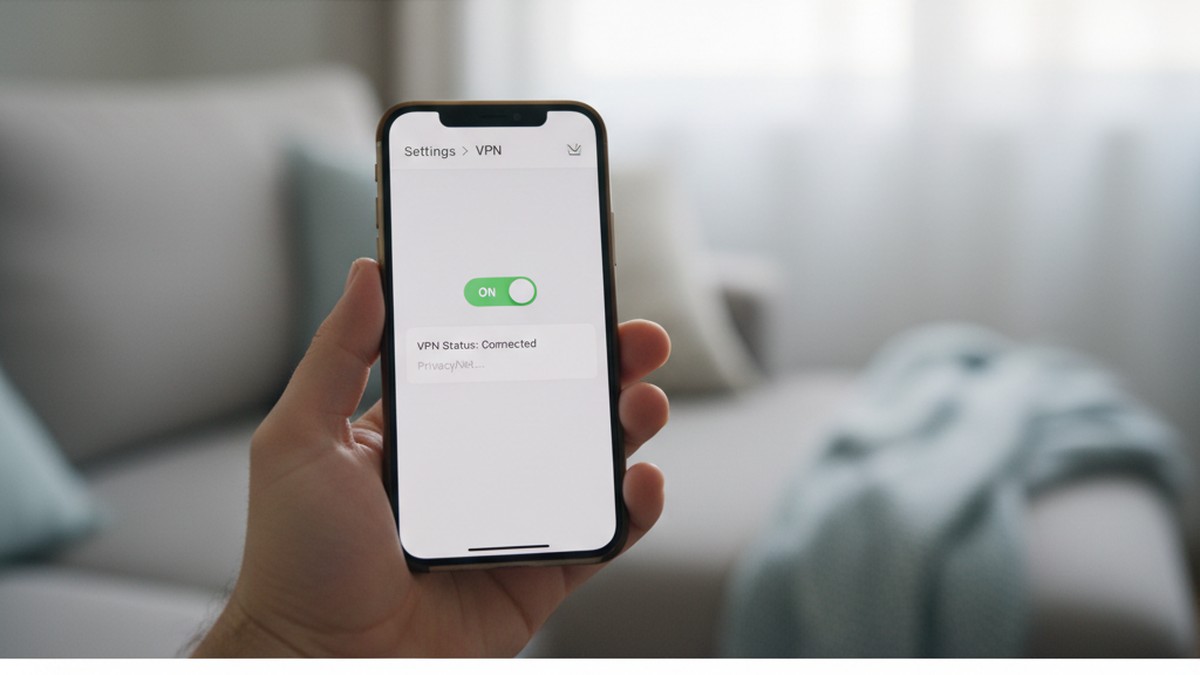
How Can a VPN Be Used to Hide Cheating?
A VPN does create specific blind spots that someone hiding infidelity could exploit. Understanding these blind spots precisely helps you assess what's actually being hidden — and what isn't.
Hiding Dating App Network Traffic
Dating apps communicate constantly with their servers: profile updates, message delivery, location pings, match suggestions. On a normal home Wi-Fi connection, this traffic is visible in your router's logs as connections to Tinder's servers, Bumble's servers, Hinge's servers, and so on. The router doesn't see the content of messages, but it records that connections to those specific servers occurred and when.
A VPN encrypts all of this traffic and routes it through a VPN server. Your router then sees only one destination: the VPN server's IP address. The Tinder connection that was previously visible as a connection to `api.gotinder.com` disappears into an encrypted stream labeled only with the VPN server's address.
This is the primary technical capability: eliminating the network-level log trail of which dating services were accessed.
Masking Network-Reported Location
Dating apps like Tinder use your device's GPS location to serve relevant matches. That location data travels from your device to the app's servers. Without a VPN, your router and ISP can see traffic going to dating app servers from your household. With a VPN, they see only encrypted traffic going to a VPN server.
One important clarification: a VPN changes your network-reported IP address and therefore your apparent geographic location on the network side. It does not change your phone's GPS coordinates. The GPS hardware in your phone reads satellites, not the internet. A VPN does nothing to spoof your physical location unless combined with a separate GPS-spoofing application.
Obscuring Browser-Based Dating Activity
Someone browsing dating profiles through a web browser — rather than an app — generates browser-based traffic. Without a VPN, this creates two records: one in the browser's history on the device, and one in the router's logs. A VPN eliminates the router record. It does not touch the browser history stored on the device — that requires private browsing mode as a separate step.
Cheaters who think carefully about this typically combine a VPN with private browsing to eliminate both the network-level and device-level browser records simultaneously. Either tool alone leaves a gap the other one closes.
The Private Browsing + VPN Combination
Neither a VPN nor private browsing alone provides comprehensive concealment — but together, they close each other's gaps. Understanding why clarifies why sophisticated concealment often uses both.
Private browsing (Safari's Private tab, Chrome's Incognito mode) prevents the browser from saving visited URLs, cookies, and form data to the device's storage. But it does nothing to hide traffic from the network — your router and ISP can still see every site you visit in incognito mode. The private browsing prevents device-level discovery; the router still sees everything.
A VPN hides traffic from the router and ISP. But it does nothing to prevent browser history from being saved on the device — someone browsing in a normal non-incognito window while using a VPN still leaves browser history entries.
The combination of both tools together eliminates both exposure points simultaneously: the router log is encrypted by the VPN, and the browser history never gets written by incognito mode. For anyone using a web browser to visit dating sites (rather than a native app), this combination creates a meaningful coverage gap for standard monitoring approaches.
A native app (Tinder, Bumble, Hinge) operated by itself on a VPN connection doesn't leave browser history, so the private browsing component is less relevant for app-based activity. The VPN alone handles the network side. Private browsing matters primarily for web-based dating site access.
What the VPN Cannot Do at the Network Level
There are network activities that a VPN doesn't protect against, even from your own router:
- The VPN connection itself is visible. Your router sees that a VPN was used, when, and approximately how much data moved through it. The content is hidden, but the existence of the VPN session is not.
- Cellular data bypasses your router entirely. Any activity conducted over LTE or 5G cellular data never passes through your home router. It generates no router log entries regardless of whether a VPN is active.
Does a VPN Hide Dating Apps From Your Partner?
A VPN encrypts internet traffic so your home router can't see which apps or websites are accessed. It hides network-level traffic from monitoring, but doesn't remove dating apps from the device, erase purchase histories, or suppress account notifications. Anyone checking the phone directly will still find the app.
The practical split is this: a VPN hides the activity over the network but not the presence of the app on the device. If your partner has Bumble installed, a VPN doesn't make that invisible when someone looks at their phone's home screen or app library. What the VPN does is prevent someone monitoring the home network from seeing that Bumble traffic is being generated.
What the VPN Hides on a Shared Home Network
- Which apps are communicating with external servers (Tinder, Bumble, Hinge, etc.)
- How frequently those apps were accessed from your network
- Which dating profiles were browsed through a web browser
- When connections to dating app servers occurred
What the VPN Does Not Hide
- The presence of any app on the phone itself
- In-app push notifications visible on the lock screen
- Subscription charges appearing in bank or credit card statements
- Download and purchase records in Apple ID or Google account history
- App usage data visible in Screen Time or Digital Wellbeing settings
- Physical behavior, schedule changes, and location discrepancies
- The VPN app itself appearing in the phone's settings
Most partners who discover infidelity don't do so by reading router logs. They find dating apps directly on the device, notice billing charges they didn't recognize, or observe changes in behavior. The VPN addresses only the narrowest category of exposure — network-level monitoring — while leaving the majority of evidence paths intact.
If you're trying to find out whether your partner has hidden dating profiles, CheatScanX scans all of these platforms — Tinder, Bumble, Hinge, and 15+ others — in a single search, entirely at the account level and unaffected by any VPN.
Can You Tell If Your Partner Is Using a VPN?
Yes. Your home router logs show encrypted connections to VPN servers even when the content is hidden. Additional indicators include the VPN app visible in device settings, a VPN status icon in the phone's status bar, unexplained subscription charges in billing statements, and higher than usual battery consumption from an unfamiliar app.
Here's how to check each method without accessing your partner's device:
Check Your Home Router Logs
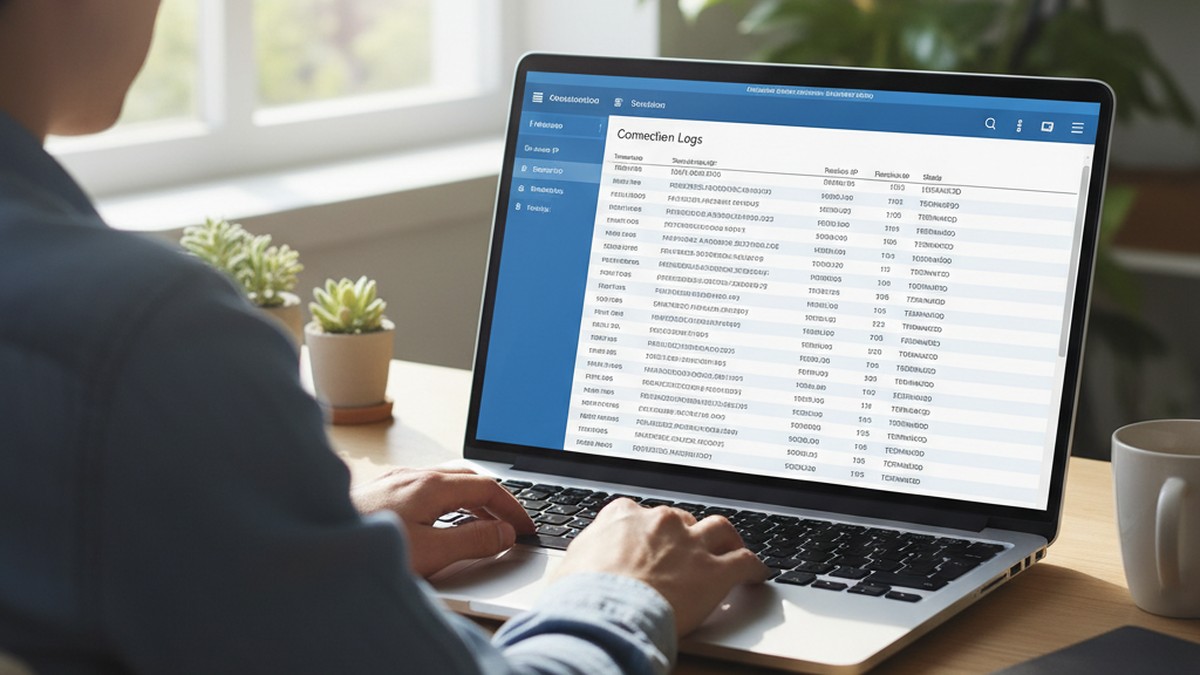
Log in to your router's admin interface — typically at 192.168.1.1, 192.168.0.1, or 10.0.0.1 in a browser address bar. The default login credentials are usually printed on your router's label. Look for a section labeled "Logs," "Traffic Log," "Connection Log," or "Internet Activity."
What you're looking for: repeated connections from a specific device on your network to the same IP addresses, particularly during late evening or overnight hours. Run any unfamiliar IP addresses through a free IP lookup tool — many VPN provider servers are identifiable this way. You'll confirm VPN use and see when it's most active, which often provides its own useful context.
Your router reveals that a VPN was used and when, but not what was accessed through it. That limitation is real — but knowing the timing can be informative in its own right.
Look for the VPN App on the Device
VPN apps don't disguise themselves. On iOS, go to Settings > General > VPN & Device Management > VPN. Any configured VPN appears here, including the provider name. On Android, go to Settings > Network & Internet > VPN. An active VPN connection typically displays a small key or shield icon in the phone's status bar — visible on the notification panel.
Major VPN apps — NordVPN, ExpressVPN, Surfshark, ProtonVPN, Mullvad, Private Internet Access — are easily recognizable. A VPN you didn't know about appearing in these settings is a concrete finding worth discussing.
Review Billing Statements
VPN subscriptions aren't free. Standard services cost $3–$15 per month, billed to a credit card or deducted from a linked account. Look for charges from NordVPN, ExpressVPN, Surfshark, Private Internet Access, Mullvad, or ProtonVPN in your credit card and bank statements. An unfamiliar subscription is evidence of ongoing VPN use, regardless of the stated purpose.
Check Battery and Data Usage
VPN encryption adds computational overhead. On most phones, a consistently active VPN connection appears in the battery usage breakdown as an unfamiliar app consuming meaningful power. Check Settings > Battery > Battery Usage (iOS) or Settings > Battery (Android). An app you don't recognize appearing consistently in the top battery consumers warrants investigation.
Similarly, review data usage by app. A VPN that's running heavily will show corresponding data consumption.
One Important Limitation of All These Methods
None of the above methods detect VPN activity conducted over cellular data (LTE or 5G). When someone switches from Wi-Fi to cellular, their traffic never passes through your home router at all. Battery and data usage checks work regardless of connection type, but router-based detection is blind to cellular-only VPN use.
The 5 Signs VPN Use Is Suspicious: The VPN Context Score
VPN use alone tells you almost nothing. What matters is the context surrounding it. The VPN Context Score is a structured framework for evaluating whether your partner's VPN represents normal privacy behavior or active concealment.
Score 1 point for each factor that applies to your situation. A score of 3 or higher warrants a direct conversation. A score of 5 indicates systematic concealment behavior involving multiple coordinated tools.
Factor 1: Timing of Adoption
Score 0: Your partner has used a VPN for a long time, or offered a plausible explanation when they set it up — a work policy, a streaming service they wanted access to, a privacy concern after reading about data breaches.
Score 1: The VPN appeared recently with no explanation offered. A sudden, unexplained installation is a different signal than longstanding or explained use.
Privacy habits don't typically change overnight without a reason. If the VPN appeared around the same time as other behavioral shifts — increased phone guarding, new passwords, changed daily patterns — the timing correlation is meaningful.
Factor 2: Usage Pattern
Score 0: The VPN is used selectively — when traveling, on public Wi-Fi networks, or during work hours.
Score 1: The VPN runs continuously and consistently at home, on your own private network.
Legitimate VPN use on public Wi-Fi makes obvious sense — you don't control that network. Running a VPN constantly on your own home network, which you do control, has far fewer privacy justifications. Someone primarily using a VPN to prevent home router monitoring will run it at home. Someone using it for public-Wi-Fi protection will mostly run it away from home.
Factor 3: Accompanying Behavioral Changes
Score 0: VPN use appears without any correlated changes in behavior or device habits.
Score 1: VPN adoption coincided with phone-guarding behavior, changed passcodes, new app downloads, increased late-night device use, or emotional withdrawal from the relationship.
In what we observe across searches conducted through our platform, concealment behavior rarely involves a single tool. A VPN alone is typically one component within a larger pattern of increased privacy behaviors. Multiple concurrent changes are more meaningful than any single one.
Factor 4: Response to Direct Questions
Score 0: Your partner can explain their VPN clearly and the explanation holds up. "I set it up for work," "I use it for streaming content blocked in the US," and "I don't want advertisers tracking me" are all verifiable, legitimate answers.
Score 1: A simple question about the VPN — "Hey, I noticed you have a VPN app, what's that for?" — produces a defensive response, deflection, or a subject change rather than a straightforward answer.
Someone with nothing to hide about their VPN generally doesn't mind explaining it. The response to a casual, non-accusatory question tells you something important.
Factor 5: Device-Level Secrecy
Score 0: Your partner's overall phone habits haven't changed. They still leave their phone visible, don't actively angle screens away, and haven't changed their passcode.
Score 1: The VPN is accompanied by increased device secrecy — a new passcode, screen-hiding behavior when you're nearby, notifications disabled, or apps tucked into obscure folders.
This factor matters because it reveals awareness. A VPN covers the network layer. Someone who has also added device-level secrecy knows the VPN alone isn't enough — and is supplementing it. That awareness indicates deliberate, layered concealment rather than a single privacy choice.
Interpreting Your Score
| Score | What It Suggests |
|---|---|
| 0–1 | Likely routine privacy behavior. Legitimate explanations predominate. |
| 2 | Worth noting but not conclusive. One direct conversation typically clarifies it. |
| 3–4 | Multiple concurrent concealment behaviors. A direct conversation is warranted. |
| 5 | All five indicators active. Systematic, layered concealment effort. |
How the Score Works in Practice
Consider two scenarios with the same starting point — you found a VPN app on your partner's phone.
Scenario A (Score: 0): Your partner is a software developer who's had NordVPN for two years. They use it at coffee shops and when traveling. They explain it immediately when you ask. Their phone habits haven't changed. Their behavior in the relationship is consistent. Score: 0. The VPN is a professional privacy tool with a mundane explanation.
Scenario B (Score: 4): Your partner installed a VPN six weeks ago without mentioning it. It runs constantly, even at home. Around the same time, they changed their phone passcode and started angling their screen away when you walk by. When you asked about the VPN, they got defensive and changed the subject. Score: 4. The VPN is one component in a pattern of concurrent behavioral changes — and the pattern is what warrants attention, not the VPN alone.
The same object carries entirely different meaning in these two scenarios. This is why the score assesses context rather than presence.
This framework doesn't determine whether your partner is cheating — human behavior is complex, and individual factors carry different weight in different relationships. What it does is help you organize your assessment rather than react to the presence of a VPN in isolation.
How Cheaters Layer VPNs With Other Concealment Tools
A VPN alone creates a modest layer of network-level cover. It hides traffic from one of several possible monitoring points. Someone thinking carefully about concealment typically combines it with other tools to address the other exposure points. Understanding this layered approach clarifies what evidence remains available despite it.
The Standard Concealment Stack
Based on patterns observed in searches conducted through our platform, the most common combination of tools used to hide dating app activity looks like this:
Layer 1 — VPN: Encrypts network traffic. Prevents monitoring at the router and ISP level. Covers: which apps are communicating, when, and how often.
Layer 2 — Private or Incognito Browsing: Eliminates browser history stored on the device for any web-based dating activity. Combined with a VPN, this removes both the network record and the device record of browser-based dating. One without the other leaves a gap.
Layer 3 — Vault or Disguise Apps: Apps like Calculator+, Private Photo Vault, or Secret Photo Keeper appear as innocuous utilities while containing hidden photos, messages, or even embedded private browsers. They address the device level, making content invisible during casual phone inspection. This category — often called hidden dating apps on your partner's phone — is a separate topic worth understanding in full.
Layer 4 — Secondary Account: A separate email address and Apple ID or Google account used specifically for dating app registration. This prevents the dating app subscription from appearing in the billing history of the main account and keeps the download record out of the primary App Store or Google Play history.
Layer 5 — Notification Management: Disabling banner notifications for dating apps so messages don't appear on the lock screen. Some users also disable notification badges to prevent unread message counts from appearing on app icons.
The Cellular Data Switch Tactic
One of the most effective and least discussed concealment techniques doesn't involve a VPN at all: switching from Wi-Fi to cellular data before opening any dating app.
When a device uses LTE or 5G cellular data, the traffic never passes through your home router. Your router logs nothing. Any VPN-based monitoring you might have set up on your home network sees nothing. The cellular connection routes directly through the carrier's network, which you don't control and can't monitor.
Someone who consistently switches to cellular data when accessing dating apps effectively bypasses all home network monitoring — with or without a VPN. You'll see no router log entries, no VPN connections, nothing.
This tactic often appears alongside VPN use as an additional layer: VPN to cover activity on shared Wi-Fi networks (coffee shops, the office, etc.), and cellular data switch to cover activity at home where router-based monitoring might be active. Neither monitoring approach catches both channels simultaneously.
Understanding this limitation matters for interpreting router-based detection. An absence of VPN or unusual traffic in your router logs doesn't confirm absence of activity — it may indicate the activity is happening through a channel your router doesn't monitor. Battery usage and data consumption checks work across both Wi-Fi and cellular connections, which is why they're often more reliable indicators than router log analysis.
Each layer addresses a different exposure point. A VPN covers the network. Private browsing covers the browser. A vault app covers the device. A secondary account covers billing and download records. Notification management prevents incidental exposure.
Someone running all five layers simultaneously is operating with deliberate intent. The presence of a VPN in that context means something different than a VPN appearing alone.
The Weakest Points in the Concealment Stack
Even a complete stack has vulnerabilities. The most consistently exposed points are:
Physical behavior. No digital tool conceals where someone goes, changes in their schedule and availability, shifts in emotional intimacy, or behavioral patterns that don't align with their stated explanations. Physical and behavioral evidence typically surfaces before digital evidence is found.
Financial records. Dating apps charge money. Subscription fees appear in bank statements, credit card records, and shared payment accounts. A secondary Apple ID still uses a payment method. Vault app purchases appear in purchase histories. Financial trails are consistently the most overlooked and most revealing category.
Backup records. iCloud and Google Drive backups record app installation history, usage data, and account activity. These persist even after apps are deleted from the device and aren't affected by VPN use at all.
If you want to understand more about what can be found without accessing a device directly, the approach outlined in catching a cheater without their phone covers these alternative evidence paths in full.
What a VPN Cannot Hide: The Complete Exposure Map
Most coverage of VPNs in a relationship context either treats them as obviously suspicious or treats them as near-comprehensive concealment tools. Neither framing is accurate. This section maps exactly what remains accessible even with a VPN running.
Device Storage — Fully Exposed
A VPN encrypts data in transit. It has no effect on data at rest. Every app installed on the device, every photo saved, every document downloaded, every credential stored in a password manager — these exist on device storage and are entirely unaffected by VPN activity.
This is the most significant limitation. The single most reliable discovery pathway — physically looking at the device — is completely unaffected by VPN use.
App Store and Google Play Purchase History — Fully Exposed
Apps downloaded through the App Store or Google Play leave permanent records associated with the account that purchased them. These records persist after app deletion. A VPN has no effect on them whatsoever.
On iOS: Settings > [Name] > Media & Purchases > View Account > Purchase History shows every app ever downloaded, including deleted ones, sorted by date. On Android: Google Play > Profile icon > Manage Apps & Device > Manage > filter to "Not installed" shows previously downloaded apps. Both of these records exist at the account level, not the network level.
Billing and Subscription Charges — Fully Exposed
Dating app subscriptions — Tinder Gold, Bumble Premium, Hinge Preferred — appear on the credit card or bank account tied to the App Store or Google Play account. A VPN provides zero protection against this financial record. Monthly charges to Tinder, Match Group, or Bumble appearing in financial statements are not affected by any network-level concealment.
Push Notifications — Largely Exposed
Dating apps send notifications: new matches, new messages, profile activity alerts. A VPN does nothing to suppress these. Notification banners appear on the lock screen. Notification history is accessible on both iOS and Android. The only way to address notification exposure is to manually disable them within the app's settings — a step many people forget to take.
A notification arriving at an inopportune moment has exposed more infidelity than all the router monitoring combined. VPNs don't address this risk at all.
iCloud and Google Backups — Fully Exposed
Automatic device backups preserve app data, usage logs, and account records in cloud storage. These are associated with account credentials, not the network connection. A VPN active during backup creation doesn't affect what gets recorded in the backup. Historical backup data can extend well beyond what's currently visible on the device.
Physical Location and Behavioral Evidence — Fully Exposed
A VPN masks your network-reported IP address. It has no effect on where you physically go, how you behave with your phone, or discrepancies between what you say you're doing and what's actually happening. Physical and behavioral evidence is the category VPNs are most often credited with covering, and the category they're completely powerless over.

How to Check Your Home Network for VPN Activity
You don't need technical expertise to detect VPN use on your home network. The process uses your router's built-in administrative interface, accessible from any device connected to your Wi-Fi.
Step 1: Log In to Your Router
Open a browser on any device connected to your home network and enter the gateway address in the address bar:
- 192.168.1.1 — most common
- 192.168.0.1 — common alternative
- 10.0.0.1 — used by some providers and mesh systems
Log in with the admin credentials. If you've never changed these, they're usually printed on a label affixed to the router. Common defaults include admin/admin, admin/password, or admin plus the router's serial number.
Step 2: Locate the Connection Logs
Router interfaces vary by manufacturer, but most have a log or traffic history section. Look for:
- Asus routers: Adaptive QoS > Traffic Analyzer
- Linksys: Administration > Log
- Netgear: Advanced > Administration > Logs
- TP-Link: System Tools > System Log
Look at the log entries corresponding to your partner's device. Each connected device can be identified by its MAC address or hostname in the DHCP client list, typically under LAN settings.
Step 3: Identify VPN Server Connections
VPN connections use specific ports and protocols. Common ones include:
- UDP 1194 — OpenVPN (most common)
- UDP 500 / 4500 — IKEv2/IPsec
- TCP 443 — WireGuard or VPN providers using HTTPS ports for stealth
You'll see repeated connections to a small set of IP addresses. Run those IP addresses through a free IP lookup service to identify their ownership. Many VPN server IPs resolve directly to named VPN providers. If you see consistent connections to NordVPN, ExpressVPN, or ProtonVPN infrastructure, VPN use is confirmed.
Step 4: Note the Timing
Router logs capture timestamps. Note when VPN connections from your partner's device are most active. Consistent VPN use during specific hours — late at night, during specific daily windows — can provide context about when the concealment is most active.
What Router Monitoring Cannot Tell You
Your router only sees traffic that passes through it. Any activity conducted over cellular data (LTE or 5G) bypasses your router entirely and creates no router log entries, VPN or otherwise. If your partner switches from Wi-Fi to cellular before using a VPN, home router monitoring yields nothing about that activity.
What to Do When You Discover Your Partner Is Using a VPN
Finding a VPN on your partner's device — or confirming its use through router logs — is a starting point, not a conclusion. Here's a practical approach for what comes next.
Start With a Direct Conversation
Before any investigation, a direct question is your most efficient path. Most VPN use has a mundane explanation. A non-accusatory opening gives your partner the opportunity to explain — and gives you a clear indicator of whether the explanation holds up.
"I noticed there's a VPN app on your phone — what do you use it for?" is a reasonable question that any partner with a legitimate reason can answer easily. The response tells you more than the VPN does.
If the explanation is specific and verifiable — a named service they've used it for, a work policy you can check — that's meaningfully different from a vague answer or a defensive reaction. Pay attention to consistency over time, not just the initial response.
Assess the Behavioral Context
If the conversation doesn't resolve the concern, apply the VPN Context Score from earlier in this article. You're looking for concurrent behaviors — phone guarding, new passwords, schedule changes, emotional withdrawal — that suggest the VPN is one component of a broader concealment pattern rather than a standalone privacy choice.
A VPN in isolation, even combined with a defensive response, isn't definitive. The fuller picture of behavioral change is what distinguishes a privacy-conscious partner from one actively hiding something.
Use Network-Independent Evidence Paths
If the concern persists after the conversation and behavioral assessment, the most reliable evidence paths are the ones VPNs can't protect against:
Financial records: Review credit card and bank statements for subscription charges you didn't know about — dating apps, dating app subscriptions (Match Group, Bumble Inc., Spark Networks), or VPN subscriptions that appeared recently without explanation. Many people forget that the subscription charge exists independently of the VPN, and it's one of the most consistently overlooked evidence paths.
App Store and Play history: On a device you share account access to, the purchase history reveals every app ever downloaded — including apps that have since been deleted. On iOS, check Settings > [Name] > Media & Purchases > View Account > Purchase History. Sort by date to see recent downloads you might not recognize.
Screen Time and Digital Wellbeing reports: Both iOS and Android have built-in usage tracking that shows app activity by time of day, even for apps you didn't know were installed. On iOS, Screen Time (Settings > Screen Time > See All Activity) shows daily and weekly usage breakdowns by app. On Android, Digital Wellbeing (Settings > Digital Wellbeing) provides similar data. A VPN has no effect on these reports — they pull from the device's own usage logs, not network data.
Behavioral patterns: Changes in sleep schedule, phone behavior, emotional availability, and physical routines don't require any technical tools to observe and are entirely outside the scope of VPN protection. These patterns are often the most reliable early indicator — they surface before any technical investigation.
For a broader approach to discovering hidden dating app activity, finding out if your partner is on dating apps covers the complete set of methods — many of which require no device access at all.
Consider What You're Actually Looking For
The goal of any of these investigation steps should be to resolve genuine uncertainty, not to build a legal case. Understanding what's happening in your relationship is a reasonable motivation. Acting on that understanding — whether it's a conversation, a decision about the relationship, or professional support — is the meaningful step.
Common Misconceptions About VPN Evidence and Cheating
Several persistent misconceptions about VPNs and infidelity investigations lead people toward ineffective approaches or inaccurate conclusions.
Misconception 1: A VPN Means They're Definitely Cheating
This is the most common error. As established earlier, 39% of Americans use VPNs — the vast majority for privacy, security, or access reasons that have nothing to do with their relationship (Security.org, 2025). Treating VPN presence as definitive evidence of infidelity leads to false accusations and damaged trust in cases where the explanation is entirely innocent.
A VPN is a privacy tool that happens to also provide cover for someone hiding infidelity. The presence of a hammer doesn't mean a nail was driven anywhere.
Misconception 2: A VPN Makes You Completely Untraceable
This is the misconception that serves whoever is using a VPN to hide something. VPNs are one layer of concealment, not a comprehensive solution. As the exposure map in the previous section shows, they cover network traffic and nothing else. Financial records, device storage, backup records, purchase histories, and physical behavior are all fully exposed.
In practice, VPN use combined with careful management of all the other exposure points would require an implausible amount of sustained effort. Most people using a VPN to hide activity overlook at least one of the other evidence paths.
Misconception 3: You Can Read Encrypted VPN Traffic If You're Clever Enough
You cannot. VPN encryption — particularly modern protocols like WireGuard and AES-256 OpenVPN — is not breakable through any tool available to a private individual. If your partner's traffic is encrypted by a reputable VPN provider, your home router cannot decode it, and no consumer-level software can either.
What you can detect is that a VPN is being used and when. What you cannot see is the content of the traffic. Modern VPN encryption — AES-256 and WireGuard — is not breakable by any tool available to a private individual. The other evidence paths covered in this article are far more accessible and reliable.
Misconception 4: Deleting the VPN App Removes All Evidence of Its Use
Deleting a VPN app removes it from the device. It does not remove the subscription charge from a credit card statement, the download record from the App Store or Google Play history, the router logs that recorded its use, or any iCloud or Google backup that captured the device state while it was installed.
Deletion of an app is not erasure of the record of its existence.
Misconception 5: You Need Their Phone to Find Anything Out
This misconception leads people toward approaches that are both less effective and more ethically fraught than the alternatives. Network-level monitoring, financial records, account-level histories (on shared accounts), and behavioral observation don't require touching your partner's device. These methods are available without any access to the device itself.
Understanding the signs your partner has a double life covers behavioral indicators that are often more reliable than any technical investigation.
Final Thoughts: What VPN Evidence Actually Tells You
A VPN is a privacy tool with legitimate uses and real limitations as a concealment device. On its own, it tells you that your partner values network privacy — and almost nothing else. The context around VPN use is what carries meaning.
The five-factor VPN Context Score gives you a structured way to assess that context: timing of adoption, usage pattern, accompanying behavioral changes, response to questions, and device-level secrecy. A score of 3 or higher across these factors represents a pattern worth addressing directly, not a single tool in isolation.
The more important finding from this analysis is that VPNs are much weaker concealment tools than most people assume. They cover exactly one of six meaningful evidence layers — the network layer — and leave the remaining five entirely exposed. Financial records, device storage, purchase histories, backup records, and physical behavior are all unaffected by VPN use. These are consistently the more reliable paths for anyone trying to understand what's actually happening.
If suspicion is high enough that you're reading this article, a direct conversation is almost always the right first step. If that conversation doesn't resolve the concern, the evidence paths that bypass VPN concealment entirely are the ones worth pursuing. CheatScanX scans 15+ dating platforms for hidden active profiles — an approach that works entirely at the account level and is unaffected by any network-level concealment.
Trust your observations. A VPN doesn't explain behavioral distance, unexplained absences, or a relationship that has changed in ways you can feel but not yet prove. Those patterns matter more than any individual app.
No VPN addresses the full evidence footprint that infidelity creates. Financial records, device purchase histories, Screen Time reports, backup data, and physical behavior all remain accessible regardless of what network privacy tools are in use. The evidence gap is rarely where people expect it to be — and it's rarely protected by the tools they've deployed to cover it.
Frequently Asked Questions
A VPN hides Tinder's network traffic from your home router and internet provider, but it doesn't remove the app from the device, erase it from the App Store purchase history, or prevent in-app notifications from appearing on the lock screen. Anyone checking the device directly — not the network — can still find evidence of the app.
Most VPN use has legitimate reasons: privacy from advertisers, security on public Wi-Fi, accessing geo-blocked content, or work requirements. A sudden unexplained installation becomes more significant when it coincides with other behavioral changes — new passwords, phone guarding, increased late-night device use, or emotional withdrawal. Those patterns together matter more than the VPN alone.
Not on its own. About 39% of Americans use VPNs regularly for privacy and security, according to a 2025 Security.org survey. VPN use becomes a meaningful concern only when it appears alongside other behavioral changes — secrecy about the phone, emotional distance, or unexplained routine shifts. One data point isn't a pattern.
Yes — your router shows that a VPN connection was made and identifies the VPN server's IP address, but it cannot read the encrypted content of that connection. You'll know a VPN was used and when, but not what was accessed through it. Router logs also won't capture activity conducted over cellular data rather than Wi-Fi.
A VPN doesn't hide apps installed on the device, App Store or Google Play purchase history, billing charges for subscriptions, push notifications visible on the lock screen, data stored on the device, physical location behavior, or cloud backup records. It only encrypts internet traffic over the network — not the broader evidence trail that infidelity typically leaves.