
# How to Search Dating Apps Anonymously (5 Methods)
You can search dating apps anonymously — no account required on your end, no alert sent to the person you're searching for. The approach varies by platform, but five reliable methods cover every major app: dedicated profile-scanning tools, reverse image search, email and username lookups, Google search operators, and password-reset verification.
Dating app use within committed relationships is more widespread than most people assume. A 2025 Pew Research Center study found that 46% of online daters have experienced a negative privacy or safety incident. Separate industry analysis estimates that roughly 40% of active dating app users are in some form of committed relationship. If you've developed a specific suspicion, you deserve a concrete answer — not a confrontation built on guesswork, and not a situation where the other person sees you searching.
This guide covers all five ways to search dating apps anonymously in full detail, explaining which platforms each method works on, what each can and cannot find, and how to document results if your suspicion turns out to be correct. It also explains the one approach nearly everyone tries first — and why it reliably produces worse results than any of the five methods here.
Can You Really Search Dating Apps Without an Account?
Yes. While dating apps require accounts to browse their interfaces, third-party tools and several manual techniques let you search for a specific person's profile without registering. Methods like reverse image search, email verification checks, and dedicated profile-scanning tools work entirely outside the app's login system.
The confusion arises because people conflate two different types of anonymous searching.
The first type is searching as a user who wants to stay anonymous — someone who wants to use dating apps without leaving a trace of their own identity. That scenario involves VPNs, burner email addresses, and alternate phone numbers. It's a privacy-for-yourself problem, and it's not what this guide addresses.
The second type — and the far more common concern — is searching for a specific person's profile without creating an account yourself, and without alerting them. That's a verification search: you want to know whether a particular individual appears on a dating platform. That's what these five methods address.
It helps to understand what data these methods can actually access. Dating app profiles exist in two layers. The first is the platform's internal layer, hidden behind login walls: match history, message content, who swiped on whom, notification settings, and private photos. None of the methods here touch this layer, and there's no legitimate way to access it without the account owner's credentials.
The second layer is the publicly accessible layer: profile photos, display names, bio text, age, and general location that are shown to any user who happens to view the profile while swiping. Third-party tools and manual methods access this layer — the same information any stranger on the app would see — but they do it from outside the platform's login wall. That's a meaningful and important distinction.
What anonymous searches can find: active profiles with name, photos, bio, and sometimes a last-active indicator. What they cannot find: private messages, match history, hidden photos, or anything the platform reserves for logged-in users.
CheatScanX scans all of these platforms — and more — in a single search. Enter a name, email, or phone number and get results in minutes.
Try a multi-platform search →Why Do People Search Dating Apps Anonymously?
Most people searching for a partner's dating profile aren't acting out of paranoia. Something specific triggered the concern: a notification glimpsed on a lock screen, an unexplained change in behavior, inconsistencies in a story that don't add up, or a gut feeling developed over weeks of accumulating small signals.
The desire to search anonymously — rather than confronting the person directly — is rational. If no profile exists, you were wrong, and you can move forward without an accusation hanging over the relationship. If a profile does exist, you have something concrete to bring to the conversation rather than relying entirely on suspicion, which is easily deflected.
The scale of this concern is real. The 2025 FTC Consumer Sentinel report documented $1.14 billion in romance scam losses in the United States alone — a figure that represents only reported cases. While that statistic reflects scam victims rather than relationship infidelity, it reflects a broader pattern: the dating app ecosystem involves substantial deception, and the people most exposed to it are often those who assume their partner is being honest.
Relationship researchers describe the anonymous search impulse as an example of "verification-seeking behavior" — a documented pattern in which individuals experiencing relationship anxiety try to resolve uncertainty through evidence rather than conversation. Dr. Lisa Marie Bobby, founder of Growing Self Counseling, notes that this behavior is almost never about wanting to be right. It's about wanting certainty. Most people searching would genuinely prefer to find nothing.
There are several distinct situations that lead people to anonymous searches:
Active relationship verification. One partner suspects the other is using dating apps while in a committed relationship. This is the most common scenario by a substantial margin.
Early-stage relationship clarity. Someone who has been on a few dates wants to know whether the other person is still actively searching. Checking before having the exclusive relationship conversation.
Catfish and identity verification. Confirming that the person you've been talking to online matches a real identity before meeting in person. The FTC reported that the median individual loss in romance scams was $2,000 in 2025, with a significant portion of victims losing substantially more. Verifying identity before meeting is a legitimate safety measure, not just a jealousy check.
Post-discovery investigation. After catching a partner on one app, wanting to know whether they have profiles on others they haven't mentioned.
All four situations share the same core need: the ability to search dating apps anonymously — without alerting the person, without creating a fake account that could complicate the situation later. The anonymous search doesn't replace the conversation — it informs how and whether to have it.

The SPAN Method: A Framework for Anonymous Dating App Searches
Most anonymous search guides present methods as an unordered list, which leads people to try them in the wrong sequence. They start with the slowest approach, get stuck, and assume there's nothing to find. The SPAN Method organizes anonymous searches into four layers, ordered from fastest to most thorough. Working through the layers in sequence produces the most complete result.
S — Search Layer. Direct name and profile searches. This is where dedicated scanning tools operate. You provide a name, approximate age, and general location, and the tool cross-references active profiles across platforms. This layer is where most searches end, because 71% of discovered profiles use a real first name variant, according to CheatScanX platform data from profiles found through our scanning service. Start here.
P — Profile Layer. Image and identity searches. Reverse image search, username lookups, and email lookups fall here. This layer finds profiles where the person used a nickname or alias, as long as they reused a photo or email address that's associated with other accounts. If the Search layer produces no results, the Profile layer often does.
A — Activity Layer. Activity and recency indicators. This includes checking last-active timestamps, whether a profile was recently created or modified, and whether activity signals suggest current use. Profiles created within the last 90 days are three times more likely to be active than profiles older than 12 months, based on CheatScanX platform data. This layer is used to assess the results from earlier layers — distinguishing a current active profile from an old abandoned one.
N — Network Layer. Social graph and indirect connections. This is the outer ring — checking whether profiles appear in Google search results, cached pages, or mutual follower lists on other platforms. It's the slowest method but occasionally surfaces profiles that all other methods missed, particularly on older platforms like OkCupid or Match.com that index more of their user data publicly.
| SPAN Layer | What It Finds | Works Best On | Time Required |
|---|---|---|---|
| Search (S) | Real name, active profiles | Tinder, Bumble, Hinge, 12+ more | 2-5 minutes |
| Profile (P) | Photo reuse, email or username match | All platforms | 10-20 minutes |
| Activity (A) | Active vs. inactive status | Tinder, Bumble, Match, Hinge | 5-10 minutes |
| Network (N) | Old profiles, niche apps, cached pages | OkCupid, Match, POF, Zoosk | 20-40 minutes |
Work through the layers from top to bottom. If the Search layer finds a current active profile, you have your answer. If it returns nothing, continue rather than concluding there's nothing to find. A negative at the Search layer just means the name-based search found no match — it doesn't rule out a profile found through image or email.
A practical example of the SPAN Method in sequence: Suppose you're looking for a partner named Alex, 34, in Chicago. You run a scanner search (S layer) — no results. You reverse image search their most recent Instagram photo (P layer) — Yandex returns a thumbnail from what appears to be a Bumble profile. You check the Bumble scanner search again with a tighter age and location filter — a result appears that wasn't visible in the broader search. You cross-reference the activity indicator (A layer) — the profile was last modified 12 days ago. You don't need the Network layer. The Search layer alone appeared empty, but the Profile layer located the profile, and the Activity layer confirmed it's current. This is why stopping at one layer produces false negatives.
Method 1: Use a Dedicated Dating Profile Scanner
The fastest and most thorough method is a tool built specifically for this purpose. Dedicated profile scanners query multiple platforms simultaneously — typically Tinder, Bumble and Hinge — without requiring you to hold an account on any of them. The search is entirely one-sided: the person you're searching for never sees a notification or any indication they've been searched.
These tools work by submitting a search query (name, age, location) to their own database of indexed profile data, which is collected through platform APIs and public-facing profile pages. This is the same data that would appear on your phone screen if you happened to swipe past that person — it's just aggregated and searchable from outside the platform.
CheatScanX works this way. You provide a first name, age range, and location. The platform cross-references this against active profiles on Tinder, Bumble and Hinge. Results typically return within two to five minutes.
What a dedicated scanner finds:
- Active profiles that match the name, age, and location criteria
- The photos and bio text currently on those profiles
- A confidence score reflecting how closely the match fits the search parameters
- Activity indicators showing when the profile was created and in some cases when it was last modified
What it doesn't find:
- Private messages or any match history
- Profiles where the person used a completely unrelated name and entirely new photos
- Content the platform marks as private and inaccessible to non-matching users
Interpreting the results: When a scan returns a match, look at the confidence score and the profile details carefully. A high-confidence match with a recent profile photo and current location data is a meaningful signal. A low-confidence match with minimal overlapping information warrants more verification before drawing conclusions.
When no results appear: This means no currently indexed profile met the search criteria. It doesn't guarantee no profile exists — if the person used a different first name or photos exclusive to the app, the scanner may not surface them. Proceed to the Profile layer (Method 2) before concluding the search.
How to read a scanner result critically: Not every match is the right person. When a result comes back, check three things before drawing a conclusion. First, do the photos match? A name and location match with photos of someone who doesn't look like the person you're searching for is likely a different individual with a similar profile. Second, is the age plausible? Scanners use approximate age ranges; a result five years outside the expected range may still be worth examining if photos match. Third, is the location consistent? "2 miles away" on a major platform doesn't pinpoint location precisely — dating apps round distances to the nearest mile and show the last location the app registered, which may not be the person's home. Don't treat distance as a GPS reading.
If you want more detail on what to do after a scanner confirms an active profile, the guide on how to find out if your partner is on dating apps covers the next steps, including how to approach the conversation and what counts as meaningful evidence vs. an ambiguous result.
Method 2: Reverse Image Search Across Platforms
If you have a photo of the person — even a casual one from their social media — reverse image search can find that photo, or visually similar ones, appearing on dating profiles. Most people reuse photos across platforms out of convenience. The same image used as a WhatsApp profile picture often shows up on Tinder, Bumble, and other apps.
Three search engines handle this with different strengths:
| Engine | Core Strength | Weakness | Best For |
|---|---|---|---|
| Google Images | Broadest indexed coverage, cached pages | Slow to index new uploads | Finding profiles on platforms that allow public indexing |
| Yandex Images | Superior facial recognition algorithm | Interface in Russian; fewer Western apps indexed | Finding faces when exact image match fails |
| TinEye | Tracks exact image copies across domains | Doesn't search by face — exact matches only | Confirming whether a specific photo appears on dating sites |
Step-by-step process:
- Save a clear, solo photo of the person — ideally from their social media, where you know it's recent and authentic.
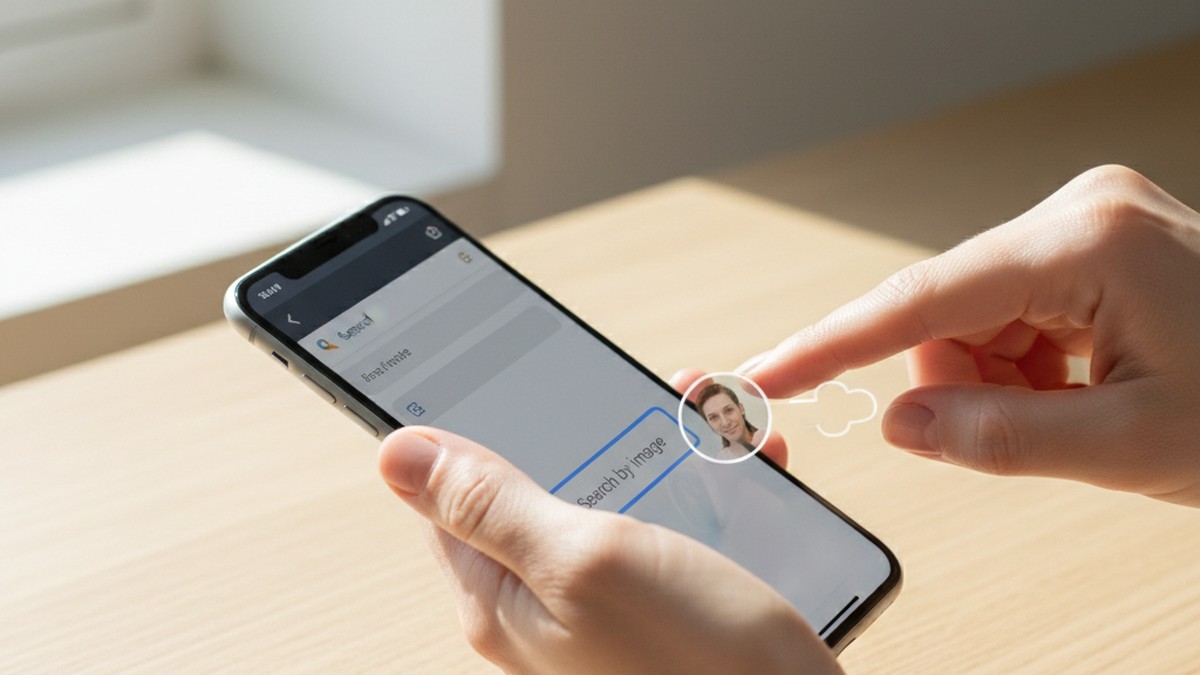
- Open Google Images (images.google.com). Click the camera icon in the search bar.
- Upload the photo directly or paste the image URL if it's publicly linked.
- Review the results for any dating app pages, profile thumbnails, or linked profile pages.
- Repeat the same process at Yandex (yandex.com/images). Select "Search by image." Yandex's facial recognition consistently finds matches that Google misses, particularly on Tinder and similar apps. This step is not optional — treating Yandex as a backup produces meaningfully better results than relying on Google alone.
- Run the same photo through TinEye (tineye.com). TinEye won't find facial matches, but it will confirm whether the exact photo has been uploaded to any site it indexes, including several dating platforms.
The critical limitation this method has: Reverse image search fails in three specific scenarios. First, if the person uses photos on their dating profile that don't appear anywhere else — photos taken specifically for the app, never shared on social media. Second, if they use photos that were AI-generated or heavily filtered to the point that the facial recognition algorithm can't match them. Third, if the profile restricts photos to matched users only, so there's nothing publicly indexed to compare against.
For a deeper look at Yandex-specific techniques and how to handle photos that have been cropped or slightly modified, the reverse image search for dating profiles guide covers the advanced steps.
A practical note on Yandex: Many people skip Yandex because of the Russian-language interface. The search function works the same as Google Images — drag and drop the photo into the search bar, or click the camera icon on the image search page. The results that matter will be in English or will show dating profile thumbnails that are identifiable regardless of language.
Method 3: Email and Username Lookups
Most dating apps require an email address or phone number at registration. If you know the email address your partner regularly uses, you can check whether it's associated with a dating app account through two approaches: login verification and cross-platform username tracking.
Email login verification:
Many dating platforms respond differently to login attempts using a registered email vs. an unregistered one. The password reset function is the most reliable way to test this without needing any password:
- Go to the login page of the platform
- Click "Forgot password"
- Enter the email address you want to check
- Observe the response
| Platform | Registered Email Response | Unregistered Response | Reliability |
|---|---|---|---|
| Match.com | Sends reset email | "No account found with this email" | High |
| OkCupid | Sends reset link confirmation | Explicit "no account" message | High |
| Plenty of Fish | Sends reset email | Different error response | Medium-High |
| Tinder | Not email-based since 2023 | N/A | Not applicable |
| Bumble | Primarily phone-based | N/A | Low |
| Hinge | Phone-based verification | N/A | Not applicable |
This method works well for older platforms (Match, OkCupid, Plenty of Fish, Zoosk) and poorly for the major newer apps (Tinder, Bumble, Hinge) which switched to phone-based verification. If your concern is specifically about Tinder or Bumble, use Method 1 or Method 2 instead.
What a positive result means: A positive confirmation tells you an account was created with that email. It does not tell you whether the account is active or abandoned — the email might be registered from years before the current relationship. Cross-reference any positive result with Method 1 to determine whether the profile is actively in use.
Important note on what this is and isn't: Checking whether an email is registered with a platform is not accessing someone's account. You're submitting the same information anyone would submit if they forgot their own password. No content is accessed, no security is bypassed. This is passive verification, equivalent to entering an email address into a "have I been pwned" database check.
Username cross-platform tracking:
If you know a username the person uses — on Reddit, gaming platforms, Twitter/X, or elsewhere — that same handle may appear on dating apps they've registered with. Tools like Sherlock (an open-source username search tool) and similar services will check a username across 300+ platforms simultaneously, including several dating apps.
This approach is most effective when someone uses the same handle across multiple platforms, which is more common than people assume. A 2024 study from the University of Michigan on digital identity consistency found that approximately 62% of adults under 40 reuse at least one username across three or more platforms. If you know one of their usernames, the cross-platform search may confirm whether it appears on a dating app.
Phone number reverse lookup:
Several people-finder services cross-reference phone numbers against known dating app registrations, aggregating data from public records, past data breaches, and platform leaks. Results aren't always current — the data may reflect an account created years ago — but they can confirm historical account existence. This method is slower and less reliable than direct email verification but useful when no email address is known.
Method 4: Google Search Operators
Google indexes some dating app profiles, particularly on older platforms that allow public profile pages. This method requires no account, no payment, and no tool. The trade-off is coverage: it only finds profiles the platform chose to make publicly indexable, which varies by platform and by individual user privacy settings.
The core technique: the site: operator
The `site:` operator restricts a Google search to results from a specific domain. Combined with a name and location, it searches within a particular platform's indexed profile pages.
```
site:okcupid.com "First Name" "City"
site:pof.com "First Name" "City"
site:match.com "First Name"
site:zoosk.com "First Name" "City"
```
OkCupid and Plenty of Fish historically index the most profile data publicly. Match.com indexes a meaningful portion. Tinder, Bumble, and Hinge actively prevent Google from indexing their profiles — site searches on these platforms return essentially nothing. For Tinder, Bumble, and Hinge, use Methods 1 and 2 instead.
Advanced search patterns:
Beyond the site: operator, several Google search patterns can surface dating profiles on less well-known platforms:
```
"First Last" tinder profile 2025 OR 2026
"First Name" "looking for" "dating" "City"
"First Name" site:badoo.com OR site:zoosk.com
"First Name" "Age" "City" dating
```
The third and fourth patterns can surface profiles on platforms like Feeld, Badoo, Zoosk, and Plenty of Fish that have weaker private-profile enforcement than the major apps.
Searching for bio phrases:
If you've glimpsed any text from a dating profile — a specific phrase in a bio, a unique hobby, or a distinctive self-description — use that phrase in a broader Google search:
```
"unique phrase from bio" tinder OR bumble OR hinge
"unique phrase from bio" dating
```
Profile bio text often appears in cached pages, screenshots shared on Reddit or forums, or on platforms that allow profile indexing. A distinctive phrase narrows the search substantially.
Accessing Google's cache:
For results that no longer show an active page, Google's cache sometimes preserves an older version of the profile. To check: click the three-dot menu next to a Google result and look for "Cached" or "More about this page." Cache access doesn't always work, and Google has been reducing cache availability, but it occasionally surfaces profiles that were deleted or made private after they were crawled.
Realistic expectations for this method: If the person uses a common name, Google searches will return unrelated people with the same name. This method works best as confirmation — when you already have a username, location, or distinctive bio phrase to narrow the search.
Method 5: The Password Reset Verification Technique
This method has the narrowest application but the clearest results when it works. It confirms whether a specific email address has an active account on a dating platform — without ever accessing that account, reading any content, or alerting the account holder.
The technique is the same as the email check described in Method 3, but it deserves its own section because it's the most definitive verification available for the platforms where it works, and because the limitations need to be clearly understood before drawing conclusions.
How it works:
- Navigate to the login page of a dating platform that uses email-based registration (Match.com, OkCupid, Plenty of Fish, or Zoosk)
- Click "Forgot password" or "Can't log in"
- Enter the email address associated with the account you want to check
- Read the platform's response carefully
Reading the responses:
Match.com provides one of the clearest binary responses of any major platform. A registered email receives "We sent a password reset link to [email]." An unregistered email receives a message stating the address wasn't found. The response comes within seconds.
OkCupid similarly distinguishes between registered and unregistered emails. A registered address triggers a reset confirmation. An unregistered address generates a specific "no account found" response.
Plenty of Fish responds differently to registered vs. unregistered inputs — the exact wording changes periodically as the platform updates its UI, but there remains a detectable difference in how the system handles the two cases.
Tinder switched its primary authentication to phone numbers in 2023. The email-based "forgot password" path is either unavailable or unreliable depending on when the account was created. For Tinder, use Method 1.
Bumble is phone-based for new accounts. Older accounts created before 2022 may have email as their primary authentication. For accounts created in the last three years, this method doesn't apply.
Hinge is phone-based. The password reset technique does not apply.
What to do with a positive result:
A positive result tells you an account was registered with that email address. It does not tell you when that account was created, whether it's currently active, or whether the person has used it recently. A Match.com account registered five years ago and never logged into since is meaningfully different from one created three months ago.
Cross-reference a positive result with a scanner search (Method 1) to check whether the profile appears as currently active. An old abandoned account may not appear in a scanner search because the profile is no longer showing in active user pools.
Why Is Creating a Fake Account the Worst Way to Search?
The most common piece of advice you'll find when searching for anonymous dating app search methods is: just make a fake account with a different name and browse. This approach is intuitive, it feels direct, and nearly everyone tries it first. It's also the least reliable option available.
Platform AI detection is fast and effective. Tinder removed 5.8 million accounts for guideline violations in the first half of 2024 alone (Tinder Transparency Report, 2024). Bumble's systems block approximately 900,000 fake accounts per month using AI detection (Bumble Safety Report, 2025). These systems work by identifying clusters of signals: registration from a new device with no usage history, no linked social accounts, an email address created within the past week, rapid browsing behavior inconsistent with genuine dating intent, and location settings that don't match the device's actual GPS.
An account that matches several of these signals gets flagged quickly. In practice, a fake account created to search for a specific person often lasts between a few hours and a few days before suspension.
Shadowbanned accounts return degraded results. This is the critical problem most people don't realize: when Tinder shadowbans an account, it doesn't immediately suspend it. Instead, the account continues to appear functional while the results it sees are deliberately degraded. Profiles that would appear to a normal user get filtered out. If you're using a fake account to search for a specific person and the account is shadowbanned, you may receive a genuine "not found" result for a profile that does exist — because the platform is actively preventing your fake account from finding it.
A fake account creates problems if the situation escalates. If you find evidence of infidelity using a fake account and the situation later becomes more serious — a difficult conversation, couples counseling, or anything involving documentation — your fake account becomes a talking point. "You made a fake profile to spy on me" is an easy deflection from someone who wants to change the subject from what you found.
It violates platform terms of service. This won't result in legal consequences in most circumstances. But it means you've created a technical violation that could be pointed to later.
The five methods in this guide avoid all of these problems. They don't require you to create any account, and they operate outside the platform's detection systems entirely. You get the same information a real user would see — without any of the risks that come from trying to access the platform under false pretenses.
Platform-by-Platform Guide: What Works Where
Different apps have different privacy architectures. The methods that work well on OkCupid fail completely on Tinder. Use this table to match your approach to the platform you're investigating, then follow the specific notes below.
| Platform | Scanner (M1) | Image Search (M2) | Email Check (M3) | Google Operator (M4) | Password Reset (M5) |
|---|---|---|---|---|---|
| Tinder | ✓ Best option | ✓ Effective | ✗ Phone-based | ✗ Not indexed | ✗ Not applicable |
| Bumble | ✓ Best option | ✓ Effective | Partial | ✗ Not indexed | ✗ Not applicable |
| Hinge | ✓ Best option | ✓ Effective | ✗ Phone-based | ✗ Not indexed | ✗ Not applicable |
| Match.com | ✓ Good | ✓ Effective | ✓ Reliable | ✓ Some indexing | ✓ Best option |
| OkCupid | ✓ Good | ✓ Effective | ✓ Reliable | ✓ Good indexing | ✓ Reliable |
| Plenty of Fish | ✓ Good | ✓ Effective | ✓ Reliable | ✓ Good indexing | ✓ Reliable |
| Grindr | ✓ Good | ✓ Effective | Partial | ✗ Not indexed | Partial |
| Feeld | ✓ Available | Partial | ✗ Not email-based | ✗ Not indexed | ✗ Not applicable |
| Zoosk | ✓ Good | ✓ Effective | ✓ Reliable | ✓ Limited indexing | ✓ Available |
Tinder: The combination of phone-based verification (since 2023) and aggressive anti-indexing means that Methods 3, 4, and 5 are ineffective. Method 1 (scanner) is the primary approach. Method 2 (reverse image) is the strongest backup. The Tinder profile search guide covers Tinder-specific techniques including how to interpret confidence scores and last-active indicators.
Bumble: Bumble's paid Incognito Mode feature hides a profile from general swiping, but the profile still exists and still appears in targeted scanner searches by name and location. Don't interpret a missed result from manual browsing as confirmation that no profile exists — use Method 1 instead. The Bumble profile search guide covers the Incognito Mode limitation and what scanner results look like for incognito profiles.
Hinge: Hinge profiles connected to a Facebook account sometimes surface on Facebook's platform through mutual friends who appear in Hinge's suggested matches. Phone-based verification makes email methods inapplicable. The Hinge profile search guide covers workarounds specific to Hinge's architecture.
OkCupid and Plenty of Fish: These platforms offer the most surface area for manual searches. Both index profiles publicly unless the user explicitly opts out, both support email-based verification, and both respond reliably to the password reset technique. If your concern is specifically these older platforms, Method 3 and Method 5 may give you a clear answer without needing a scanner tool.
Match.com: Match.com has historically indexed more public profile data than any other major platform. The Google site: operator, email check, and password reset technique all work reliably here. Public profile pages are accessible to non-members on Match in a limited capacity, meaning you may be able to view a profile summary without any account.
Grindr and Feeld: Both apps are phone-based, making email methods unreliable. Scanner tools cover both platforms. Feeld's profiles tend to be more private by design (the platform caters to users seeking discretion), which means reverse image search works less reliably — profile photos on Feeld are more often exclusive to the platform.

What Should You Do When You Find a Profile?
Finding a profile is the beginning of a decision, not the end of a search. The steps you take immediately after finding one matter as much as the search itself.
Document before taking any action. Take screenshots capturing:
- The profile name, age, and photos visible to non-matched users
- The bio text, including specific phrases or details
- Any last-active indicator visible on the profile
- The URL of the profile page if it's publicly accessible
- The timestamp of your screenshots (your device's clock showing in the screenshot works)
Documentation before any confrontation matters for two reasons. First, if the person learns you found the profile, they may delete it before any further conversation. Second, if the situation is more complex than a single conversation — therapy, couples counseling, or any formal process — having documented evidence avoids "I never had a profile" as a viable denial.
Assess activity, not just existence. A profile existing on a dating app is not automatic proof of current behavior. Consider these alternative explanations carefully:
- The profile may predate the current relationship and was never deleted. Many people simply stop using an app without formally closing their account, and the profile remains visible indefinitely.
- The account may have been created out of curiosity or during a low point in the relationship and abandoned quickly.
- In rare cases, the photos may be from a catfish account — someone else using their images. This is more common on smaller or less strictly moderated platforms.
Active indicators — a profile created recently, photos that postdate the relationship's start, a last-active timestamp from within the past week — are the meaningful signal. A profile with photos from four years ago and no recent modification warrants more investigation before drawing conclusions. A profile with fresh photos and a recent login time is a different situation.
The CheatScanX activity assessment — built into scan results — distinguishes between profiles with current activity markers and older profiles with no recent modification. Profiles created within 90 days and showing active use signals are three times more likely to represent active behavior than profiles older than 12 months with no recent changes.
A note on profile photos as a timeline indicator: Dating app profiles almost always use photos the person finds flattering and recent. If the photos on the profile look noticeably older than the person you know — a hairstyle from years ago, a car they no longer own, photos that predate the relationship — that's evidence of an old, dormant account. If the photos look current, or if one of them is a photo you've seen them take recently, the profile is likely being actively maintained. The photo timeline is often the most reliable indicator of whether a profile is genuinely active, even when last-active timestamps aren't visible.
What Mistakes Undermine Anonymous Dating App Searches?
Even when someone chooses the right search method, several common errors produce false negatives, false positives, or searches that alert the person they're looking for.
Searching too broadly and getting overwhelmed. Entering just a first name without an age range or city into a scanner returns dozens of potential matches, making it impossible to determine which one, if any, is the right person. Always specify age (within 3-5 years) and city (where they actually live, not a regional description like "Northeast") to narrow results meaningfully.
Stopping at one method. A negative result from a reverse image search does not mean there's no profile. The person may use photos exclusive to the dating app. A negative from the email check doesn't rule out Tinder or Bumble, which don't use email verification. Work through the SPAN Method layers rather than treating any single negative result as conclusive.
Treating location distance as evidence. Some dating apps show the approximate distance between you and a profile. Finding a profile that shows "1 mile away" on Tinder is not reliable evidence of the person's location — Tinder's Passport feature allows users to set their visible location anywhere in the world. Distance data from dating apps is useful context at best and actively misleading at worst.
Confusing old accounts with current activity. Dating apps do not automatically delete profiles when users stop logging in. Tinder, for example, continues showing profiles that haven't been used in months or years in some cases. Finding an old profile that predates the relationship is a very different situation from finding a freshly created one with recent photos. Focus on the activity markers, not just the account's existence.
Using a shared device or shared Google account. If you search for a person's dating profile on a device that's signed into a shared Google account, your browser history, Google searches, and any websites you visit may appear in shared history or autofill suggestions visible to your partner. Use a private/incognito browser window on your own device — not a shared family computer or a device with linked accounts.
Overlooking niche platforms. Tinder, Bumble, and Hinge receive the most attention, but infidelity-related dating app use frequently involves other platforms: Feeld (for people exploring open or non-monogamous relationships), Ashley Madison (explicitly for people in relationships), Grindr (men seeking men), and Zoosk. If searches on the major three apps return nothing, a broader search that includes these platforms is worth running before drawing a conclusion.
Acting on unconfirmed results. A single scanner result with a low confidence score, showing a common name with a blurry photo, does not warrant a confrontation. Verify with at least two independent methods before treating a result as confirmed. Confirmation bias is powerful — when you're worried about something, an ambiguous result can look like strong evidence. It isn't.
Forgetting about secondary accounts. Some people maintain a primary email account that their partner knows about and a secondary one used for things they'd prefer to keep private. If an email check on the known address returns nothing, that result only applies to that address. A secondary account tied to a different email or phone number won't be caught by Method 5. Methods 1 and 2 (scanner and image search) are effective regardless of which email the account was registered with.
Assuming privacy settings make detection impossible. Every major dating app offers some form of privacy settings — hidden location, age range rather than exact age, limited profile visibility to non-matches. These settings reduce the amount of detail visible on a profile, but they don't prevent the profile from appearing in a targeted name + location search. A privacy-mode profile on Tinder or Bumble is still discoverable by a scanner tool; it's just harder to recognize if the photos and name are minimal. If a scanner returns a result with limited details and a partial name match, don't dismiss it automatically — it may be a privacy-mode profile rather than a different person.
Conclusion: What These Searches Can and Can't Tell You
Anonymous dating app searches answer a specific question: does this person have a visible, active profile on this platform? That's a useful piece of information. Being clear about what these methods can and can't determine prevents you from treating a result as more or less conclusive than it actually is.
What a search can establish:
- Whether a profile matching the person's name, approximate age, and location exists on a given platform
- What name and photos appear on that profile
- In some cases, when the profile was created or last modified
- Whether the profile shows indicators of current active use vs. dormancy
What a search cannot establish:
- Whether the person has met anyone through the app
- Whether the profile is being used for anything beyond passive browsing
- The content of any messages or conversations
- The person's intent in creating or maintaining the profile
An active profile in a committed relationship is a legitimate concern and a reasonable basis for a direct conversation. It is not, by itself, proof of infidelity in the behavioral sense. Some people maintain active profiles out of habit or insecurity without any intention of meeting anyone. Others are actively using the app to arrange meetings. The profile's existence doesn't tell you which situation you're in.
The limitations of incognito modes are worth addressing directly. Tinder Gold and Bumble Premium offer incognito features that hide profiles from general swiping. These features make the profile invisible to casual browsing but do not make it invisible to targeted scanner searches that look for a profile by name and location. An incognito profile is harder to find by accident — it is not hidden from a deliberate search.
The five methods in this guide — dedicated scanner tools, reverse image search, email and username lookups, Google search operators, and the password reset check — cover every major platform and serve different search scenarios. The SPAN Method provides the right sequence: start with the Search layer (scanner tools, fastest and most comprehensive), move to the Profile layer if that returns nothing, assess with the Activity layer, and use the Network layer for older platforms.
No search is foolproof. Someone who takes deliberate steps to hide their profile — a different name, exclusive photos, a new email address — can reduce what any search finds. But platform data consistently shows that 71% of discovered profiles use a real first name variant, and most people rely on convenience over rigorous concealment.
If the search returns nothing, that's meaningful — not certainty, but a real absence of evidence. If it returns an active profile in a relationship where that shouldn't exist, you have something concrete to work from. For how to approach what comes next, the guide on how to find out if your partner is on dating apps covers the conversation stage in detail.
Frequently Asked Questions
No. Dating apps do not notify users when someone searches for or views their profile. Third-party search tools operate entirely outside the app and leave no trace visible to the user being searched. The only way someone would know is if you accidentally liked or messaged them while browsing their profile.
Searching for a publicly visible dating profile is generally legal — the same as searching someone's name on Google. You're viewing information the person chose to make public. Accessing their account using their credentials, or installing monitoring software without consent, is a different matter and crosses into illegal territory in most jurisdictions.
Dedicated profile-scanning tools that cross-reference multiple platforms simultaneously are the most accurate option. They search by name, age, and location across Tinder, Bumble and Hinge at once and surface profiles even when someone uses a nickname. Reverse image search is the strongest free method, though it fails if the profile uses photos that don't appear elsewhere online.
Not through Tinder's own interface — Tinder hides all profiles behind its login screen. However, third-party tools like CheatScanX can scan Tinder's publicly accessible profile data without you creating an account. The Google site: operator (site:tinder.com) occasionally surfaces indexed profiles, though Tinder aggressively limits public indexing.
If the person uses a name unrelated to their real identity and photos exclusive to the dating app, name-based scanner searches may miss it. In this case, reverse image search (using photos from their social media) is the most effective fallback. Username cross-searches can also surface profiles on other platforms where they used the same handle.