
# How to Screenshot a Dating Profile Without Notification
Taking a screenshot of a dating profile without triggering a notification is possible on almost every major platform. Tinder, Bumble, Hinge, OkCupid, Match.com, Grindr, and Facebook Dating all allow screenshots without alerting the profile owner — no push notification, no in-app badge, no read receipt equivalent for screen captures. The only meaningful exceptions are Badoo, which actively blocks screenshots on Android and warns iOS users, and Raya, where sharing screenshots can result in a permanent ban.
That distinction matters for a practical reason. Research by Badoo found that roughly one in four daters have discovered a current partner's active profile on a dating app (Badoo, 2024). Many want to document what they've found before deciding how to respond. Others need to share a profile with a trusted friend, keep a record of an unsettling conversation, or preserve evidence of harassment before reporting it.
This guide explains how screenshot detection actually works across every major dating platform, how to capture profiles silently on both iPhone and Android, and — critically — what to do with the screenshot once you have it. The answer to "will the app notify them?" is almost always no. What you do next is the more consequential question, and it's one most guides skip entirely.
Does Taking a Screenshot on a Dating App Send a Notification?
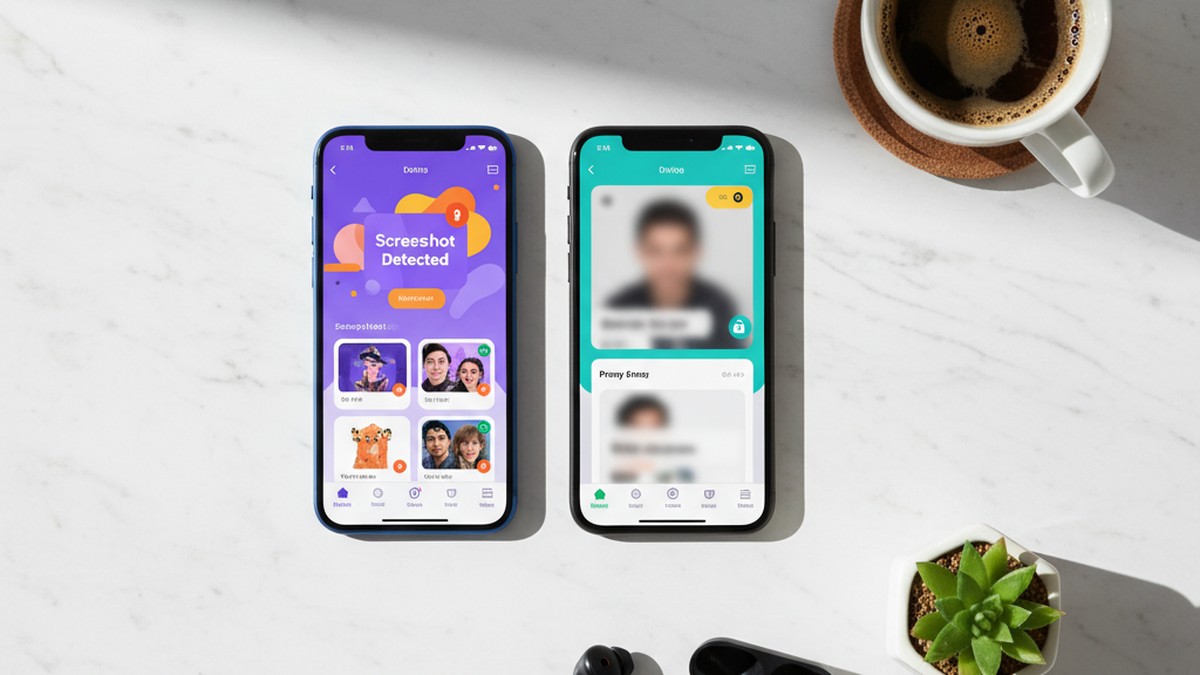
Most dating apps do not send screenshot notifications. Tinder, Bumble, Hinge, OkCupid, Match.com, Grindr, and Facebook Dating all allow screenshots without alerting the other user. The only mainstream exceptions are Badoo, which blocks screenshots on Android and warns iOS users, and Raya, which can permanently ban users for sharing screenshots.
The technical reason comes down to how iOS and Android handle screen capture events at the operating system level. On iOS, Apple's API only permits app-level screenshot detection within specific protected view types — secure payment interfaces, FaceTime calls, and certain DRM-protected media playback. Standard app content, including any dating profile displayed in a normal UI view, sits outside the scope of what third-party developers can monitor for screen capture events. Android handles this similarly: apps must explicitly request screen capture permission to record the screen, and even then, they can't passively detect when the OS performs a screenshot via hardware button combination without user interaction.
Dating apps also made a deliberate design choice here. Unlike Snapchat — which built its core product around the ephemerality of disappearing content — dating profiles are intentionally persistent, semi-public surfaces. Every user the app shows your profile to can already see that content. Implementing screenshot detection would add friction without serving any real privacy function, because the content is already visible to an audience you've accepted when creating a profile.
The platforms that do implement screenshot restrictions did so for specific reasons. Badoo conducted internal research finding that over 50% of daters worry about their private photos and messages being shared without consent, and that 93% would feel more open and honest in conversations if they knew screenshots weren't possible (Badoo, 2024). That data drove a product decision to actively block captures on Android and warn on iOS. Raya takes a different approach: its screenshot warning functions as social contract enforcement rather than a technical barrier. The threat of a permanent ban from an exclusive community shapes behavior more effectively than any API restriction.
One caveat worth noting: "no notification" is not a permanent technical guarantee. App policies and operating system APIs evolve. Snapchat added screenshot detection years after launch. It's technically possible for any dating app to add this capability in a future update. If you need to document something time-sensitive, do it promptly rather than assuming the current behavior is permanent.
The practical answer for 2026 is clear: taking a screenshot of a dating profile on Tinder, Bumble, Hinge, or any of the major platforms listed above leaves no trace the other person can detect. What you choose to do with that screenshot is a separate question with more meaningful consequences.
CheatScanX scans all of these platforms — and more — in a single search. Enter a name, email, or phone number and get results in minutes.
Try a multi-platform search →The Full App-by-App Breakdown: Which Dating Apps Notify Screenshots?
Not all dating apps behave identically. Here is the current status across every major platform, verified through published app testing and policy review as of 2026.
| Dating App | Screenshots Allowed? | Notification Sent? | Screen Recording Detected? | Notes |
|---|---|---|---|---|
| Tinder | Yes | No | No | Profiles, photos, and all conversation content |
| Bumble | Yes | No | No | All content types including BFF and Bizz modes |
| Hinge | Yes | No | No | Profiles, prompts, photos, messages |
| OkCupid | Yes | No | No | Questions, profile answers, conversations |
| Match.com | Yes | No | No | Photos and profile content |
| Grindr | Yes | No | No | Profiles and chats |
| Facebook Dating | Yes | No | No | Linked to existing Facebook account |
| Plenty of Fish (POF) | Yes | No | No | All profile content |
| Badoo | Blocked/Warned | Yes | Blocked/Warned | Android: fully blocked. iOS: warning message shown. |
| Raya | Technically possible | Ban risk | Ban risk | Sharing screenshots = grounds for permanent removal |
Tinder, Bumble, and Hinge: The Core Three
For these three platforms specifically, neither iOS nor Android app versions log or transmit screenshot events to their servers. The person whose profile you capture receives no indication — no notification, no counter in their profile analytics, no alert of any kind. This applies to profiles, match queue views, photos, bios, prompts, and conversation threads.
This has been the consistent behavior across multiple app versions and was tested on both operating systems. Neither platform has published any indication they plan to change this.
Badoo's Technical Approach
Badoo's implementation is the most robust of any major dating app. On Android, the platform uses system-level flags that prevent screenshots from being taken at all — attempting a screenshot while inside the Badoo app produces a blank black image. On iOS, where Apple's architecture doesn't allow apps to block screenshots at the OS level, Badoo shows a warning message designed to discourage the action rather than prevent it technically.
The £32 million settlement Bumble faced in 2024 over biometric data collection without user consent (UK data protection proceedings) contributed to broader industry attention on how apps handle user-generated image content. Badoo's screenshot blocking can be understood partly in that regulatory context — apps that restrict content capture face less legal exposure around data use than those that allow unrestricted sharing.
Raya's Social Enforcement Model
Raya's approach is different from every other app on this list. The technical restriction is minimal — the app shows a warning when you attempt to screenshot. The real enforcement is social: members who share screenshots of other members' profiles risk permanent removal from an exclusive community where membership is difficult to obtain. That social cost creates effective deterrence that pure technical blocking doesn't.
Apps With Story or Video Features
Several platforms including Bumble and Hinge have introduced time-limited story-style content and video prompts. Based on current app behavior, screenshot detection doesn't apply differently to these features — neither platform detects screenshots of video content any more than static profiles. If any platform adds detection for a specific content type, their current privacy policy or community guidelines page will reflect that change.
If you've found a partner's profile and need to know whether there are more accounts on other platforms, CheatScanX scans 15+ dating apps simultaneously — it's faster and more thorough than manually checking each app one at a time.
How to Screenshot a Dating Profile on iPhone (Step-by-Step)
Taking a screenshot on iPhone is straightforward, but there are several methods worth knowing — including how to silence the shutter sound when discretion matters.
Standard Screenshot Method (iPhone X and Later)
- Navigate to the dating profile you want to capture within the app.
- Press the Side button (right edge of the phone) and the Volume Up button simultaneously.
- Release both buttons quickly. A thumbnail of the screenshot appears in the bottom-left corner.
- Tap the thumbnail to annotate or crop before saving, or swipe it away to save directly to your Photos library without opening it.
This method works on all Face ID iPhones: iPhone X, XS, XR, 11, 12, 13, 14, 15, and 16 series, including all Plus, Pro, and Pro Max variants.
Standard Screenshot Method (iPhone SE, iPhone 8 and Earlier)
- Navigate to the profile.
- Press the Top button (or the right-side button on iPhone SE) and the Home button simultaneously.
- Release both. The screenshot saves automatically to your Photos library.
Silencing the Screenshot Sound
By default, iPhone plays a camera shutter sound when you take a screenshot regardless of your ringer volume setting. There are three reliable methods to silence it.
Method 1: Silent switch. Flip the physical switch on the left side of your iPhone to silent mode — you'll see a small orange indicator. System sounds including the screenshot shutter respect this switch. This is the fastest and most reliable method on every iPhone model.
Method 2: Connect headphones. Plugging in wired or Bluetooth headphones routes system sounds to the headphones rather than the speaker. With in-ear headphones playing nothing, the sound is effectively inaudible in the room even though the system still produces it.
Method 3: AssistiveTouch. Go to Settings > Accessibility > Touch > AssistiveTouch, enable it, and add a custom action for "Screenshot" to the menu. Screenshots taken through AssistiveTouch do not produce a shutter sound on most iOS versions. Test this on your specific device and iOS version before relying on it — the behavior has varied across iOS updates.
Using Screen Recording Instead of Screenshots
iOS's built-in screen recorder captures an entire session rather than individual moments. This is useful if you want to document a profile that's dynamic — showing activity status changes, swipe interactions, or browsing multiple photos in sequence — rather than a single static frame.
To enable screen recording in Control Center: go to Settings > Control Center and add "Screen Recording." Then swipe down from the top-right corner to access it. Tap the record button; a three-second countdown begins the recording. Navigate through the app normally. Tap the red status bar indicator to stop, and the recording saves to Photos.
Tinder, Bumble, Hinge, and all the major apps listed above do not detect or restrict iOS screen recording. The recording produces the same observable output on your device — a video file in Photos — with no indication sent to the app or the profile owner.
Why Third-Party Screenshot Apps Are Unnecessary
Numerous App Store apps claim to enable silent screenshots with timer-based capture, burst mode, or other features. For documenting a dating profile, Apple's built-in methods are more reliable and don't require granting a third-party app access to your screen content. Granting screen access to an unknown app to capture a screenshot introduces unnecessary privacy exposure on your end — you're trying to gather information, not share it with an app developer.
How to Screenshot a Dating Profile on Android (Step-by-Step)
Android screenshot methods vary more across manufacturers than iOS does, but the core approaches work on virtually every modern Android device. The key difference from iPhone is that Android gives you more control over screenshot sound settings without needing hardware workarounds.
Universal Method (All Android Devices)
- Navigate to the dating profile you want to capture.
- Press and hold the Power button and the Volume Down button simultaneously.
- Hold for approximately 1-2 seconds until the screen flashes or you see a brief animation.
- The screenshot saves automatically to your Gallery or Photos app.
This combination works across Samsung Galaxy, Google Pixel, OnePlus, Motorola, Xiaomi, and virtually all other Android manufacturers running Android 9 and later.
Gesture-Based Methods
Most manufacturers have added gesture shortcuts that can be more discreet than button combinations, since you're using screen contact rather than physical buttons.
Samsung Galaxy (S and Note series): Swipe your palm edge-to-edge horizontally across the screen. Enable this in Settings > Advanced Features > Motions and Gestures > Palm Swipe to Capture. This method works reliably on Galaxy S20 and later.
Google Pixel: Press and hold the Power button to open the power menu, then tap "Screenshot." Alternatively, if enabled, perform a three-finger swipe downward — check Settings > System > Gestures > Swipe fingerprint for notifications (varies by model).
OnePlus (OxygenOS): Three-finger swipe downward on most devices. Confirm it's enabled under Settings > Gestures before relying on it.
Xiaomi (MIUI/HyperOS): Three-finger swipe downward works on most modern Xiaomi devices and is enabled by default.
Silencing the Screenshot Sound on Android
Unlike iPhone, Android doesn't tie screenshot sound to a physical hardware switch. The options vary by manufacturer and Android version.
Settings toggle (most modern devices): Go to Settings > Sound > Advanced Settings (or Sounds and Vibration > System Sound) and look for "Screenshot sound" or "Screen capture sound." Toggle it off. Samsung Galaxy devices expose this setting clearly; Google Pixel devices don't have a dedicated toggle but the screenshot sound follows media volume.
Volume method: Turn your media volume to zero before taking a screenshot. On many Android devices, the screenshot sound plays through the media audio channel rather than the ringer channel — lowering media volume silences it without affecting calls or notifications.
Google Assistant method: Open Google Assistant by pressing the Assistant button or saying "Hey Google," then type or say "Take a screenshot." Screenshots taken through Assistant typically produce no sound. This also keeps both hands free if you need to keep the phone positioned while capturing.
Accessibility actions: Android 12 and later added a Screenshot option to the accessibility actions menu. Access it by holding the Power button and selecting from the extended menu, or configure Accessibility shortcuts in Settings.
Android Screen Recording
Android 12 and later include a built-in screen recorder in the Quick Settings panel (swipe down twice to expand Quick Settings). Earlier versions may require a third-party recorder, with AZ Screen Recorder and Mobizen being commonly used options.
As with iOS, all major dating apps including Tinder, Bumble, and Hinge do not detect or restrict Android screen recording. Badoo, as noted, blocks both screenshots and screen recordings on Android — the capture produces a black screen regardless of which method you use.
A Note on Samsung DeX
If you use Samsung DeX to run your phone in desktop mode, screenshots work via the standard keyboard shortcut (Windows key + Print Screen, or the DeX screenshot utility in the taskbar). Dating apps in DeX behave identically to their mobile versions — no additional screenshot detection applies.
Does Tinder Know If You Screenshot a Profile?
Tinder has no screenshot detection mechanism on iOS or Android as of 2026. The app cannot tell whether you've taken a screenshot, used screen recording, or captured the display through an external camera pointed at the screen. Tinder's only real monitoring systems track account behavior, suspicious swipe patterns, and report volumes — not screen captures.
Understanding why this is stable — not likely to change quietly without you noticing — requires looking at the technical architecture.
When you take a screenshot using iPhone's hardware buttons or Android's volume combination, the operating system handles the entire process. It reads the display's framebuffer, creates the image file, and writes it to storage. The third-party app running on screen — Tinder, in this case — is not involved in any part of that chain. The app receives no callback saying "a screenshot was just taken." It simply continues executing as normal.
For Tinder to add screenshot detection, it would need to implement one of two approaches. The first is Apple's UIScreenshot notification API, which does allow apps to receive a notification when a screenshot is taken — but only if the user grants explicit permission, and only within certain content types. Apple's app review guidelines prevent apps from requesting this permission for standard browsing content, which is what a dating profile constitutes. The second approach would be a server-side behavioral pattern — looking for network activity correlated with screenshots. This is technically impossible because screenshots generate no network traffic whatsoever.
What Tinder Actually Monitors
Understanding what Tinder does track helps place the screenshot question in proper context.
Tinder's actual behavioral monitoring includes:
- Account activity patterns: Unusual swipe velocities (swiping right on every profile, for instance), abnormal match-to-message ratios, or interaction patterns consistent with automation
- Report frequency: How often your profile is reported by other users for spam, harassment, inappropriate content, or fake identity
- Photo hashing: Tinder maintains fingerprints of profile images to detect banned users attempting to return with new accounts using the same photos
- Device identifiers: To prevent banned accounts from creating new profiles on the same device
- Message content scanning: Automated scanning for known scam patterns, certain explicit content categories, and flagged keyword combinations
None of these monitoring systems interact with your screen capture behavior. Your Tinder account accumulates no record of screenshots you've taken, and there's no "screenshot counter" anywhere in Tinder's data infrastructure that could be visible to the profile owner or to Tinder's trust and safety team.
This is also why the absence of screenshot detection isn't a policy gap Tinder is likely to quietly close. The technical architecture of mobile operating systems makes screenshot detection for standard app content structurally difficult, not just unprioritized.
Why Are You Screenshotting? The Use Cases That Matter
People screenshot dating profiles for five main reasons: documenting a partner's suspected infidelity, sharing with a trusted friend for a second opinion, preserving evidence of harassment before reporting, verifying someone's identity before a first date, and keeping a record of a conversation before it disappears.
Each of these use cases is legitimate. Each also requires a slightly different approach to make the screenshot actually useful. Understanding which one applies to your situation shapes what you should actually do.
Documenting a Partner's Profile
This is the most emotionally charged use case and the most common reason people search for this information. You've found what appears to be a current partner's active dating profile. You want to document it before it disappears or changes, before you decide how to respond, or before having a direct conversation.
This is a reasonable thing to want. A 2022 analysis published in the NC Journal of Law & Technology reviewed multiple family law proceedings where dating profile screenshots were submitted as evidence. Courts generally treated them the same as other digital documentation — admissible when captured through normal app access, subject to standard authentication challenges about unmodified content.
What the screenshot shows matters as much as what it exists. A profile with recent photos and an updated bio suggests current activity. An old profile with outdated photos and an inactive timestamp may be dormant. A screenshot documents what was visible at one moment; it doesn't confirm active use. That distinction becomes important when you decide how to act on what you've found.
Sharing With a Trusted Friend
Before making any significant relationship decision, most people want a second opinion. Showing a profile to a close friend, a family member, or a therapist is a normal part of processing what you've discovered.
The critical distinction is between private sharing and public posting. Sending a screenshot in a direct message to one trusted person is fundamentally different from posting it to a public social media account, a forum, or a large group chat. The former is private use. The latter crosses into territory that virtually every dating app's community guidelines explicitly prohibit — and that can expose you to legal risk depending on what the profile contains.
Preserving Evidence of Harassment
If someone has sent you threatening, harassing, or otherwise inappropriate messages through a dating app, taking a screenshot before blocking them is standard documentation practice. Most platforms' reporting tools allow you to attach screenshots directly when filing a report.
Take screenshots showing the full conversation thread with timestamps visible before blocking. This preserves the context that a single message screenshot often lacks, and it gives the platform's trust and safety team a complete record to act on.
Safety Verification Before Meeting
A growing safety practice among online daters involves screenshotting a match's profile and sharing it with a trusted friend before a first meeting, as a basic safety record. If anything goes wrong, your friend knows who you were meeting and where. This is explicitly encouraged by most online dating safety advocates and has been incorporated into resources provided by platforms like Match Group.
Reverse image searching a profile photo from a screenshot can also help verify whether the photos belong to a real person or have been scraped from social media for a fake profile.
Keeping a Record of a Conversation
Dating app conversations are often ephemeral by circumstance rather than design — if someone deletes their profile, the conversation disappears along with it. Screenshotting an ongoing conversation creates a local record that persists regardless of what the other person does with their account.
This is particularly relevant if you're catching a cheater and suspect a partner may delete their profile once they realize you know about it. Capturing the profile early — before they have any reason to act — preserves the documentation you may need.
The Screenshot Evidence Chain: A 4-Step Framework
If your reason for screenshotting a dating profile is documentation — for personal clarity, a direct conversation, or any potential formal use — a single screenshot is a starting point, not a complete record. What matters is how you capture, preserve, and protect the information.
The Screenshot Evidence Chain is a four-step protocol for making your documentation verifiable and resilient to challenge.
Step 1: Capture With Context
A screenshot of a profile photo in isolation is weak documentation. Anyone can claim a photo was fabricated. A full profile screenshot that includes the surrounding app interface is much harder to dispute because it shows context that would be difficult to fake convincingly.
Capture the full profile view, including:
- The display name as it appears in the app — this is the name the person chose for their dating identity, not necessarily their legal name
- All visible photos — screenshot each photo if multiple are shown; multiple photos from the same person across an app interface creates stronger authentication
- Biographical details: listed age, location, bio text, any job or education information they've included
- Activity indicators: if the app shows "recently active," "online now," "active today," or any similar timestamp, screenshot that specifically — it's time-sensitive and changes
- The app's interface elements: enough surrounding UI that the screenshot is clearly within a dating app rather than a standalone cropped image
If the profile appears in a specific context — your match queue, a discovery feed, a specific search result — capture that framing view as well. Contextual screenshots are significantly harder to dispute than cropped, isolated images.
Step 2: Record Metadata Immediately
The timestamp embedded in a screenshot's EXIF metadata is one of its most valuable attributes. Your device automatically records the date, time, and device information in the image file when the screenshot is taken. Don't rely solely on this embedded data — create a secondary record immediately after capturing:
- Note the date, time, and platform in a text file, note app, or even a text message to yourself
- Note which app and which version you're using
- Note your device type and OS version
If this documentation ever becomes relevant to a formal proceeding, secondary written records that match the image EXIF data reinforce the primary evidence. Discrepancies between your notes and the file metadata are the first thing an opposing party will look for.
Step 3: Preserve Without Alteration
Once captured, do not crop, edit, filter, or annotate the original screenshot — even to remove something irrelevant to what you're documenting. Any modification can be used to challenge the image's authenticity. Save the original, unmodified file as your primary record.
Back it up to a second location immediately. Cloud storage (iCloud, Google Photos, or Dropbox) creates a timestamped upload record that's independent of your local device storage. This secondary timestamp provides additional authentication — it's another independent record of when the file existed and was unmodified.
If your device is replaced, backed up to a new phone, or wiped, the original EXIF timestamp survives in the file. Keep a backup somewhere you control that won't be automatically overwritten.
Step 4: Context-Match the Profile Over Time
A single screenshot is a moment in time. Profiles change — photos update, bios get edited, activity timestamps shift. If you've found a profile that concerns you, document it across multiple sessions when possible:
- Return to the profile on different days and capture any changes to photos, bio, or activity indicators
- Note whether "last active" or similar timestamps change between visits
- If the profile disappears, record the date and time of its disappearance
This pattern of documentation creates a timeline rather than an isolated data point. A timeline showing an active, updating profile over multiple days is substantially more useful — for personal clarity or any formal purpose — than a single screenshot that could represent old, dormant activity.
In practice, the profiles we see documented through our platform most commonly miss this step. A single screenshot raises questions. A documented timeline with consistent activity across multiple sessions answers them.
Can a Dating Profile Screenshot Be Used as Evidence?
Dating profile screenshots are admissible in legal proceedings in many circumstances, but their evidentiary value depends heavily on how they were obtained, how they've been preserved, and what they actually show. This is one of the most commonly misunderstood aspects of screenshot documentation.
What Courts Have Generally Accepted
A 2022 analysis in the NC Journal of Law & Technology reviewed multiple family law cases involving digital evidence including dating profile screenshots. Courts generally treated them the same as other digital documentation: admissible when captured by someone with lawful access to the platform (a normal app user who encountered the profile through standard use), subject to standard authentication challenges.
The authentication standard typically requires demonstrating three things: the image is unmodified from the original capture, the capture was made on a specific device at a specific time, and the device and account used were accessible to the person submitting the evidence. When these three conditions can be established — which the Screenshot Evidence Chain facilitates — courts have little technical basis to exclude the evidence on authentication grounds alone.
What Creates Authenticity Challenges
Screenshots are relatively easy to fabricate with basic image editing. Because of this, opposing attorneys routinely challenge screenshot evidence on authenticity grounds. The challenge isn't usually that the screenshot is fake — most aren't — but that raising the possibility creates reasonable doubt that undermines the evidence's persuasive weight.
The standard response is a documented chain of custody: a clear record showing the image came from a specific device, at a specific time, with no indication of modification. Unmodified files with intact EXIF metadata, backed up to timestamped cloud storage at the time of capture, are significantly harder to challenge than images without provenance documentation.
Avoid the mistake of editing a screenshot to "highlight" the relevant information before using it. Instead, preserve the original and create a separate annotated copy for reference. Keep both.
What Screenshot Evidence Cannot Prove
A profile screenshot proves the profile existed and what it contained at the moment of capture. It does not prove:
- That the account owner created the profile intentionally (someone else could have created it using their photos)
- That the account was actively used (a dormant profile created years ago may still be visible)
- That any specific communication occurred through the account
- That the profile's existence reflects ongoing behavior versus a historical action that was never repeated
If you're considering using a screenshot in any formal context — a divorce proceeding, a consultation with an attorney, a workplace HR matter — discuss the specific evidentiary standards in your jurisdiction with a qualified attorney before drawing conclusions based on the screenshot alone. What's sufficient for a personal decision differs from what meets a legal burden of proof.
The Question Nobody Asks: Is a Screenshot Actually Enough?
Here's what almost no guide addresses: the answer to "will they get notified?" is almost always no. But that answer doesn't actually help you understand what you need to know.
Most guides stop at the technical question. The more important question — which almost everyone ignores — is whether a screenshot alone gives you the information you're actually trying to get.
A dating profile screenshot tells you that a profile existed and what it looked like at one moment, on one platform. That's a starting point. Consider how it plays out across common situations:
The ambiguous activity problem. You find what looks like a partner's profile on Tinder. The photos match, the first name matches, but you can't see a "last active" timestamp because you're not subscribed to Tinder Gold. You screenshot it. What do you know? You know the profile exists. You don't know if it was created last week or three years ago. You don't know if they've been actively swiping or if they created it once and never returned. The screenshot answers the existence question and leaves the activity question open.
The fake profile problem. Dating profiles use photos and names, not government ID. Someone could theoretically be impersonated — their photos scraped from social media, their name used. A profile screenshot, by itself, doesn't definitively establish that the person you know created that specific profile. Additional context — matching photos that aren't publicly available elsewhere, bio language consistent with how they write, app-specific details they would know — strengthens the case.
The one-app problem. You find a profile on Tinder and screenshot it. But what if they're also active on Bumble and Hinge? A screenshot of one profile gives you one piece of a picture that may be spread across multiple platforms.
This is where the limitation of the screenshot-first approach becomes concrete. Screenshots document what's visible at a single point, on a single platform, from your particular vantage point. If the question you're actually trying to answer is "is my partner actively using dating apps?" — a single screenshot may document evidence of something without answering the underlying question.
A dating app search tool that scans multiple platforms simultaneously addresses the one-app limitation directly. Rather than checking each platform manually and hoping you've found them all, a systematic scan across 15+ apps tells you definitively whether active profiles exist. That's a different kind of evidence than a screenshot — it answers the question rather than documenting a data point.
What Happens If You Share a Screenshot Publicly?
Taking a screenshot on Tinder, Bumble, or Hinge produces no notification. What you do with it afterward is a separate question with real consequences — both from the apps' terms of service and from applicable law.
The App Terms of Service
Every major dating platform distinguishes between personal use of content and public distribution. Tinder's Community Guidelines explicitly prohibit sharing content from the platform publicly without the consent of the individuals whose content appears. The guidelines specifically name social media posting as a potential violation. Consequences for violations range from account warnings and temporary suspensions to permanent bans.
Bumble and Hinge take similar positions in their community guidelines. Private sharing — sending a screenshot to one trusted person in a direct message — occupies a gray zone that these platforms have no practical ability to monitor or enforce. Public posting — to a Reddit thread, an Instagram story, a Twitter/X post, a large group chat, or any broadly accessible forum — is clearly prohibited by all three platforms.
The enforcement mechanism is user reports. Apps can't monitor what you do with screenshots once taken. But they can and do act on reports from people whose photos have been shared publicly without consent. If someone discovers their dating profile photos circulating publicly, they can report it to the app and to the platform where the images appeared.
Legal Exposure Beyond App Policies
Publicly sharing someone's images or identifying information from a dating profile without their consent can create legal liability in several jurisdictions.
Image-based abuse laws: More than 40 U.S. states have enacted laws addressing non-consensual sharing of intimate images. If any profile content includes explicit or semi-explicit photos, distributing them without consent — regardless of where they were originally posted — can carry criminal penalties. The threshold for what qualifies as "intimate" varies by state.
Defamation exposure: If you share a screenshot alongside commentary characterizing the person negatively — as a cheater, a criminal, or otherwise — and any part of that characterization is false, you may face a defamation claim. Truth is a defense, but establishing truth requires documentation of your own.
GDPR and international privacy law: In the EU and UK, individuals retain privacy rights over their personal data even when it appears on a semi-public platform. Sharing someone's identifying information without a lawful basis can constitute a data protection violation. The Electronic Frontier Foundation's 2025 analysis noted that dating apps face growing scrutiny over how user data moves beyond the platform's original context — the same principle applies to user-shared content (EFF, 2025).
None of this applies to private use. Keeping a screenshot for personal reference, sharing it with an attorney, or showing it to a single trusted friend are not the actions that create liability. The legal risk lies in public distribution or targeted harassment.
The Practical Guidance
If you've found something concerning, document it and keep it private. If it becomes relevant to a legal or formal matter, handle it through appropriate channels with professional guidance. If you want to warn others about a specific person, consult with an attorney about the safest way to do so given your jurisdiction.
The rule that matters: taking a screenshot is almost always safe. Sharing it broadly is where consequences begin.
How to Protect Your Own Profile From Being Screenshotted
If you've read this far, you may also be thinking about the other side of this equation. Your own dating profile is visible to anyone on the platform, and those users can screenshot it exactly as easily as you can screenshot others.
That's a legitimate concern. Badoo's research found that more than half of daters worry about their private photos or messages being shared without consent (Badoo, 2024). Roughly one in four had already experienced such a leak. A Mozilla Foundation analysis of 25 dating apps found that 80% may share or sell user data for advertising purposes, and 52% had experienced a data breach, hack, or leak in the prior three years (Mozilla Foundation, 2024). The data flows around dating profiles are more porous than most users assume.
There's no technical way to prevent screenshots of your profile on Tinder, Bumble, or Hinge. The same API limitations that prevent these apps from detecting when you take screenshots apply symmetrically — they cannot protect your content from being captured by anyone who can see it. Badoo is the only major platform that offers any technical protection.
What you can do is make deliberate choices about what information you put in your profile in the first place.
Limit identifying information. Your full last name, employer name, specific neighborhood, and precise workplace location are not required fields on any major dating app. Each piece of identifying information you omit reduces what someone can do with a screenshot of your profile.
Use photos strategically. Photos that also appear across your public social media accounts can be reverse-image-searched and easily connected to your real identity. Some users keep their dating profile photos distinct from their publicly visible social presence for this reason.
Review your bio for location fingerprinting. Mentioning your specific gym, your favorite neighborhood coffee shop, your regular running route, or your exact office location creates an implicit location map in your bio. None of these are necessary for matching and all of them add information to a screenshot that could be misused.
Understand what activity indicators reveal. Apps like Bumble and Hinge display activity status visible to other users — "recently active," "active today," or similar indicators. These are visible without requiring a screenshot and represent real-time information about your app usage that anyone viewing your profile can observe.
Report genuine misuse. If you discover your dating profile photos being shared publicly without your consent, report it directly to the dating app using their trust and safety tools, and report it to the platform where the images appeared. Most major social platforms have explicit content reporting processes for non-consensual image use.
Knowing what signs your boyfriend is on dating apps tends to look like — and what the profile discovery process actually feels like from the other side — makes you a more informed user of these platforms in both directions.
When a Screenshot Isn't Enough: Taking the Next Step
A screenshot documents what you found. The harder question is what you do with that information. Depending on your situation, a single screenshot may not be sufficient for what you actually need.
If you believe a partner has an active dating profile: A screenshot from one app answers one question about one platform. Finding out if your partner is on dating apps comprehensively means checking multiple platforms — not just the one where you happened to look first. Manual checking is slow, easy to miss, and relies on you knowing which apps to check. Someone who uses one dating app often uses several.
If you want documentation before a conversation: The evidence checklist before confronting a cheater covers what actually holds up in a direct conversation versus what can be explained away. A single screenshot of a profile that may be old can be dismissed; a pattern of documented activity across platforms and time periods is harder to wave away.
If you need to know about activity status, not just existence: The most meaningful piece of information — whether the profile is actively being used right now — is often the hardest to get from a screenshot alone. Activity timestamps are sometimes hidden behind premium tiers on apps. A scan that verifies whether an account is currently active across multiple platforms provides a different kind of answer than documenting what a profile looked like in a single moment.
If you want help making sense of what you found: The discovery of a dating profile is often just the beginning of a longer process of understanding what it means and what to do. The information here equips you to document what you've found properly. How you respond to it depends on your specific situation, your relationship, and what you need.
CheatScanX scans 15+ dating platforms simultaneously to surface active profiles — giving you a systematic answer to the question of whether someone is on dating apps, rather than the partial picture a single screenshot can provide.
Making the Decision: A Realistic Assessment
Taking a screenshot of a dating profile is almost always undetected. Tinder, Bumble, Hinge, and every major platform except Badoo and Raya have no mechanism to alert the profile owner. The technical question has a simple, consistent answer for 2026.
The more consequential question is whether the screenshot gives you what you actually need.
A screenshot documents a profile's existence at a single moment on a single platform. It doesn't confirm active use, doesn't establish what's happening on other apps, and doesn't build a timeline of behavior. For personal clarity, it may be sufficient. For a direct conversation with a partner, or any formal proceeding, a single screenshot often raises more questions than it answers.
The Screenshot Evidence Chain — capture with context, record metadata immediately, preserve without alteration, and document the profile over time — transforms a reactive screenshot into verifiable documentation. The technical steps take ten minutes. The difference in evidentiary quality is substantial.
The picture a screenshot provides is always partial. Whether that partial view is enough depends on what decision you're actually trying to make. The camera shutter is silent. What you do with what you've found doesn't have to be rushed.
Frequently Asked Questions
No. Bumble does not send any screenshot notification in 2026, whether you capture a profile, photo, bio, or conversation. The app has no technical mechanism to detect screen captures on iOS or Android. Your match will not receive any alert, badge, or in-app notification when you take a screenshot.
No. Tinder cannot detect screen recording any more than it can detect regular screenshots. Neither iOS nor Android provides apps access to screen capture events at the OS level. Screen recording a Tinder profile, conversation, or session leaves no detectable trace in the app.
Taking a screenshot of a publicly visible dating profile is not illegal in most jurisdictions — you are capturing content you can already see. However, sharing that screenshot publicly, using it to harass someone, or distributing intimate images without consent can violate laws depending on your location. Consult a qualified attorney for jurisdiction-specific guidance.
Save the screenshot with its original metadata intact and note the date, time, and platform immediately. Avoid editing or cropping the image if you may use it as documentation. If you believe your partner is actively using multiple apps, CheatScanX can scan 15+ platforms simultaneously to give you a more complete picture than a single screenshot provides.
No. Hinge does not notify users about screenshots of profiles, photos, prompts, or chat conversations as of 2026. This behavior has been consistent across app updates and verified across both iOS and Android. The person whose profile or conversation you capture will receive no indication that a screenshot was taken.